
Sleep tracking is one of the most valuable features of modern fitness wearables, and Fitbit has long been a leader in this space. Many users rely on their devices to understand sleep patterns, detect disturbances, and improve overall rest quality. However, it’s not uncommon to wake up and find that your Fitbit recorded only four hours of sleep when you were in bed for eight—or worse, failed to detect sleep altogether. These inaccuracies can be frustrating and misleading, especially if you're using the data to make lifestyle or health decisions.
The truth is, while Fitbit uses advanced sensors and algorithms, it isn’t infallible. Inaccurate sleep tracking often stems from user habits, device settings, or physical factors rather than a faulty device. Understanding the root causes allows you to take corrective action and get more reliable data. This article breaks down the most common reasons behind inaccurate sleep tracking on Fitbit devices and provides actionable solutions to help you optimize performance.
How Fitbit Sleep Tracking Works
Before diving into the errors, it's essential to understand how Fitbit estimates your sleep stages. Fitbit devices use a combination of sensors and algorithms to infer your sleep state:
- Accelerometer: Detects movement to determine whether you’re awake, restless, or still (likely asleep).
- Heart Rate Sensor (PurePulse): Monitors heart rate variability, which changes during different sleep stages—light, deep, and REM sleep.
- SpO2 Sensor (on select models): Measures blood oxygen levels overnight, useful for detecting breathing disruptions.
- Smart Algorithms: Analyze motion, heart rate, and historical data to classify sleep stages and duration.
Unlike medical-grade polysomnography, which uses EEG and multiple physiological signals, Fitbit relies on indirect measurements. While generally accurate for population-level trends, individual results can vary due to behavioral and technical factors.
“Consumer wearables like Fitbit are excellent for identifying sleep trends over time, but they should not replace clinical diagnosis for sleep disorders.” — Dr. Lena Patel, Sleep Specialist at Pacific Wellness Institute
Common Errors That Affect Fitbit Sleep Accuracy
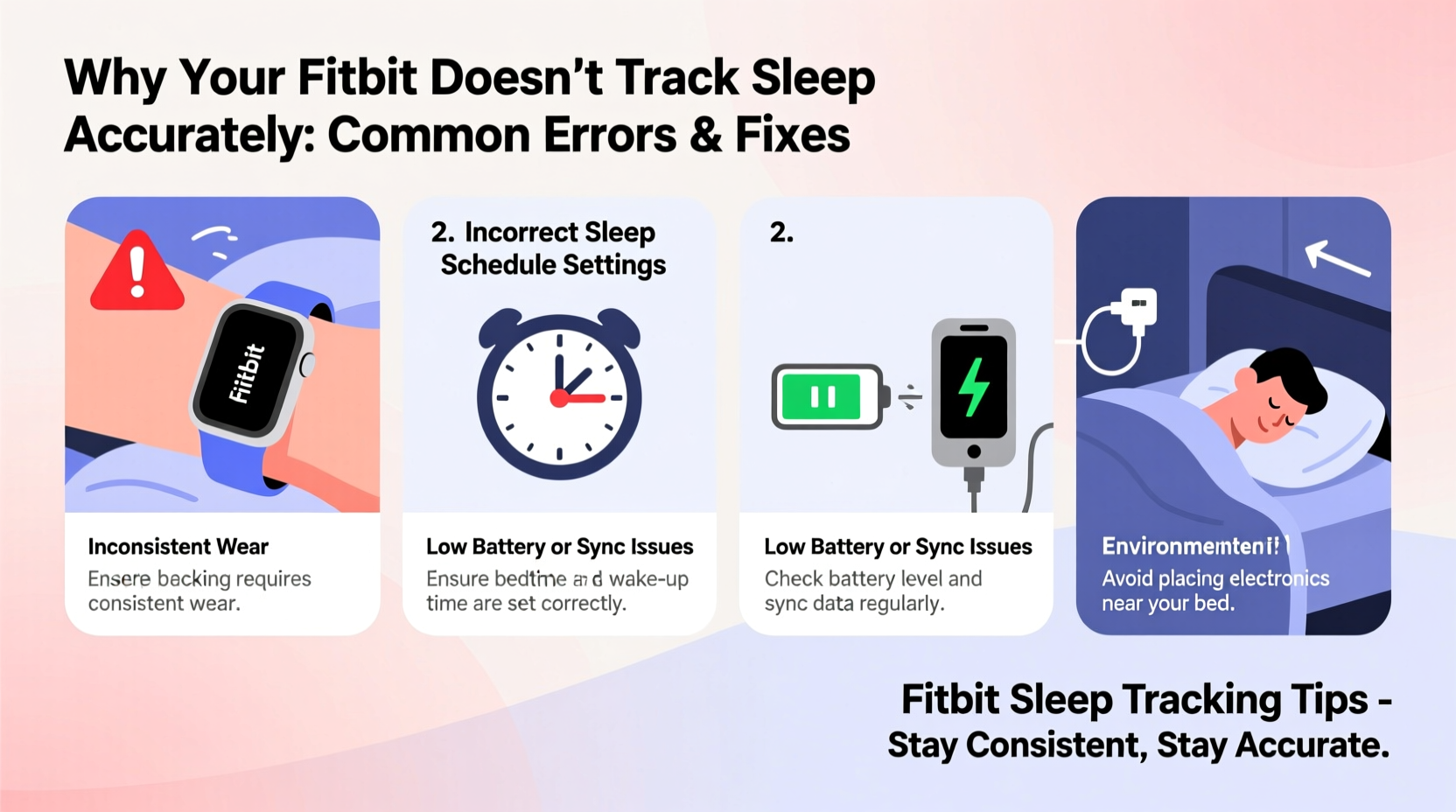
1. Wearing the Device Incorrectly
The placement and fit of your Fitbit significantly impact sensor performance. If the band is too loose, the optical heart rate sensor may struggle to maintain consistent contact with your skin, leading to erratic readings. Conversely, wearing it too tightly can restrict blood flow and distort heart rate data.
Frequent arm movements during sleep—such as adjusting blankets or rolling over—can also cause micro-gaps in sensor contact, especially if the band slips around your wrist.
2. Not Syncing or Charging Before Bed
If your Fitbit isn’t charged or hasn’t synced recently, it may enter power-saving mode or fail to initiate sleep tracking automatically. Some users forget to charge their device and go to bed with a low battery, causing the tracker to shut down mid-sleep.
Additionally, outdated firmware or app data can interfere with sleep detection logic. Always ensure your device syncs daily and runs the latest software version.
3. Sleeping with Your Arm Under the Pillow or Immobilized
Fitbit interprets lack of movement as sleep onset. But if you sleep with your arm under a pillow or pressed against your body, the accelerometer may not register subtle motions, tricking the algorithm into thinking you’ve been asleep longer than you actually have—or failing to detect awakenings.
In contrast, light sleepers who move frequently might be classified as “awake” even when dozing intermittently, resulting in underestimated total sleep time.
4. Using Manual Sleep Logging Instead of Automatic Detection
Some users manually start and stop sleep mode. While this gives control, it introduces human error. Forgetting to tap “Start Sleep” delays recording; oversleeping past the scheduled end time may truncate data. Automatic sleep tracking is generally more reliable if properly configured.
5. Skin Tone, Tattoos, or Hair Interference
The optical heart rate sensor emits green LED light to measure blood flow. On darker skin tones, higher melanin concentration can absorb more light, reducing signal accuracy. Similarly, wrist tattoos (especially dark ink) and thick wrist hair can obstruct sensor readings, leading to inconsistent heart rate data and flawed sleep staging.
Step-by-Step Guide to Improve Fitbit Sleep Tracking Accuracy
Follow this sequence to maximize the reliability of your sleep data:
- Wear the device correctly: Position it snugly 1–2 inches above the wrist bone. Avoid overly tight or loose fits.
- Charge nightly: Maintain at least 30% battery before bedtime. Consider charging after dinner if needed.
- Enable automatic sleep tracking: Go to the Fitbit app > Profile > Devices > [Your Device] > Sleep Sensitivity and set it to “Normal” or “High.”
- Sync daily: Open the Fitbit app each morning to ensure data uploads and firmware stays current.
- Test positioning: Try wearing the device on your non-dominant hand, where movement may be less disruptive.
- Clean the sensor regularly: Use a soft, damp cloth to wipe the back of the device weekly to remove sweat, oils, and debris.
- Verify sleep schedule in app: Confirm your bedtime and wake time settings match your actual routine under “Sleep Schedule” in the app.
- Update firmware: Ensure your Fitbit runs the latest version via the app’s device settings.
Troubleshooting Table: Common Issues & Fixes
| Issue | Possible Cause | Solution |
|---|---|---|
| No sleep detected | Device not worn, dead battery, or manual mode forgotten | Enable auto-tracking, charge nightly, wear consistently |
| Underestimated sleep time | Frequent movement, loose band, or poor heart rate signal | Adjust fit, reduce arm obstruction, clean sensor |
| Overestimated sleep (e.g., counted awake time) | Lying still with eyes open, arm immobilized | Avoid lying in bed awake for long periods; adjust sleep sensitivity |
| Misclassified sleep stages | Poor SpO2 or heart rate data, algorithm limitations | Ensure good sensor contact; focus on trends, not single-night data |
| Missing REM or Deep Sleep | Device model limitation (older models lack full staging), poor data quality | Upgrade to newer model (e.g., Charge 6, Sense 2), improve wear consistency |
Real-World Example: Sarah’s Sleep Tracking Fix
Sarah, a 34-year-old teacher, noticed her Fitbit Charge 5 consistently showed only five hours of sleep despite spending eight hours in bed. She often woke up groggy but saw no indication of restlessness or awakenings in her sleep log.
After reviewing her habits, she realized she was wearing the band loosely to avoid discomfort and usually slept with her right arm (where she wore the Fitbit) under her pillow. She also skipped charging occasionally, leading to mid-night shutdowns.
She adjusted by tightening the band slightly, switching to her left wrist, charging every evening, and cleaning the sensor weekly. Within a week, her sleep logs began showing more realistic durations and included previously missing awake periods. Over time, she identified a pattern of waking at 3:15 AM due to stress—and used that insight to begin mindfulness practices before bed.
Her data didn’t become perfect overnight, but the trend became far more reliable, allowing her to make informed adjustments to her routine.
Checklist: Optimize Your Fitbit Sleep Tracking
- ✅ Charge your Fitbit to at least 30% before bedtime
- ✅ Wear the device snugly, 1–2 inches above the wrist bone
- ✅ Enable automatic sleep tracking in the app
- ✅ Clean the back sensor weekly with a soft, damp cloth
- ✅ Sync your device daily via the Fitbit app
- ✅ Avoid sleeping with your wrist under a pillow or blanket
- ✅ Update device firmware regularly
- ✅ Compare sleep logs with how you feel—use data as a guide, not gospel
Frequently Asked Questions
Why does my Fitbit say I was awake when I know I was asleep?
This typically happens when you move during light sleep or brief awakenings. Fitbit classifies motion as wakefulness. If you toss and turn frequently or check your phone in bed, it may record those moments as awake time. Focus on trends across weeks rather than single nights.
Can I trust the REM and Deep Sleep percentages?
Fitbit’s sleep stage estimates are based on heart rate and movement patterns, which correlate broadly with true sleep architecture. However, they are not clinically precise. Use these metrics to identify relative changes—like more deep sleep after exercise—not absolute values.
Does taking a nap confuse my sleep tracking?
Short naps (under an hour) usually don’t trigger automatic sleep logging. But if you nap longer than 60 minutes, Fitbit may record it. You can manually log or delete naps in the app. For best nighttime accuracy, avoid long daytime naps.
Expert Insight: The Limits of Consumer Sleep Tech
While wearable sleep tracking has improved dramatically, experts emphasize its role as a wellness tool—not a diagnostic instrument.
“Devices like Fitbit excel at showing sleep trends over time. They help users recognize patterns like late bedtimes, frequent awakenings, or reduced deep sleep during stressful weeks. But they can’t diagnose sleep apnea or insomnia. Patients should consult a specialist if they suspect a disorder.” — Dr. Marcus Tran, Neurologist and Sleep Researcher
Understanding this distinction helps users leverage Fitbit data constructively. Instead of obsessing over nightly fluctuations, focus on month-over-month improvements: Are you falling asleep faster? Reducing nighttime awakenings? Increasing total sleep time?
Conclusion: Take Control of Your Sleep Data
Inaccurate sleep tracking on your Fitbit is rarely due to a defective device—it’s usually a mix of usage habits, settings, and biological variables. By adjusting how you wear the tracker, maintaining proper charge and hygiene, and understanding the technology’s limitations, you can significantly improve data reliability.
Sleep is too important to ignore, and your Fitbit can be a powerful ally in building healthier routines—if you use it wisely. Don’t treat every number as absolute truth; instead, look for patterns, make small changes, and observe how your body responds.




 浙公网安备
33010002000092号
浙公网安备
33010002000092号 浙B2-20120091-4
Comments
No comments yet. Why don't you start the discussion?