
If you’ve ever walked into your garage only to be greeted by a persistent beeping sound from your garage door opener, you’re not alone. That repetitive noise can range from mildly annoying to deeply concerning—especially if it starts in the middle of the night or continues nonstop. While many homeowners assume a beeping garage door opener is a sign of a major malfunction, the truth is that this alert often serves as an important diagnostic tool. Most modern garage door openers use audible signals to communicate specific issues, from low battery warnings to safety sensor malfunctions. Understanding why your unit is beeping—and knowing how to respond—is essential for maintaining both convenience and security.
The key to resolving the issue lies in identifying the pattern of the beeping and cross-referencing it with your opener’s model-specific manual. Manufacturers like Chamberlain, LiftMaster, Genie, and Craftsman program their devices to emit different beep sequences depending on the underlying problem. Ignoring these alerts may lead to reduced performance, unexpected failures, or even safety hazards. This guide breaks down the most common reasons behind repeated beeping, provides actionable solutions, and helps you restore quiet, reliable operation to your garage system.
Common Causes of Repeated Beeping
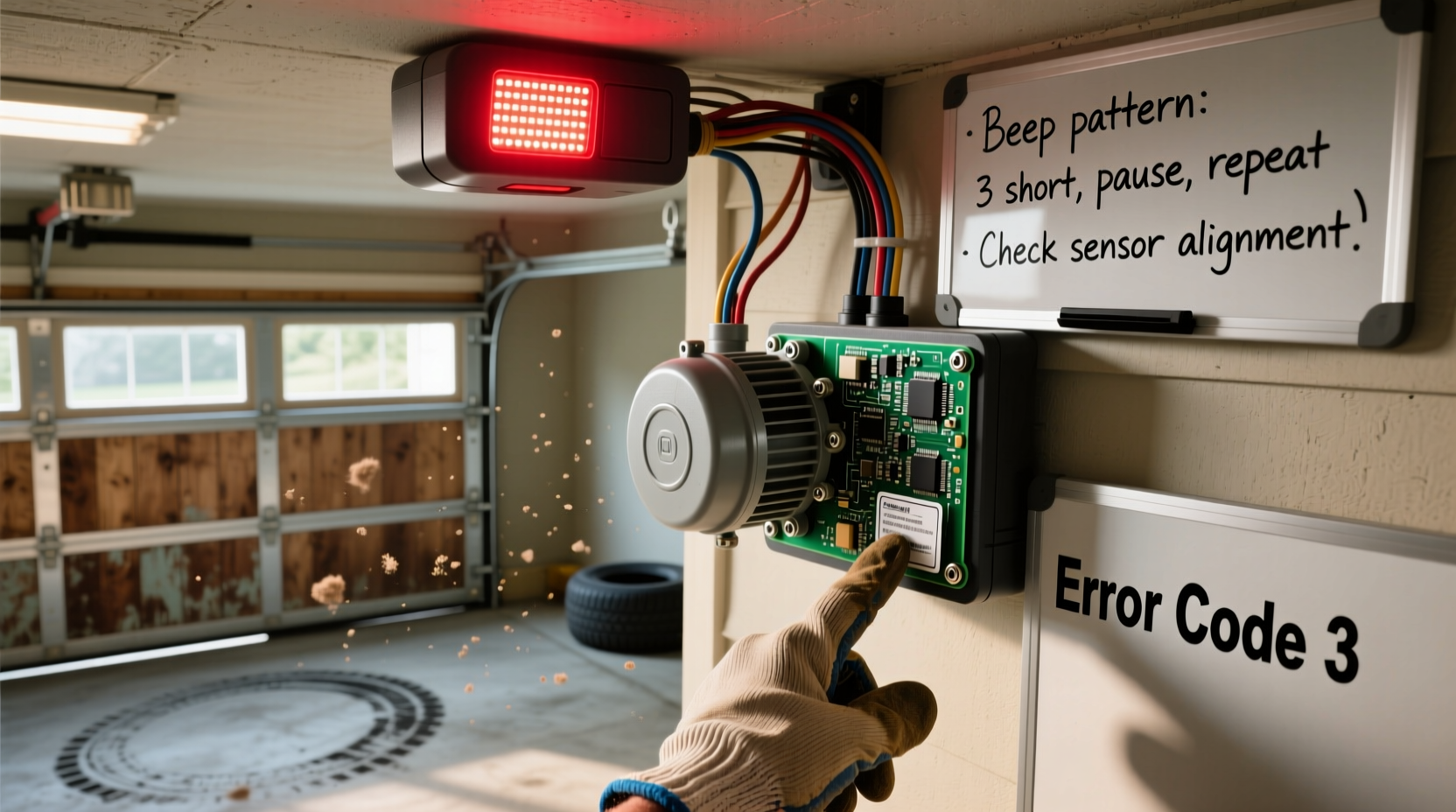
Garage door opener beeping isn’t random—it’s intentional feedback designed to alert you to potential problems. The frequency, duration, and rhythm of the beeps can indicate very specific issues. Below are the most frequent causes:
- Low Backup Battery: Most openers have a backup battery that powers the system during outages. When this battery weakens, the unit emits a consistent beep (often one chirp every 30–60 seconds) to warn of impending failure.
- Power Interruption or Surge: After a power outage or electrical surge, some models beep to signal they’ve reset or detected instability in the electrical supply.
- Safety Sensor Misalignment: Infrared sensors located near the bottom of the door tracks must align perfectly. If blocked, dirty, or knocked out of position, the opener may beep rapidly to indicate a safety hazard.
- Obstruction During Operation: If the door reverses due to resistance (e.g., hitting an object), the opener may beep several times as part of its error signaling protocol.
- Remote or Keypad Low Battery: Some systems beep from the main unit when connected accessories, like wireless keypads or wall consoles, have dying batteries.
- Faulty Circuit Board or Internal Error: Less commonly, internal component failure or firmware glitches can trigger continuous beeping, often accompanied by erratic behavior.
Step-by-Step Troubleshooting Guide
Resolving a beeping garage door opener requires a methodical approach. Follow this timeline to isolate and correct the root cause efficiently.
- Observe the Beep Pattern: Stand near the opener motor unit and listen carefully. Is it one beep every 30 seconds? Five rapid beeps followed by silence? Document what you hear.
- Check the Owner’s Manual: Locate the troubleshooting section. Most manuals include a “beep code” chart. For example, LiftMaster units typically beep once per minute when the battery is low.
- Inspect the Backup Battery: Open the battery compartment (usually on the back or side of the motor unit). Look for corrosion, swelling, or leakage. Replace the battery if older than 1–2 years.
- Test Safety Sensors: Ensure both sensors are clean, aligned, and glowing steadily (one usually has a green light, the other amber). Misalignment often causes five quick beeps.
- Reset the System: Unplug the opener for 30 seconds, then reconnect. This clears temporary errors and resets communication between components.
- Check Connected Devices: Test wall buttons, remotes, and keypads. A failing keypad battery can sometimes trigger main unit beeping.
- Monitor After Fixes: Wait 1–2 hours after making corrections. Persistent beeping may point to deeper electrical or mechanical faults.
Do’s and Don’ts When Handling Garage Door Opener Alerts
| Do’s | Don’ts |
|---|---|
| Consult your model-specific manual before replacing parts. | Ignore the beeping—early intervention prevents bigger issues. |
| Clean sensor lenses with a soft, dry cloth monthly. | Use household cleaners on sensors—they can damage coatings. |
| Replace backup batteries every 1–2 years as preventive maintenance. | Disconnect sensors permanently to stop beeping—it disables safety features. |
| Label wires during disassembly to avoid confusion. | Attempt internal repairs if under warranty—contact the manufacturer instead. |
| Test door reversal mechanism monthly using a roll of paper towels. | Over-tighten chain or belt tension—this strains the motor. |
Real-World Example: A Homeowner’s Experience
Mark T., a homeowner in Columbus, Ohio, began hearing a single beep from his Chamberlain garage opener every 45 seconds. At first, he assumed it was a glitch and unplugged the unit overnight. When the beeping returned, he grew concerned about a fire risk or failing motor. After searching online, he discovered that Chamberlain models emit one beep per minute when the backup battery voltage drops below safe levels. He opened the unit, found a corroded 12V battery, cleaned the terminals, and installed a new sealed lead-acid replacement. The beeping stopped immediately. Mark now sets a calendar reminder to check the battery annually—a small habit that saved him from potential lockout during a winter storm.
“Modern garage openers are like home appliances with built-in diagnostics. The beeping isn’t a flaw—it’s a feature meant to keep you informed.” — David Reynolds, Certified Door Technician (CDT) with Overhead Door Service of Austin
Detailed Fix: Replacing the Backup Battery
One of the most frequent sources of repetitive beeping is a failing backup battery. Here’s how to replace it safely and correctly:
Tools Needed:
- Replacement battery (check manual for voltage and size—typically 12V 4.5Ah)
- Screwdriver (Phillips or flathead, depending on housing)
- Rubber gloves (optional, for handling corroded terminals)
- Vinegar and cotton swabs (for cleaning corrosion)
Steps:
- Unplug the garage door opener from the wall outlet to eliminate electrical risk.
- Locate the battery compartment cover—usually secured with one or two screws.
- Remove the screws and gently slide or lift off the cover.
- Disconnect the old battery by unclipping the red (positive) and black (negative) leads. Always disconnect positive first.
- Inspect the battery case for leaks or bulging. If present, wipe the area with vinegar to neutralize acid residue.
- Insert the new battery, ensuring correct polarity. Reconnect the leads—black first, then red.
- Replace the cover and secure it with screws.
- Plug the opener back in and wait for the system to reboot (about 1–2 minutes).
- Test the door operation and confirm no further beeping occurs.
Note: Some newer models, like LiftMaster’s 8500W, have integrated batteries that require full unit replacement after 5 years. Check your model’s service life before assuming battery-only repair.
When to Call a Professional
While many beeping issues can be resolved at home, certain situations demand expert attention:
- The beeping persists after battery replacement and sensor realignment.
- You notice burning smells, smoke, or visible damage to wiring.
- The door fails to open or close consistently, even after resetting.
- Your opener is over 10–15 years old and lacks modern safety certifications.
Licensed technicians have diagnostic tools that read internal error logs directly from the opener’s circuit board. They can also test motor amperage, inspect gear wear, and ensure compliance with current safety standards (such as reversing force requirements under UL 325).
Frequently Asked Questions
How do I know if the beeping is from the opener or another device?
Many homes have multiple beeping devices—carbon monoxide detectors, alarm systems, or Wi-Fi routers. To confirm the source, stand directly under the garage door opener motor unit when the sound occurs. You can also temporarily disconnect the opener from power and see if the beeping stops. Note: Never disable safety alarms without verifying their status.
Can I disable the beeping sound permanently?
No—disabling the alert function is not recommended and may violate safety regulations. The beeping is a critical warning system. Instead, address the underlying issue causing the alert. Silencing it without resolution could lead to operational failure or injury risk.
Why does my garage door opener beep after a power outage?
After a power interruption, the opener may beep to signal that the backup battery is engaged or that the system is re-establishing communication with remotes and sensors. This is normal and should stop within a few minutes. If it continues beyond 30 minutes, investigate battery health or perform a reset.
Final Checklist: Stop the Beeping for Good
- ✅ Identify the beep pattern (number and timing).
- ✅ Consult your owner’s manual for code meanings.
- ✅ Inspect and replace the backup battery if needed.
- ✅ Clean and realign safety sensors.
- ✅ Reset the opener by power cycling.
- ✅ Test all connected devices (remotes, keypads).
- ✅ Monitor for 1–2 hours post-repair.
- ✅ Schedule annual maintenance to prevent future alerts.
Conclusion
A beeping garage door opener isn’t just noise—it’s communication. Whether it’s a low battery, misaligned sensor, or system reset, each beep carries valuable information. By responding promptly and systematically, you maintain not only peace and quiet but also the reliability and safety of one of your home’s most-used entry points. Most fixes are simple, affordable, and can be done in under an hour. Don’t wait for a complete failure or a security lapse. Address the beeping now, implement regular maintenance habits, and enjoy seamless, silent operation for years to come.




 浙公网安备
33010002000092号
浙公网安备
33010002000092号 浙B2-20120091-4
Comments
No comments yet. Why don't you start the discussion?