
A garage door that opens on its own is more than just a nuisance—it’s a serious safety and security risk. Whether it happens in the middle of the night or during the day with no one near the controls, unexplained activation can expose your home to intruders, damage vehicles, or even injure pets and family members. The good news is that most causes are identifiable and fixable with basic tools and knowledge. This guide walks through the most common reasons behind random garage door openings and provides step-by-step solutions to restore control and peace of mind.
Understanding How Garage Door Openers Work
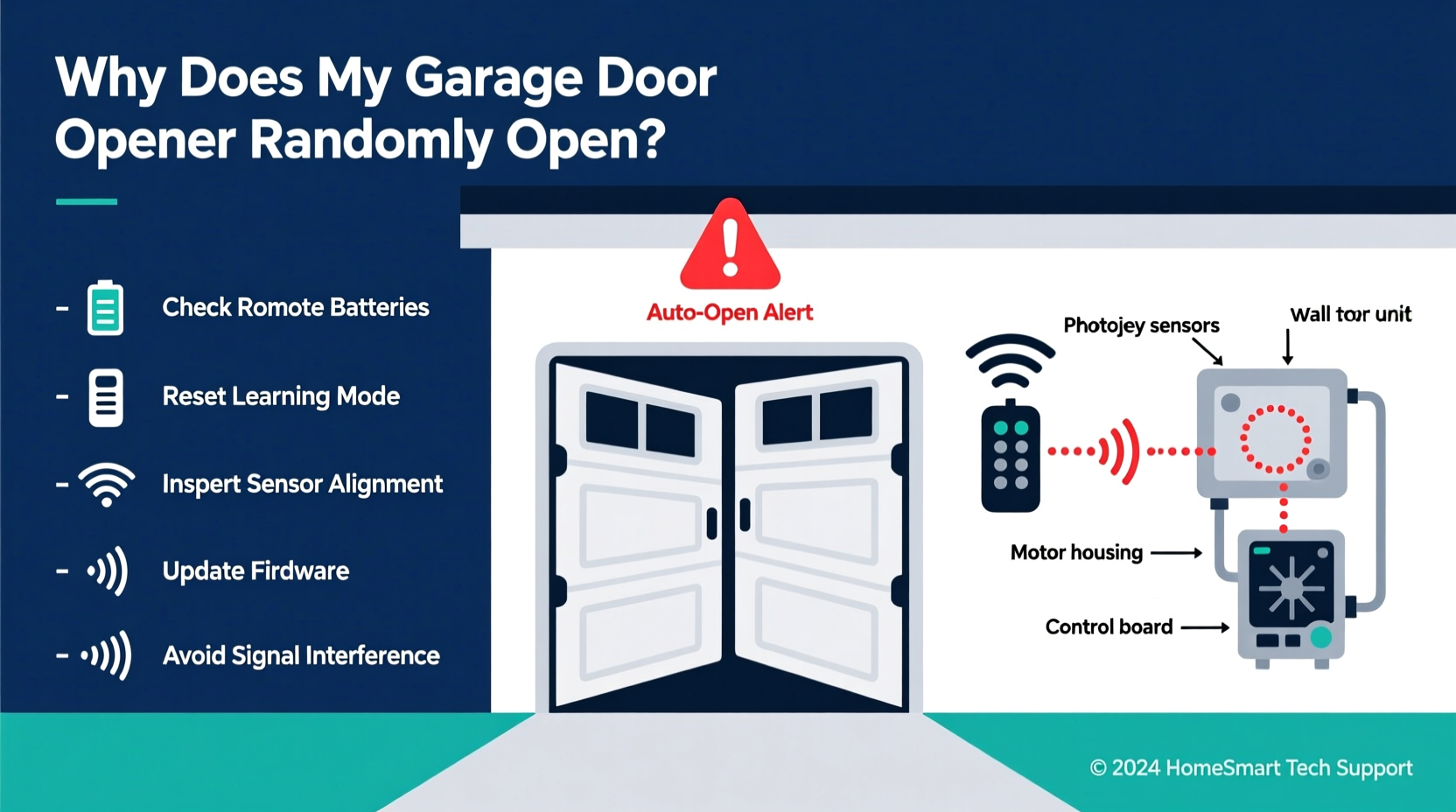
Before diving into troubleshooting, it helps to understand how modern garage door openers function. Most systems use radio frequency (RF) signals between a wall-mounted control panel, handheld remotes, and sometimes smartphone apps. When you press a button, the remote sends a coded signal to the motor unit mounted on the ceiling. If the code matches, the motor activates and opens or closes the door.
Older models used fixed codes—essentially one static password—which made them vulnerable to interference or hacking. Today, most openers use rolling code technology, where the access code changes with each use. Despite these advancements, malfunctions still occur due to electrical issues, signal interference, worn components, or environmental factors.
“Random activation is rarely a mechanical failure—it's usually related to signal interference, wiring faults, or outdated programming.” — James Ralston, Certified Door Technician (CDT), 15+ years in residential automation
Common Causes of Random Garage Door Activation
Several factors can trigger unintended operation. Identifying the root cause is essential before attempting repairs. Below are the most frequent culprits:
- Signal Interference: Nearby devices such as ham radios, baby monitors, or new smart home gadgets may transmit on similar frequencies.
- Stuck Remote or Wall Button: A remote with a jammed button or a wall switch with internal debris can send continuous signals.
- Electrical Glitches: Power surges or faulty wiring in the opener’s circuit board can cause erratic behavior.
- Neighbor’s Remote Synced by Accident: In rare cases, especially with older openers, a neighbor’s remote might be accidentally programmed to your system.
- Failing Logic Board: The brain of the opener can degrade over time, leading to false triggers.
- Sunlight Interference on Safety Sensors: Direct sunlight hitting the infrared sensors can disrupt their signal, tricking the opener into thinking an obstruction is present—or absent.
- Loose Wiring: Vibration from daily use can loosen wire connections, creating intermittent shorts.
Step-by-Step Troubleshooting Guide
Follow this systematic approach to isolate and resolve the problem. Start with the simplest checks and work toward more complex diagnostics.
- Disconnect All Remotes Temporarily
Unplug the wall console and remove batteries from all handheld remotes. Leave the opener running only from the hardwired connection. If the door stops opening randomly, one of the remotes is likely stuck or malfunctioning. - Inspect Remotes for Stuck Buttons
Press each button on every remote. Listen for clicks and check for resistance or buttons that don’t spring back. Clean sticky remotes with isopropyl alcohol and a cotton swab. Replace any damaged units. - Test the Wall Control Panel
Disconnect the wires from the wall button at the motor unit. Wait 24 hours. If the door doesn’t open randomly, the wall station is faulty. Replace it with a new one—these cost under $20 and are easy to install. - Check Safety Sensor Alignment
Look at the small LED lights on each sensor near the base of the door tracks. Both should glow steadily. If one is blinking or off, realign them by loosening the mounting bracket, pointing both sensors directly at each other, and retightening. Wipe lenses clean. - Eliminate Sunlight Interference
Use cardboard or plastic tubing to shield sensors from direct sun exposure without blocking the beam. Recheck performance during peak daylight hours. - Reprogram the Opener and Erase Old Codes
Reset the system by clearing all remote codes and reprogramming each device. Consult your owner’s manual for model-specific instructions. For Chamberlain/LiftMaster models: Press and hold the “Learn” button for 6 seconds to erase memory. - Scan for RF Interference
Turn off nearby electronics one by one—Wi-Fi routers, cordless phones, security cameras—and observe if the random openings stop. Consider switching your garage opener to a different frequency channel if supported. - Inspect Wiring and Connections
Turn off power at the breaker. Open the motor housing and examine wire terminals for corrosion, fraying, or loose screws. Tighten connections and replace damaged wires. - Monitor After Power Surges
If the issue began after a storm or power flicker, the logic board may be damaged. Surge protectors designed for garage openers can prevent future issues. - Replace Aging Units (10+ Years)
If your opener is over a decade old and problems persist, upgrade to a modern unit with improved encryption and built-in diagnostics.
Troubleshooting Checklist
- ✅ Remove batteries from all remotes overnight
- ✅ Inspect remotes for stuck or damaged buttons
- ✅ Disconnect wall control button temporarily
- ✅ Verify both safety sensor LEDs are lit
- ✅ Clean and realign safety sensors
- ✅ Shield sensors from direct sunlight
- ✅ Reprogram all remotes using the Learn button
- ✅ Erase all codes and re-pair devices
- ✅ Check for nearby sources of RF interference
- ✅ Examine internal wiring for damage
- ✅ Consider replacing units older than 10 years
Do’s and Don’ts: Avoiding Further Issues
| Do’s | Don’ts |
|---|---|
| Test the system after each repair step | Ignore flickering sensor lights |
| Use surge protectors for the opener plug | Over-tighten sensor mounts, which can misalign them |
| Label remotes to track which ones are active | Assume the problem is “just a glitch” without investigation |
| Keep spare remotes in a sealed bag to avoid accidental presses | Use duct tape to fix wiring—always use proper connectors |
| Upgrade to Wi-Fi-enabled openers with activity logs | Leave known issues unattended—security risks grow over time |
Real-World Example: The Case of the Midnight Openings
In suburban Denver, homeowner Maria Lopez noticed her garage door opening around 2:30 a.m. several nights in a row. Her security camera showed no one nearby. She first suspected a break-in attempt but found no signs of forced entry. After disconnecting the wall switch and removing remote batteries, the issue stopped—pointing to a wireless source.
She tested each remote and discovered that her son’s car, parked in the driveway, had a remote clipped to the visor. The button was partially depressed by the weight of the clip. Every night, as temperatures dropped, the plastic housing contracted slightly, pressing the button long enough to trigger the opener. Replacing the clip resolved the issue permanently.
This case highlights how subtle mechanical issues—especially with remotes stored in vehicles—can lead to seemingly mysterious behavior.
When to Call a Professional
While many fixes are DIY-friendly, some situations require expert help:
- The logic board shows burn marks or emits a burning smell.
- You’ve followed all steps and the door still opens randomly.
- Wiring inside the motor unit appears melted or corroded.
- Your opener lacks modern safety features like rolling codes or automatic reversal.
A certified technician can perform advanced diagnostics, including oscilloscope testing of signal transmission and firmware updates. They can also ensure compliance with current safety standards set by the UL 325 regulation, which governs garage door operator safety.
Frequently Asked Questions
Can a smartphone app cause my garage door to open randomly?
Yes—if your opener is connected via Wi-Fi and linked to a smart home platform, bugs in the app or unauthorized access could trigger unwanted openings. Always use strong passwords, enable two-factor authentication, and review login history regularly.
Is it possible for lightning to cause permanent damage to my opener?
Absolutely. Even indirect strikes can send surges through power lines or phone cables (if you have a connected service). Units exposed to lightning often suffer fried logic boards. Installing a dedicated surge protector reduces this risk significantly.
How do I know if my remote is sending a constant signal?
Remove the battery and monitor the door for 24 hours. Alternatively, use a multimeter to test continuity across the remote’s button contacts. If it reads closed when not pressed, the remote is defective.
Conclusion: Regain Control and Security
A garage door that opens on its own undermines both convenience and safety. But with methodical troubleshooting, most causes can be identified and corrected without costly replacements. Start with simple checks—like inspecting remotes and sensors—before moving to electrical and signal diagnostics. Keep detailed notes during testing to track patterns and narrow down variables.
Modern garage technology offers powerful tools for monitoring and securing your system. Consider upgrading to a smart opener that logs every activation and sends alerts to your phone. These features not only improve security but also provide valuable data when diagnosing future issues.




 浙公网安备
33010002000092号
浙公网安备
33010002000092号 浙B2-20120091-4
Comments
No comments yet. Why don't you start the discussion?