
If you’ve opened Instagram recently only to be greeted by random fitness influencers, obscure memes, or content from accounts you don’t remember following, you’re not alone. Many users report that their feed no longer reflects their interests. Instead of curated updates from friends and creators they care about, the algorithm serves up what feels like digital noise. This shift isn't random—it’s the result of how Instagram’s algorithm interprets your behavior, engagement patterns, and platform-wide trends. The good news? You can regain control.
Understanding why this happens—and knowing exactly how to reset and recalibrate your feed—is essential if you want a meaningful social media experience. This guide breaks down the mechanics behind the algorithm, explains common triggers for irrelevant content, and provides actionable steps to restore relevance to your timeline.
How Instagram’s Algorithm Works Today
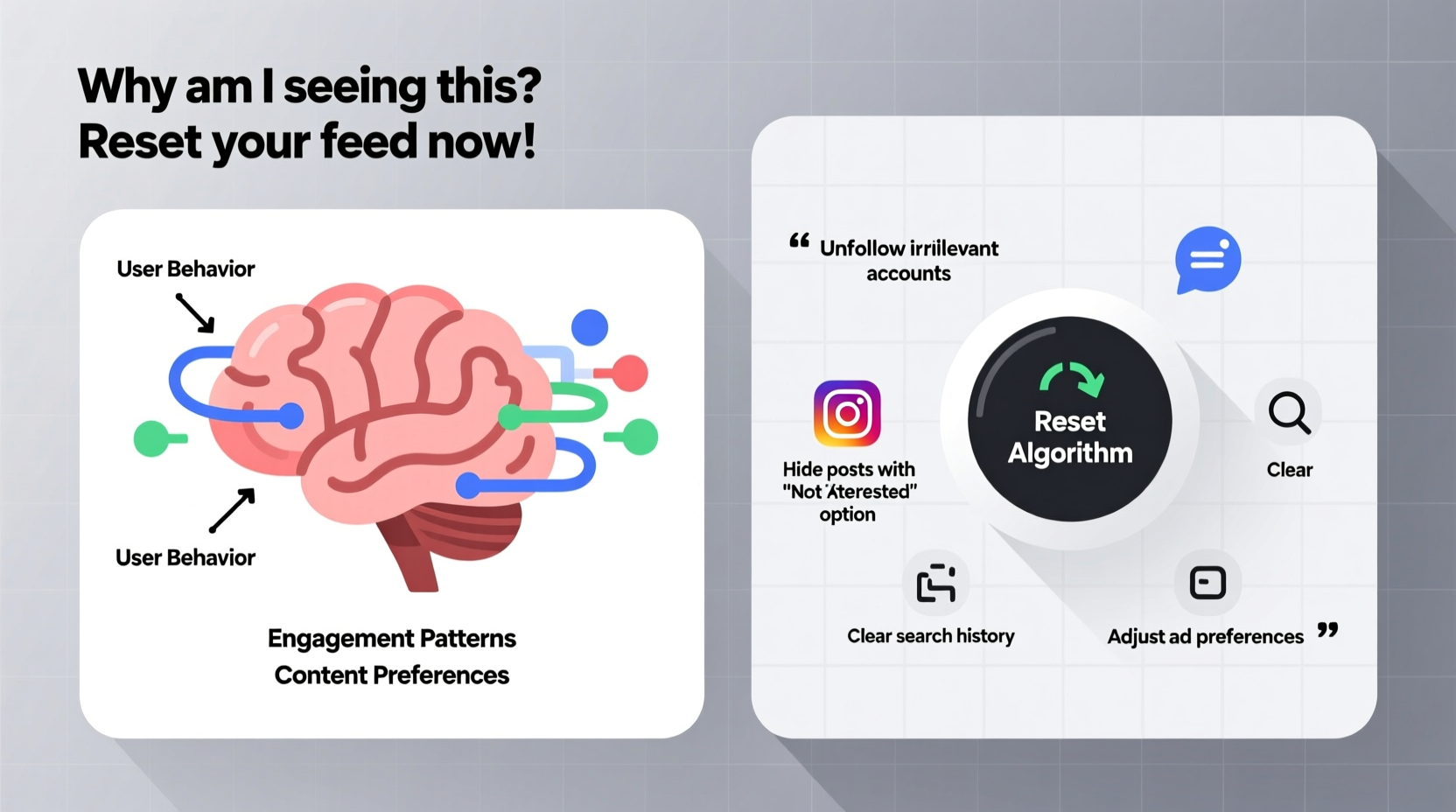
Instagram no longer operates on a simple chronological feed. Since 2016, the platform has used a machine learning-driven algorithm designed to predict what content you're most likely to engage with. The system evaluates hundreds of signals to determine what appears at the top of your feed. These include:
- Interest: Based on your past interactions—likes, comments, shares, saves, and time spent viewing specific types of content.
- Recency: Newer posts are prioritized over older ones, though not strictly in order.
- Relationship: How close Instagram thinks you are to the person posting, based on direct messages, tags, mentions, and frequency of interaction.
- Frequency: How often you open the app—more frequent use leads to fresher content.
- Following: The number of accounts you follow; too many can dilute relevance.
- Usage Time: The duration of each session influences how much content is shown and its diversity.
The algorithm learns from your behavior. Every tap, scroll, pause, and skip sends data back to Instagram’s servers. Over time, it builds a profile of your preferences. But when your habits change—or when external factors interfere—the recommendations can drift significantly off course.
Why Your Feed Shows Irrelevant Posts
There are several reasons why your Instagram feed might feel disconnected from your actual interests. Some are behavioral, others technical. Below are the most common causes:
1. Inconsistent Engagement Patterns
If you occasionally linger on pet videos while primarily interested in photography, Instagram may begin flooding your feed with animal content. Even passive scrolling sends strong signals. Watching a single Reel all the way through tells the algorithm you enjoy that format and topic—regardless of whether you liked or shared it.
2. Following Too Many Accounts
Users who follow thousands of accounts overwhelm the algorithm. With limited space in the feed, Instagram defaults to showing content it predicts will generate high engagement across the board—not necessarily content from accounts you care about most.
3. Increased Exposure to Suggested Content
Instagram actively promotes discovery. If you've tapped on a suggested post or explored hashtags outside your usual scope, the system assumes interest. One click can trigger weeks of related recommendations.
4. Account Inactivity or Infrequent Use
When you stop using Instagram regularly, the algorithm loses real-time feedback. Upon return, it fills gaps with trending or popular content instead of personalized updates, essentially resetting your preference history.
5. Platform-Wide Algorithm Updates
Meta frequently tweaks Instagram’s ranking systems. In 2022 and 2023, major shifts emphasized Reels and recommended content, sometimes at the expense of user-chosen follows. CEO Adam Mosseri acknowledged public frustration, stating: “We’re trying to balance entertainment with connection.”
“We know people want to see more from accounts they follow. We’re working to improve that.” — Adam Mosseri, Head of Instagram
Step-by-Step Guide to Resetting Your Instagram Algorithm
Resetting your feed doesn’t require deleting your account or starting over. Instead, it involves retraining the algorithm through deliberate actions. Follow this six-step process to reclaim a relevant, enjoyable feed.
- Clear Your Search History
Go to your profile → Settings → Security → Clear Search History. This removes outdated queries that may be influencing suggestions. - Unfollow Inactive or Irrelevant Accounts
Audit your following list. Remove accounts that no longer align with your interests. Aim to follow fewer than 300–500 accounts for optimal feed quality. - Engage Intentionally for 7 Days
For one week, only like, comment, and save content you genuinely enjoy. Avoid clicking on sensational thumbnails or curiosity-driven posts. - Use the “Not Interested” Feature
When an irrelevant post appears, tap the three dots above it and select “Not Interested.” This directly trains the algorithm to exclude similar content. - Customize Your Preferences
Visit Settings → Interests → Manage Preferences. Here, you can remove topics Instagram thinks you care about but don’t—such as \"fitness,\" \"makeup,\" or \"gaming\"—even if you never followed them. - Switch Between Home and Following Feeds (If Available)
Instagram now allows some users to toggle between a recommended feed and one showing only accounts they follow. Enable this via the compass icon or feed settings.
Do’s and Don’ts: Managing Algorithmic Influence
| Do | Don’t |
|---|---|
| Regularly interact with content from close friends and favorite creators | Endlessly scroll through suggested posts without purpose |
| Save posts you want to see more of—this is a strong signal | Click on shocking headlines just to react |
| Use mute or “See Fewer Posts Like This” to refine feed | Follow hundreds of new accounts in a short span |
| Watch full Reels you actually enjoy | Leave autoplay on without supervision |
| Review your Interests settings monthly | Assume the algorithm knows your tastes perfectly |
Real Example: How Sarah Regained Control of Her Feed
Sarah, a freelance graphic designer, noticed her Instagram feed had become dominated by travel vlogs and workout routines—despite never following such accounts. She primarily used Instagram to stay updated on design trends and connect with creative peers. After two months of irrelevant content, she decided to act.
She began by unfollowing 120 accounts she hadn’t engaged with in over a year. Then, she cleared her search history and removed “fitness” and “lifestyle” from her interest preferences. For seven days, she only liked and saved design-related posts, commented on stories from fellow artists, and avoided tapping on any suggested Reels.
By day five, her feed started shifting. Design studios, typography showcases, and creative tool tutorials returned to prominence. Within ten days, over 80% of her feed was relevant again. “It felt like getting my Instagram back,” she said. “I didn’t realize how much my accidental clicks were warping the whole experience.”
FAQ: Common Questions About Instagram’s Algorithm
Does uninstalling and reinstalling Instagram reset the algorithm?
No. Reinstalling the app does not erase your behavioral data, which is stored on Instagram’s servers. True reset comes from changing your interaction patterns, not device-level actions.
How long does it take to reset the Instagram algorithm?
Most users see noticeable improvements within 5–7 days of consistent, intentional engagement. Full recalibration may take up to two weeks, depending on prior usage habits.
Can I stop seeing recommended posts entirely?
Not completely—but you can reduce them. Use the “Not Interested” option frequently, limit exploration of new content, and prioritize interacting with people you follow. Some users report success by switching to a secondary account focused solely on personal connections.
Conclusion: Take Back Control of Your Digital Experience
Your Instagram feed should reflect your world, not distract from it. While the algorithm aims to enhance engagement, it often misinterprets behavior and floods your screen with content that feels alienating. The solution lies not in abandoning the platform, but in understanding how it works and guiding it intentionally.
By auditing your follows, clearing misleading data, and engaging thoughtfully, you can reshape your feed into a space that informs, inspires, and connects. Social media should serve you—not the other way around.




 浙公网安备
33010002000092号
浙公网安备
33010002000092号 浙B2-20120091-4
Comments
No comments yet. Why don't you start the discussion?