
If your Wi-Fi cuts out every time you heat up leftovers, you're not imagining things — and you're definitely not alone. This frustrating phenomenon affects countless households, especially those relying on 2.4 GHz wireless networks. The culprit? Your microwave oven. While it seems bizarre that a kitchen appliance could disrupt your internet, the explanation lies in electromagnetic physics and frequency overlap. Understanding how microwaves interfere with Wi-Fi signals empowers you to minimize disruptions and maintain a stable connection.
The Science Behind Microwave and Wi-Fi Interference
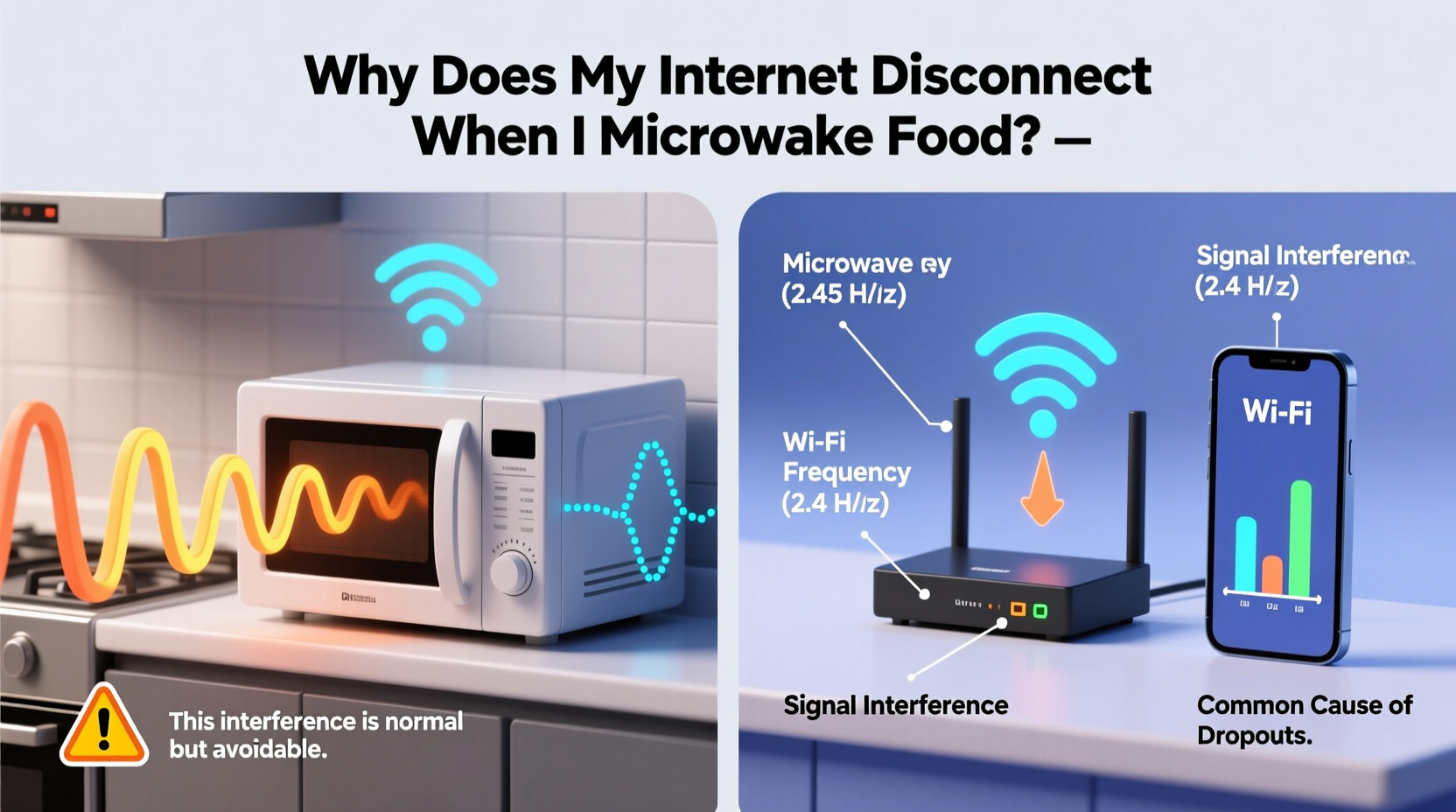
Microwave ovens operate by emitting electromagnetic waves at around 2.45 gigahertz (GHz) to agitate water molecules in food, generating heat through friction. This frequency is highly effective for cooking but happens to sit very close to the 2.4 GHz band used by most Wi-Fi routers. Though designed to be contained, microwave ovens can leak small amounts of radiation — particularly older or damaged units — which spill into the surrounding environment and interfere with nearby wireless devices.
Wi-Fi networks use radio frequencies to transmit data between your router and connected devices. The two primary bands are 2.4 GHz and 5 GHz. The 2.4 GHz band offers better range and wall penetration but is more prone to congestion due to its widespread use by Bluetooth devices, cordless phones, baby monitors, and now, microwave ovens. When your microwave runs, it floods the area with high-power noise in the same spectrum, overwhelming weaker Wi-Fi signals and causing temporary disconnections or severe slowdowns.
“Microwave ovens are essentially powerful radio transmitters operating near Wi-Fi frequencies. Even minor shielding leaks can create significant interference.” — Dr. Alan Reeves, RF Engineering Specialist, MIT Lincoln Laboratory
How Much Radiation Leaks from Microwaves?
All microwave ovens are required by law to meet strict safety standards limiting radiation leakage. In the U.S., the FDA mandates that microwaves emit no more than 5 milliwatts per square centimeter at approximately 2 inches from the oven surface — a level considered safe for humans. However, this small amount is still sufficient to drown out low-power Wi-Fi signals operating in the same frequency range.
The issue isn't necessarily danger to health; it's signal dominance. A microwave emits around 1000 watts of power internally, and even 0.1% leakage translates to significantly stronger emissions than a Wi-Fi router’s typical output of 0.1 to 1 watt. This imbalance means the microwave’s \"noise\" can easily overpower your network’s signal during operation.
Comparing 2.4 GHz vs. 5 GHz Wi-Fi Performance Near Microwaves
| Feature | 2.4 GHz Band | 5 GHz Band |
|---|---|---|
| Frequency Range | 2.40 – 2.4835 GHz | 5.15 – 5.85 GHz |
| Proximity to Microwave Frequency | Very close (~2.45 GHz) | Far away – no overlap |
| Interference Risk from Microwave | High | Negligible |
| Range and Wall Penetration | Better | Reduced |
| Data Speed | Slower (up to ~150 Mbps real-world) | Faster (up to ~900 Mbps real-world) |
| Recommended for Microwave Zones? | No | Yes |
This comparison shows why switching to the 5 GHz band is one of the most effective solutions. While it doesn’t penetrate walls as well, it avoids interference entirely because microwaves don’t operate anywhere near this frequency.
Real-World Example: The Home Office Dilemma
Sarah, a freelance graphic designer working remotely from her apartment kitchen, experienced daily internet dropouts precisely when she reheated lunch. Her video calls would freeze, cloud sync stalled, and downloads failed. After ruling out ISP issues and router malfunctions, she noticed the pattern coincided with microwave use. Using a Wi-Fi analyzer app, she discovered her signal strength dropped from -50 dBm to -85 dBm during microwave operation. She switched her laptop to the 5 GHz network, labeled “HomeOffice_5G,” and immediately saw stability return. No more mid-call crashes — just uninterrupted productivity.
Sarah’s case highlights how seemingly random tech issues often stem from environmental factors rather than faulty equipment. Recognizing patterns and testing variables can lead to simple, cost-free fixes.
Step-by-Step Guide to Eliminate Microwave-Induced Wi-Fi Drops
Follow this sequence to diagnose and resolve interference issues caused by your microwave:
- Confirm the Pattern: Track when disconnections occur. Do they align exactly with microwave usage? Try turning on the microwave without heating food (though avoid running it empty) and monitor your connection.
- Check Your Wi-Fi Band: Connect a device to your router and check which band it’s using. On smartphones, look under Wi-Fi settings; on Windows, go to Network & Internet > Wi-Fi > Properties to see the network band.
- Switch to 5 GHz: Access your router settings via browser (usually http://192.168.1.1), log in, and ensure the 5 GHz network is enabled. Rename it distinctly (e.g., “Home_5G”) so you can easily identify it.
- Reposition Devices: Move your router and microwave as far apart as possible. Avoid placing them in adjacent cabinets or on opposite sides of the same wall.
- Upgrade Router Firmware: Manufacturers often release updates that improve channel selection algorithms and interference handling. Check your router brand’s support page for instructions.
- Use Wi-Fi Analyzer Tools: Apps like NetSpot (desktop) or Wi-Fi Analyzer (Android) help visualize channel congestion. Choose less crowded channels manually if your router allows.
- Test with a New Microwave: If feasible, borrow a modern microwave and test your Wi-Fi during operation. Improved shielding in newer models may eliminate the issue.
Common Misconceptions About Microwave Interference
Several myths persist about how microwaves affect electronics. Clarifying these helps users make informed decisions:
- Myth: Only broken microwaves cause interference. Reality: Even fully functional microwaves emit enough electromagnetic noise to disrupt 2.4 GHz signals due to inherent design limitations.
- Myth: Turning off the microwave stops all effects. Reality: Some residual interference may linger briefly after shutdown, though it dissipates quickly.
- Myth: Metal objects in microwaves cause Wi-Fi issues. Reality: Metal reflects microwaves internally but doesn’t increase external leakage unless it damages the cavity lining.
- Myth: All wireless devices are equally affected. Reality: Devices closer to the microwave and using 2.4 GHz (like older smartphones or smart home gadgets) suffer most.
Practical Checklist: Reduce Microwave-Wi-Fi Conflict
Use this checklist to systematically address and prevent interference:
- ✅ Identify whether your devices are connected to 2.4 GHz or 5 GHz
- ✅ Switch critical devices (laptops, workstations) to the 5 GHz network
- ✅ Position your router at least 6–10 feet away from the microwave
- ✅ Ensure microwave door seals are clean and undamaged
- ✅ Update router firmware regularly
- ✅ Use dual-band capable devices whenever possible
- ✅ Consider upgrading to a mesh Wi-Fi system with intelligent band steering
When to Seek Professional Help
In rare cases, persistent interference may indicate deeper issues. Consult a technician if:
- Your microwave causes interference even when no other devices are on 2.4 GHz.
- You notice sparking, unusual noises, or a burning smell from the microwave.
- Wi-Fi problems persist across multiple networks and locations, suggesting faulty hardware.
A qualified appliance repair specialist can test microwave leakage levels using a calibrated meter. Readings above 5 mW/cm² warrant immediate replacement.
Frequently Asked Questions
Can a microwave permanently damage my router?
No, microwave interference does not cause physical damage to your router. It only creates temporary signal disruption due to electromagnetic noise. Routers are designed to handle moderate interference and will resume normal function once the source stops.
Will using an Ethernet cable solve the problem?
Yes. Wired connections bypass Wi-Fi entirely, making them immune to microwave interference. For mission-critical applications like gaming, streaming, or remote work, connecting via Ethernet is the most reliable solution.
Do all microwaves interfere with Wi-Fi?
Virtually all microwaves emit some level of interference on the 2.4 GHz band, but the severity varies. Newer, well-shielded models produce less leakage. Units with damaged doors, worn seals, or poor build quality tend to cause more pronounced disruptions.
Final Thoughts: Taking Control of Your Wireless Environment
Living with modern technology means navigating invisible interactions between devices. The fact that your microwave can knock your internet offline isn’t magic — it’s physics. But understanding the mechanism transforms confusion into control. By leveraging dual-band routers, repositioning equipment, and upgrading aging appliances, you can reclaim reliable connectivity.
Don’t accept dropped calls or buffering videos as inevitable. Small adjustments yield significant improvements. Whether you’re working from home, streaming movies, or managing smart devices, a stable network starts with awareness and ends with action.




 浙公网安备
33010002000092号
浙公网安备
33010002000092号 浙B2-20120091-4
Comments
No comments yet. Why don't you start the discussion?