
If your internet slows to a crawl every evening, you're not imagining things. Millions of users experience frustrating lag during peak hours—especially between 7 PM and 10 PM. Streaming buffers, video calls freeze, and online games stutter. While it might seem like your Internet Service Provider (ISP) is deliberately slowing you down, the reality is often more nuanced. The two primary culprits are network congestion and potential throttling—but they’re not the same thing. Understanding the difference is key to diagnosing the problem and finding real solutions.
Understanding Peak-Time Internet Lag
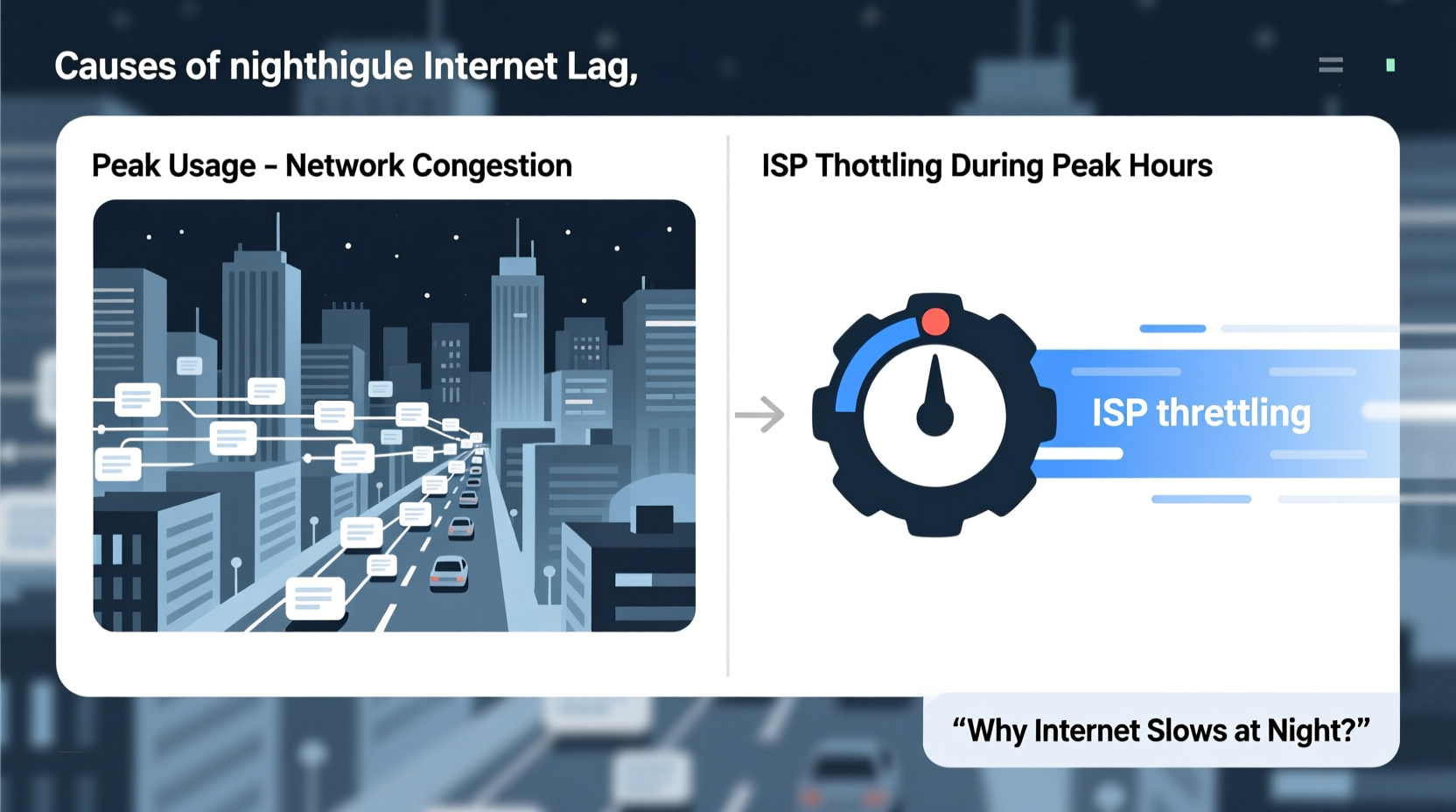
Internet performance doesn’t operate in a vacuum. Your connection shares infrastructure with neighbors, local networks, and regional backbones. When everyone goes online simultaneously—after work, during dinner, or while streaming the latest show—the demand spikes. This surge in usage can overwhelm capacity, leading to what’s known as \"network congestion.\"
Congestion occurs when too many devices request data through the same network segment faster than it can be delivered. Think of it like rush-hour traffic: even on a well-built highway, too many cars cause slowdowns. In the digital world, this manifests as high latency, packet loss, and reduced bandwidth.
Meanwhile, ISP throttling refers to a provider intentionally limiting your internet speed. This may happen after you’ve used a certain amount of data, when accessing specific services (like video streaming), or during high-demand periods. Unlike congestion, which is a technical bottleneck, throttling is a policy-driven action by the ISP.
Congestion: The Hidden Culprit Behind Nightly Slowdowns
Network congestion is the most common reason for evening internet lag. As households settle in for the night, multiple devices come online simultaneously: smart TVs, phones, tablets, gaming consoles, and smart home systems all compete for bandwidth.
Local networks aren’t the only factor. ISPs manage shared connections across neighborhoods. Most residential plans use a “shared medium” model, meaning bandwidth from a neighborhood node is distributed among dozens—or hundreds—of homes. During off-peak hours, there’s plenty to go around. But when 80% of users stream HD content at once, bottleneek happens.
The effects of congestion include:
- Increased latency (ping times over 100ms)
- Packet loss during video calls or gaming
- Reduced download/upload speeds despite paying for higher tiers
- Inconsistent performance even with strong Wi-Fi signal
ISPs typically design their networks based on average usage patterns and statistical multiplexing—the idea that not everyone uses full bandwidth at once. But modern habits have shifted. With remote work, cloud gaming, and 4K streaming now routine, peak loads exceed historical models.
“Congestion isn’t always a sign of poor infrastructure—it’s often a mismatch between legacy network designs and today’s always-on digital lifestyles.” — Dr. Lena Patel, Network Infrastructure Analyst at Broadband Insights Group
ISP Throttling: Is Your Provider Slowing You Down?
Throttling is when an ISP deliberately reduces your internet speed. It can be applied broadly or selectively, depending on usage, time of day, or type of traffic. While legal in many regions under certain conditions, it remains controversial.
Common triggers for throttling include:
- Exceeding a monthly data cap (common in \"unlimited\" plans with fine print)
- Using bandwidth-heavy services like Netflix, YouTube, or torrents
- Peak-time management policies disguised as \"network optimization\"
Some ISPs employ deep packet inspection (DPI) to identify traffic types and throttle video streams automatically—even if you haven't hit a data limit. For example, a user on a \"100 Mbps unlimited plan\" might see their speed drop to 10–25 Mbps when streaming 4K content after 7 PM.
To detect throttling, look for these signs:
- Speed drops only during specific activities (e.g., YouTube but not web browsing)
- Consistent slowdowns at the same time daily, even with low household usage
- Improved speeds when using a VPN (which hides traffic type from ISP)
- Official documentation or customer service admitting traffic shaping
Distinguishing Throttling from Congestion: A Practical Guide
Telling the two apart requires methodical testing. Here’s a step-by-step process to determine what’s really happening:
Step 1: Conduct Time-Based Speed Tests
Use tools like Ookla Speedtest, Fast.com (by Netflix), or Google Fiber’s test. Run them at three different times:
- Morning (8–10 AM)
- Afternoon (1–3 PM)
- Evening (7–9 PM)
Record download, upload, and ping values. Look for dramatic drops only in the evening.
Step 2: Compare Wired vs. Wireless Performance
Connect your computer directly to the router via Ethernet. Repeat the speed test. If wired speeds are stable but Wi-Fi lags, the issue may be local interference—not ISP-related.
Step 3: Test Across Devices and Services
Check if the slowdown affects all devices equally. Also, compare performance across platforms:
- YouTube vs. Twitch vs. Zoom vs. online gaming
- Streaming in HD vs. 4K
If only one service is slow, it could be throttling targeting that platform.
Step 4: Use a Reputable VPN
Enable a no-logs VPN (e.g., Mullvad, ProtonVPN). Retest your speeds. If performance improves dramatically at night, especially on video platforms, your ISP is likely throttling specific traffic.
Step 5: Monitor Network Usage
Log into your router settings and check active devices. You might discover hidden bandwidth hogs—a security camera uploading footage, a phone backing up to the cloud, or a child’s console downloading updates.
| Factor | Congestion | Throttling |
|---|---|---|
| When it happens | Only during peak hours (6–11 PM) | At any time, especially after data cap or specific activity |
| Affects all users nearby? | Yes—neighbors report similar issues | No—only targeted users or services |
| Improves with a VPN? | No | Yes |
| Wired vs. Wi-Fi difference | Both affected similarly | Both affected, unless throttling is device-specific |
| Solution focus | Network timing, ISP upgrades | Plan change, switching providers, advocacy |
Real-World Example: The Johnson Family’s Evening Struggles
The Johnsons in suburban Austin upgraded to a 200 Mbps fiber plan last year. Everything worked smoothly—until dinnertime. Every evening, their Netflix shows started buffering, Zoom school meetings froze, and the kids couldn’t play Fortnite without lag.
They assumed their ISP was throttling them. After running tests, they found their speed dropped to 30 Mbps at 8 PM but was 180+ Mbps at noon. They tried a VPN—speed jumped to 150 Mbps. That pointed toward throttling.
But further investigation revealed something else: their neighbor had recently installed a mesh Wi-Fi system operating on the same channel, causing interference. Additionally, their own router was overheating in a closed entertainment cabinet. Once they moved the router, switched Wi-Fi channels, and disabled automatic cloud backups scheduled for 8 PM, performance improved dramatically—even without the VPN.
The lesson? Symptoms can mimic throttling, but root causes vary. Always rule out local issues before blaming your ISP.
Action Plan: What You Can Do Right Now
Don’t resign yourself to nightly lag. Take control with this checklist:
📋 **Internet Lag Diagnosis & Fix Checklist**- ✅ Run speed tests at multiple times over 3–5 days
- ✅ Connect via Ethernet to eliminate Wi-Fi variables
- ✅ Check router for firmware updates and overheating
- ✅ Use QoS (Quality of Service) settings to prioritize critical devices
- ✅ Schedule large downloads/updates for off-peak hours
- ✅ Try a reputable VPN to test for throttling
- ✅ Contact ISP with evidence—ask specifically about traffic management policies
- ✅ Explore alternative ISPs or upgrade to a business-tier plan if available
Many modern routers allow you to set bandwidth priorities. For example, you can assign higher priority to video calls or gaming consoles, ensuring they get sufficient bandwidth even when others are streaming.
Frequently Asked Questions
Can my ISP legally throttle my internet?
Yes, in most countries, ISPs can throttle connections as long as they disclose it in their Terms of Service. In the U.S., the repeal of net neutrality rules in 2018 allowed more leeway for traffic shaping. However, deceptive practices (e.g., throttling without disclosure) may violate FTC regulations.
How can I prove my ISP is throttling me?
Use third-party tools like the Electronic Frontier Foundation’s Swindle or Wehe app, which detect throttling by simulating common streaming services. These tools compare expected vs. actual speeds and can generate reports suitable for filing complaints.
Does upgrading my plan fix congestion or throttling?
Not necessarily. Higher-tier plans often share the same neighborhood infrastructure. Unless you switch to a dedicated line (e.g., business fiber), you may still face congestion. However, premium plans are less likely to be throttled and may offer better contention ratios.
Conclusion: Take Back Control of Your Connection
Nightly internet lag doesn’t have to be inevitable. Whether caused by shared network strain or intentional throttling, the first step is awareness. By systematically testing your connection, understanding your ISP’s policies, and optimizing your home network, you can reclaim reliable performance.
Don’t accept buffering as normal. Document slowdowns, advocate for transparency, and consider switching providers if service consistently fails to meet advertised standards. In an era where internet access is essential—from education to healthcare to employment—your connection deserves more than guesswork and excuses.




 浙公网安备
33010002000092号
浙公网安备
33010002000092号 浙B2-20120091-4
Comments
No comments yet. Why don't you start the discussion?