
If you’ve ever found yourself waiting for a video to buffer during peak evening hours or struggling to load a webpage despite having a high-speed plan, you’re not alone. Internet slowdowns at specific times of day are a common frustration—especially between 6 PM and 10 PM, when households across neighborhoods are streaming, gaming, and browsing simultaneously. While the issue may seem random, there are clear technical and behavioral reasons behind these performance dips. More importantly, there are proven strategies to mitigate or even bypass them entirely.
Understanding the root causes—from network congestion to ISP throttling—is the first step toward reclaiming consistent speed. This guide breaks down the science behind time-based slowdowns and provides actionable solutions that go beyond restarting your router.
Peak Hours and Network Congestion
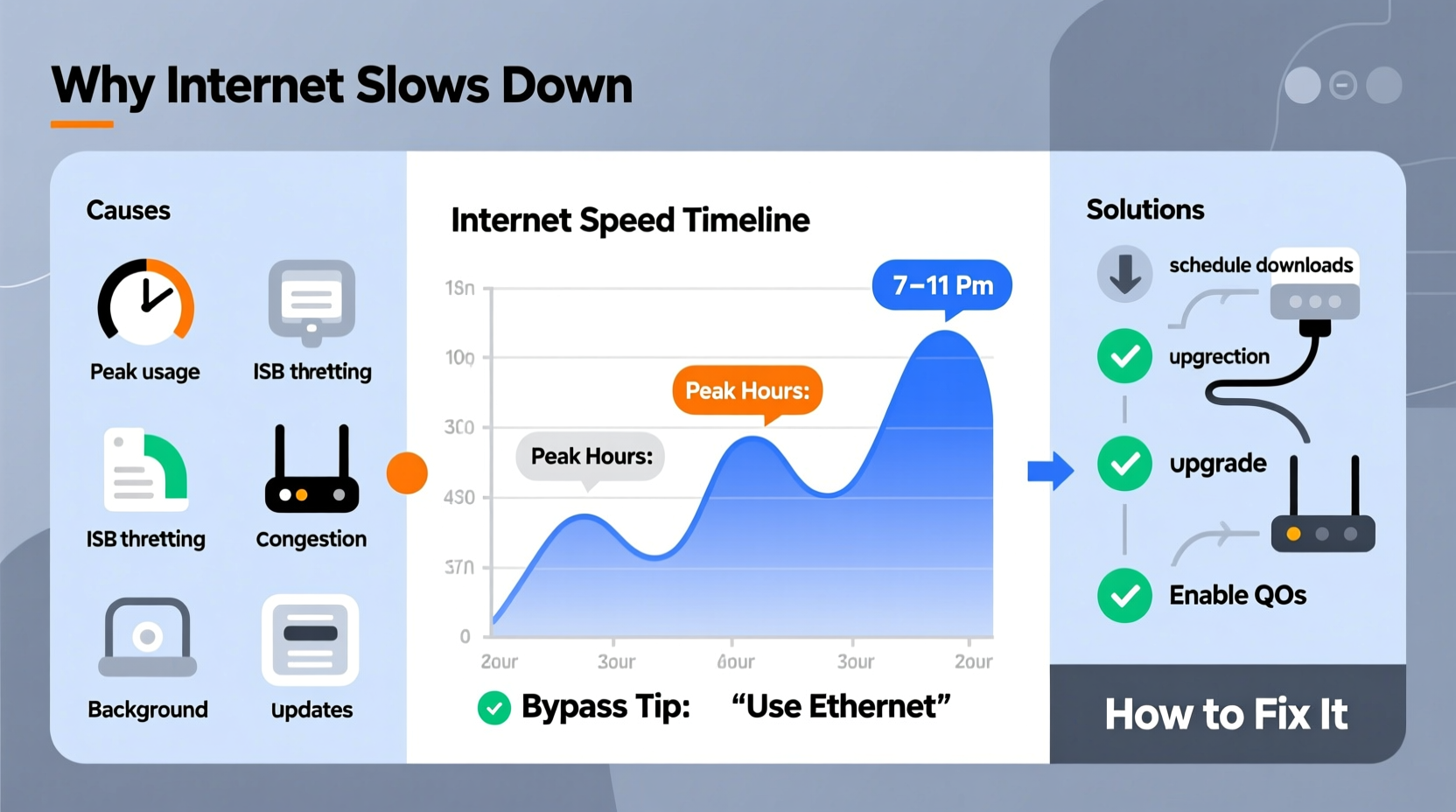
The most common reason for slowed internet in the evenings is network congestion. During peak usage hours, multiple users in your neighborhood access the same local infrastructure managed by your Internet Service Provider (ISP). Think of it like rush-hour traffic: more cars on the road mean slower movement for everyone.
Most ISPs use a shared bandwidth model, particularly with cable internet. In this setup, your neighborhood shares a pool of bandwidth. When many users stream Netflix, play online games, or download large files at once, that shared capacity becomes strained. As a result, data packets take longer to travel, leading to higher latency, buffering, and reduced throughput.
Fiber-optic connections are less susceptible to this issue because they offer dedicated bandwidth and higher capacity. However, even fiber networks can experience slowdowns if the ISP’s backbone infrastructure is overloaded or mismanaged.
ISP Throttling: The Hidden Speed Limiter
Another major cause of slowdowns is intentional throttling by ISPs. Throttling occurs when an ISP deliberately reduces your internet speed based on your activity, data usage, or time of day. While some providers openly state this in their terms of service, others do it without clear notification.
ISPs may throttle users who exceed a “fair usage” threshold or engage in high-bandwidth activities like 4K streaming or torrenting. They often justify this practice as a way to manage network resources fairly among all customers. However, the effect is frustratingly real: your YouTube videos stutter just when you want to relax after work.
“Throttling is still a widespread practice, especially during high-demand periods. Consumers need transparency and tools to detect and respond.” — Dr. Lena Torres, Network Policy Analyst at the Open Internet Institute
To determine if you're being throttled, run speed tests at different times and under different conditions. For example, test your speed while accessing a regular website, then again while using a Virtual Private Network (VPN). If your speed improves significantly with a VPN, throttling based on content type is likely occurring.
Wi-Fi Interference and Device Overload
While external factors like ISP policies and network load play a role, internal home network issues can also contribute to perceived slowdowns. Wi-Fi interference from neighboring networks, Bluetooth devices, microwaves, and thick walls can degrade signal quality, especially on the crowded 2.4 GHz band.
Additionally, the number of connected devices in modern homes has skyrocketed. Smart TVs, phones, tablets, security cameras, voice assistants, and gaming consoles all compete for bandwidth. Even if your internet plan supports high speeds, your router may struggle to distribute that bandwidth efficiently during peak usage.
| Cause | Impact on Speed | Solution |
|---|---|---|
| Network Congestion (Peak Hours) | High latency, slow downloads | Use off-peak scheduling, upgrade plan |
| ISP Throttling | Speed drops during streaming/downloading | Use a reputable VPN |
| Wi-Fi Interference | Weak signal, intermittent disconnects | Switch to 5 GHz, reposition router |
| Too Many Connected Devices | Lag, poor video quality | Limit active devices, prioritize via QoS |
| Outdated Router Firmware | Reduced efficiency, security risks | Update firmware regularly |
Mini Case Study: The Johnson Family’s Evening Lag
The Johnsons in suburban Denver had a 200 Mbps cable plan but experienced unbearable lag every evening. Their two kids streamed shows on separate devices, one parent joined Zoom calls, and the other played online games. Despite no changes in their plan, speeds dropped to 15 Mbps during dinner hours.
After testing, they discovered their ISP was throttling heavy users after 7 PM. By switching to a wired Ethernet connection for gaming and enabling Quality of Service (QoS) settings on their router to prioritize video calls, they improved stability. They also started using a trusted VPN during streaming sessions, which restored their speeds to near-advertised levels.
How to Bypass Internet Slowdowns: Practical Strategies
You don’t have to accept slow internet as inevitable. With the right approach, you can maintain reliable performance regardless of the time of day.
1. Use a Virtual Private Network (VPN)
A reliable VPN encrypts your traffic and routes it through a remote server, making it difficult for your ISP to identify and throttle specific activities like streaming or P2P file sharing. While a VPN won’t increase your base bandwidth, it can prevent discriminatory throttling.
Choose a high-speed, no-logs VPN provider with servers close to your location to minimize added latency. Note: Free VPNs often come with bandwidth caps and slower speeds, so they may not solve the problem.
2. Upgrade Your Internet Plan or Switch Providers
If congestion is the main issue, consider upgrading to a higher-tier plan or switching to a provider that offers fiber optics. Fiber connections are less prone to slowdowns because they use dedicated lines and are not shared in the same way as cable networks.
In areas with multiple providers, compare plans not just by advertised speed but also by consistency during peak hours. Look for ISPs that offer “symmetrical” upload/download speeds and transparent network management policies.
3. Optimize Your Home Network
Your router plays a critical role in maintaining speed. Place it in a central, elevated location away from obstructions and interference sources. Use the 5 GHz band for high-bandwidth devices—it’s faster and less congested than 2.4 GHz, though it has shorter range.
Enable QoS (Quality of Service) settings on your router to prioritize critical applications like video conferencing or online gaming over background tasks like cloud backups.
4. Schedule Bandwidth-Heavy Tasks Off-Peak
Program your smart devices, computers, and media servers to perform large downloads, software updates, and backups during low-usage hours—typically between midnight and 6 AM. Most operating systems and NAS devices allow you to schedule these tasks automatically.
5. Use Wired Connections When Possible
Ethernet cables provide faster, more stable connections than Wi-Fi. For stationary devices like desktop PCs, smart TVs, and game consoles, use wired connections to reduce wireless congestion and improve performance.
Step-by-Step Guide to Diagnose and Improve Your Connection
- Run a baseline speed test using a tool like Speedtest.net or Fast.com during a non-peak time (e.g., mid-morning). Record your download, upload, and ping values.
- Repeat the test during peak hours (e.g., 7–9 PM). Compare results. A drop of more than 30% suggests congestion or throttling.
- Test with a VPN enabled. If speeds improve significantly, your ISP may be throttling specific services.
- Check connected devices. Access your router’s admin panel and see how many devices are using bandwidth. Disconnect unused ones.
- Update router firmware and ensure it’s using the optimal Wi-Fi channel (use a Wi-Fi analyzer app).
- Enable QoS settings to prioritize important traffic.
- Contact your ISP with your findings. Ask if they engage in throttling or if there are known congestion issues in your area.
- Consider switching providers or upgrading to fiber if improvements are limited.
Checklist: How to Maintain Consistent Internet Speed
- ✅ Run speed tests at different times of day
- ✅ Test performance with and without a VPN
- ✅ Upgrade to a modern dual- or tri-band router
- ✅ Position your router centrally and away from interference
- ✅ Enable Quality of Service (QoS) settings
- ✅ Schedule large downloads for off-peak hours
- ✅ Use Ethernet for stationary high-bandwidth devices
- ✅ Monitor data usage to stay within ISP limits
- ✅ Contact your ISP with evidence if speeds are consistently below promised levels
Frequently Asked Questions
Can my ISP legally slow down my internet?
Yes, in most countries, ISPs can throttle connections as long as they disclose it in their acceptable use policy. In the U.S., net neutrality rules were rolled back in 2018, allowing more flexibility for ISPs to manage traffic. However, deceptive or undisclosed throttling may violate consumer protection laws.
Does using a VPN always fix throttling?
Not always. A VPN prevents your ISP from seeing what you’re doing online, which stops content-based throttling. However, if your entire plan is capped or the network is physically congested, a VPN won’t create more bandwidth. It’s a tool—not a magic fix.
Is fiber internet immune to slowdowns?
Fiber is far more resilient than cable due to higher capacity and dedicated lines, but it’s not completely immune. Slowdowns can still occur if the ISP’s core network is overloaded, your router is outdated, or your in-home wiring is poor. Still, fiber users report far fewer peak-time issues.
Conclusion: Take Control of Your Connection
Internet slowdowns at certain times aren’t just annoying—they disrupt work, education, and leisure. But they’re rarely unavoidable. By understanding the interplay of network congestion, ISP policies, and home setup limitations, you gain the power to respond effectively. Whether it’s switching to a better plan, using a strategic VPN, optimizing your router settings, or simply timing your downloads, the tools are within reach.
Don’t settle for buffering screens and frozen video calls. Start diagnosing your connection today, apply these solutions, and enjoy the fast, reliable internet you’re paying for. Share your experience or ask questions in the comments—your insight could help someone else break free from the evening slowdown cycle.




 浙公网安备
33010002000092号
浙公网安备
33010002000092号 浙B2-20120091-4
Comments
No comments yet. Why don't you start the discussion?