
If you’ve ever noticed your video calls freezing during dinner or your streaming service buffering when the kids get home from school, you’re not imagining things. Internet slowdowns that follow a daily rhythm are real — and they affect millions of users worldwide. While it might seem like your provider is suddenly cutting corners, the truth is more nuanced. Network performance fluctuates based on usage patterns, infrastructure limitations, and even household habits. Understanding the root causes behind these slowdowns empowers you to take control of your connection and maintain reliable speeds when you need them most.
The Role of Network Congestion
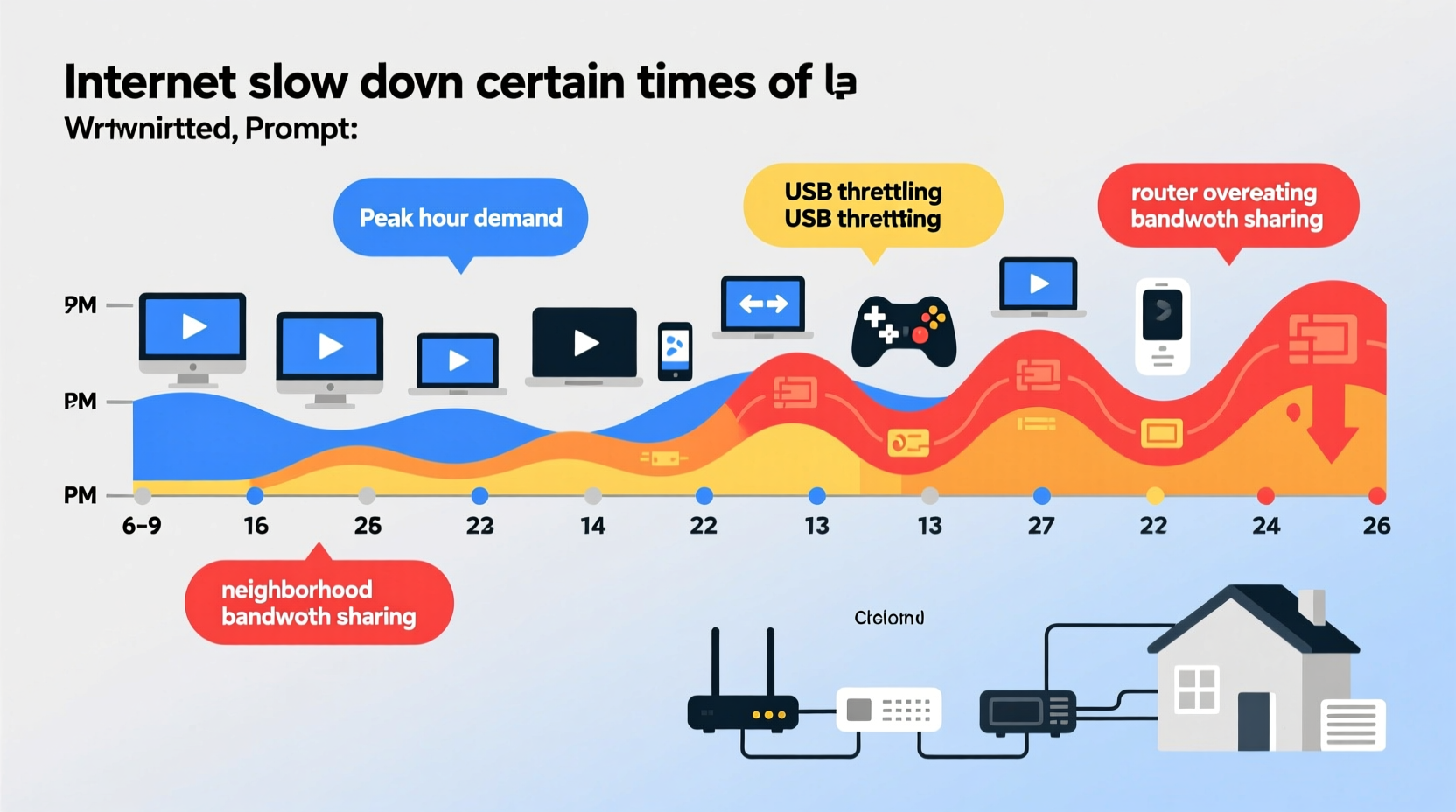
One of the most common reasons for time-based internet slowdowns is network congestion. Just like traffic on a highway peaks during rush hour, digital data flows experience bottlenecks when too many users access the same network simultaneously. This typically happens in residential areas between 6 PM and 10 PM, when people return home, stream videos, play online games, and use smart devices.
Internet Service Providers (ISPs) allocate bandwidth across neighborhoods using shared infrastructure. During off-peak hours — say, mid-morning — fewer users are active, so each person gets a larger share of available bandwidth. But as evening approaches, demand spikes, and the same pool of bandwidth must serve more connections, leading to slower speeds for everyone.
“Peak-time congestion remains one of the top complaints we receive, especially in densely populated urban zones.” — Raj Patel, Senior Network Engineer at MetroNet Communications
This phenomenon is known as “contention ratio” — the number of users sharing a single connection point. In suburban or rural areas with lower population density, contention ratios are often better, meaning less noticeable slowdowns. However, in apartment complexes or high-traffic neighborhoods, the strain on local nodes can be significant.
Home Network Overload: The Hidden Culprit
While external network congestion plays a major role, internal factors within your own home can amplify slowdowns. As family members return from work or school, multiple devices connect simultaneously — smartphones, tablets, laptops, smart TVs, gaming consoles, and IoT gadgets. Each device consumes bandwidth, and some applications are far more demanding than others.
For example:
- Streaming 4K video on Netflix uses up to 15 Mbps per stream.
- Online gaming may only require 3–6 Mbps but demands low latency.
- Video conferencing (Zoom, Teams) uses 1–4 Mbps depending on quality.
- Background processes like cloud backups or software updates can silently consume large amounts of data.
When several of these activities occur at once, your router struggles to manage the load efficiently. Older or entry-level routers may lack the processing power or dual-band capabilities needed to handle modern multi-device households, resulting in lag and intermittent drops.
Common Signs of Internal Network Strain
- Wi-Fi works fine on one device but lags on another nearby.
- Speed tests show full bandwidth via Ethernet but poor results over Wi-Fi.
- Intermittent disconnections during high-use periods.
ISP Throttling and Traffic Management Policies
Some internet providers engage in bandwidth throttling — intentionally slowing down specific types of traffic after a certain data threshold is reached or during peak usage times. While not always disclosed transparently, this practice helps ISPs manage network stability and prevent total outages during high-demand periods.
Throttling often targets high-bandwidth activities such as:
- Peer-to-peer file sharing (torrenting)
- HD/4K video streaming
- Cloud storage syncing
Even if you have an “unlimited” data plan, your ISP may still implement “fair usage policies” that reduce speeds temporarily once network capacity is strained. These practices are legal in many regions as long as they’re outlined in service agreements, though enforcement varies by country and provider.
In the U.S., the repeal of net neutrality rules in 2018 gave ISPs greater leeway to prioritize or deprioritize traffic. While outright blocking of services is rare, subtle shaping of traffic during peak hours has become more common.
How to Detect Throttling
- Run a speed test using a standard browser.
- Repeat the test with a trusted Virtual Private Network (VPN) enabled.
- If speeds improve significantly with the VPN, your ISP may be throttling specific services.
External Factors Affecting Performance
Beyond user demand and ISP policies, environmental and technical variables can contribute to time-sensitive slowdowns:
- Weather Conditions: Severe storms, high humidity, or temperature extremes can interfere with wireless signals, especially in cable or DSL networks relying on aging copper lines.
- Firmware Updates: Some ISPs push automatic updates to modems or network equipment overnight, which may briefly disrupt service or cause instability.
- Local Node Maintenance: Scheduled maintenance windows are often set during low-usage hours, but misconfigured systems can spill into peak times.
- Neighbor Networks: In dense housing, overlapping Wi-Fi channels from nearby routers can create interference, particularly on the crowded 2.4 GHz band.
Real Example: The Suburban Family’s Evening Struggle
The Thompson family in Austin, Texas, experienced consistent slowdowns every weekday between 7 PM and 9 PM. Their 200 Mbps plan was sufficient on paper, yet Zoom calls dropped, and their son couldn’t join his online gaming session without lag. After testing, they discovered three key issues: their five-year-old router operated only on 2.4 GHz, two neighbors used the same Wi-Fi channel, and their ISP applied soft throttling after 600 GB of monthly usage — a threshold easily crossed with four heavy users.
Solutions implemented:
- Upgraded to a dual-band mesh router system.
- Switched to the 5 GHz band for high-bandwidth devices.
- Contacted ISP to confirm data cap policy and upgrade plan.
Result: Speeds stabilized during peak hours, and streaming/gaming performance improved by over 60%.
Step-by-Step Guide to Diagnose and Fix Peak-Time Slowdowns
Follow this structured approach to identify and resolve time-based internet issues:
- Monitor Your Usage Patterns
Track when slowdowns occur. Note the time, devices in use, and activity type (streaming, gaming, etc.). Keep a log for 3–5 days. - Test Speeds at Different Times
Use tools like Speedtest.net or Fast.com to measure download/upload speeds and ping. Compare results from off-peak (e.g., 10 AM) and peak (e.g., 8 PM) hours. - Check for Internal Network Issues
Restart your modem and router. Connect a laptop directly via Ethernet to rule out Wi-Fi problems. If wired speeds are stable, the issue likely lies with your wireless setup. - Scan for Background Data Consumers
Review connected devices in your router’s admin panel. Look for unexpected devices or high-data apps running in the background (e.g., automatic cloud backups). - Upgrade or Optimize Hardware
Replace outdated routers with modern Wi-Fi 6 models. Enable Quality of Service (QoS) settings to prioritize critical traffic like video calls or gaming. - Contact Your ISP
Share your findings. Ask about data caps, throttling policies, and whether your neighborhood is experiencing node congestion. Request a line check or signal level report. - Consider Plan Upgrades or Alternatives
If congestion persists, evaluate higher-tier plans or alternative providers (fiber, fixed wireless) that offer better peak-hour performance.
Troubleshooting Checklist
- ✅ Run speed tests at various times of day
- ✅ Restart modem/router weekly
- ✅ Switch to 5 GHz Wi-Fi where possible
- ✅ Enable QoS settings on your router
- ✅ Limit bandwidth-heavy background tasks
- ✅ Check for ISP data caps or throttling
- ✅ Update router firmware regularly
- ✅ Consider a mesh network for large homes
Do’s and Don’ts of Managing Peak-Time Internet Use
| Do | Don't |
|---|---|
| Use wired connections for critical tasks | Assume your plan guarantees full speed at all times |
| Set parental controls to limit non-essential usage | Leave unused devices connected indefinitely |
| Choose off-peak hours for large downloads | Ignore recurring slowdowns as “normal” |
| Invest in a modern router with beamforming | Place your router near metal objects or microwaves |
| Regularly update network passwords | Allow unknown devices on your network |
Frequently Asked Questions
Why is my internet slow only at night?
Nighttime slowdowns are typically caused by increased network congestion — both in your home and across your ISP’s local infrastructure. More people are online after work and school, streaming content and using bandwidth-heavy applications. Additionally, your own household devices may be synchronized (e.g., automatic updates), compounding the load.
Can my neighbors really affect my internet speed?
Yes, indirectly. While you don’t share your actual internet plan with neighbors, you likely share the same ISP node or distribution hub. If many households in your area use high-bandwidth services simultaneously, the overall capacity becomes strained. Also, overlapping Wi-Fi signals can cause interference, especially if multiple routers operate on the same channel.
Does upgrading my router solve peak-time slowdowns?
It can help significantly — especially if your current router is outdated or lacks features like dual-band support, MU-MIMO, or QoS. However, if the bottleneck is external (e.g., ISP node congestion), a new router alone won’t fix everything. It should be part of a broader strategy including usage management and possibly a service upgrade.
Conclusion: Take Control of Your Connection
Internet slowdowns during certain times of day aren’t inevitable — they’re predictable and often manageable. By understanding the interplay between network congestion, home usage patterns, and ISP policies, you gain the insight needed to make informed decisions. Whether it’s optimizing your Wi-Fi setup, adjusting usage habits, or upgrading your service, small changes can yield substantial improvements in reliability and speed.
Don’t accept buffering and lag as normal. Monitor your network, advocate for better service, and invest in solutions that match your lifestyle. A smoother, faster internet experience is within reach — especially when you know exactly what’s slowing you down.




 浙公网安备
33010002000092号
浙公网安备
33010002000092号 浙B2-20120091-4
Comments
No comments yet. Why don't you start the discussion?