
Nothing ruins the festive mood quite like a strand of LED Christmas lights that suddenly starts blinking when it shouldn’t. You carefully hung each bulb, aligned the colors, and ensured the entire display looked perfect—only for one section to develop a mind of its own. While LED lights are known for their energy efficiency and long lifespan, they aren’t immune to technical glitches. The most common culprit behind erratic blinking? A faulty or misconfigured controller.
Unlike traditional incandescent strings, many modern LED light strands come with built-in electronic controllers that manage lighting modes such as steady-on, slow fade, twinkle, or chase effects. When these controllers malfunction—or when external factors interfere—they can cause unintended behavior. Understanding the root causes and learning how to diagnose and resolve them is essential for restoring harmony to your holiday display.
Understanding How LED Light Controllers Work
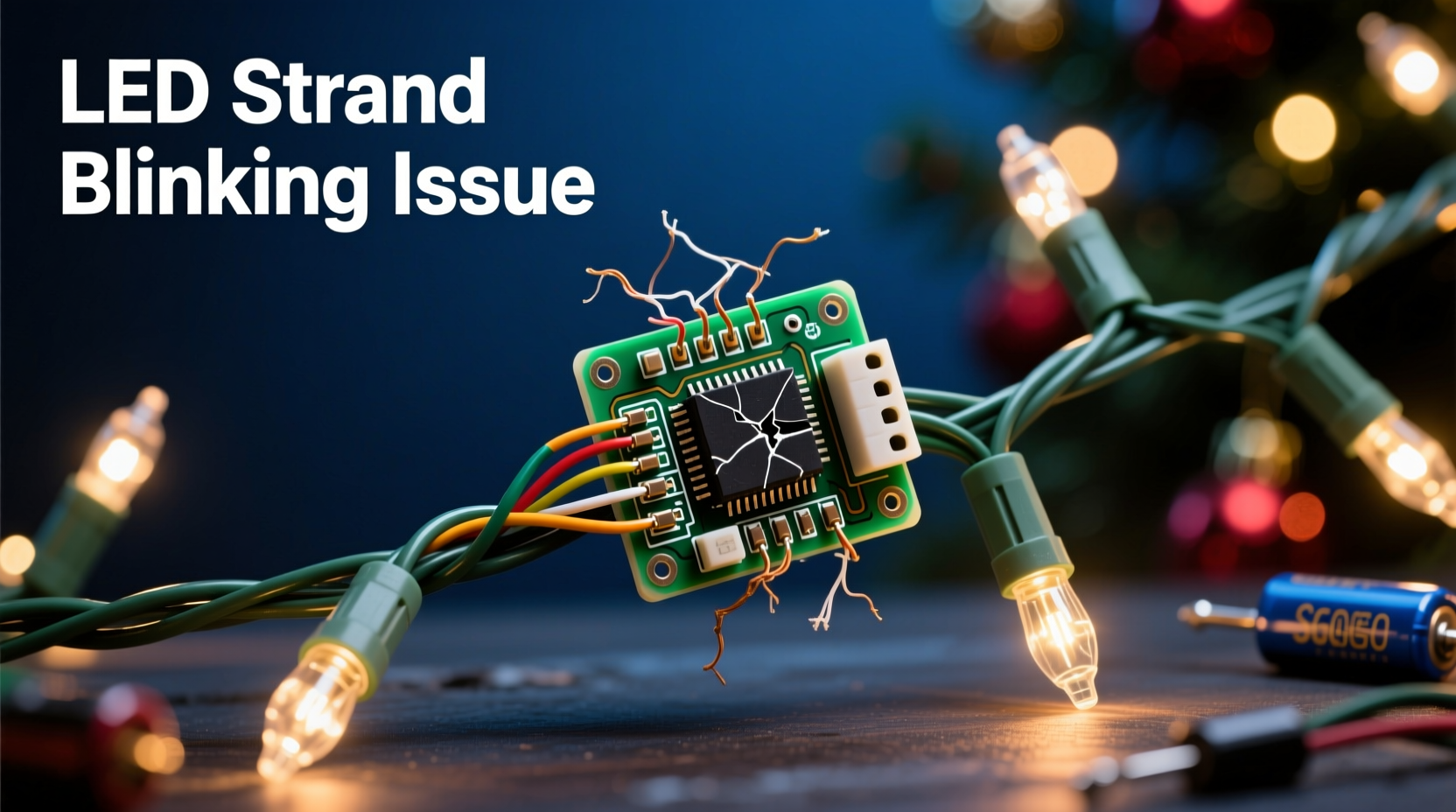
Most pre-lit LED Christmas light strands use an integrated circuit board housed in a small plastic module—commonly referred to as the “controller.” This component regulates voltage distribution across the LEDs and cycles through preset patterns if multiple modes are available. Some controllers are hardwired into the cord, while others are detachable or feature remote control capabilities.
The controller interprets electrical signals and applies timing algorithms to create different visual effects. For example:
- Steady mode: Constant current flow keeps all LEDs illuminated uniformly.
- Blinking/twinkle mode: Rapid on/off pulses simulate flickering or random sparkle.
- Fade/chase mode: Sequential activation creates wave-like motion.
When the controller receives inconsistent power, suffers internal damage, or experiences signal interference (in wireless models), it may default to a blinking pattern—even when you’ve selected a steady setting.
“Modern LED controllers are sensitive to voltage fluctuations. Even minor surges from shared outlets can reset or confuse the circuitry.” — Daniel Reeves, Electrical Systems Technician
Common Causes of Unexpected Blinking
Before replacing an entire strand, it’s important to identify what’s triggering the unwanted blinking. Several factors can contribute:
1. Controller Malfunction
Electronic components degrade over time, especially when exposed to moisture, extreme temperatures, or physical stress. A damaged controller may lose its memory settings, defaulting to blink mode regardless of user input.
2. Power Supply Issues
Fluctuating voltage—often caused by overloaded circuits, low-quality extension cords, or incompatible power adapters—can disrupt the controller’s operation. LEDs require stable DC voltage; any ripple or drop can cause erratic behavior.
3. Mode Button Stuck or Misactivated
Some controllers have tactile buttons that cycle through modes. If the button becomes stuck due to debris, pressure, or wear, the controller may continuously switch between patterns, including blink modes.
4. Remote Control Interference
If your lights are equipped with RF or IR remotes, stray signals from other devices (e.g., garage openers, TVs, or neighboring decorations) might inadvertently change the mode. In rare cases, solar radiation or electromagnetic fields can trigger false inputs.
5. Damaged Wiring or Loose Connections
Even minor breaks in the wire, corroded contacts, or loose plugs can interrupt current flow. The controller may interpret this as a fault condition and activate a blinking fail-safe pattern.
Step-by-Step Guide to Diagnose and Fix Blinking Lights
Follow this systematic approach to isolate and resolve the issue causing unexpected blinking.
- Unplug the strand immediately. Safety first—disconnect from power to prevent further damage or risk.
- Inspect the controller module. Look for visible cracks, swelling, water intrusion, or burnt marks. These indicate physical failure.
- Check the mode selector. Press the button several times firmly but gently. Listen for clicks. If it feels sticky or doesn’t return smoothly, clean around it with compressed air or isopropyl alcohol.
- Test with a different outlet. Plug the strand into a dedicated circuit using a high-quality surge protector. Avoid daisy-chaining multiple strands unless specified as safe by the manufacturer.
- Remove remote interference. Take the remote out of range or remove its battery temporarily. Observe whether blinking stops after a reset.
- Reset the controller. Unplug the lights for at least 30 seconds, then plug them back in. Many controllers reset to default mode upon reboot. Immediately press the mode button to restore your preferred setting.
- Examine connections between sections. If using multiple linked strands, disconnect each segment and test individually. A single faulty link can affect the whole chain.
- Use a multimeter to check voltage output. At the controller’s output end, measure DC voltage. Compare it to the label specifications (typically 5V, 12V, or 24V). Significant deviation suggests a failing driver or rectifier.
If blinking persists after these steps, the controller itself is likely defective and needs replacement or bypassing.
Repair vs. Replace: Your Options Explained
Once you’ve confirmed the controller is at fault, decide whether to repair, replace, or rewire the strand.
| Solution | Difficulty | Cost | Lifespan Impact | Best For |
|---|---|---|---|---|
| Replace entire strand | Low | $$ | Full warranty period | Rented displays, temporary setups |
| Swap controller module | Moderate | $ | Extends life significantly | High-end or custom strands |
| Bypass controller (steady-only) | Advanced | $ | Limited functionality | Permanent installations |
| Professional repair service | Depends | $$$ | Varies | Valuable or vintage sets |
For basic repairs, you can purchase compatible replacement controllers online. Match the voltage, polarity, number of wires (usually 2–4), and connector type. Soldering skills are typically required.
To bypass the controller entirely (turning the strand into a permanent steady-on fixture), connect the input power wires directly to the output leads going to the LEDs, skipping the circuit board. This eliminates blinking but removes all dynamic effects.
Mini Case Study: Resolving a Persistent Blink Issue
Homeowner Maria Thompson installed a new set of 50-count warm-white LED icicle lights along her eaves. After two weeks, the entire strand began blinking rapidly despite being set to “steady” mode. She tried changing outlets and resetting the controller, but the problem returned within hours.
Upon inspection, she noticed condensation inside the controller housing—a sign of moisture ingress. She disassembled the unit, dried the board with a desiccant pack for 24 hours, and sealed the casing with waterproof silicone. After reassembly, the lights operated normally for the remainder of the season.
This case highlights how environmental exposure can silently compromise electronics. A simple sealant application prevented costly replacement.
Preventive Maintenance Checklist
Extend the reliability of your LED Christmas lights with regular care. Use this checklist annually:
- ✅ Store lights coiled neatly in dry containers; avoid kinking wires.
- ✅ Inspect controllers and plugs for cracks or corrosion before use.
- ✅ Clean dust and debris from buttons and ports with a soft brush.
- ✅ Test each strand indoors before outdoor installation.
- ✅ Use weatherproof enclosures for outdoor controllers.
- ✅ Avoid exposing controllers to direct rain or snow accumulation.
- ✅ Limit continuous runtime to 8–12 hours per day where possible.
“Proper storage and seasonal testing catch 80% of potential issues before they become problems.” — National Holiday Lighting Association Field Report, 2023
Frequently Asked Questions
Why do my LED lights blink even when I didn’t select a flashing mode?
This usually indicates a controller reset or malfunction. Power interruptions, voltage spikes, or stuck mode buttons can force the system into default blink mode. Resetting the controller or replacing it often resolves the issue.
Can cold weather make LED lights blink?
Extreme cold doesn’t directly cause blinking, but thermal contraction can loosen connections or crack casings, leading to intermittent contact. Moisture entering the controller due to freeze-thaw cycles may also trigger erratic behavior.
Is it safe to cut off a faulty controller and hardwire the lights?
Yes, provided you match voltage correctly and insulate all splices. However, removing the controller voids safety certifications and may increase fire risk if done improperly. Only attempt this if you have electrical experience and plan to use the lights in a controlled environment.
Final Thoughts and Action Steps
Unexpected blinking in LED Christmas light strands is more than just a nuisance—it’s a symptom of underlying electrical or environmental stress. By understanding how controllers function and what triggers malfunctions, you gain the ability to troubleshoot effectively and preserve your holiday investment.
Start by isolating the cause: Is it a simple mode reset, a stuck button, or deeper hardware failure? Apply the diagnostic steps outlined here, and don’t hesitate to upgrade protection methods like surge suppressors or waterproof enclosures. With proper care, a quality LED strand can last a decade or more, delivering consistent, reliable illumination year after year.




 浙公网安备
33010002000092号
浙公网安备
33010002000092号 浙B2-20120091-4
Comments
No comments yet. Why don't you start the discussion?