
There’s nothing more frustrating than hanging your carefully chosen LED Christmas lights—only to find they flicker unpredictably. Whether it's a subtle pulse or a strobe-like effect, flickering undermines the charm of holiday decor and can even cause discomfort or headaches. Unlike older incandescent bulbs, LED lights are energy-efficient and long-lasting, but their electronic nature makes them sensitive to various electrical and environmental factors. The good news is that most flickering issues have straightforward explanations and solutions. Understanding why this happens empowers you to fix it quickly and enjoy a smooth, consistent glow throughout the season.
Understanding LED Light Flicker: The Basics
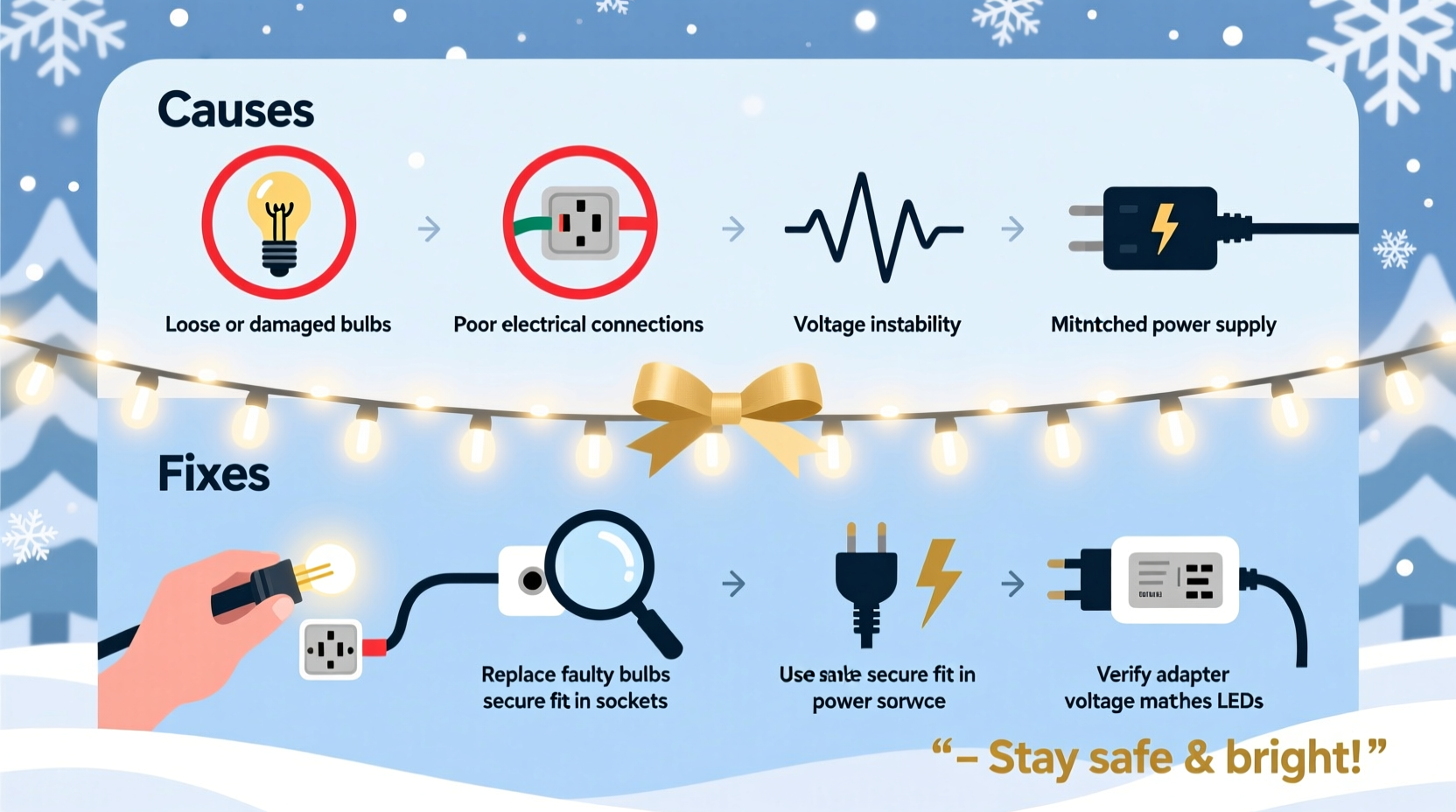
LEDs (Light Emitting Diodes) operate on direct current (DC), but household power supplies deliver alternating current (AC). To bridge this gap, LED light strands use internal drivers or rectifiers that convert AC to DC. These components regulate voltage and current to ensure stable illumination. When flickering occurs, it typically means this regulation is failing or being disrupted somewhere along the circuit.
Flicker isn’t always visible to the naked eye—some fluctuations happen at high frequencies and only become apparent when viewed through a camera or under certain conditions. However, noticeable flickering—especially rhythmic blinking or dimming—is a sign of an underlying issue that should be addressed for both performance and safety reasons.
The root cause often lies in one of several areas: incompatible controllers, voltage fluctuations, poor connections, or environmental stress. Identifying which factor is responsible determines the correct fix.
“Flickering in LED Christmas lights is rarely random—it’s a symptom of mismatched electronics or degraded components.” — Dr. Alan Reeves, Electrical Engineer & Lighting Systems Consultant
Common Causes of LED Christmas Light Flickering
Flickering doesn't mean your lights are defective. More often than not, it stems from one of these five primary causes:
1. Loose or Poor Bulb Connections
Even a single bulb that isn’t fully seated in its socket can interrupt the circuit. Many LED strands are wired in series, meaning if one connection breaks, the entire section—or whole strand—can flicker or go dark. This is especially common with mini-bulb sets where bulbs twist into sockets.
2. Voltage Drop Across Long Runs
When multiple strands are daisy-chained beyond the manufacturer’s recommended limit, the last few bulbs receive less voltage. This leads to dimming and flickering toward the end of the chain. Most LED strings are rated for 3–5 sets connected together; exceeding this strains the circuit.
3. Incompatible Dimmer Switches or Controllers
If your lights are controlled by a wall dimmer or smart timer, compatibility becomes critical. Traditional dimmers designed for incandescent bulbs don’t work well with LEDs. They may cut power inconsistently, causing visible pulsing. Similarly, low-quality or outdated timers can send erratic signals.
4. Faulty or Overloaded Power Adapter (for Plug-in Sets)
Some LED strands rely on external transformers or power adapters. If the adapter is damaged, undersized, or overheating, it won’t supply stable power. Signs include warmth to the touch, discoloration, or intermittent operation.
5. Environmental Factors: Moisture, Temperature, and Corrosion
Outdoor lights exposed to rain, snow, or condensation can develop corrosion in connectors or sockets. Even minor moisture ingress disrupts conductivity, leading to flickering. Cold temperatures can also stiffen wires and weaken solder joints temporarily.
Step-by-Step Guide to Fix Flickering LED Lights
Follow this systematic troubleshooting process to identify and resolve the source of flickering. Most issues can be fixed in under 30 minutes with basic tools.
- Unplug the lights immediately. Safety first—never inspect live circuits.
- Inspect each bulb visually. Look for darkened bases, cracked lenses, or loose positioning. Gently twist each bulb to ensure it’s snug.
- Test individual bulbs (if removable). Some LED sets allow bulb replacement. Swap suspect bulbs with known working ones to isolate failures.
- Check all connectors and extension cords. Ensure male and female ends are fully mated. Look for bent pins, dirt, or water damage. Clean contacts with a dry cloth or isopropyl alcohol.
- Disconnect additional strands. Unhook any daisy-chained sets beyond the first one. Test the primary strand alone. If flickering stops, voltage drop was the culprit.
- Bypass dimmers or timers. Plug the lights directly into a wall outlet. If flickering stops, the controller is incompatible or faulty.
- Try a different outlet. Use a grounded outlet on a different circuit to rule out household voltage instability.
- Examine the power adapter (if applicable). Replace it with an identical-rated unit if damaged or warm after short use.
- Look for damaged wire sections. Kinks, cuts, or rodent damage can cause intermittent connectivity. Tape minor abrasions with electrical tape, but replace severely damaged sections.
- Test in a warmer, dry environment. Bring outdoor strings indoors temporarily. If flickering resolves, temperature or moisture was a factor.
Do’s and Don’ts: Best Practices for Stable LED Lighting
| Do | Don’t |
|---|---|
| Use LED-compatible dimmers and timers | Use incandescent-only dimmers with LED lights |
| Follow manufacturer limits for daisy-chaining | Connect more than 3–5 strands unless rated for it |
| Store lights coiled loosely with protective spools | Yank lights off trees or stuff them into tight boxes |
| Clean connectors before installation | Install wet or dirty connectors |
| Use surge protectors for outdoor displays | Plug heavy loads into standard power strips |
Real Example: A Homeowner’s Flicker Fix
Sarah from Portland had a favorite string of warm-white LED icicle lights that began flickering wildly during a cold December night. She initially assumed the entire set was dead. After unplugging and bringing the lights indoors, she noticed one bulb near the plug was slightly loose. Reseating it helped briefly, but the flicker returned.
She followed the step-by-step guide: disconnected all daisy-chained sets, tested the main strand alone, and still saw flickering. Then she bypassed her outdoor smart timer and plugged directly into an outlet—immediately, the lights stabilized. Research revealed her $12 timer wasn’t rated for LED loads. She replaced it with an LED-compatible model costing $18, and the display ran flawlessly the rest of the season. Sarah now checks all controllers before setup and keeps spare adapters on hand.
Preventive Checklist for Next Season
- ✅ Inspect all light strands before installation each year
- ✅ Verify compatibility between lights, dimmers, and controllers
- ✅ Limit daisy-chaining to manufacturer specifications
- ✅ Use weatherproof connectors and covers for outdoor setups
- ✅ Store lights on reels or in compartmentalized bins
- ✅ Replace frayed cords or cracked plugs immediately
- ✅ Keep a log of which strands perform poorly for early attention
“The best holiday lighting system is predictable. Invest time upfront to avoid frustration later.” — Lena Torres, Residential Lighting Designer
Frequently Asked Questions
Can LED Christmas lights be repaired if they flicker?
Yes, most flickering issues are repairable. Common fixes include reseating bulbs, replacing faulty connectors, using compatible controllers, or reducing load on daisy-chained sets. Only when the internal driver fails or wiring is extensively damaged is full replacement necessary.
Why do my LED lights flicker only when it’s cold outside?
Cold temperatures can make plastic brittle and wires stiff, increasing resistance or breaking weak solder joints. Additionally, moisture trapped in connectors freezes and expands, disrupting conductivity. Letting lights warm up indoors or sealing connections with dielectric grease can help.
Is flickering dangerous?
Occasional flickering due to loose bulbs is usually safe. However, persistent flickering caused by damaged wiring, overloaded circuits, or faulty adapters can pose fire risks. If you notice burning smells, discolored plugs, or excessive heat, discontinue use immediately.
Conclusion: Enjoy Steady, Stress-Free Holiday Lights
Flickering LED Christmas lights are a common seasonal annoyance—but they’re rarely a lost cause. With a clear understanding of how LED systems work and what disrupts their performance, most issues can be diagnosed and corrected in minutes. From ensuring secure bulb placement to verifying controller compatibility, proactive maintenance makes all the difference.
The holiday season should be about joy, not troubleshooting. By applying these practical fixes and preventive habits, you can ensure your lights shine bright and steady, enhancing your home’s festive atmosphere without interruption. Take time now to inspect your current setup, upgrade outdated components, and store next year’s lights properly. A little effort today means reliable sparkle for many Decembers to come.




 浙公网安备
33010002000092号
浙公网安备
33010002000092号 浙B2-20120091-4
Comments
No comments yet. Why don't you start the discussion?