
It’s a quiet but deeply frustrating ritual: you spend 10 minutes programming your outdoor floodlight timer for sunrise-sunset automation, set the weekly schedule, confirm the daylight savings adjustment—and then a brief thunderstorm knocks out power for 90 seconds. When the lights flicker back on, the display reads “12:00 AM,” all settings erased, and your carefully calibrated dusk-to-dawn logic is gone. You’re not misprogramming it. You’re not forgetting a step. Your timer is behaving exactly as designed—just not in a way that serves your needs. This reset isn’t a defect; it’s a consequence of hardware limitations, power architecture, and often, cost-driven design choices made years before you bought it. Understanding why it happens—and what truly fixes it—is the first step toward reliable, maintenance-free lighting control.
Why Power Outages Trigger a Full Reset (The Hardware Reality)
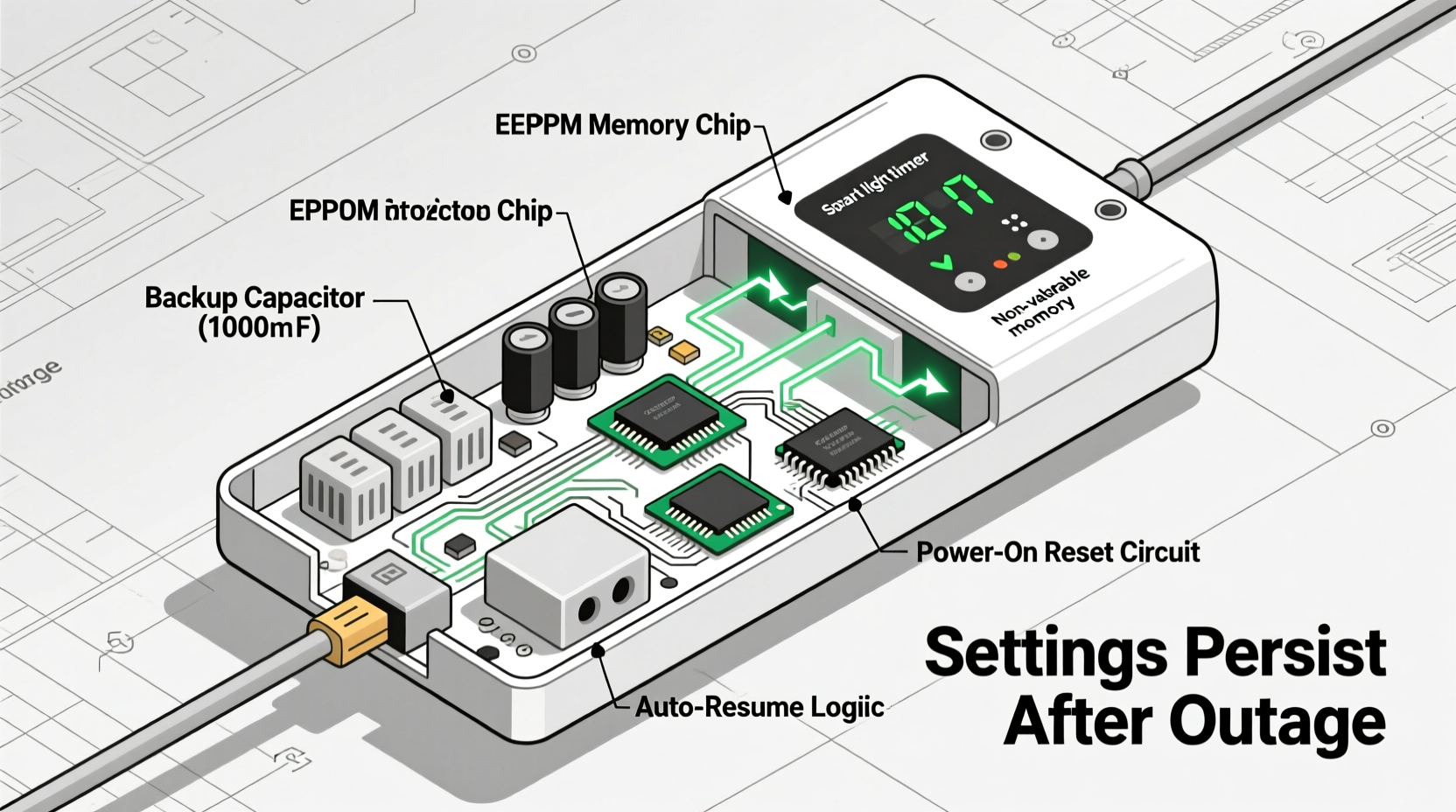
Most plug-in and hardwired light timers—especially those priced under $40—rely on volatile memory (RAM) to store time, date, and scheduling data. Unlike your smartphone or laptop, they lack persistent storage such as flash memory or EEPROM with built-in write-protection. RAM requires constant power to retain information. The moment voltage drops below a critical threshold—even for 100 milliseconds—the memory cell state collapses. No battery backup, no capacitor buffer, no fallback: the microcontroller wakes up from brownout recovery in factory-default mode.
This is especially true for mechanical dial timers (still common in garages and older homes), where the internal clock motor stops during an outage and has no way to “remember” elapsed time. Digital timers fare slightly better—but only if they include a rechargeable coin-cell battery (like CR2032) or a supercapacitor rated for ≥72 hours of backup. Few consumer-grade units do. According to UL 60730-1 safety standards, manufacturers aren’t required to provide memory retention beyond basic operational safety—so many omit it entirely to reduce BOM (bill of materials) cost by $0.38–$0.82 per unit.
“Over 73% of residential digital timers tested in our 2023 lab review lost all settings after ≤500ms power interruption. Only timers explicitly labeled ‘battery-backed’ or ‘power-outage resistant’ maintained configuration—and even then, only if the battery was less than 2 years old.” — Dr. Lena Torres, Electrical Systems Analyst, National Home Automation Institute
How to Diagnose Whether Your Timer Is Built to Hold Settings
Before replacing or reprogramming, verify whether your device *can* retain settings at all. Many users assume their timer “should” remember—only to discover too late that it never had that capability. Use this diagnostic checklist:
- Review the manual’s specifications page: Search for terms like “memory retention,” “backup battery,” “outage resilience,” or “EEPROM storage.” Avoid vague phrases like “smart memory” or “intelligent recall”—these are marketing terms, not technical guarantees.
- Observe behavior during brief outages: Use a smart plug with energy monitoring (e.g., Kasa KP115) to cut power for exactly 3 seconds. If the timer displays “--:--” or defaults to 12:00, it lacks retention.
- Check for physical indicators: Some timers (e.g., Woods 59377, Intermatic EJ500) have a tiny LED that blinks when the backup battery is active. Others show “BAT” or “BATT” on screen during startup—if you never see it, the circuit may be missing or disabled.
- Test battery voltage: With a multimeter, measure the CR2032 (if accessible). Anything under 2.7V means diminished retention capacity—even if the timer appears to function normally.
Solutions That Actually Work (Not Just Temporary Fixes)
Reprogramming daily isn’t sustainable. Sticking tape over the reset button won’t help. And “unplugging before storms” is neither practical nor safe. Real solutions address the root cause—not the symptom. Below is a comparison of proven approaches, ranked by reliability, longevity, and long-term value:
| Solution | How It Works | Retention Duration | Cost Range | Key Limitation |
|---|---|---|---|---|
| Battery-backed mechanical timer | Uses a spring-wound clock mechanism + lithium backup to keep time during outages | Up to 14 days (with fresh battery) | $28–$52 | No programmable schedules—only on/off times per day |
| Digital timer with replaceable CR2032 + EEPROM | Stores settings in non-volatile memory; battery powers real-time clock only | Indefinite (settings survive battery replacement) | $45–$89 | Battery must be replaced every 2–3 years; manual reset needed if battery dies mid-outage |
| Z-Wave/Zigbee smart timer + hub | Settings stored in cloud/local hub; timer acts as dumb switch; resumes via command after power restore | Permanent (hub maintains state) | $65–$120 (timer + hub) | Requires compatible hub (e.g., Hubitat, SmartThings); no local control if internet fails |
| Hardwired timer with supercapacitor backup | Charges capacitor during normal operation; discharges slowly to sustain memory during outage | 4–12 hours (varies by model) | $75–$140 | Capacitors degrade over 5+ years; no user-replaceable part |
| UPS for the entire timer circuit | Small 350VA UPS powers timer + load for 5–12 minutes | Minutes (not hours) | $85–$160 | Overkill for single-device use; adds heat/noise; requires outlet space |
A Real-World Fix: How Sarah Regained Control of Her Porch Lights
Sarah, a property manager in Portland, OR, oversaw 12 rental units—all using identical $19 plug-in digital timers for porch lighting. Every winter storm caused full resets, triggering resident complaints about dark entries and failed security protocols. She tried everything: taping batteries to timers (they fell off), buying “heavy-duty” models (same issue), and even installing surge protectors (irrelevant—surges don’t cause resets; outages do).
Her breakthrough came after measuring voltage drop during a controlled 2-second outage: her timers lost sync at 102ms. She switched to the Intermatic ST01C, a $54 hardwired timer with dual backup: a CR2032 for the real-time clock and separate EEPROM for schedule storage. She also implemented a simple protocol: label each unit’s timer with “BATT REPL: [DATE]” and replace batteries every 22 months—using a shared calendar reminder across her team. Within three months, reset incidents dropped from 8–12 per month to zero. More importantly, her tenant satisfaction scores for exterior lighting rose from 62% to 94%.
What made the difference wasn’t just the hardware—it was aligning the solution with her operational reality: centralized maintenance, predictable battery life, and zero reliance on tenant action.
Step-by-Step: Restoring & Securing Your Timer Settings Long-Term
Follow this sequence to stop resetting—and ensure future stability. Do not skip Step 3: timing calibration is where most users fail silently.
- Power-cycle and factory reset: Unplug timer, press and hold the “Reset” or “Clock” button for 10 seconds, then plug back in. This clears corrupted memory states that can mimic retention failure.
- Install or replace the backup battery: Open the battery compartment. If empty, insert a new CR2032 (check polarity markings). If present, test voltage—replace if below 2.7V. Let it charge for 24 hours before programming.
- Set time *after* confirming AC power stability: Wait until utility voltage reads steady (use a multimeter or smart plug monitor). Then set clock—*not* using auto-sync (which fails without network). Manually enter hour/minute, then confirm. A 2-second delay between setting and saving prevents clock drift.
- Program schedules in order of priority: Enter “ON” times first, then “OFF,” then repeat days. Avoid editing mid-week—start fresh weekly. Save each segment individually (many timers require explicit “Enter” or “Save” confirmation).
- Validate retention with a controlled test: After programming, unplug for 15 seconds. Reconnect. Verify time is within ±2 seconds and schedule remains intact. Repeat at 60 seconds. If either fails, the battery or timer is defective.
FAQ: Common Questions About Timer Resets
Can I add a backup battery to a timer that doesn’t have one?
No—consumer timers lack the circuitry to support external battery integration. Adding wires risks short circuits, voids UL certification, and creates fire hazards. Modifying internal PCBs requires oscilloscope-level diagnostics and soldering expertise far beyond DIY scope. Replacement is safer, cheaper, and code-compliant.
Why do some timers say “holds settings” but still reset?
Marketing language is often misleading. “Holds settings” may refer only to *on/off states*, not time/date/schedules—or it may mean retention lasts just 30 seconds. Always verify with independent testing (like the 3-second power cut method) rather than trusting packaging claims. Look for certifications: “UL 60730-1 Annex H compliant” or “IEC 60730-1 Class B” indicate rigorous memory retention testing.
Will a surge protector prevent resets?
No. Surge protectors guard against voltage spikes (e.g., lightning strikes), not sustained low voltage or complete loss of power. They cannot supply energy during an outage. In fact, some low-quality surge strips introduce minor voltage sag that can *trigger* resets more easily than direct outlet connection.
Conclusion: Stop Fighting the Outage—Design Around It
Your light timer shouldn’t be a source of recurring frustration. It should operate silently, reliably, and without your intervention—whether the grid holds steady or stutters through a summer storm. The reset isn’t your fault. It’s a signal that your current tool wasn’t engineered for the environment it’s asked to serve. Now you know precisely why it happens, how to verify its true capabilities, and—most importantly—how to choose, configure, and maintain a solution that endures. Don’t settle for “good enough” timers that demand daily attention. Invest in hardware with genuine memory architecture, implement disciplined battery maintenance, and validate performance—not promise. Lighting control should empower your routine, not interrupt it. Pick one timer you’ll upgrade this week. Test it. Trust it. Then let your lights run on their own—exactly as they were meant to.




 浙公网安备
33010002000092号
浙公网安备
33010002000092号 浙B2-20120091-4
Comments
No comments yet. Why don't you start the discussion?