
Sitting for extended periods has become an unavoidable part of modern life, whether you're working at a desk, commuting, or relaxing at home. Yet, many people experience a nagging ache in their lower back shortly after settling into a chair. This discomfort isn’t just inconvenient—it can be a warning sign of poor posture, muscle imbalances, or long-term spinal strain. Understanding the root causes and adopting proven strategies can make a significant difference in how your back feels by the end of the day.
The lumbar region—the lower portion of your spine—bears much of your body’s weight when seated. Without proper support and alignment, this area is vulnerable to stress, disc compression, and muscular fatigue. The good news: most cases of sitting-related lower back pain are preventable with awareness, small adjustments, and consistent habits.
Why Sitting Triggers Lower Back Pain
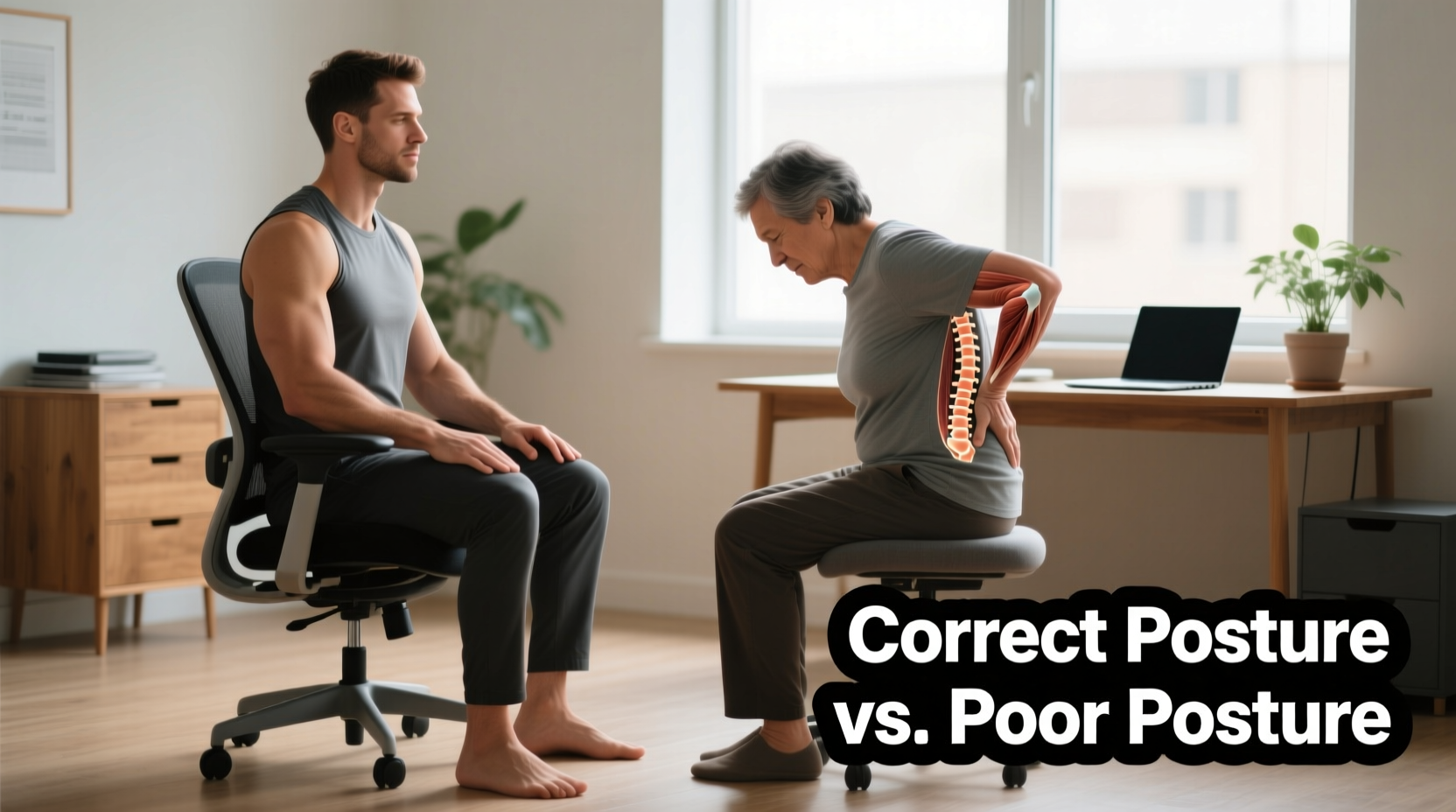
When you sit, the natural inward curve of your lower spine (lordosis) tends to flatten, especially if you slouch or use unsupportive furniture. This shifts pressure from the discs and ligaments to the surrounding muscles, which aren't designed for prolonged static load. Over time, this leads to muscle fatigue, tightness in the hip flexors, and strain on the lumbar vertebrae.
Additionally, sitting reduces blood flow to spinal tissues and limits movement that nourishes the intervertebral discs. Unlike other tissues in the body, spinal discs rely on motion-induced diffusion to receive nutrients. Prolonged stillness starves them, accelerating wear and tear.
Common contributing factors include:
- Poorly adjusted chairs without lumbar support
- Feet not flat on the floor, increasing pelvic tilt
- Hunching forward toward screens, straining the neck and upper back
- Tight hamstrings or hip flexors pulling on the pelvis
- Weak core muscles unable to stabilize the spine
“Sitting is more dangerous than smoking, in terms of mortality rates. It’s associated with hundreds of diseases.” — Dr. James Levine, Director of the Mayo Clinic-Arizona Obesity Solutions Center
Posture Principles That Actually Work
Good posture isn’t about rigidly holding a “perfect” position. It’s about maintaining neutral spinal alignment—where your head, shoulders, and hips stack naturally over one another, minimizing strain.
When seated, aim for these key points:
- Feet flat on the floor – Knees should be level with or slightly below hips. Use a footrest if needed.
- Hips slightly behind the backrest – This allows your lower back to press gently into lumbar support.
- Lower back supported – Maintain the natural inward curve. A rolled towel or ergonomic cushion helps.
- Shoulders relaxed, not hunched – Avoid rounding forward; keep elbows close to your sides.
- Eyes level with the top third of your screen – Prevents neck strain that indirectly affects the lower back.
Workstation Adjustments for Long-Term Relief
Your environment plays a bigger role than willpower. Even with perfect intention, an ill-fitted desk setup undermines posture within minutes. Here’s how to optimize your workspace:
| Component | Ideal Setup | Common Mistakes |
|---|---|---|
| Chair Height | Knees at 90°, feet flat | Too high (dangling feet) or too low (hips above knees) |
| Lumbar Support | Firm support at natural curve of lower back | No support or excessive padding pushing spine forward |
| Desk Height | Elbows at 90° when typing | Forcing shoulders up or wrists bending upward |
| Monitor Position | Top of screen at or slightly below eye level, 20–30 inches away | Looking down at laptop or too far/closed |
| Keyboard/Mouse | Close enough to avoid reaching | Extended arm reach causing shoulder tension |
If you work remotely or use a laptop, consider investing in a docking station with an external keyboard and monitor. Elevating your screen to eye level prevents the forward head posture that increases strain down the spine.
A Real-Life Example: From Chronic Pain to Comfort
Take Mark, a 38-year-old software developer who began experiencing daily lower back pain after transitioning to full-time remote work. He worked from his dining table with a kitchen chair and a laptop propped on books. Within three months, he was taking pain relievers regularly and avoiding social activities due to stiffness.
After a physiotherapy assessment, it was clear: his pelvis was tilted posteriorly (tucked under), flattening his lumbar curve. His hip flexors were tight from hours of sitting, and his core was underactive. The solution wasn’t surgery or medication—it was ergonomics and movement.
Mark made these changes:
- Bought an adjustable office chair with lumbar support
- Used a standing desk converter for alternating positions
- Placed his monitor at eye level using a riser
- Set hourly reminders to stand and perform quick stretches
- Started a 10-minute daily routine focusing on glute activation and core engagement
Within six weeks, his pain decreased by 80%. By three months, he no longer needed painkillers and reported improved energy and focus.
Step-by-Step Guide to Healthier Sitting Habits
Improving your relationship with sitting doesn’t require drastic changes. Follow this practical sequence to build sustainable habits:
- Assess Your Current Setup – Sit as you normally would and note any misalignments. Are your feet dangling? Is your back rounded?
- Adjust Chair and Desk – Use the table above as a checklist. Make micro-adjustments until alignment feels natural.
- Add Lumbar Support – If your chair lacks built-in support, use a small pillow or rolled towel at the curve of your lower back.
- Position Your Screen Correctly – Raise your monitor so the top line of text is at eye level. For laptops, use a stand and external peripherals.
- Set Movement Alarms – Use a smartwatch, phone, or app like Stretchly or Time Out to prompt breaks every 30–60 minutes.
- Incorporate Micro-Movements – While seated, engage your core lightly, shift your weight, or perform ankle circles to maintain circulation.
- Stretch Daily – Focus on hip flexors, hamstrings, glutes, and lower back. Even 5 minutes morning and night helps.
- Strengthen Core Muscles – Practice planks, bird-dogs, or dead bugs 3 times a week to support spinal stability.
Checklist: Post-Sitting Pain Prevention Plan
Use this actionable checklist to reduce or eliminate lower back discomfort:
- ✅ Chair height adjusted so feet rest flat on the floor
- ✅ Lumbar support in place and properly positioned
- ✅ Monitor at eye level, not低头 (looking down)
- ✅ Keyboard and mouse within easy reach
- ✅ Take a standing or walking break every 30–60 minutes
- ✅ Perform 2–3 stretches for hips and lower back daily
- ✅ Engage core gently while sitting to support the spine
- ✅ Avoid crossing legs, which rotates the pelvis and unbalances the spine
- ✅ Wear supportive footwear—even at home—to maintain pelvic alignment
- ✅ Evaluate mattress and pillow support; poor sleep posture affects daytime alignment
Expert-Recommended Stretches and Exercises
Movement is medicine for the spine. These evidence-backed exercises counteract the effects of prolonged sitting:
- Pelvic Tilts – Lie on your back, knees bent. Gently rock your pelvis upward (flattening lower back) and downward (arching slightly). Repeat 10–15 times to mobilize the lumbar spine.
- Knee-to-Chest Stretch – Pull one knee toward your chest while keeping the other foot flat. Hold 20–30 seconds per side to release lower back tension.
- Child’s Pose – Sit back on heels, arms extended forward on the floor. Allows gentle spinal decompression.
- Glute Bridges – Lie on your back, knees bent. Lift hips while squeezing glutes. Strengthens posterior chain and supports pelvic alignment.
- Standing Forward Bend – With knees slightly bent, hinge at hips and let upper body hang. Loosens hamstrings and relieves disc pressure.
“The spine is designed to move. When we stay in one position too long, we compromise its health. Frequent micro-movements are essential.” — Dr. Stuart McGill, Spine Biomechanics Expert, University of Waterloo
FAQ: Common Questions About Sitting and Back Pain
Is sitting worse than standing all day?
Neither extreme is ideal. Prolonged standing can lead to joint compression and fatigue. The best approach is variation: alternate between sitting, standing, and walking throughout the day. Aim for 1–2 minutes of standing or moving every 30 minutes.
Can a standing desk fix my back pain?
It can help—but only if used correctly. Standing with locked knees, uneven weight distribution, or improper desk height creates new problems. Use an anti-fatigue mat, wear supportive shoes, and don’t stand for more than 45 minutes at a time without a break.
How long does it take to correct poor sitting posture?
Noticeable improvements often occur within 2–4 weeks of consistent adjustments. However, rebuilding muscle memory and correcting long-standing imbalances may take 3–6 months of dedicated effort. Patience and consistency are key.
Conclusion: Take Control of Your Spinal Health
Lower back pain after sitting doesn’t have to be a normal part of adult life. It’s a signal that your body needs better support, movement, and alignment. By making thoughtful adjustments to your posture, workspace, and daily habits, you can relieve pain, improve function, and protect your spine for years to come.
Start today. Reassess your chair, adjust your screen, set a timer, and do one stretch. Small actions compound into lasting change. Your back doesn’t need perfection—just consistent care.




 浙公网安备
33010002000092号
浙公网安备
33010002000092号 浙B2-20120091-4
Comments
No comments yet. Why don't you start the discussion?