
It’s a common winter frustration: you step outside on a frosty morning, pull out your phone to check the time or send a quick message, and the screen flickers off—even though it was at 60% just minutes ago. You power it back on, only for it to die again within seconds. Cold weather has a dramatic effect on smartphone batteries, and while it may seem like a hardware flaw, the real cause lies in the chemistry of lithium-ion cells. Understanding the science behind this phenomenon is the first step toward protecting your device and preserving its longevity through the colder months.
Lithium-ion batteries, which power nearly all modern smartphones, rely on the movement of lithium ions between electrodes to generate electricity. When temperatures drop, especially below freezing (32°F or 0°C), this ion movement slows significantly. The electrolyte solution inside the battery becomes more viscous, reducing conductivity and making it harder for ions to travel. As a result, the battery can’t deliver energy efficiently, causing voltage to drop sharply. Your phone interprets this voltage dip as a low charge and shuts down prematurely—even if the battery still holds usable energy.
The Science Behind Cold-Induced Battery Drain
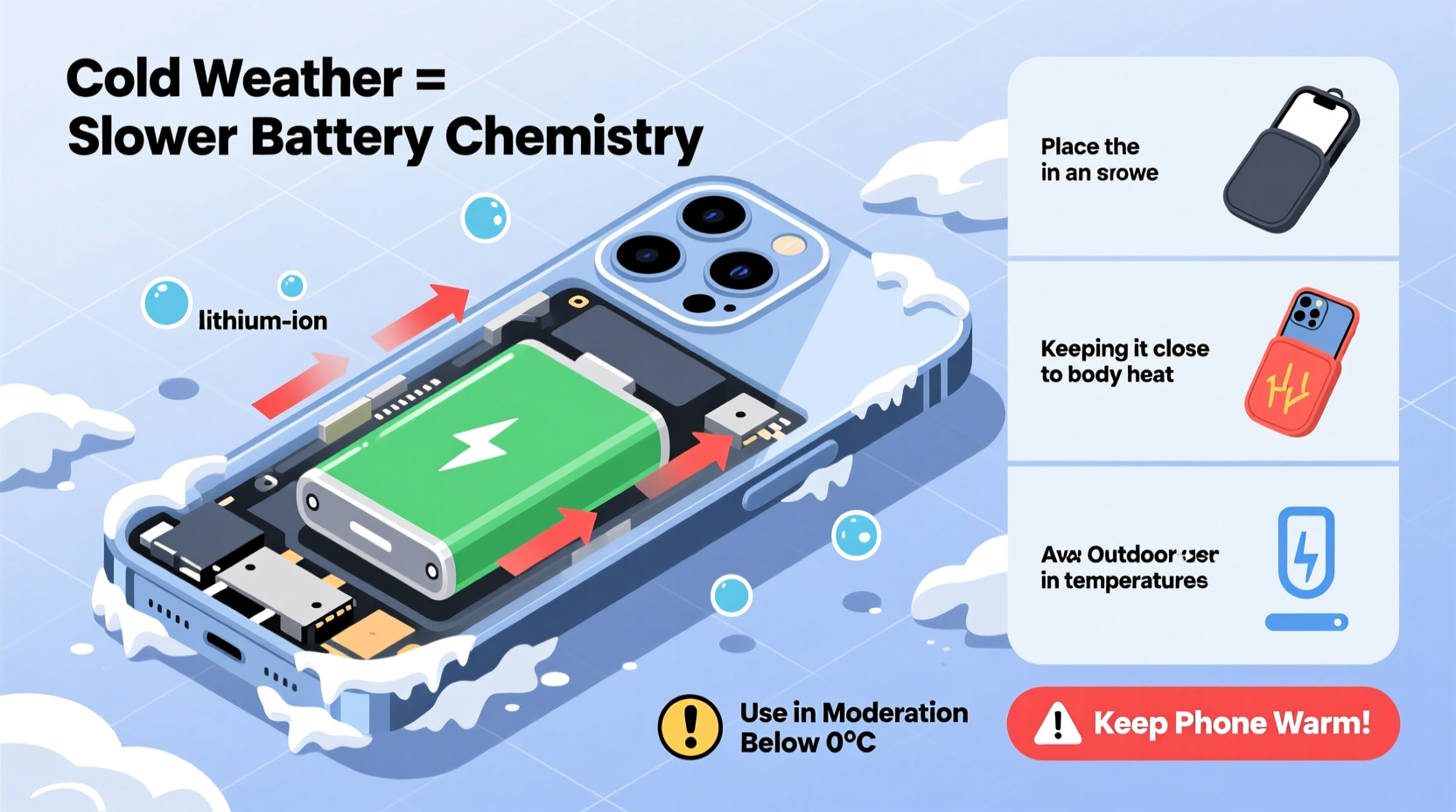
Lithium-ion batteries operate optimally between 68°F and 77°F (20°C–25°C). Outside this range—particularly in extreme cold—the internal resistance of the battery increases. This means that even small demands, like unlocking your phone or loading a map, require more effort from the battery. The system struggles to maintain stable output, leading to rapid voltage drops.
According to Dr. Venkat Srinivasan, a battery scientist at the Argonne National Laboratory:
“Cold temperatures don’t destroy the charge in a lithium-ion battery—they temporarily immobilize it. The energy is still there, but the battery can’t access it efficiently until it warms up.” — Dr. Venkat Srinivasan, Argonne National Laboratory
This explains why a phone that appears dead in the cold often powers back on after being brought indoors and allowed to warm gradually. However, repeated exposure to freezing conditions doesn’t just cause temporary shutdowns—it can lead to long-term capacity loss. Studies show that prolonged use of a lithium-ion battery below 32°F (0°C) accelerates degradation, reducing overall lifespan by up to 20% over time.
How Cold Affects Different Phone Models
While all smartphones with lithium-ion batteries are vulnerable to cold, some models handle temperature extremes better than others. Manufacturers design thermal management systems into higher-end devices, such as iPhones and flagship Android phones, to mitigate sudden shutdowns. Still, even these are not immune.
| Phone Model | Low-Temperature Operating Limit | Observed Behavior in Cold |
|---|---|---|
| iPhone 14/15 Series | 32°F (0°C) | Screen dimming, sudden shutdowns below freezing |
| Samsung Galaxy S23/S24 | 32°F (0°C) | Performance throttling, GPS lag, app crashes |
| Google Pixel 7/8 | 32°F (0°C) | Rapid battery drop, camera malfunction |
| Rugged Phones (e.g., CAT S62) | -4°F (-20°C) | Better resilience due to insulated housing |
Ruggedized or industrial-grade phones are built with enhanced insulation and wider operating ranges, making them more suitable for outdoor work in winter climates. For everyday users, however, standard consumer devices remain highly susceptible to cold-induced performance issues.
Practical Tips to Slow Battery Drain in Cold Weather
You can’t control the weather, but you can change how your phone interacts with it. Implementing a few simple habits can dramatically reduce cold-related battery drain and prevent permanent damage.
- Avoid leaving your phone in cold environments: Never leave it in a car overnight during winter. Interior temperatures can plunge well below freezing, even if it doesn’t feel that cold outside.
- Use airplane mode when not in use: If you're skiing, hiking, or spending extended time outdoors, switch to airplane mode to minimize background activity and signal searching, both of which increase power demand.
- Minimize screen brightness: High brightness settings draw more current, stressing an already compromised battery. Lower it manually or enable auto-brightness.
- Keep apps updated: Software updates often include power optimization improvements that help manage battery stress under extreme conditions.
- Use a protective case with insulation: Silicone or rugged cases provide a minor thermal buffer. Some specialty cases even include thermal linings designed to retain heat.
Step-by-Step Guide: What to Do When Your Phone Dies in the Cold
If your phone shuts down unexpectedly in cold weather, follow this recovery process to restore function safely and avoid further damage.
- Bring the phone indoors immediately. Avoid placing it near direct heat sources like radiators or hair dryers, which can cause condensation or overheating.
- Leave it powered off and allow it to warm up naturally for at least 20–30 minutes. This prevents thermal shock and gives the electrolyte time to stabilize.
- Wipe any moisture from the surface using a soft, dry cloth. Condensation may form when moving from cold to warm environments.
- Power on gently. After warming, press the power button once. If it doesn’t respond, wait another 10 minutes before trying again.
- Charge only after full stabilization. Plug in only once the device reaches room temperature. Charging a cold battery can cause lithium plating, a condition that permanently reduces capacity.
This gradual approach protects both the battery and internal circuitry. Rushing the process may result in short circuits or irreversible chemical changes inside the cell.
Real-World Example: A Hiker’s Close Call
In January 2023, Mark T., an experienced hiker in Colorado, set out on a solo trail near Breckenridge with temperatures around 15°F (-9°C). He relied on his smartphone for GPS navigation and emergency contacts. After two hours, his phone suddenly shut down despite showing 40% battery. With no backup map, he became disoriented in heavy snowfall.
Luckily, he remembered advice from a wilderness safety course: keep electronics warm. He placed the phone inside his thermal shirt, against his chest, for 15 minutes. The device rebooted upon warming and allowed him to navigate back to the trailhead. “I learned the hard way,” Mark said later. “That 40% wasn’t gone—it was just frozen. Now I always carry my phone in a pocket near my core, and I bring a portable charger wrapped in a wool sock.”
This incident highlights how misleading battery indicators can be in cold weather—and how simple thermal management can prevent dangerous situations.
Do’s and Don’ts of Winter Phone Care
To reinforce best practices, here’s a clear breakdown of recommended actions versus common mistakes.
| Do’s | Don’ts |
|---|---|
| Keep your phone in an inner pocket close to your body | Leave your phone in a car, backpack, or glove compartment overnight |
| Enable battery-saving mode before going outside | Use GPS, video, or streaming apps excessively in freezing temps |
| Allow the phone to warm up naturally before charging | Plug in a cold phone immediately after coming indoors |
| Carry a power bank stored in your pocket | Use third-party fast chargers that may lack temperature safeguards |
| Turn off Bluetooth and Wi-Fi when not needed | Ignore sudden shutdowns as “just a glitch” without addressing root cause |
Frequently Asked Questions
Can cold weather permanently damage my phone battery?
Yes. Repeated exposure to sub-freezing temperatures, especially during charging or heavy use, can cause irreversible chemical degradation. Lithium plating—a buildup of metallic lithium on the anode—occurs when charging a cold battery and reduces cycle life over time.
Why does my phone show 0% but turn on later?
The battery still holds charge, but cold temperatures suppress voltage output. Your phone’s power management system reads this low voltage as “empty” and shuts down to protect itself. Once warmed, voltage rises and normal operation resumes.
Are newer phones less affected by cold?
Slightly. While newer models have improved thermal sensors and software calibration, they still use the same fundamental lithium-ion chemistry. No consumer smartphone is designed for sustained operation below freezing. Improvements focus on warning users earlier, not eliminating the issue.
Expert-Backed Checklist for Winter Battery Protection
Follow this actionable checklist to safeguard your phone’s battery throughout the winter season:
- ✅ Store your phone in an interior coat or shirt pocket, not outer layers
- ✅ Activate Low Power Mode before heading outside
- ✅ Disable unnecessary features (GPS, Bluetooth, background refresh)
- ✅ Carry a fully charged power bank—keep it warm too
- ✅ Avoid charging until the phone reaches room temperature
- ✅ Use a case that provides mild insulation (avoid metal cases, which conduct cold)
- ✅ Monitor battery health monthly via Settings (iOS) or third-party apps (Android)
Conclusion: Smart Habits for Long-Term Battery Health
Cold weather battery drain isn't a myth—it's electrochemistry in action. While you can't change the laws of physics, you can adapt your behavior to protect your device. By understanding how temperature affects your phone and taking proactive steps, you’ll avoid unexpected shutdowns, extend battery lifespan, and maintain reliability when you need it most.
Start today: adjust where you carry your phone, update your winter routines, and share these insights with friends who hike, commute, or work outdoors. Small changes make a big difference. Your phone works hard for you—give it the care it deserves, especially when the thermometer drops.




 浙公网安备
33010002000092号
浙公网安备
33010002000092号 浙B2-20120091-4
Comments
No comments yet. Why don't you start the discussion?