
With the rollout of 5G networks, users have experienced faster download speeds, lower latency, and improved streaming quality. However, many have also noticed a significant drop in battery life when their phones are connected to 5G. This isn't just perception—there’s solid technical reasoning behind it. Unlike older network technologies, 5G demands more from your phone’s hardware, especially the radio module and processor. Understanding how 5G impacts power consumption allows you to make informed decisions about usage, settings, and device care.
The shift from 4G LTE to 5G involves fundamental changes in signal transmission, frequency bands, and network architecture. While these improvements enhance performance, they come at an energy cost. Modern smartphones must constantly search for, lock onto, and maintain connections with high-frequency 5G signals, which requires more power than maintaining a stable 4G connection. This article breaks down the key reasons behind rapid battery drain on 5G and provides actionable strategies to mitigate the issue.
How 5G Technology Impacts Battery Life
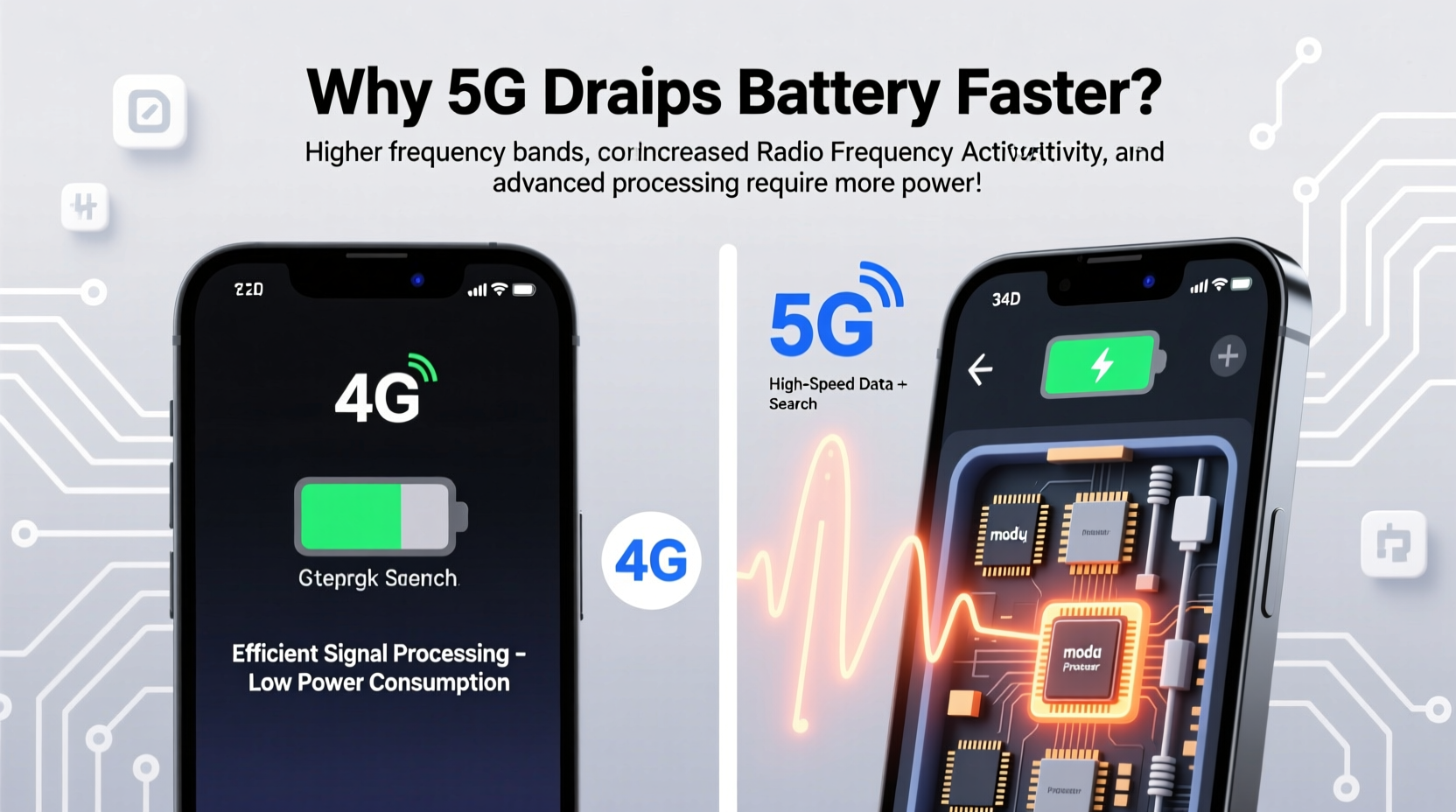
At its core, 5G operates across three main frequency bands: low-band (below 1 GHz), mid-band (1–6 GHz), and high-band or mmWave (24–47 GHz). Each has different implications for battery consumption. Low-band 5G offers wide coverage but only slightly better speeds than 4G. Mid-band balances speed and range, while mmWave delivers ultra-fast speeds over short distances but struggles with penetration through walls and obstacles.
When your phone uses mmWave 5G, it must frequently switch between towers and re-establish connections due to signal blockage. This constant handoff process increases power draw from both the modem and processor. Even mid-band 5G requires more frequent communication with cell towers compared to 4G, leading to higher background activity and increased battery strain.
Additionally, 5G modems consume more power because they handle larger data volumes at higher frequencies. The phone's antenna system works harder to maintain signal integrity, especially in areas with weak or fluctuating 5G coverage. In such environments, the device may oscillate between 5G and 4G modes, further accelerating battery depletion.
Hardware Demands of 5G Connectivity
Beyond network protocols, the physical components inside your smartphone play a crucial role in battery drain. 5G-capable phones include advanced RF (radio frequency) transceivers, multiple antennas, and powerful baseband processors—all of which require additional power. These components generate more heat as well, prompting the device to increase cooling efforts, indirectly affecting battery efficiency.
For example, Apple introduced the iPhone 12 with 5G support and acknowledged that enabling 5G could reduce battery life by up to 2 hours under heavy use. Similarly, Samsung Galaxy S21 series models showed noticeable drops in screen-on time when set to \"5G Auto\" mode versus \"LTE Only.\" Manufacturers often bundle aggressive power-saving algorithms to compensate, but real-world results vary based on usage patterns and carrier implementation.
Another factor is display synchronization. High-speed 5G enables smoother streaming and gaming experiences, encouraging users to engage in longer sessions with brightness turned up. Since the screen is typically the largest power consumer after cellular connectivity, this combination creates a compounding effect on battery drain.
“5G brings transformative speed, but current implementations still face efficiency challenges. Users should expect trade-offs between performance and battery longevity.” — Dr. Lin Zhao, Wireless Systems Researcher at MIT Media Lab
Network Behavior and Signal Conditions
Your location and local infrastructure significantly influence how much power 5G consumes. In urban centers with dense tower deployment, 5G signals are strong and consistent, allowing your phone to maintain efficient connections. But in suburban or rural areas, 5G coverage may be spotty or non-existent. When the signal is weak, your phone boosts transmission power to stay connected—a process known as “cell searching” or “signal hunting.”
This behavior can increase power consumption by 30% or more compared to stable network conditions. Phones will repeatedly scan for available 5G towers, activate beamforming (a technique used in mmWave to direct signals), and fall back to 4G when necessary—all of which contribute to battery fatigue.
Moreover, dual connectivity modes like EN-DC (E-UTRA-NR Dual Connectivity), where a phone simultaneously uses 4G and 5G, place extra load on the modem. Though designed to improve reliability, this setup doubles the active communication channels, increasing energy demand.
Factors That Worsen 5G Battery Drain
- Poor signal strength requiring constant reconnection
- Frequent switching between 5G and 4G networks
- Use of mmWave in obstructed environments (indoors, basements)
- Background apps syncing large amounts of data over 5G
- High screen brightness during extended video calls or streaming
Practical Steps to Reduce 5G Battery Consumption
You don’t need to abandon 5G entirely to protect your battery. With smart configuration and awareness, you can enjoy faster speeds when needed while minimizing unnecessary drain.
Step-by-Step Guide: Optimize Your Phone for Balanced 5G Use
- Switch to 5G Mode Settings: On iPhones, go to Settings > Cellular > Cellular Data Options > Voice & Data, then select “LTE” or “Allow More Time on LTE.” On Android devices (e.g., Samsung), navigate to Settings > Connections > Mobile Networks > Network Mode and choose “LTE/3G/2G” instead of “5G/4G/3G/2G.”
- Enable Smart 5G Modes: Some phones offer adaptive options like “5G Auto” (Samsung) or “Smart Data Mode” (iPhone), which dynamically switch between 5G and LTE based on app needs. Keep these enabled if you want automatic optimization.
- Limit Background App Refresh: Disable auto-refresh for non-essential apps. Go to Settings > General > Background App Refresh (iOS) or Settings > Apps > Special Access > Background Data (Android).
- Turn Off 5G When Not Needed: If you’re browsing text-based websites or listening to downloaded music, there’s no benefit to using 5G. Temporarily disabling it extends battery life.
- Use Airplane Mode in No-Signal Zones: In basements, tunnels, or remote areas, turning on Airplane Mode stops futile signal searches. Re-enable it once you return to a covered area.
| Setting | Action | Expected Benefit |
|---|---|---|
| Network Mode | Set to “LTE Only” or “Auto” | Reduces modem power usage by up to 25% |
| Smart Data Mode (iOS) | Enable | Automatically switches to LTE when 5G isn’t needed |
| Background App Refresh | Disable for heavy apps (e.g., social media) | Lowers idle data sync and CPU wakeups |
| Brightness & Timeout | Lower brightness; shorten screen timeout | Combines savings from display and network use |
| Airplane Mode | Use temporarily in dead zones | Prevents battery waste on failed signal attempts |
Real-World Example: Commuter’s Experience with 5G Drain
Consider the case of Maya, a digital marketer who commutes daily between San Francisco and Oakland. Her route passes through several tunnels and hilly terrain where 5G coverage is inconsistent. She noticed her iPhone 13 Pro would lose nearly 40% of its charge during her 90-minute commute, even though she wasn’t actively using the phone.
After testing various configurations, she discovered that keeping 5G enabled caused her phone to continuously toggle between 5G and LTE every few seconds. By switching to “Low Data Mode” and selecting “LTE” under Voice & Data settings, her battery dropped only 18% during the same trip. Additionally, disabling background refresh for Instagram and Slack reduced unexpected wake-ups. This simple adjustment added over two hours of usable battery to her day.
Maya’s experience highlights how environmental factors combined with default settings can create hidden battery drains. A small change in network preference yielded substantial gains without compromising essential functionality.
Do’s and Don’ts of Managing 5G Battery Usage
| Do’s | Don’ts |
|---|---|
| Use 5G selectively—for downloads, video calls, or live streams | Leave 5G on all day if you’re mostly doing light browsing |
| Enable adaptive 5G modes that prioritize battery | Ignore software updates that optimize modem efficiency |
| Monitor battery usage by app in settings | Run multiple cloud backups or large file uploads on 5G without charging |
| Charge your phone before entering low-coverage areas | Assume all 5G networks perform the same—mmWave drains faster than low-band |
FAQ: Common Questions About 5G and Battery Life
Does 5G always drain the battery faster than 4G?
Not necessarily. In ideal conditions—strong signal, minimal interference, and optimized software—modern 5G modems can operate efficiently. However, in real-world scenarios involving movement, obstructions, or weak signals, 5G typically consumes more power than 4G due to increased modulation complexity and signal management overhead.
Can firmware updates improve 5G battery efficiency?
Yes. Carriers and manufacturers regularly release modem firmware and OS updates that refine how 5G is managed. For instance, Apple’s iOS 15.1 included optimizations for Smart Data Mode, improving battery life on 5G-capable iPhones. Always keep your device updated to benefit from these enhancements.
Is it harmful to use 5G while charging?
No, it’s not harmful, but combining high-power activities like 5G streaming with fast charging can increase internal temperature. Prolonged exposure to heat may degrade battery health over time. It’s best to avoid intensive multitasking (e.g., gaming on 5G while fast-charging) unless necessary.
Conclusion: Balance Speed and Sustainability
5G represents a leap forward in mobile connectivity, but its benefits come with trade-offs. The technology’s impact on battery life stems from inherent design choices—higher frequencies, complex signal processing, and dynamic network behavior—all of which demand more energy from your device. While future advancements in chip efficiency and network deployment will gradually reduce this burden, today’s users must take proactive steps to manage power wisely.
By understanding how and when your phone uses 5G, adjusting settings accordingly, and adopting smarter usage habits, you can enjoy the advantages of next-generation networks without constantly searching for a charger. The goal isn’t to avoid 5G altogether, but to use it intelligently—reserving it for moments when speed truly matters.




 浙公网安备
33010002000092号
浙公网安备
33010002000092号 浙B2-20120091-4
Comments
No comments yet. Why don't you start the discussion?