
A swollen phone battery isn’t just a sign of aging—it’s a potential hazard. While modern smartphones are engineered for efficiency and safety, lithium-ion batteries remain chemically reactive components. When they begin to puff up, it's not merely a cosmetic issue. Swelling indicates internal failure, often caused by chemical decomposition, heat exposure, or manufacturing defects. Left unchecked, a swollen battery can damage your device, compromise performance, and in extreme cases, pose fire or explosion risks.
This phenomenon affects phones across brands—iPhone, Samsung, Google Pixel, and budget Android models alike. Understanding the root causes, recognizing early signs, and knowing how to respond can prevent costly repairs and ensure personal safety.
What Causes a Phone Battery to Swell?
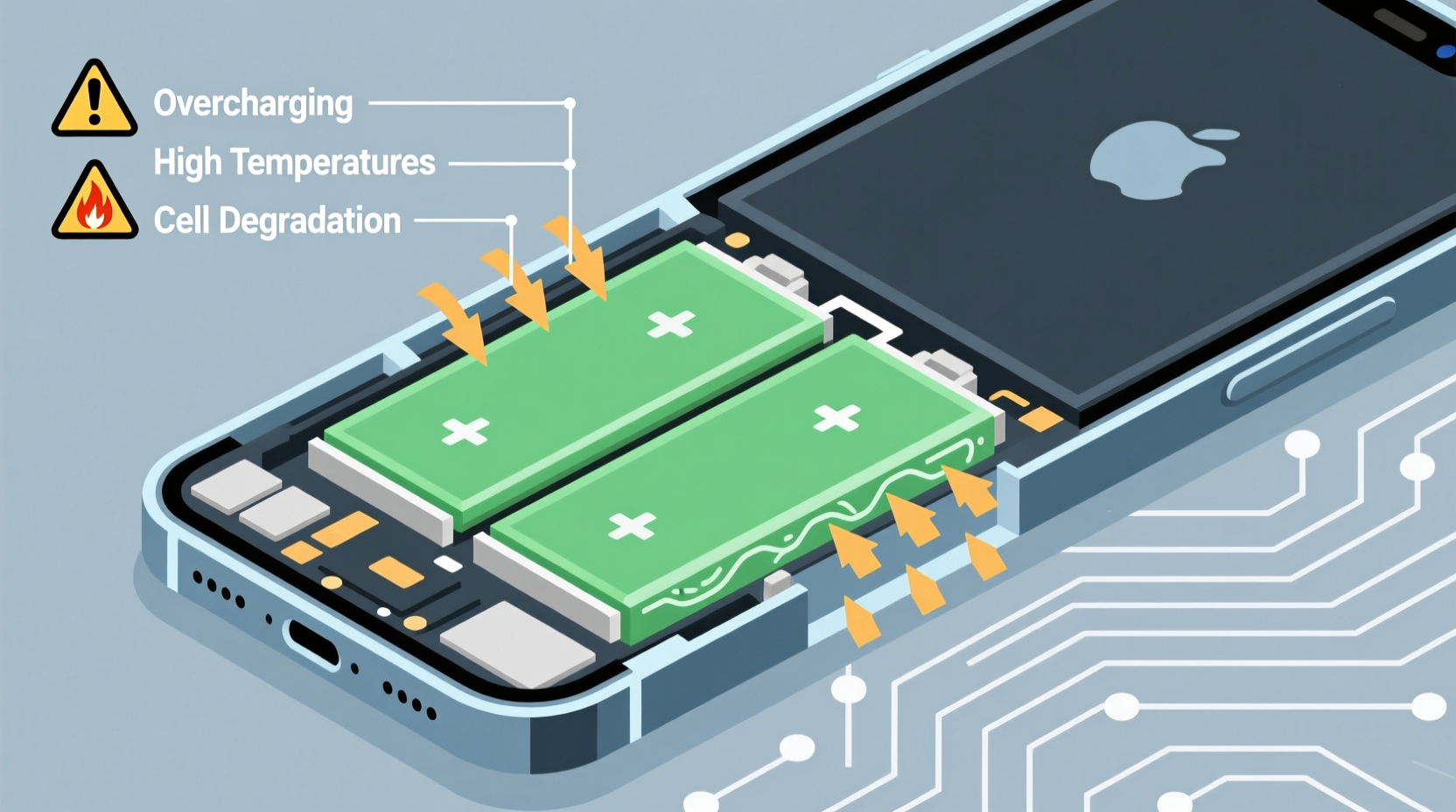
Lithium-ion batteries power nearly all smartphones today due to their high energy density and rechargeability. However, these advantages come with inherent vulnerabilities. Swelling occurs when gases build up inside the sealed battery cell, causing it to expand beyond its original form. This process, known as \"gassing,\" stems from several interrelated factors:
- Overcharging: Leaving your phone plugged in overnight or using fast chargers excessively can lead to overvoltage, accelerating electrolyte breakdown.
- Heat Exposure: High temperatures—whether from direct sunlight, hot environments, or intensive app usage—speed up chemical reactions within the battery, promoting gas formation.
- Physical Damage: Dropping your phone or applying pressure can compromise the battery’s internal layers, leading to short circuits and thermal runaway.
- Aging: As batteries undergo charge cycles (typically 500–1000 full cycles), electrode materials degrade, increasing internal resistance and instability.
- Poor-Quality Chargers: Third-party or counterfeit chargers may deliver inconsistent voltage, stressing the battery beyond safe limits.
- Manufacturing Defects: Rare but possible, microscopic impurities or misaligned separators inside the battery can trigger internal shorts.
The core issue lies in the electrolyte—a flammable liquid that facilitates ion movement between electrodes. When decomposition begins, this liquid breaks down into gases like carbon dioxide, methane, and hydrogen. Since the battery casing is rigid and sealed, pressure builds rapidly, forcing the cell to bulge outward.
Is a Swollen Battery Dangerous?
Yes, a swollen battery is inherently dangerous. While not every bloated battery will ignite, the risk increases significantly as swelling progresses. The structural integrity of the battery is compromised, making it more susceptible to rupture, leakage, or thermal runaway—a self-sustaining chain reaction that generates intense heat and can lead to fire or explosion.
In 2016, Samsung’s Galaxy Note 7 recall highlighted the real-world dangers of defective lithium-ion batteries. Though most incidents were due to design flaws rather than user behavior, the outcome underscored a critical truth: pressurized, reactive chemicals in close proximity to consumers require strict containment.
“Any visible deformation in a lithium-ion battery should be treated as a red flag. These cells were never meant to expand—they’re engineered to stay sealed. Once that fails, the risk profile changes dramatically.” — Dr. Lena Patel, Electrochemical Safety Researcher at MIT Energy Initiative
Beyond combustion risks, a swollen battery can cause physical damage to your phone. It may push against the screen, camera module, or frame, resulting in cracked displays, unresponsive buttons, or warped chassis. In some cases, the force exerted by expansion is enough to pop the front glass off entirely.
Recognizing the Warning Signs
Early detection can prevent escalation. Watch for these symptoms:
- Visible gap between the screen and body of the phone
- Phone no longer lying flat on a surface
- Difficulty closing the case or fitting into a pocket
- Sudden shutdowns despite adequate charge
- Excessive heat during normal use
- Reduced battery life or erratic charging behavior
If you notice any of these signs, stop charging the device immediately and power it down if possible.
What to Do If Your Battery Is Swollen
Reacting promptly reduces both personal risk and property damage. Follow this step-by-step guide to handle a swollen battery safely:
- Power Off the Device: Turn off your phone as soon as you suspect swelling. Continuing to operate it increases electrical load and temperature.
- Do Not Charge It: Never plug in a phone with a swollen battery. Charging could trigger thermal runaway.
- Remove from Enclosure: If using a protective case, take it off to allow any built-up gas to dissipate and reduce pressure.
- Place in a Safe Location: Store the phone on a non-flammable surface like ceramic tile or concrete, away from curtains, paper, or furniture.
- Avoid Physical Pressure: Don’t attempt to puncture, squeeze, or disassemble the battery. This could cause immediate ignition.
- Seek Professional Replacement: Contact the manufacturer or an authorized repair center. Do not attempt DIY removal unless you're trained.
Many users try to extract the battery themselves using prying tools. This is strongly discouraged. Lithium-ion cells contain volatile compounds, and piercing the pouch releases flammable electrolytes that can ignite upon contact with air.
Mini Case Study: A Cautionary Experience
Jamal, a freelance photographer in Austin, noticed his iPhone 12 Pro Max wouldn’t close flush in its silicone case. At first, he dismissed it as wear. But after two days, the screen began lifting slightly at the bottom edge. He powered it down and placed it on his kitchen counter while researching the issue. That evening, he detected a faint chemical odor. Upon inspection, the battery had expanded further, cracking the display adhesive.
He contacted Apple Support, who confirmed the condition and arranged a same-day service appointment. The technician noted that continued use could have led to a short circuit near the logic board. Jamal avoided injury, but replacing the phone and losing unsaved photos cost him time and money. His takeaway: “I ignored small signs because I didn’t know they mattered. Now I check my devices monthly.”
Prevention: How to Extend Battery Health and Prevent Swelling
While no battery lasts forever, proactive habits can delay degradation and minimize risks. Consider the following checklist to maintain optimal battery condition:
- Keep charge levels between 20% and 80% whenever possible
- Use OEM or MFi-certified chargers and cables
- Avoid exposing your phone to temperatures above 35°C (95°F)
- Turn off unnecessary background apps and location services
- Enable optimized charging features (e.g., iOS “Optimized Battery Charging”)
- Replace batteries showing signs of wear before they fail catastrophically
Modern operating systems include battery health monitoring. On iPhones, go to Settings > Battery > Battery Health to view maximum capacity and peak performance capability. Android users can download diagnostic apps like AccuBattery to track charge cycles and voltage trends.
| Do’s | Don’ts |
|---|---|
| Charge your phone in short bursts throughout the day | Leave it charging overnight regularly |
| Store your phone in cool, dry places | Leave it in direct sunlight or hot cars |
| Use airplane mode during heavy gaming or video streaming | Run intensive tasks while charging |
| Replace aging batteries proactively (after 2 years or 500+ cycles) | Continue using a phone with reduced battery capacity below 80% |
Temperature control is especially crucial. Even brief exposure to extreme heat—like leaving your phone on a beach towel under the sun—can initiate irreversible chemical changes. Similarly, cold environments don’t cause swelling directly but reduce ion mobility, leading to inefficient charging and increased stress when warmed abruptly.
Frequently Asked Questions
Can a swollen battery explode?
Yes, though rare, a severely swollen lithium-ion battery can catch fire or explode if punctured, overheated, or subjected to electrical stress. The gases produced during decomposition are flammable, and internal shorts can generate sparks. While most modern phones include protection circuits, these safeguards can fail under extreme conditions.
Is it safe to keep a phone with a slightly swollen battery?
No. Even minor swelling indicates internal failure. Continued use increases the likelihood of sudden failure, screen damage, or exposure to toxic fumes. Power down the device and arrange for professional replacement immediately.
How much does it cost to replace a swollen battery?
Costs vary by brand and model. Apple charges $69–$99 for out-of-warranty iPhone battery replacements. Samsung offers similar pricing through authorized service centers. Third-party shops may charge less ($30–$60), but quality varies. Always verify technician credentials and parts authenticity.
Conclusion: Prioritize Safety Over Convenience
A swollen phone battery is more than a nuisance—it’s a warning signal. The convenience of keeping an old device running pales in comparison to the risks of fire, data loss, or injury. Recognizing the causes, acting swiftly when swelling occurs, and adopting preventive charging habits are essential steps every smartphone user should take.
Technology evolves quickly, but our responsibility to use it safely remains constant. Whether you rely on your phone for work, communication, or creativity, protecting its power source protects you. Don’t wait until the screen lifts or the smell of chemicals fills the room. Inspect your devices regularly, invest in quality accessories, and replace aging components before they become hazards.




 浙公网安备
33010002000092号
浙公网安备
33010002000092号 浙B2-20120091-4
Comments
No comments yet. Why don't you start the discussion?