
Stepping outside on a frosty morning with your phone in hand, you raise it to capture a crisp winter landscape—only to find the lens suddenly clouded over. The image is blurry, unusable. This frustrating phenomenon isn’t a defect; it’s physics. When your phone moves from a warm environment into cold air, moisture in the air condenses on the cooler surfaces of the device, especially the camera lens. Understanding why this happens—and how to stop it—is essential for anyone who relies on their phone for photography, outdoor work, or daily communication in colder climates.
The issue affects all smartphone users, from casual photographers to professionals shooting in extreme conditions. But with the right knowledge and habits, fogging can be minimized or even prevented entirely. This guide explains the science, offers practical solutions, and provides real-world strategies to keep your camera clear when temperatures drop.
The Science Behind Camera Fogging in Cold Weather
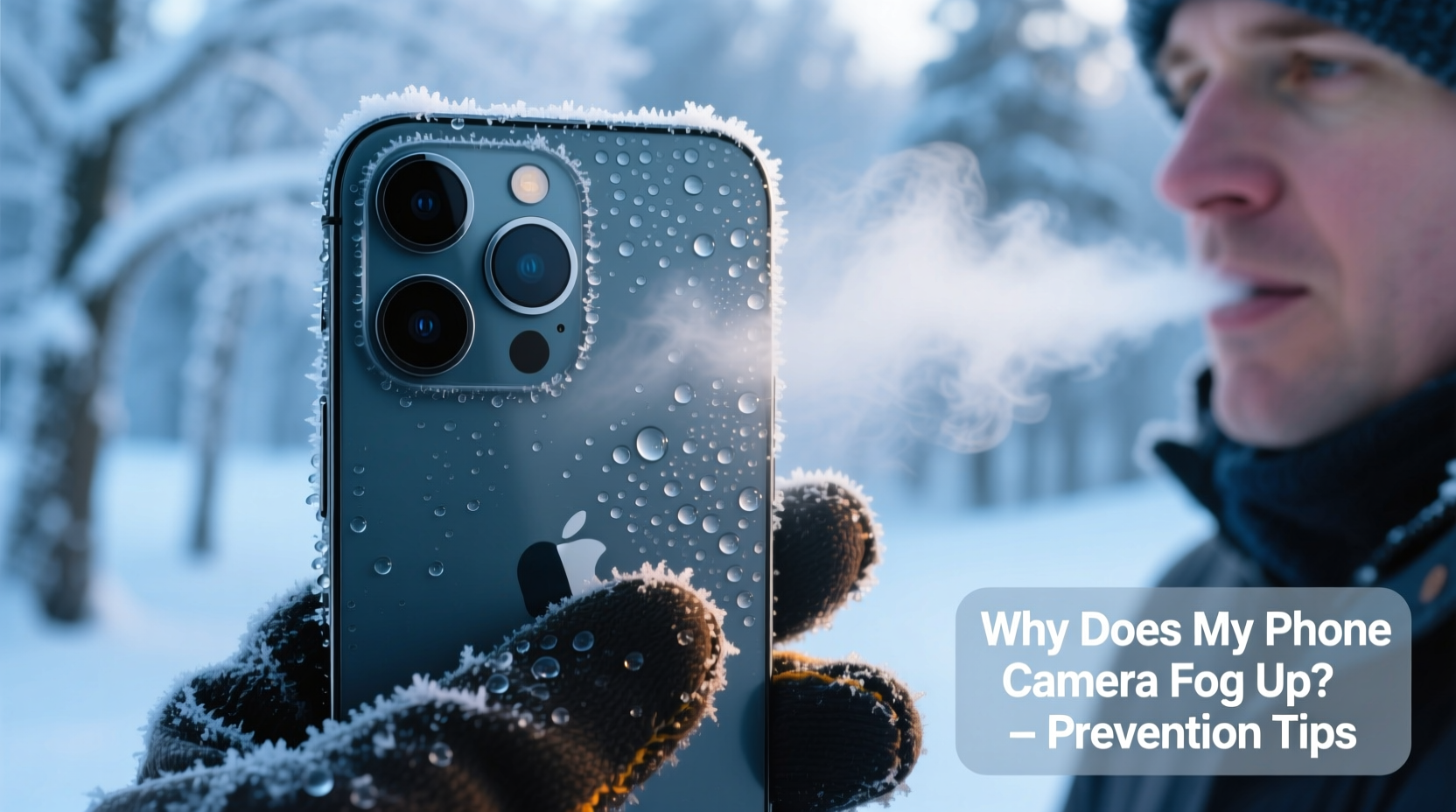
Fogging occurs due to a process called condensation—the transformation of water vapor into liquid when warm, moist air meets a cold surface. Your smartphone, especially after being indoors, carries residual warmth. The internal components, battery, and even the glass of the screen and camera lens are warmer than the frigid outdoor air.
When you step outside, the outer surface of the phone rapidly cools. However, the air around it—particularly your breath or the ambient humidity—contains moisture. As that warm, humid air contacts the cold lens, it loses its ability to hold vapor, causing tiny droplets to form. These droplets scatter light, creating the hazy, foggy appearance that ruins photo clarity.
This is the same reason bathroom mirrors fog after a hot shower or car windows mist up in winter. The temperature differential is the key driver. In smartphones, the camera lens is particularly vulnerable because it's often made of smooth glass, offering an ideal surface for water molecules to adhere to.
“Condensation isn’t just an inconvenience—it can lead to long-term moisture buildup inside devices if not managed properly.” — Dr. Alan Zhou, Materials Scientist at the Institute for Mobile Technology Research
How Temperature and Humidity Interact to Cause Fog
Two factors determine whether fog will form: temperature difference and relative humidity. The greater the contrast between indoor warmth and outdoor cold, the more likely condensation becomes. High indoor humidity—common in heated homes during winter—exacerbates the problem.
For example, moving from a 70°F (21°C) room with 50% humidity to a 20°F (-6°C) sidewalk creates a steep thermal gradient. The lens may cool to near-ambient temperature within seconds, but the surrounding air still holds moisture that readily condenses upon contact.
Interestingly, fogging doesn’t always happen immediately. Sometimes, it appears after several minutes outdoors, especially if you’re breathing near the phone or placing it in a pocket where body heat maintains internal warmth while the exterior remains cold.
Step-by-Step Guide to Preventing Camera Fog
Prevention starts before you leave the house. By taking deliberate steps, you can significantly reduce or eliminate lens fogging. Follow this timeline-based approach:
- Before Going Outside (Indoor Preparation): Lower the indoor humidity near your phone using a dehumidifier or by avoiding steam-producing activities (like cooking or showering) right before heading out.
- Store Phone in a Sealed Bag: Place your phone in a ziplock plastic bag before going outside. Seal it tightly. This creates a microenvironment that slows down temperature exchange and traps dry air around the device.
- Gradual Acclimation: If you're carrying other gear (like a camera), place the sealed phone in your outer coat pocket for 5–10 minutes before full exposure. This allows slow cooling without sudden condensation.
- Remove Bag Only When Ready to Use: Keep the phone in the bag until you’re ready to take a photo. Removing it at the last moment minimizes exposure to humid air.
- Use Lens Wipes Sparingly: Carry a microfiber cloth. If fog appears, gently wipe the lens in a circular motion. Never use paper towels or clothing—they can scratch the coating.
- Avoid Breath Proximity: Don’t exhale near the phone when checking photos. Your breath is warm and saturated with moisture, which instantly fogs cold surfaces.
- Warm Up Safely Indoors: Upon re-entry, do not turn on the phone immediately. Let it sit in its sealed bag for 15–30 minutes to prevent internal condensation as it warms.
This method is widely used by outdoor photographers and field technicians working in sub-zero environments. It balances practicality with scientific accuracy.
Do’s and Don’ts When Handling Phones in Cold Weather
| Do’s | Don’ts |
|---|---|
| Use a sealed plastic bag for gradual temperature adjustment | Expose your phone directly to cold air after being indoors |
| Carry a microfiber cloth for quick lens cleaning | Wipe the lens with your sleeve or tissue paper |
| Keep the phone away from your breath when outdoors | Breathe directly onto the screen or camera to “clear” fog |
| Allow phone to acclimate before charging or powering on | Plug in or turn on a cold phone immediately after coming inside |
| Store phone in an insulated case (non-metallic) | Leave phone in a car overnight during freezing temperatures |
Real-World Example: A Wildlife Photographer’s Winter Challenge
Jamie Reyes, a wildlife photographer based in northern Minnesota, regularly shoots in temperatures below -15°F (-26°C). During a recent assignment tracking snowy owls, Jamie noticed consistent fogging on both her DSLR and smartphone lenses. Initially, she resorted to wiping the lens every few minutes, but fingerprints and smudges degraded image quality.
After consulting with a fellow photographer, she adopted the sealed-bag method. She now places her phone in a double-ziplock bag before leaving her cabin. She waits 10 minutes with the phone in her outer jacket pocket before removing it. The result? No fogging during critical shots. She also uses a small silica gel pack inside the bag to absorb residual moisture.
“It sounds simple, but that little bag saved my entire shoot,” Jamie said. “I didn’t lose a single moment capturing flight patterns because my lens stayed clear.”
Long-Term Protection Strategies
Beyond immediate fixes, consider long-term habits that protect your device and maintain camera performance in cold climates:
- Invest in a weather-resistant case: While most phones aren’t fully waterproof, rugged cases with silicone seals can reduce airflow around the lens, slowing condensation.
- Enable camera lens protection settings: Some high-end phones offer hydrophobic lens coatings. Check your device specifications and avoid damaging these with abrasive cleaners.
- Limit indoor-to-outdoor transitions: Frequent back-and-forth movement increases fogging cycles. Plan errands efficiently to minimize exposure shifts.
- Avoid charging in cold environments: Lithium-ion batteries degrade faster when charged below freezing. More importantly, warming a cold phone via charging can trap internal moisture.
- Use voice commands or gloves mode: Reducing screen interaction limits heat transfer and keeps the device more stable thermally.
Additionally, some users report success with anti-fog sprays designed for glasses. However, apply these cautiously. Most contain chemicals that may damage oleophobic (oil-repellent) coatings on smartphone lenses. Test on a small area first, or opt for lens-safe anti-fog wipes formulated for electronics.
Checklist: Prevent Phone Camera Fog in Cold Weather
Use this checklist before heading into cold environments:
- ✅ Place phone in a sealed plastic bag before going outside
- ✅ Include a silica gel packet in the bag for added moisture control
- ✅ Allow 5–10 minutes for gradual cooling before removing the phone
- ✅ Carry a clean microfiber cloth dedicated to lens cleaning
- ✅ Avoid breathing near the camera when taking photos
- ✅ Wait 15–30 minutes after coming inside before turning on or charging the phone
- ✅ Store phone in an insulated, non-metallic case during winter months
FAQ: Common Questions About Phone Camera Fogging
Can fogging damage my phone permanently?
Occasional external fogging won’t harm your phone. However, repeated rapid temperature changes can encourage moisture to seep into internal components over time, potentially leading to corrosion or short circuits. Preventive measures reduce this risk significantly.
Why does only the camera fog up and not the whole screen?
The camera lens is typically made of smooth glass and protrudes slightly, making it cooler and more exposed than the rest of the phone. Its shape and material make it a prime site for condensation. Screens often have anti-reflective or oleophobic coatings that resist water adhesion slightly better.
Will a phone case prevent fogging?
Standard cases don’t prevent fogging since condensation forms on exposed glass. However, rugged or sealed cases can slow the rate of temperature change and reduce airflow, offering indirect benefits. Cases with lens covers provide the most protection but may interfere with quick photo access.
Conclusion: Stay Sharp in the Cold
Fogged phone cameras in cold weather are a common but solvable problem. By understanding the role of temperature, humidity, and condensation, you gain control over the situation. Simple practices like using a sealed bag, allowing gradual acclimation, and keeping lenses clean can preserve photo quality and extend your phone’s lifespan.
Whether you're documenting winter hikes, capturing family moments during the holidays, or simply navigating a frosty commute, a clear lens ensures you never miss a shot. These strategies are low-cost, easy to implement, and effective across all smartphone models.




 浙公网安备
33010002000092号
浙公网安备
33010002000092号 浙B2-20120091-4
Comments
No comments yet. Why don't you start the discussion?