
It’s a common yet puzzling experience: you walk into a warm room from the cold outside, pull out your phone to take a photo, and suddenly notice the camera lens is foggy. No amount of wiping seems to help immediately. This isn’t a malfunction—it’s condensation. While harmless in most cases, persistent fogging can interfere with photo quality and, over time, pose risks to internal components if moisture accumulates. Understanding why this happens and how to manage it effectively ensures your phone stays functional and ready to capture life’s moments—clearly.
The Science Behind Camera Lens Fogging
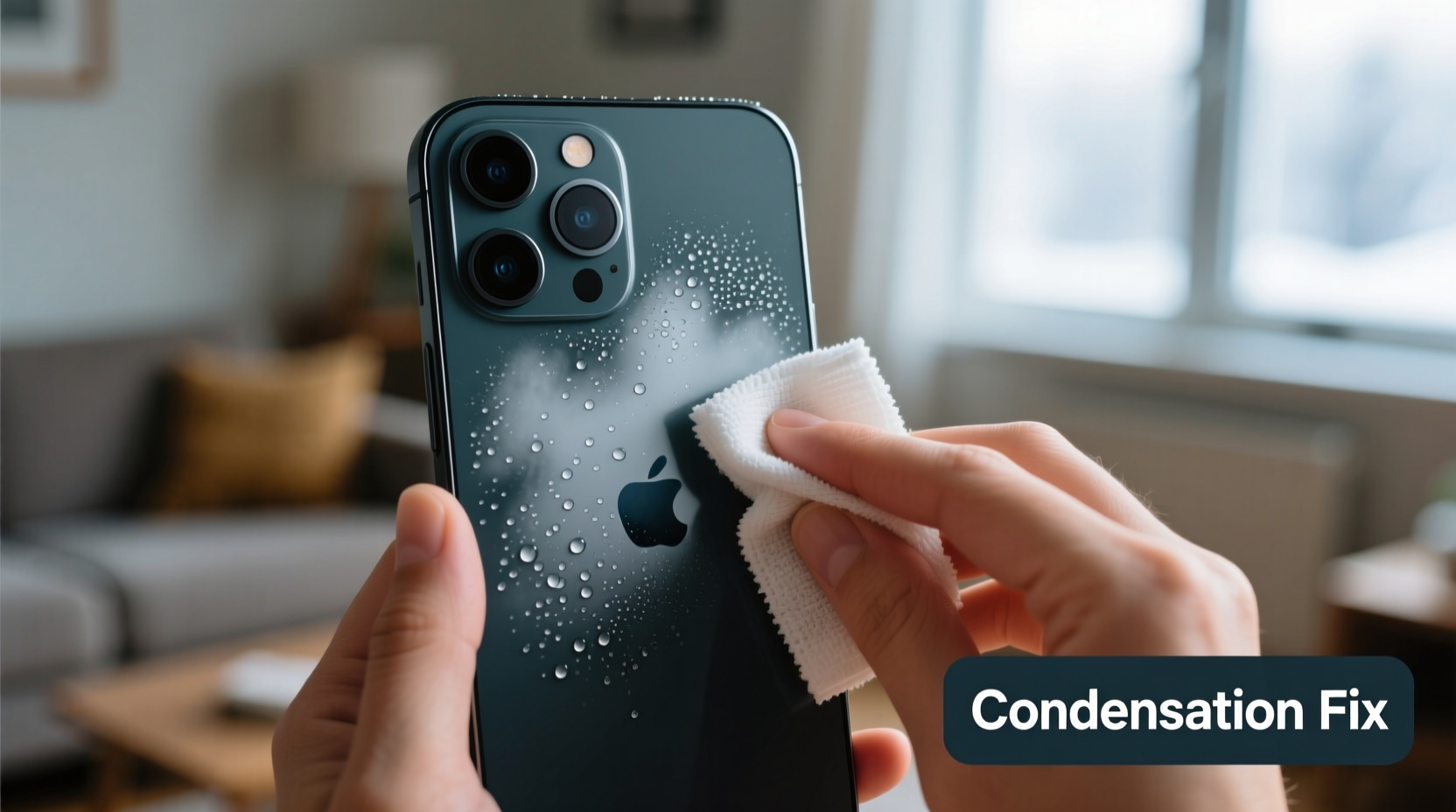
Fogging on your phone’s camera occurs due to a physical process called condensation—the transformation of water vapor into liquid when warm, moist air meets a cold surface. When you move from a cold environment (like winter outdoors) into a heated indoor space, your phone’s body, especially its glass and metal surfaces, remains significantly cooler than the surrounding air. As warm, humid indoor air contacts the cold lens, it cools rapidly. Cool air holds less moisture, so excess water vapor condenses into tiny droplets on the lens surface, creating that familiar fog.
This phenomenon isn’t unique to phones. It happens on eyeglasses, car windshields, and bathroom mirrors. But because smartphone cameras are precision optics housed in compact enclosures, even minor condensation can distort images or temporarily disable autofocus sensors.
While most modern phones have some degree of water resistance (IP67 or IP68 ratings), these standards protect against splashes or brief submersion—not prolonged exposure to internal moisture buildup. Condensation inside the lens housing, though rare, can occur if temperature shifts are extreme and repeated frequently.
Common Scenarios That Trigger Indoor Fogging
Certain daily routines make condensation more likely. Recognizing these situations helps you anticipate and prevent fogging before it disrupts your use.
- Winter Commuting: Going from freezing outdoor temperatures into heated homes, offices, or public transport creates ideal conditions for condensation.
- Gym or Sauna Visits: High humidity combined with body heat and sudden cooling when stepping outside increases moisture contact with your phone.
- Kitchen Use: Cooking releases steam, raising ambient humidity. Taking photos near stoves or ovens often leads to quick fogging.
- Bathroom Mirror Selfies: Hot showers saturate the air with vapor. Entering this environment with a cool phone almost guarantees lens fog.
- Traveling by Air: Cabin pressure changes and dry, recycled air can cause micro-condensation during descent, especially if stored in cold overhead bins.
In each case, the core issue is the same: rapid temperature or humidity change around a thermally inert object—your phone.
Step-by-Step Guide to Prevent and Fix Camera Fogging
Dealing with a foggy lens doesn’t require technical expertise. The key is acting promptly and correctly. Follow this timeline-based approach to resolve and prevent recurrence.
- Pause Before Using: Resist the urge to wipe aggressively. Let the phone adjust to room temperature for 10–15 minutes. Often, the fog clears naturally as the lens warms.
- Wipe Gently (If Needed): If droplets remain, use a clean, lint-free microfiber cloth. Avoid paper towels or clothing, which can scratch coatings.
- Check for Internal Fog: Look closely at the space between lens layers. If fog appears *under* the outer glass, do not attempt disassembly. Seek professional service.
- Dry the Device Safely: Never use heat sources like hairdryers or radiators. Instead, place the phone in a dry area with airflow—near a dehumidifier or fan works well.
- Use Desiccants: Store your phone overnight in a container with silica gel packets (often found in shoeboxes or electronics packaging) to absorb residual moisture.
- Prevent Future Episodes: Acclimatize your phone gradually by keeping it in an insulated pocket or inside a closed bag when transitioning environments.
“Condensation is one of the top environmental issues affecting consumer electronics performance. The best defense is awareness and gradual temperature adaptation.” — Dr. Lena Patel, Environmental Engineer & Consumer Tech Consultant
Do’s and Don’ts: Managing Phone Condensation
| Do’s | Don’ts |
|---|---|
| Let your phone warm up slowly indoors before using. | Expose your phone directly to steam from showers or kettles. |
| Use a microfiber cloth to gently remove surface moisture. | Blow hot air from a hairdryer onto the lens. |
| Store your phone in a dry, ventilated area when not in use. | Place a damp phone in rice—ineffective and potentially damaging. |
| Carry silica gel packs in your phone case or bag. | Charge the phone immediately after condensation occurs if ports feel damp. |
| Keep firmware updated—some models now include moisture detection alerts. | Ignore persistent internal fogging; it may indicate seal failure. |
Real-Life Example: A Photographer’s Winter Dilemma
Sophie, a freelance photographer based in Minneapolis, regularly shoots outdoor events in sub-zero temperatures. After a holiday market shoot, she entered a bustling café to review her photos. As soon as she opened her camera app, she noticed all lenses were fogged. Panicked, she wiped them with her scarf—only making smudges worse. Her first client meeting was in 20 minutes, and she couldn’t demonstrate her work.
Remembering a tip from a workshop, she placed her phone inside her coat, away from direct heat, for 15 minutes. She then used a lens cleaning cloth from her kit to gently wipe the lenses. By the time she met her client, the camera was fully clear and responsive. Since then, Sophie keeps her phone in a padded inner pocket and always carries a small desiccant pack in her camera bag. She also pre-warms her gear near her body before shooting transitions—a practice now part of her standard workflow.
Her experience underscores a crucial point: preparation matters more than reaction. Simple habits can prevent avoidable setbacks.
When Condensation Becomes a Bigger Problem
Occasional external fogging is normal. However, recurring internal condensation—moisture trapped beneath the lens cover or inside the phone body—is a red flag. Modern smartphones are sealed units, and internal fog suggests either a compromised water-resistance seal or manufacturing defect.
Signs of internal moisture include:
- Fog that persists for hours despite drying efforts
- Visible droplets moving when tilting the phone
- Mold spots developing under the lens (in extreme cases)
- Camera app errors or autofocus malfunctions
If you observe any of these, stop charging or connecting accessories through wet ports. Power off the device and consult the manufacturer or authorized repair center. Attempting DIY fixes like opening the phone or using heat can void warranties and increase damage risk.
FAQ: Common Questions About Phone Camera Fogging
Can condensation damage my phone permanently?
External condensation rarely causes harm if wiped properly. However, repeated internal moisture buildup can corrode circuits, degrade adhesives, and impair sensors. Long-term exposure increases the risk of permanent camera or battery issues.
Is it safe to use my phone in humid environments?
Yes, within reason. Most phones handle everyday humidity well. Avoid prolonged exposure to steamy areas like saunas or boiling kitchens. If you must use your phone there, minimize active use and dry it afterward.
Does putting my phone in rice help with condensation?
No. Despite popular belief, uncooked rice is ineffective at absorbing moisture from electronic devices. It can also introduce dust and starch into ports. Use silica gel instead, or simply allow passive drying in a warm, dry environment.
Conclusion: Stay Clear, Stay Prepared
Your phone’s camera fogging indoors isn’t a flaw—it’s physics. But understanding the mechanics of condensation empowers you to manage it intelligently. From letting your device acclimate slowly to carrying simple tools like microfiber cloths and desiccants, small actions yield big improvements in reliability and image quality.
Technology performs best when we respect its limits. By treating your phone as a precision instrument rather than just a gadget, you extend its lifespan and maintain peak functionality across seasons and settings. Next time you step indoors from the cold, give your phone a moment to catch its breath. In return, it’ll keep capturing your world—crystal clear.




 浙公网安备
33010002000092号
浙公网安备
33010002000092号 浙B2-20120091-4
Comments
No comments yet. Why don't you start the discussion?