
It’s a common but puzzling experience: you step inside from the cold, pull out your phone to capture a moment, and find the camera lens clouded with fog. No fingerprints, no moisture on the outside—just a hazy lens that won’t clear. This isn't a defect or malfunction. It's physics in action. The phenomenon is known as condensation caused by temperature shock, and it affects not just phones but many electronic devices. Understanding why this happens—and how to manage it—can save you time, protect your device, and ensure you never miss a shot again.
The Science Behind Camera Fog: Condensation 101
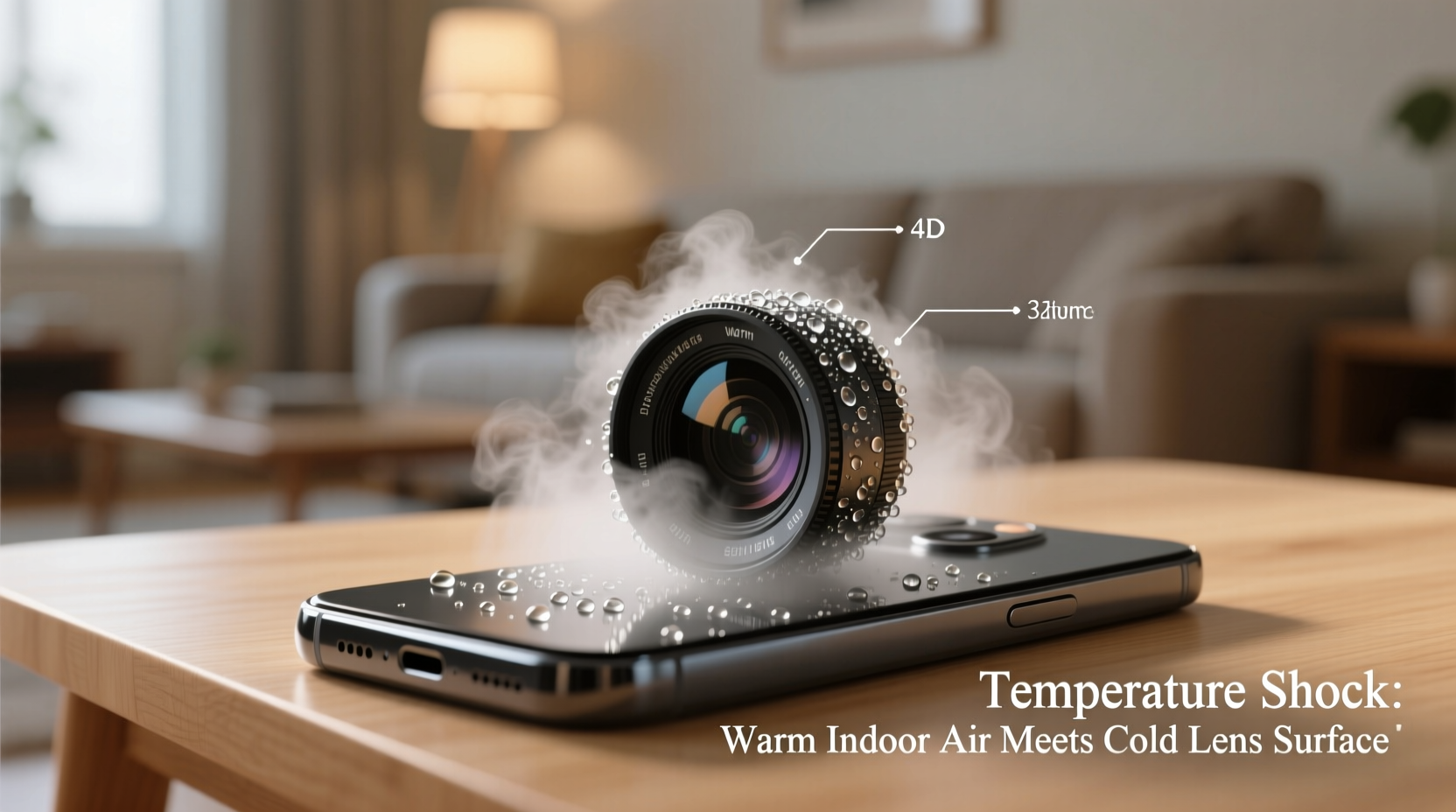
Condensation occurs when warm, moist air comes into contact with a colder surface. When the air cools down rapidly, its ability to hold water vapor decreases. As a result, excess moisture condenses into tiny droplets on the cooler surface—this is what we see as fog.
Your phone, especially after being outdoors in cold weather, becomes significantly colder than the indoor environment. Indoor air, particularly in heated homes during winter, contains more moisture than outdoor winter air. When you bring your cold phone into a warm room, the surrounding humid air hits the chilled camera lens and housing, causing instant condensation.
This is identical to how a bathroom mirror fogs after a hot shower or how a glass of ice water \"sweats\" on a summer day. In all cases, the surface temperature is below the dew point—the temperature at which air becomes saturated and starts to form liquid water.
Where Does the Fog Form? Inside or Outside the Lens?
A key concern for users is whether the fog is on the exterior lens, within the camera module, or even inside the phone itself. Most often, the fog appears on the outer surface of the lens. However, in rare cases, moisture can penetrate internal components if seals are compromised or if temperature shifts are severe and repeated.
- External fog: Appears immediately upon entering a warm space; clears within minutes as the lens warms up.
- Internal fog (within camera module): Develops slowly, persists longer, and may require professional servicing.
- Fog under screen or inside body: Indicates possible seal failure—requires immediate attention to prevent corrosion.
Modern smartphones are designed with water-resistant ratings (like IP67 or IP68), meaning they can withstand limited exposure to moisture. However, these ratings do not guarantee protection against condensation from rapid temperature changes, which exploits microscopic gaps not sealed against vapor diffusion.
“Temperature-induced condensation is one of the most overlooked environmental stressors for consumer electronics. It’s not about spills or submersion—it’s about invisible vapor finding its way in.” — Dr. Lena Torres, Materials Scientist at Mobile Device Reliability Lab
Real-Life Scenario: A Photographer’s Winter Dilemma
Consider Sarah, a freelance photographer who specializes in outdoor events. During a snowy wedding shoot, she moved frequently between the icy garden and the heated reception hall. Each time she re-entered the building, her phone’s camera was unusable for nearly five minutes due to fogging. Guests wanted quick photo previews, but delays frustrated both her and the couple.
After researching the issue, Sarah began placing her phone in a sealed plastic bag before going indoors. She also started using a small microfiber pouch to store it during transitions. These simple steps reduced fogging incidents by over 90%. More importantly, she avoided potential long-term moisture buildup that could have damaged internal sensors.
Her experience highlights how everyday users—not just professionals—are affected by thermal shock, and how small behavioral adjustments yield significant improvements.
How to Prevent and Resolve Camera Fog: Step-by-Step Guide
Preventing condensation is far more effective than dealing with it after the fact. Here’s a proven sequence of actions to protect your phone when transitioning between environments with large temperature differences.
- Anticipate the shift: Before entering a warm building from the cold, power down your phone or place it in airplane mode to reduce internal heat generation.
- Seal it in a bag: Put your phone in a zip-top plastic bag while still outside. Seal it tightly. This creates a buffer zone where air inside the bag warms slowly, preventing direct contact with humid indoor air.
- Wait it out: Allow 15–30 minutes for the phone to reach room temperature inside the sealed environment. Do not open the bag until condensation would no longer form—typically when there's no visible fog on windows in the room.
- Dry before use: Once warmed, remove the phone and gently wipe the lens with a lint-free cloth.
- Avoid quick fixes: Don’t blow hot air from a hairdryer or place the phone near radiators—excessive heat can warp components or damage adhesives.
For persistent fog that doesn’t clear after warming, suspect internal condensation. In such cases, do not charge or turn on the device until fully dry. Place it in a container with silica gel packets for 24–48 hours. Avoid rice—it’s ineffective and may introduce dust.
Do’s and Don’ts: Quick Reference Table
| Do’s | Don’ts |
|---|---|
| Place phone in a sealed plastic bag before coming indoors | Wipe fog with your sleeve or wet cloth |
| Let the device acclimate slowly over 15–30 minutes | Use heat sources like hairdryers or ovens |
| Use silica gel packs to absorb residual moisture | Charge the phone while it’s damp |
| Clean the lens with a microfiber cloth after warming | Tap or scratch the lens to remove fog |
| Store phone in a temperature-stable location when not in use | Ignore recurring internal fog—it may signal hardware issues |
When Is Fog a Sign of Bigger Problems?
Occasional external fogging is normal and harmless. But repeated or internal fogging may indicate deeper concerns:
- Failed seals: Over time, gaskets around buttons, ports, and camera modules degrade, allowing humid air to enter.
- Prior water exposure: Even brief immersion can compromise internal barriers, making the device more vulnerable to vapor.
- Manufacturing defects: Some units may have incomplete sealing, especially in non-premium models.
If you notice fog forming *inside* the camera assembly or under the display—even without recent temperature changes—consult a certified technician. Continuing to use a moisture-compromised device risks short circuits, battery swelling, or sensor degradation.
Frequently Asked Questions
Can condensation damage my phone permanently?
Yes, if moisture reaches internal circuitry and isn’t addressed. While brief external fogging poses no threat, repeated internal condensation can corrode metal contacts, degrade adhesives, and impair functionality. Long-term exposure increases the risk of permanent camera or battery failure.
Why doesn’t my friend’s phone fog up, but mine does?
Differences in materials, design, and usage patterns play a role. Phones made with better thermal insulation or tighter seals resist fogging longer. Additionally, if your friend keeps their phone in a pocket (closer to body heat), it warms faster and experiences less drastic temperature contrast. Usage habits—like keeping the phone active during transitions—also generate internal heat that alters condensation dynamics.
Does using a case make fogging worse?
Not necessarily. A well-fitted case can actually slow down temperature transfer, reducing the severity of condensation. However, bulky cases with trapped air pockets might retain cold longer, delaying acclimation. The key is balance: protection without excessive insulation that traps cold near sensitive components like the camera.
Protecting Your Phone Year-Round: A Maintenance Checklist
To keep your phone functioning optimally across seasons, follow this actionable checklist:
- ✅ Always carry a small resealable plastic bag during winter outings.
- ✅ Keep a microfiber cloth handy for post-acclimation lens cleaning.
- ✅ Avoid charging immediately after bringing the phone indoors from the cold.
- ✅ Inspect for signs of moisture regularly, especially around the camera and charging port.
- ✅ Replace worn-out cases that no longer fit snugly or show cracks.
- ✅ Store your phone away from heaters, windows, and other thermal extremes when not in use.
- ✅ Use silica gel packs in storage drawers to maintain low humidity.
These habits not only prevent fogging but extend the overall lifespan of your device by minimizing environmental stress.
Final Thoughts: Small Habits, Big Impact
Temperature shock is an unavoidable reality in climates with seasonal extremes. But understanding the science behind your foggy phone camera transforms a frustrating mystery into a manageable situation. With simple precautions—like using a plastic bag as a transitional barrier—you gain control over condensation and protect your investment.
Smartphones are precision instruments, not just communication tools. Treating them with awareness of their physical limits leads to better performance, clearer photos, and fewer surprises. Whether you're capturing memories in the snow or rushing between meetings in varying climates, a little foresight goes a long way.




 浙公网安备
33010002000092号
浙公网安备
33010002000092号 浙B2-20120091-4
Comments
No comments yet. Why don't you start the discussion?