
If you’ve noticed your phone taking longer to charge from bedtime to morning—despite being plugged in for eight hours—you’re not alone. Many users assume their charger or cable is faulty, but the real causes are often more nuanced. Modern smartphones use lithium-ion batteries designed with built-in safeguards that intentionally slow charging under certain conditions. Understanding these mechanisms can help you maintain faster charging speeds and significantly extend your battery’s lifespan.
Battery degradation begins the moment a phone leaves the factory. Over time, capacity diminishes due to chemical aging, temperature exposure, and charging habits. But with informed practices, you can delay this process, preserve performance, and avoid waking up to a half-charged device.
The Science Behind Slower Overnight Charging
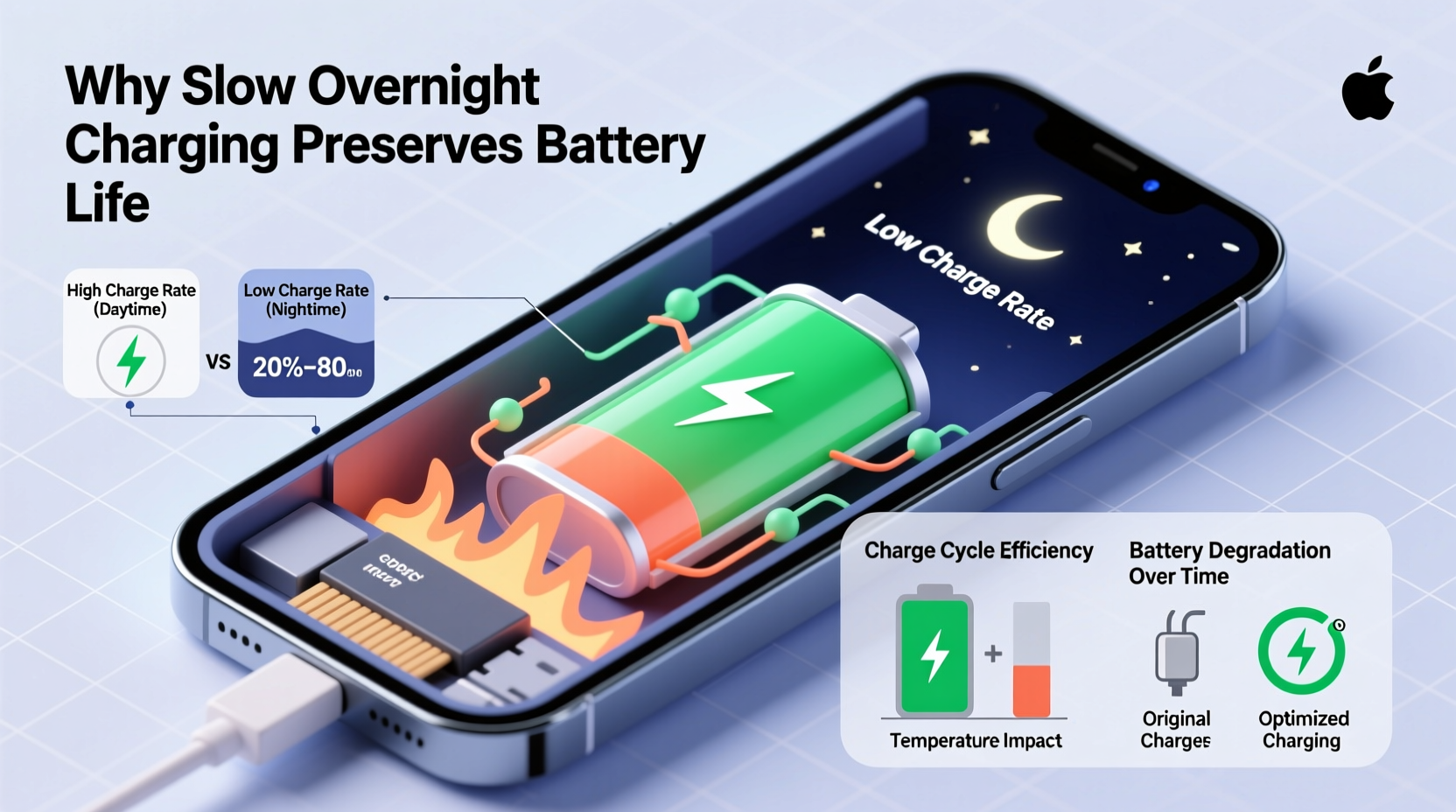
Lithium-ion batteries do not charge at a constant rate. Instead, they follow a three-phase charging cycle: trickle, constant current, and constant voltage. During the first two phases (typically 0–80%), charging is fast. The final phase slows dramatically as the battery approaches full capacity to prevent overcharging and reduce stress on internal components.
Most phones implement software-based features like “Optimized Battery Charging” (iOS) or “Adaptive Charging” (Android). These systems learn your daily routine and delay completing the last 20% of the charge until just before you wake up. While this protects battery health, it creates the illusion that charging has slowed—or even stopped—overnight.
Environmental factors also play a role. Charging in colder rooms (below 15°C / 59°F) reduces ion mobility inside the battery, slowing down the reaction rate. Similarly, heat buildup under pillows or inside thick cases during charging can trigger thermal throttling, where the phone automatically reduces input power to avoid damage.
How Temperature Impacts Charging Efficiency
Temperature is one of the most critical yet overlooked factors affecting both charging speed and long-term battery health. Lithium-ion batteries operate best between 20°C and 25°C (68°F–77°F). Outside this range, efficiency drops sharply.
In cold environments, electrolyte viscosity increases, reducing ion flow. This leads to higher internal resistance and lower effective capacity. Your phone may display a sudden drop in battery percentage when moved from a cold car to a warm room—a sign of temporary discharge due to temperature shock.
Conversely, excessive heat accelerates chemical degradation. A study by Battery University found that storing a lithium-ion battery at 40% charge and 40°C (104°F) for a year results in about 15% capacity loss. At 100% charge and the same temperature, capacity loss jumps to nearly 35%. When combined with overnight charging, high ambient temperatures compound the damage.
“Battery longevity isn’t just about cycles—it’s about how you treat the battery between charges.” — Dr. Isidor Buchmann, Founder of Battery University
Best Practices for Preserving Battery Health
You don’t need technical expertise to make meaningful improvements. Small adjustments to your charging behavior can yield outsized benefits over time. Consider the following evidence-based recommendations:
- Avoid full discharges: Letting your battery drop to 0% regularly stresses the cell. Aim to recharge before reaching 20%.
- Limit time at 100%: Keeping your phone fully charged for extended periods increases voltage stress. Unplug once charged if not needed immediately.
- Use partial charging: Keeping the battery between 30% and 80% minimizes wear and prolongs cycle life.
- Charge earlier in the evening: Plug in when you get home instead of waiting until bedtime. This avoids prolonged topping-off phases.
- Remove thick cases during charging: Especially during fast or overnight charging, cases trap heat and impair dissipation.
Do’s and Don’ts for Overnight Charging
| Do | Don’t |
|---|---|
| Enable Optimized Charging (iOS) or Adaptive Charging (Android) | Leave your phone under a pillow or blanket while charging |
| Charge in a cool, well-ventilated area | Use third-party chargers without proper certification |
| Keep battery level between 40%–80% when possible | Play graphics-intensive games while charging overnight |
| Update your phone’s OS regularly for improved battery management | Ignore warnings about abnormally high battery temperature |
Step-by-Step Guide to Optimize Charging & Battery Longevity
Follow this practical sequence to improve charging performance and protect your battery over months and years:
- Assess your current charging setup: Check if you're using an OEM or MFi-certified charger and cable. Incompatible accessories can limit power delivery.
- Relocate your charging station: Move it away from heat sources like radiators or direct sunlight. A nightstand with airflow is ideal.
- Disable unnecessary background activity: Turn on Airplane Mode or Do Not Disturb to reduce CPU load and heat generation.
- Enable smart charging features: On iPhone, go to Settings > Battery > Battery Health > Optimized Battery Charging. On Android, check Digital Wellbeing or Adaptive Charging settings.
- Set a pre-sleep charging window: Charge from 8 PM to 11 PM, then unplug. Use alarms or smart plugs to automate this.
- Monitor battery health monthly: On iOS, view maximum capacity under Battery Health. On Android, use apps like AccuBattery to estimate wear level.
- Perform a recalibration every 3 months: Drain the phone to shutdown, then charge uninterrupted to 100%. This helps the battery gauge remain accurate.
Real-World Example: Maria’s Charging Fix
Maria, a teacher in Portland, Oregon, complained that her iPhone 13 took over 7 hours to reach full charge despite using the same cable and adapter for a year. She charged it nightly on a wooden nightstand, often leaving it under her wool blanket.
After reviewing her habits, she realized two issues: heat retention from the blanket and delayed completion due to Optimized Charging. She began removing the silicone case and placing the phone on a ceramic coaster. She also disabled Optimized Charging temporarily to test improvement.
Within two nights, her phone reached 100% in under 5 hours. Once she re-enabled optimized charging with better airflow, it consistently finished by 7:30 AM—just before her alarm. Her battery health improved from 88% to 91% over six months due to reduced thermal stress.
Essential Checklist for Faster Charging & Longer Battery Life
Print or bookmark this checklist to audit your charging routine:
- ✅ Use manufacturer-recommended or certified charging accessories
- ✅ Charge in a cool, dry location with good ventilation
- ✅ Remove insulating phone cases during charging
- ✅ Enable adaptive/optimized charging based on your schedule
- ✅ Avoid charging under pillows, blankets, or mattresses
- ✅ Keep battery between 30% and 80% for daily use
- ✅ Recalibrate battery every 90 days
- ✅ Update operating system to benefit from battery optimizations
- ✅ Monitor battery health monthly via built-in tools
- ✅ Replace swollen or overheating batteries immediately
Frequently Asked Questions
Why does my phone charge fast at first, then slow down after 80%?
This is normal behavior. After 80%, the phone enters the \"taper charging\" phase, reducing current to protect the battery from overvoltage and heat. It's a safety and longevity measure built into all modern lithium-ion systems.
Is it bad to leave my phone plugged in overnight?
Not inherently. Modern phones stop drawing current once fully charged. However, frequent full charges and heat exposure still contribute to long-term degradation. Using features like Optimized Charging mitigates this risk.
Can I extend my battery’s life by charging only to 80%?
Yes. Research shows that keeping a lithium-ion battery at 100% charge for long periods increases electrode stress. Limiting maximum charge to 80–85% can double cycle life. Some phones offer a “battery saver mode” that caps charge at 85% for this reason.
Conclusion: Take Control of Your Phone’s Battery Future
Your phone doesn’t have to slow down just because it’s getting older. Much of what we accept as inevitable battery decline is actually preventable through mindful charging habits and environmental awareness. By understanding how temperature, software features, and usage patterns affect charging speed and longevity, you gain control over your device’s performance lifespan.
Start tonight: move your phone to a cooler spot, remove its case, and observe how quickly it reaches full charge. Track its battery health over the next few weeks. Small changes compound into lasting results—your phone will thank you with years of reliable service.




 浙公网安备
33010002000092号
浙公网安备
33010002000092号 浙B2-20120091-4
Comments
No comments yet. Why don't you start the discussion?