
It’s a familiar experience: you’re in the middle of an important call, and suddenly your phone starts warming up—sometimes uncomfortably so. While a slight temperature increase is normal, excessive heat can signal deeper issues affecting performance, battery health, and even safety. Understanding why your phone heats up during calls isn’t just about comfort—it’s essential for maintaining long-term device reliability. This guide breaks down the science behind phone heating, identifies the most common culprits, and provides actionable solutions to keep your device cool and functional.
How Phones Generate Heat During Calls
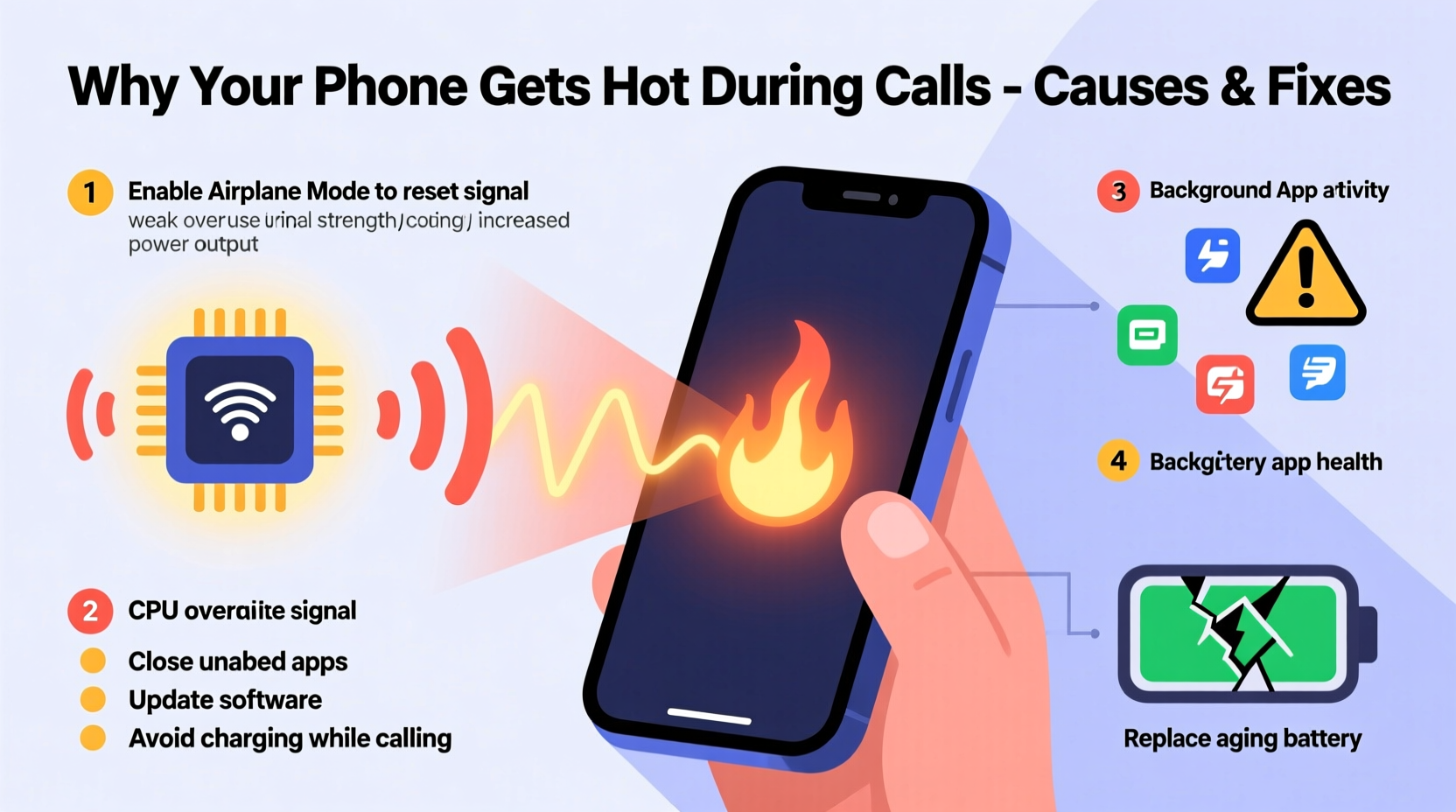
Every smartphone performs multiple tasks simultaneously during a call. The processor activates voice encoding and decoding, the radio module connects to cellular towers, and the screen may stay on for caller ID or speaker control. These processes require electrical energy, which inevitably produces heat as a byproduct. In ideal conditions, this heat dissipates quickly through the phone’s casing and internal cooling mechanisms. However, when heat generation exceeds dissipation, temperatures rise.
The primary components involved in call-related heating include:
- Baseband Processor: Manages cellular communication and signal processing.
- RF Transceiver: Sends and receives radio signals to and from cell towers.
- CPU/GPU: Handles background apps, screen rendering, and call interface functions.
- Battery: Supplies power; generates heat during discharge, especially under load.
When signal strength is weak, these components work harder to maintain connectivity, increasing power consumption and thermal output. This explains why phones often get hotter in basements, rural areas, or buildings with thick walls.
Common Causes of Excessive Heating During Calls
While some warmth is expected, persistent or extreme heat indicates underlying issues. Below are the most frequent causes:
Poor Network Signal
Weak cellular reception forces your phone’s antenna to boost transmission power to stay connected. This increased activity raises energy consumption and heat production significantly. In fringe signal zones, phones may cycle between networks (e.g., 4G to 5G), compounding the strain.
Background App Activity
Even during a call, apps running in the background—such as navigation, social media, or cloud sync services—consume CPU resources. This multitasking increases overall system load, contributing to thermal buildup.
Old or Degraded Battery
Lithium-ion batteries lose efficiency over time. As they age, internal resistance increases, causing them to generate more heat during use. A swollen or damaged battery not only runs hotter but also poses a safety risk.
Faulty or Low-Quality Case
Dense materials like silicone or leather can trap heat. Poorly designed cases act as insulators, preventing natural airflow and slowing down heat dissipation.
Software Bugs or OS Glitches
Outdated operating systems or buggy firmware can cause inefficient resource management. For example, a software bug might prevent the radio module from entering low-power mode between signal checks, leading to constant high-energy operation.
High Ambient Temperature
Using your phone outdoors in direct sunlight or in a hot car exacerbates internal heating. The device has to work harder to regulate its temperature when already surrounded by warm air.
“Phones are engineered to manage heat, but sustained high temperatures degrade battery capacity and can throttle performance.” — Dr. Alan Reyes, Mobile Hardware Engineer at TechInsight Labs
Step-by-Step Guide to Diagnose and Fix Overheating
If your phone consistently overheats during calls, follow this structured approach to identify and resolve the issue:
- Monitor Conditions: Note when and where overheating occurs. Is it always during long calls? Only in certain locations? This helps isolate environmental vs. hardware factors.
- Check Signal Strength: Look at your signal bars or enable field test mode (varies by device) to see dBm readings. Below -100 dBm indicates poor signal.
- Restart Your Phone: A reboot clears stuck processes and resets network connections, often resolving temporary glitches.
- Close Background Apps: Swipe away unused apps before making calls to reduce CPU load.
- Remove the Case: Test without the case during a call to see if heat retention improves.
- Update Software: Install the latest OS and carrier settings updates, which often include thermal and radio optimizations.
- Test in Airplane Mode + Wi-Fi Calling: Enable airplane mode, then turn on Wi-Fi and make a call over internet. If the phone stays cool, the cellular radio was likely the heat source.
- Inspect Battery Health: On iPhones, go to Settings > Battery > Battery Health. On Android, use built-in diagnostics or apps like AccuBattery. Replace if health is below 80%.
- Reset Network Settings: This clears corrupted APN or carrier profiles that may cause inefficient signal searching.
- Seek Professional Repair: If problems persist, visit a certified technician to check for hardware faults like short circuits or failing voltage regulators.
Do’s and Don’ts When Dealing With an Overheating Phone
| Do’s | Don’ts |
|---|---|
| Use Wi-Fi calling in low-signal areas | Leave the phone in direct sunlight during calls |
| Keep the device clean and free of dust in ports | Apply ice or cold water to cool it down rapidly |
| Enable battery-saving mode during long conversations | Continue using the phone if it feels too hot to touch |
| Remove thick cases during extended use | Charge while on a long call unless necessary |
| Install updates promptly | Ignore repeated overheating warnings |
Real-World Example: Sarah’s Commute Problem
Sarah, a sales executive, noticed her Android phone would become too hot to hold during her daily 30-minute commute calls. She initially assumed it was due to long usage, but after following diagnostic steps, she discovered the root cause: her train passed through a tunnel with near-zero signal for 15 minutes. Her phone was constantly searching for service, boosting radio power, and draining battery rapidly—all while running GPS for navigation.
She implemented two changes: first, she turned on Wi-Fi calling before boarding, connecting to her hotspot. Second, she closed all non-essential apps before calls. Within days, her phone remained cool throughout the journey. This case highlights how environmental factors combined with user habits can create avoidable overheating scenarios.
Preventive Maintenance Checklist
To minimize future overheating, adopt these best practices regularly:
- ✅ Update your phone’s OS and apps monthly
- ✅ Clean charging port and vents gently with a dry brush
- ✅ Monitor battery health every 3 months
- ✅ Disable Bluetooth, GPS, and hotspot when not in use
- ✅ Use lightweight, ventilated phone cases
- ✅ Limit simultaneous app usage during calls
- ✅ Store and use the phone in temperatures between 0°C and 35°C (32°F–95°F)
- ✅ Enable dark mode and lower brightness to reduce CPU/GPU load
Frequently Asked Questions
Is it dangerous if my phone gets hot during calls?
Moderate warmth is normal, but if the phone becomes too hot to touch, shuts down unexpectedly, or shows warning messages, it could indicate a serious issue. Prolonged overheating damages the battery, reduces lifespan, and in rare cases, poses a fire hazard. Stop using the device immediately and let it cool in a shaded, well-ventilated area.
Can malware cause my phone to overheat during calls?
Yes. Malicious apps can run hidden processes that consume CPU and network resources. For example, crypto-mining malware or spyware may operate in the background, increasing system load and heat. Install reputable security apps, avoid third-party app stores, and review app permissions regularly to mitigate risks.
Does 5G make phones hotter during calls?
Yes, 5G can contribute to higher temperatures. While 5G itself is efficient, early implementations require phones to frequently switch between 5G, LTE, and 3G bands depending on coverage. This constant handoff increases radio activity. Additionally, mmWave 5G (available in select urban areas) demands more power than sub-6GHz bands. Newer chipsets are improving efficiency, but thermal management remains a challenge in current-gen devices.
Conclusion: Take Control of Your Phone’s Temperature
Your phone heating up during calls doesn’t have to be inevitable. By understanding the interplay between signal strength, software behavior, hardware condition, and environment, you can take meaningful steps to prevent excessive heat. Simple habits—like removing bulky cases, closing background apps, and leveraging Wi-Fi calling—can make a dramatic difference. Regular maintenance and awareness help preserve battery longevity, ensure reliable performance, and protect your investment.




 浙公网安备
33010002000092号
浙公网安备
33010002000092号 浙B2-20120091-4
Comments
No comments yet. Why don't you start the discussion?