
It’s a common experience: you plug in your phone, only to notice it quickly warming up—sometimes uncomfortably so. While a slight temperature increase during charging is normal, excessive heat can signal underlying issues that affect performance, battery longevity, and even safety. Understanding why your phone gets hot while charging—and what to do about it—is essential for protecting your device and personal well-being.
Modern smartphones are powerful, but their compact design leaves little room for heat dissipation. When combined with high-power charging systems and energy-intensive processes running in the background, thermal buildup becomes inevitable if not managed properly. This article breaks down the science behind phone heating, identifies real risks, and offers actionable steps to keep your device cool and safe.
The Science Behind Phone Heating During Charging
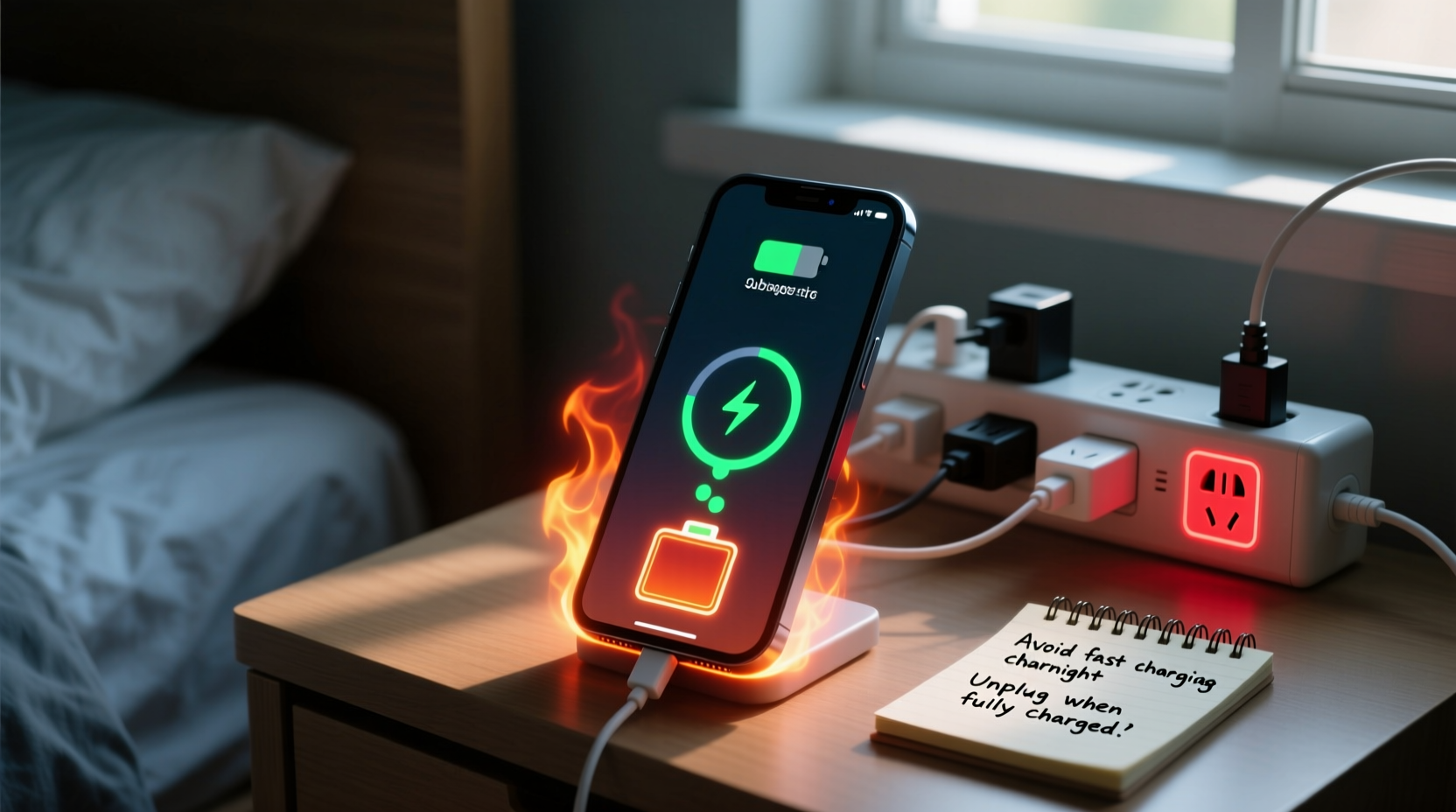
When a phone charges, electrical energy flows from the charger into the battery. This process isn’t 100% efficient—some energy is lost as heat due to resistance in the circuitry and chemical reactions within the lithium-ion battery. The faster the charge, the more heat is generated. Fast-charging technologies, while convenient, amplify this effect significantly.
Besides the charging circuit, other components contribute to heat production. The processor may remain active due to background apps syncing data, location services updating, or push notifications arriving. Even screen brightness adjustments or network signal fluctuations can cause the system to work harder, increasing internal temperatures.
Smartphones are designed with thermal management systems—such as heat-conductive materials and software throttling—but these have limits. In poorly ventilated environments or when using substandard accessories, those safeguards may not be enough.
Dangers of an Overheating Phone
Persistent overheating doesn’t just make your phone uncomfortable to hold—it poses tangible risks to both hardware and user safety.
- Battery degradation: Lithium-ion batteries degrade faster at elevated temperatures. Consistent exposure to heat above 35°C (95°F) can permanently reduce capacity, leading to shorter battery life and more frequent replacements.
- Performance throttling: To protect itself, your phone may slow down CPU performance, resulting in laggy response times, delayed app launches, and reduced gaming performance.
- Safety hazards: In extreme cases, overheating can lead to swelling, leakage, or even thermal runaway—a condition where rising temperature causes further increases in heat, potentially leading to fire or explosion.
- Data loss: Sudden shutdowns caused by thermal protection mechanisms can interrupt file transfers or corrupt data being written to storage.
“Repeated exposure to high temperatures during charging accelerates battery wear more than any other factor—including full discharge cycles.” — Dr. Alan Zhou, Battery Research Scientist, MIT Energy Initiative
Common Causes of Excessive Heat During Charging
Not all heat generation is equal. Some causes are avoidable; others stem from poor habits or faulty equipment. Recognizing the root causes helps target effective solutions.
| Cause | Description | Solution |
|---|---|---|
| Fast Charging | Higher voltage/current generates more heat in less time. | Use standard charging overnight; reserve fast charging for emergencies. |
| Poor-Quality Charger/Cable | Inconsistent power delivery increases resistance and heat. | Use certified chargers from reputable brands. |
| Background App Activity | Apps syncing, streaming, or updating consume power and generate heat. | Enable Airplane Mode or close unnecessary apps before charging. |
| Thick Protective Case | Traps heat around the phone body, reducing cooling efficiency. | Remove case during charging, especially with fast charging. |
| Direct Sunlight or Hot Environment | Ambient heat raises baseline temperature, worsening charging effects. | Charge indoors in a cool, shaded area. |
| Wireless Charging | Less efficient than wired, generating significant radiant heat. | Limit use on soft surfaces; ensure proper alignment. |
Step-by-Step Guide to Prevent Phone Overheating While Charging
Preventing overheating requires a mix of behavioral changes, smart accessory choices, and environmental awareness. Follow this timeline-based approach to minimize risk:
- Before Plugging In (1–2 minutes): Power down non-essential apps. Turn off Bluetooth, GPS, and Wi-Fi if not needed. Consider enabling Airplane Mode for fastest, coolest charging.
- Choose the Right Location: Place your phone on a hard, flat surface like a wooden desk or nightstand. Avoid beds, sofas, or carpets that insulate heat.
- Select the Proper Charger: Use original or MFi/USB-IF certified chargers. Avoid cheap third-party adapters sold online without safety certifications.
- Remove the Case: Especially if made of silicone, leather, or thick rubber, take it off during charging sessions lasting over 30 minutes.
- Monitor Temperature Early: After 10–15 minutes of charging, check how warm the phone feels. If it's too hot to touch comfortably, unplug and reassess your setup.
- Avoid Usage During Charging: Playing games, watching videos, or taking calls while charging forces multiple systems to run simultaneously, compounding heat output.
- Unplug Once Fully Charged: Leaving your phone plugged in after reaching 100% keeps the battery in a high-voltage state, promoting heat retention and stress.
Real-World Example: A Cautionary Tale
Jamal, a college student, noticed his phone getting unusually hot every evening when he charged it before bed. He used a fast charger and kept the phone under his pillow to \"keep it safe.\" One night, he woke up to a burning smell. His phone had swollen slightly, and the screen flickered intermittently. Alarmed, he took it to a repair shop.
The technician explained that charging under a pillow blocked airflow completely, trapping heat. Combined with a non-certified charger, this created a dangerous thermal buildup. Although no fire occurred, the battery was irreversibly damaged and required replacement. Jamal now uses only the original charger, removes his case, and places the phone on a ceramic mug (a trick he read about) to elevate it and promote air circulation.
This case illustrates how seemingly harmless habits—charging in bed, using random cables—can escalate into serious problems. Awareness and small adjustments could have prevented the incident entirely.
Do’s and Don’ts: Quick Reference Table
| Do’s | Don’ts |
|---|---|
| Use manufacturer-approved chargers and cables | Use counterfeit or unbranded charging accessories |
| Charge in a cool, dry, well-ventilated area | Charge near heat sources or in direct sunlight |
| Turn off the phone or enable Airplane Mode while charging | Play graphics-heavy games while charging |
| Remove protective case during long charging sessions | Leave phone in a car on a sunny day while charging |
| Inspect cables regularly for fraying or damage | Ignore warning signs like swelling or persistent heat |
Frequently Asked Questions
Is it normal for my phone to get warm while charging?
Yes, mild warmth is normal, especially with fast charging. However, if the phone becomes too hot to hold comfortably, emits a burning odor, or shows performance issues, it’s a sign of excessive heat that should be addressed immediately.
Can an overheating phone explode?
While rare, lithium-ion batteries can enter thermal runaway under extreme conditions—such as physical damage, manufacturing defects, or sustained overheating. Cases of explosions or fires are uncommon but possible. Following safety guidelines greatly reduces this risk.
Does wireless charging make phones hotter than wired charging?
Yes, generally. Wireless charging is less efficient due to electromagnetic induction losses, converting more energy into heat. Phones often get noticeably warmer during wireless charging, particularly on soft surfaces that block ventilation.
Long-Term Solutions for Sustainable Device Health
Protecting your phone from heat damage shouldn’t be a one-time fix—it’s part of ongoing digital hygiene. Consider adopting these long-term habits:
- Invest in quality accessories: Spend a little more on certified chargers and durable cables. They last longer and operate more safely.
- Update software regularly: OS updates often include improved thermal management and power optimization features.
- Calibrate battery usage: Occasionally let the battery drain to 10% before charging to 100%, helping the system maintain accurate charge estimates.
- Use adaptive charging features: iPhones and many Android devices offer “Optimized Battery Charging” or similar modes that delay full charging until you typically unplug, reducing time spent at peak voltage.
- Replace aging batteries: If your phone is over two years old and holds charge poorly, consider a professional battery replacement. Old batteries heat up more easily and pose higher risks.
Conclusion: Take Control of Your Phone’s Temperature
Your smartphone is a sophisticated piece of engineering, but it’s not immune to the laws of physics. Heat is an unavoidable byproduct of energy transfer, but unchecked, it compromises both function and safety. By understanding the causes of overheating and applying simple, consistent precautions, you can preserve your device’s lifespan, maintain peak performance, and eliminate potential hazards.
Start today: inspect your charger, remove the case while charging, and choose a cooler spot for your nightly top-up. These small actions compound into significant benefits over time. Share your own tips or experiences in the comments—your insight might help someone avoid a costly or dangerous mistake.




 浙公网安备
33010002000092号
浙公网安备
33010002000092号 浙B2-20120091-4
Comments
No comments yet. Why don't you start the discussion?