
It’s becoming increasingly common: you're deep into a video call—whether for work, family catch-ups, or virtual classes—and suddenly notice your phone growing uncomfortably warm. At first, it might seem like a minor annoyance. But if it happens regularly, or the heat becomes intense, it raises a legitimate concern. Is this normal? Could it damage your phone? And more importantly, when should you take action?
Modern smartphones are powerful mini-computers, capable of handling high-resolution video, real-time audio processing, and constant data streaming—all of which demand significant energy and generate heat. Video calling pushes multiple systems simultaneously, making it one of the most resource-intensive tasks your phone performs. Understanding why this happens—and knowing the warning signs—is essential to preserving your device’s performance and longevity.
Why Phones Heat Up During Video Calls
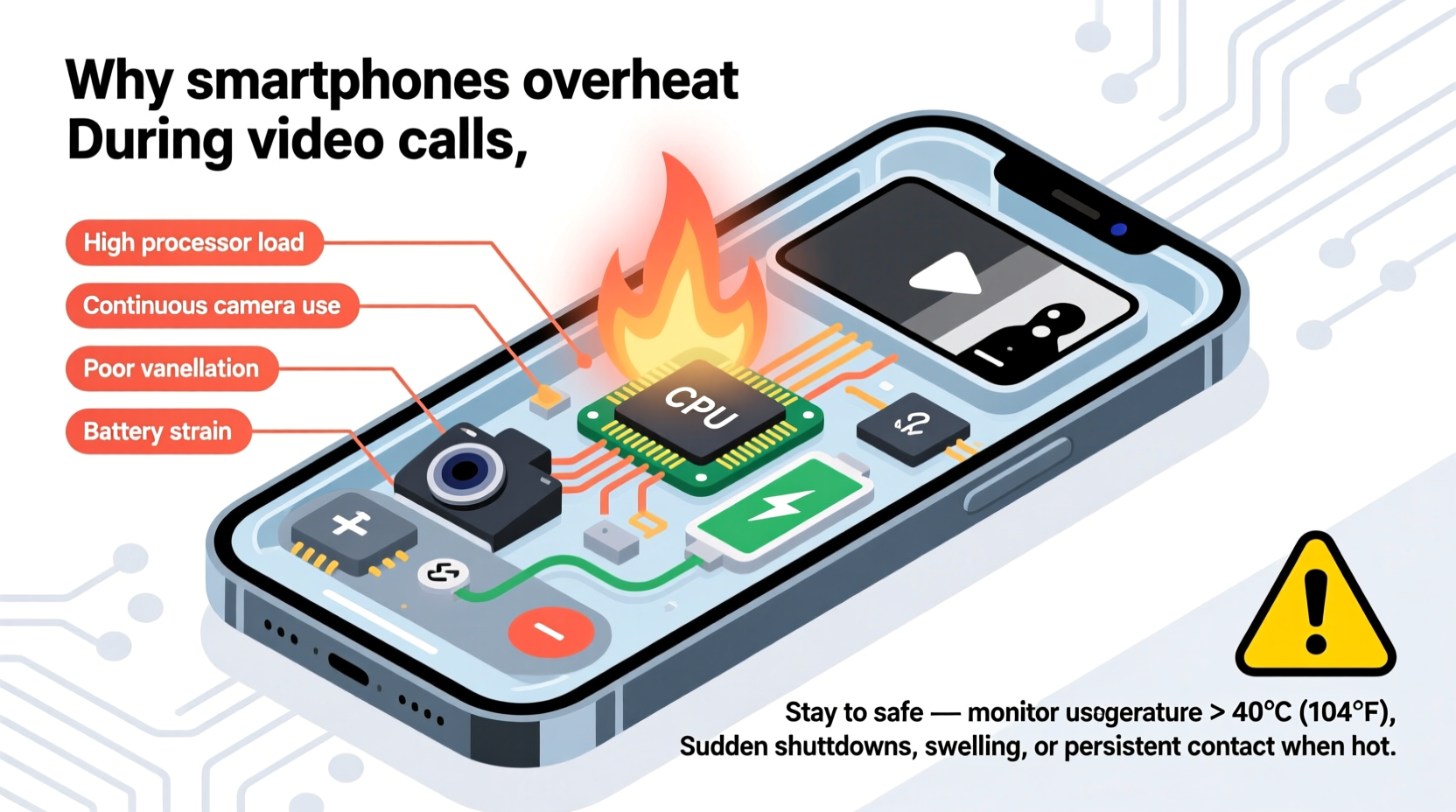
Heat generation in smartphones is a natural byproduct of electrical resistance and energy conversion. When components like the processor, camera, display, and wireless radios work harder, they consume more power and produce more heat. Video calls combine several high-demand functions, each contributing to thermal buildup:
- Processor (CPU/GPU) Load: Encoding and decoding video in real time requires substantial computational power. High-definition video, especially at 1080p or higher, increases the workload significantly.
- Camera Module Activation: The rear or front camera runs continuously, capturing and processing image data. Autofocus, HDR, and face tracking add to the strain.
- Display Brightness: Keeping the screen on at full brightness for extended periods generates noticeable heat, particularly on OLED displays.
- Network Activity: Constant upload and download of video and audio data over Wi-Fi or cellular networks keeps the modem and antennas active, producing additional heat.
- Background Apps: Other running apps may be syncing data, updating notifications, or using location services, further taxing system resources.
This combination creates what engineers call a “thermal load.” While phones are designed with heat dissipation in mind—using materials like aluminum frames, graphite sheets, and thermal paste—the compact form factor limits cooling efficiency. Unlike laptops with fans, smartphones rely entirely on passive cooling, meaning heat must slowly radiate out through the casing.
Normal vs. Excessive Heating: How to Tell the Difference
Not all heating is cause for alarm. A slightly warm phone during a 30-minute Zoom or FaceTime session is expected. However, excessive heat—especially if it causes discomfort, slows performance, or triggers warnings—is a red flag.
The key is understanding the threshold between normal operation and potential danger. Most smartphones are designed to operate safely between 0°C and 35°C (32°F–95°F). During use, internal temperatures can rise above ambient levels, but sustained exposure beyond 45°C (113°F) may begin to degrade battery health and affect component reliability.
“Short bursts of heat during intensive tasks like video calling are normal. The real risk comes from prolonged overheating, which accelerates battery aging and can lead to permanent hardware issues.” — Dr. Lena Patel, Mobile Device Engineer at TechInsight Labs
Here’s how to assess whether your phone’s temperature is within safe limits:
| Temperature Range | Sensation | Risk Level | Action Recommended |
|---|---|---|---|
| 30–37°C (86–99°F) | Slightly warm to touch | Low – Normal operation | None needed |
| 38–45°C (100–113°F) | Noticeably warm | Moderate – Monitor usage | Reduce screen brightness, end call if possible |
| 46–50°C (115–122°F) | Hot, uncomfortable to hold | High – Potential damage | End call immediately, let cool down |
| Above 50°C (122°F) | Painfully hot, may trigger shutdown | Critical – Risk of failure | Power off, inspect for damage |
When Should You Worry About Phone Overheating?
Occasional warmth is not a threat. But certain patterns and symptoms suggest deeper issues that require attention:
- Frequent Overheating: If your phone gets hot during short calls or even while idle, there may be a software glitch, rogue app, or failing battery.
- Performance Throttling: Sudden slowdowns, frame drops, or app crashes during calls can indicate thermal throttling—a safety measure where the processor reduces speed to cool down.
- Unexpected Shutdowns: Modern phones may shut down automatically when internal sensors detect dangerous temperatures. This is a protective mechanism, but repeated occurrences signal a problem.
- Swollen Battery: In extreme cases, chronic overheating can cause the lithium-ion battery to expand. If the back panel bulges or the screen lifts, stop using the device immediately.
- Unusual Behavior After Charging: Overheating worsens when charging because the battery generates additional heat. Combining charging with video calls multiplies thermal stress.
If your phone consistently exceeds 45°C during routine use, consider investigating underlying causes. Software bugs, outdated operating systems, or poorly optimized apps can force the CPU to work harder than necessary. Similarly, physical factors like thick cases, direct sunlight, or poor ventilation trap heat and exacerbate the issue.
Mini Case Study: Remote Worker Experiences Repeated Overheating
Jamal, a project manager based in Austin, began working remotely in early 2023. His daily schedule includes four to five video meetings, often lasting over an hour. Within six months, he noticed his phone would become too hot to hold by midday. Initially, he dismissed it as normal. But when his device started lagging and occasionally shutting down during client calls, he grew concerned.
After visiting a repair shop, technicians found no hardware defects. Instead, they discovered three background apps constantly syncing large files in the cloud—even during calls. Disabling automatic sync and switching to a lighter phone case reduced the temperature by nearly 7°C. Jamal also started using a tablet on a stand for long meetings, reserving his phone for shorter conversations. These changes restored stability and prevented further overheating.
How to Prevent Your Phone from Overheating During Video Calls
Prevention is far more effective than reacting after damage occurs. Implementing a few simple habits can significantly reduce thermal stress and extend your phone’s lifespan.
Step-by-Step Guide to Cooler Video Calls
- Close Background Apps: Swipe away unused apps from the recent menu to free up memory and reduce CPU load.
- Lower Screen Brightness: Manually set brightness to 50% or less. Avoid auto-brightness in stable lighting conditions.
- Remove Thick Cases: Silicone or rugged cases insulate heat. Remove them during long calls if safe to do so.
- Use Wi-Fi Instead of Cellular Data: Wi-Fi typically uses less power than 5G or LTE, reducing modem strain.
- Avoid Charging During Calls: Charging adds heat. If possible, start calls with at least 30% battery.
- Switch to Audio-Only When Possible: Turn off your camera if visuals aren’t essential—this cuts processing demands in half.
- Take Breaks Between Calls: Allow 5–10 minutes between sessions for the device to cool passively.
- Keep the Phone in a Cool Environment: Avoid direct sunlight, hot cars, or placing the phone on warm surfaces like laps or blankets.
Frequently Asked Questions
Can overheating permanently damage my phone?
Yes. Prolonged exposure to high temperatures degrades the battery’s capacity over time and can weaken solder joints on internal chips. In extreme cases, thermal stress leads to screen discoloration, sensor failure, or complete system malfunction.
Is it safe to use my phone while it’s hot?
If the phone feels uncomfortably hot (above 45°C), it’s best to stop using it. Continued operation under high heat risks triggering thermal throttling, unexpected shutdowns, or long-term wear. Let it cool in a shaded, dry place before resuming use.
Do some phones handle heat better than others?
Yes. Flagship models often include advanced thermal management systems—such as vapor chambers or copper shielding—that distribute heat more efficiently. Budget phones with plastic bodies and smaller heat sinks tend to run hotter under similar conditions.
Checklist: What to Do When Your Phone Gets Too Hot
- ✅ End the video call immediately
- ✅ Power off or put the phone in airplane mode
- ✅ Remove the case to improve airflow
- ✅ Move to a cooler, shaded environment
- ✅ Avoid touching metal edges or ports (they conduct heat)
- ✅ Wait 10–15 minutes before restarting
- ✅ Check for software updates or abnormal battery usage afterward
Conclusion: Stay Alert, Stay Proactive
Your phone getting warm during a video call isn’t inherently dangerous—it’s a sign of hard work, not failure. But consistent or extreme heat is a warning your device sends before problems escalate. By recognizing the difference between normal warmth and hazardous overheating, you protect both performance and safety.
Simple adjustments—like managing background apps, optimizing settings, and ensuring proper ventilation—can make a dramatic difference. Don’t wait for a shutdown or swelling battery to act. Treat your smartphone with the same care you’d give any precision tool: monitor its condition, respect its limits, and intervene before small issues become costly repairs.




 浙公网安备
33010002000092号
浙公网安备
33010002000092号 浙B2-20120091-4
Comments
No comments yet. Why don't you start the discussion?