
It’s a common experience: you plug in your phone, only to find it growing warm—or even uncomfortably hot—within minutes. While some warmth is normal during charging, excessive heat can signal underlying issues and may damage your device over time. Understanding why this happens and how to manage it isn’t just about comfort—it’s about preserving your phone’s longevity, battery health, and safety.
Modern smartphones are powerful mini-computers packed into compact designs. This power comes at a cost: energy conversion generates heat, especially when multiple systems are active simultaneously. Charging amplifies this effect. When combined with poor habits or environmental factors, the result can be an overheated device that slows down, shuts off unexpectedly, or degrades faster than expected.
This guide dives deep into the real reasons your phone heats up while charging, backed by engineering principles and user behavior patterns. More importantly, it provides actionable, proven strategies to keep your device cool, efficient, and safe—without sacrificing convenience.
The Science Behind Phone Heating During Charging
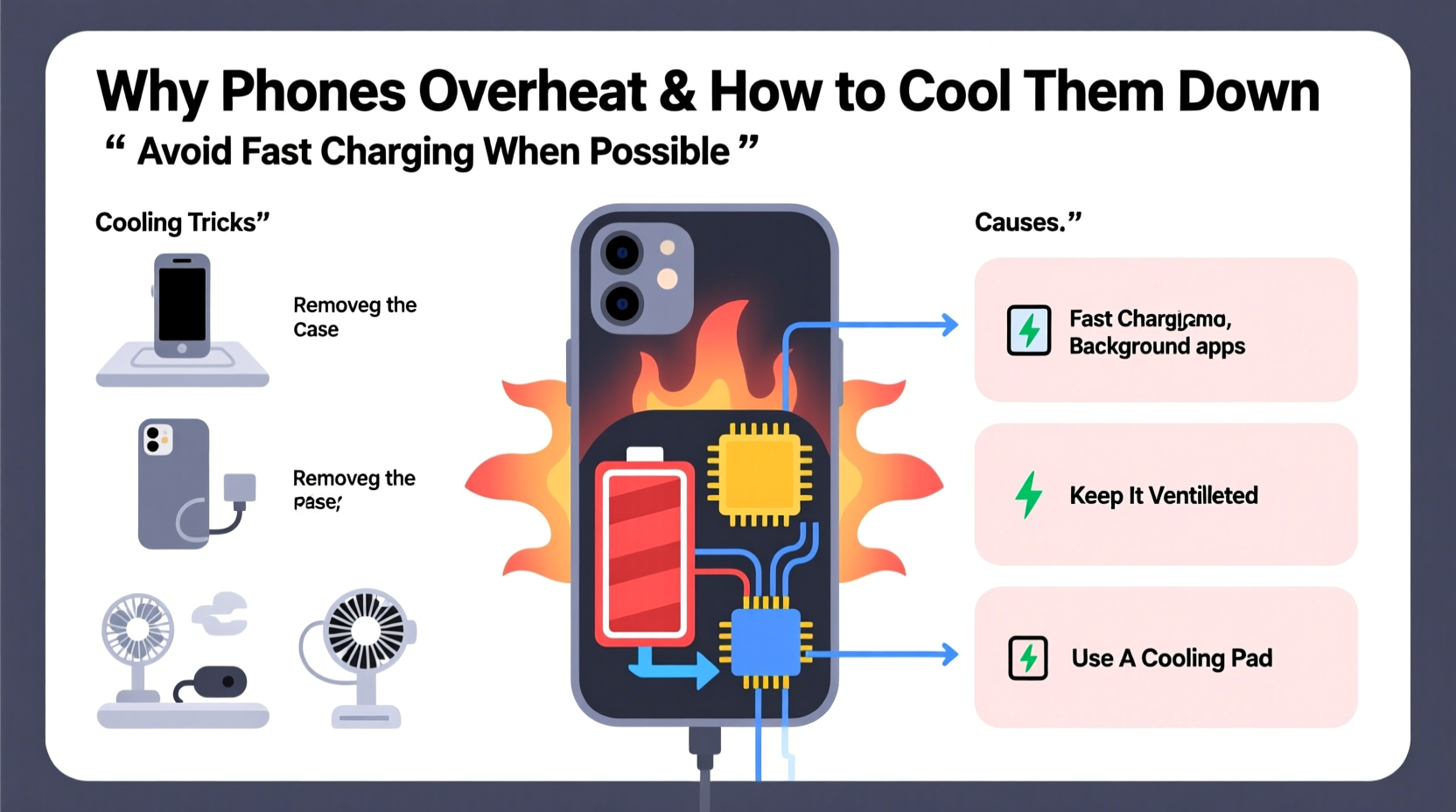
When you charge your phone, electrical energy from the charger flows into the battery, where it's stored as chemical energy. This process isn't 100% efficient. A portion of the energy is lost as heat due to internal resistance in both the charging circuit and the lithium-ion battery itself. This phenomenon is known as Joule heating.
Lithium-ion batteries operate best between 20°C and 35°C (68°F–95°F). Outside this range, especially above 40°C (104°F), chemical reactions inside the battery accelerate, increasing degradation. Manufacturers include thermal management systems—like temperature sensors and software throttling—but these have limits, particularly in poorly ventilated environments or with substandard chargers.
Additionally, fast charging technologies, while convenient, push more current through the system in less time, which inherently increases heat output. A 65W fast charger will generate significantly more heat than a standard 5W adapter, especially if the phone is in use during charging.
“Any time energy is converted—from AC to DC, or electrical to chemical—there’s inefficiency, and that inefficiency shows up as heat.” — Dr. Lena Patel, Electrical Engineer & Mobile Device Consultant
Top 5 Causes of Excessive Phone Heat While Charging
Not all heat is created equal. Some warmth is expected; sustained high temperatures are not. Below are the most common culprits behind overheating phones—and what you can do about each.
1. Using Non-OEM or Low-Quality Chargers
Cheap third-party chargers often lack proper voltage regulation, surge protection, and compatibility protocols. They may deliver inconsistent power, forcing your phone’s internal circuits to work harder and generate excess heat. Counterfeit cables can also have higher resistance, further contributing to thermal buildup.
2. Charging While Using the Phone
Running apps, streaming video, or playing games while charging creates a double load: the battery is receiving power while the processor, screen, and radios are actively consuming it. This simultaneous input and output strain the system and elevate temperatures quickly.
3. Poor Ventilation and Enclosed Spaces
Placing your phone under a pillow, on a bed, or inside a thick case traps heat. Without airflow, the device can’t dissipate warmth effectively. Even leaving it in direct sunlight while charging—like on a car dashboard—can push internal temperatures beyond safe thresholds.
4. Background Apps and System Processes
Even when idle, many apps continue running in the background: syncing data, updating location, downloading emails. These processes keep the CPU active, adding to thermal load during charging. Malware or poorly optimized apps can make this worse.
5. Battery or Hardware Degradation
As batteries age, their internal resistance increases, making them less efficient and more prone to heating. Swollen batteries, damaged charging ports, or failing thermal sensors can also contribute to abnormal temperature spikes. If your phone consistently overheats despite good practices, hardware issues may be to blame.
Effective Cooling Tricks to Prevent Overheating
Preventing excessive heat doesn’t require expensive tools or technical expertise. Simple behavioral changes and smart accessories can make a big difference.
Remove the Case During Charging
Many protective cases, especially those made of silicone or leather, act as insulators. Removing the case allows heat to escape more freely. If you must keep it on, choose a thin, breathable design made from thermally conductive materials.
Charge in Airplane Mode or Turn Off the Screen
Activating Airplane Mode disables cellular, Wi-Fi, and Bluetooth radios—major sources of background activity. Alternatively, turning off the screen and avoiding app usage reduces CPU load significantly. For overnight charging, this is one of the most effective ways to minimize heat.
Use OEM or Certified Charging Accessories
Stick to original chargers and cables or those certified by reputable standards like USB-IF or MFi (for iPhones). These ensure proper power delivery, handshake protocols, and safety features that prevent erratic charging behavior.
Keep the Phone in a Cool Environment
Avoid charging near heat sources: radiators, stoves, or sunny windowsills. Ideally, charge in a room with stable, moderate temperature. Never leave your phone charging in a hot car—even for 10 minutes.
Enable Adaptive or Optimized Charging Features
Modern phones (e.g., iPhone’s Optimized Battery Charging, Samsung’s Adaptive Fast Charging) learn your usage patterns and slow down charging when full capacity isn’t immediately needed. This reduces stress on the battery and minimizes heat generation over time.
“Letting your phone breathe while charging is as important as using the right charger. Thermal buildup is cumulative.” — Mark Tran, Senior Technician at MobileCare Labs
Do’s and Don’ts: Charging Habits That Impact Temperature
| Do | Don't |
|---|---|
| Use original or certified chargers and cables | Use unknown or damaged charging accessories |
| Charge in a well-ventilated area | Charge under pillows, blankets, or cushions |
| Remove thick cases during charging | Leave phone in a sealed plastic bag while charging |
| Turn off screen or enable Airplane Mode | Play graphics-intensive games while charging |
| Keep software updated for better power management | Ignore repeated overheating warnings |
Step-by-Step Guide: How to Cool Down an Overheated Phone Safely
If your phone becomes too hot to touch or displays a “Temperature Too High” warning, follow these steps immediately:
- Unplug the charger – Continuing to charge an overheated device risks permanent damage.
- Power off the phone – This stops all active processes and reduces internal heat generation.
- Remove the case – Allow maximum surface exposure for cooling.
- Move to a cool, shaded area – Avoid air conditioning vents or refrigerators; rapid temperature changes can cause condensation.
- Wait 10–15 minutes – Let the device cool naturally. Do not use fans or cold surfaces directly.
- Check for updates and background apps – Once cooled, review settings and close unnecessary apps.
- Resume charging cautiously – Use a low-wattage charger and monitor temperature closely.
If the phone continues to overheat after these steps, consider professional diagnostics. Persistent overheating could indicate battery swelling, faulty charging IC, or software corruption.
Real-World Example: The Commuter’s Charging Dilemma
Jamal, a rideshare driver, charges his phone every day using a fast charger mounted in his car. He noticed his phone would frequently shut down mid-route, displaying a red temperature warning. At first, he ignored it, thinking it was just the summer heat. But after two months, his battery drained twice as fast, even with minimal use.
Upon inspection, a technician found the battery had begun to swell due to chronic overheating. Jamal was charging while navigating, streaming music, and receiving calls—all while the phone sat in direct sunlight on the dashboard, encased in a rubberized bumper. The combination of environmental heat, electrical load, and poor ventilation pushed the device beyond its thermal limits daily.
After replacing the battery and adopting cooler charging habits—using a sunshade, removing the case, and pausing navigation during top-up charges—his phone stabilized. His battery now lasts a full shift without issue.
Frequently Asked Questions
Is it dangerous if my phone gets hot while charging?
Mild warmth is normal, but sustained high heat can damage the battery, reduce lifespan, and in extreme cases, pose a fire risk. If your phone feels too hot to hold or shuts down repeatedly, stop charging and let it cool. Persistent overheating should be evaluated by a technician.
Can fast charging damage my phone over time?
Occasional fast charging is safe, but frequent use—especially under heavy load or poor conditions—accelerates battery wear and heat buildup. For long-term health, reserve fast charging for emergencies and use standard charging overnight or when the phone is idle.
Does wireless charging make phones hotter?
Yes. Wireless charging is less efficient than wired, losing more energy as heat due to electromagnetic induction. Phones often run 5–10°C hotter during wireless charging. To reduce risk, avoid using the phone during wireless charging and remove thick cases.
Conclusion: Take Control of Your Phone’s Temperature
Your phone’s temperature isn’t just a comfort issue—it’s a direct indicator of its health and efficiency. By understanding the causes of overheating and applying simple, consistent cooling strategies, you can extend your device’s lifespan, maintain peak performance, and avoid costly repairs.
Start today: swap out that questionable charger, remove the case while charging, and give your phone space to breathe. Small changes yield significant results over time. Share your own cooling tips in the comments below—your experience might help someone else avoid a melted battery or a dead phone mid-day.




 浙公网安备
33010002000092号
浙公网安备
33010002000092号 浙B2-20120091-4
Comments
No comments yet. Why don't you start the discussion?