
It’s a common experience: you plug in your phone, only to find it growing uncomfortably warm—sometimes even hot—within minutes. While a slight temperature rise during charging is normal, excessive heat can signal deeper issues. Over time, persistent overheating degrades battery health, slows performance, and in extreme cases, poses safety risks. Understanding why your phone heats up while charging—and how to stop it—is essential for both longevity and daily usability.
The problem isn’t always due to one single factor. It often stems from a combination of hardware limitations, usage habits, environmental conditions, and accessory quality. The good news? Most causes are fixable with simple changes. This guide breaks down the science behind phone heating, identifies key triggers, and provides actionable solutions anyone can apply immediately.
How Phones Generate Heat During Charging
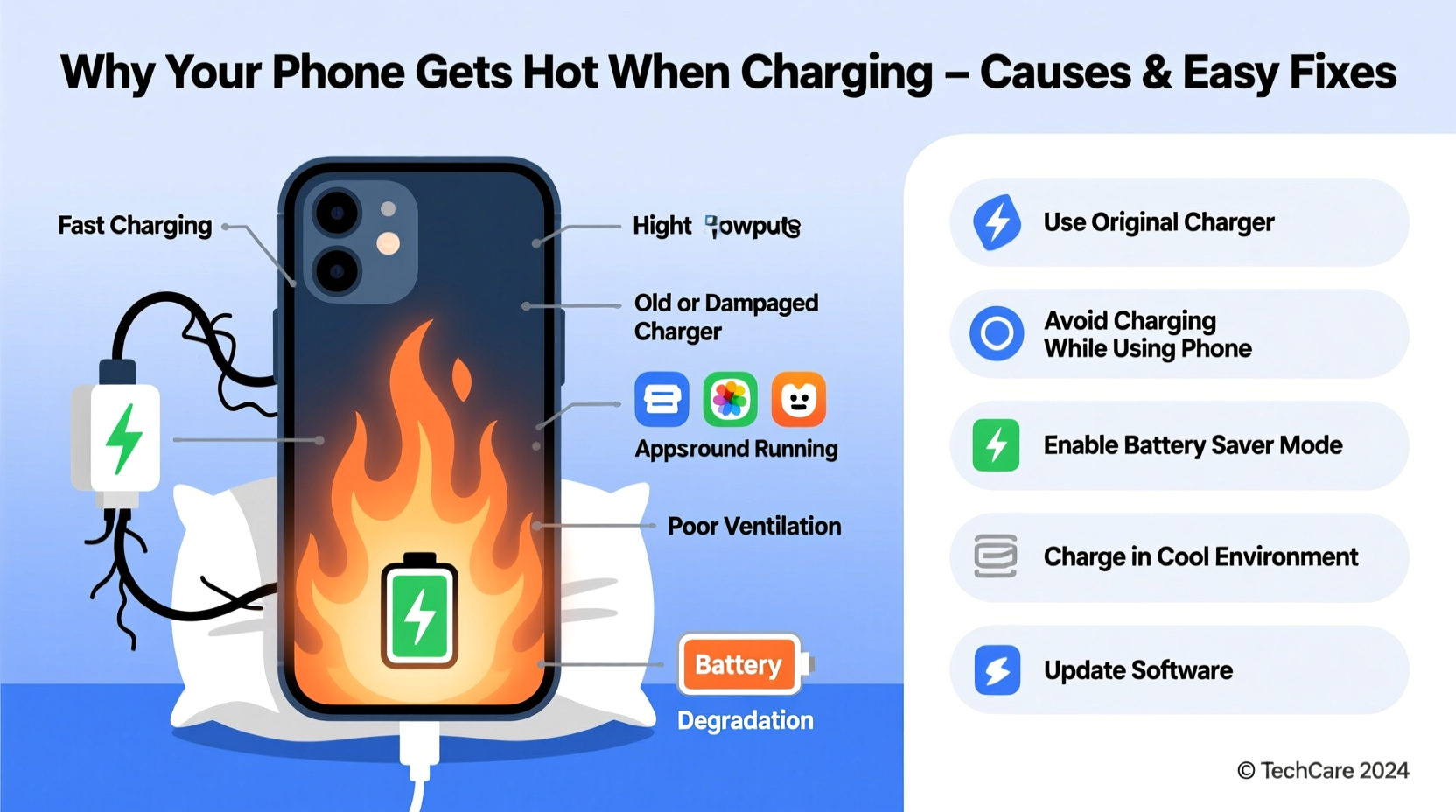
When you charge your phone, electrical energy flows into the battery to restore its charge. This process isn’t 100% efficient. Some energy is lost as heat due to resistance in the charging circuit and internal chemical reactions within the lithium-ion battery. A small amount of warmth—especially near the bottom or back of the phone—is expected.
However, problems arise when heat accumulates faster than it can dissipate. Modern smartphones pack powerful processors, high-capacity batteries, and compact designs that limit airflow. When combined with fast-charging technology, which pushes more current through the system, thermal output increases significantly.
Phones have built-in thermal management systems that throttle performance or pause charging if temperatures exceed safe thresholds. But relying on these safeguards too often indicates underlying inefficiencies that should be addressed proactively.
Common Causes of Phone Overheating During Charging
Several factors contribute to excessive heat generation. Identifying the root cause is the first step toward an effective solution.
1. Using Non-OEM or Low-Quality Chargers
Cheap third-party chargers may lack proper voltage regulation, leading to unstable power delivery. Inconsistent current forces the phone’s charging circuit to work harder, generating excess heat. Poor insulation and substandard materials also reduce efficiency and increase resistance.
2. Fast Charging Without Adequate Cooling
Fast charging (e.g., 18W, 30W, or higher) delivers more power in less time but produces more heat. While convenient, this feature stresses the battery and electronics, especially in poorly ventilated environments. Phones without advanced cooling systems struggle to manage the thermal load.
3. Charging While Using the Phone
Running apps, streaming video, or playing games while charging doubles the workload. The processor and screen generate heat, which combines with charging heat. This synergy can push internal temperatures beyond safe limits.
4. Environmental Factors
Charging in direct sunlight, inside a car on a hot day, or under pillows/blankets traps heat. These conditions inhibit natural cooling and can cause rapid temperature spikes. Even ambient room temperature above 77°F (25°C) affects thermal performance.
5. Battery Degradation
As batteries age, their internal resistance increases. An older or damaged battery converts more energy into heat instead of stored power. Swollen or physically compromised batteries are particularly prone to overheating and should be replaced immediately.
6. Background Apps and System Processes
Even when idle, background services like location tracking, cloud sync, or malware can keep the CPU active. This hidden activity contributes to heat buildup, especially when combined with charging.
“Thermal stress is one of the top contributors to premature battery degradation. Keeping your phone below 86°F (30°C) during charging can extend its lifespan by up to two years.” — Dr. Lena Patel, Battery Research Scientist at MIT Energy Initiative
Do’s and Don’ts: Charging Habits That Affect Temperature
| Do’s | Don’ts |
|---|---|
| Use manufacturer-approved chargers and cables | Use off-brand or counterfeit charging accessories |
| Charge in a cool, well-ventilated area | Charge under pillows, blankets, or on car seats in direct sun |
| Remove thick cases during charging | Leave insulated or metal cases on while charging |
| Close unused apps before plugging in | Play graphics-intensive games while charging |
| Enable airplane mode for faster, cooler charging | Run GPS navigation or video calls while charging |
Step-by-Step Guide to Prevent Overheating
Follow this practical sequence to minimize heat buildup every time you charge your phone:
- Inspect Your Charger: Verify that your charger and cable are genuine or MFi-certified (for iPhones) or USB-IF certified (Android). Look for frayed wires or loose connections.
- Choose the Right Location: Plug in on a hard surface like a wooden desk or nightstand. Avoid fabric-covered surfaces that trap heat. Turn Off or Limit Usage: If possible, avoid using the phone while charging. At minimum, close resource-heavy apps like games or video editors.
- Remove the Case: Take off silicone, leather, or insulated cases. Plastic or thin TPU cases are usually fine unless they feel hot after a few minutes.
- Enable Airplane Mode: This disables radios (Wi-Fi, Bluetooth, cellular), reducing background activity and heat generation. You’ll still charge normally.
- Monitor Temperature: After 10–15 minutes of charging, check the phone. If it’s hot, unplug and reassess your setup.
- Consider Slower Charging Overnight: Use a standard 5W or 10W charger instead of fast charging when you don’t need speed. It generates less heat and is gentler on the battery.
Real-World Example: How One User Fixed Chronic Overheating
Mark, a graphic designer in Austin, noticed his Android phone would routinely shut down during evening charges. Despite replacing the cable twice, the issue persisted. The phone became too hot to touch, and battery life dropped sharply over three months.
After consulting a technician, he discovered the culprit: a magnetic car mount with a built-in wireless charger. He’d been using it at home, placing his phone on it overnight. The magnet interfered with the charging coil, forcing the system to repeatedly attempt alignment, which generated continuous heat.
He switched to a wired OEM charger on a ceramic nightstand, removed his rugged case while charging, and disabled background syncing for non-essential apps. Within a week, the phone stayed cool during charging, and battery drain stabilized. His proactive adjustments not only solved the overheating but also improved overall device responsiveness.
Checklist: Quick Fixes to Cool Down Your Charging Phone
- ✅ Use only certified chargers and cables
- ✅ Charge on a hard, flat surface
- ✅ Remove protective case during charging
- ✅ Avoid using the phone while charging
- ✅ Close all background apps before plugging in
- ✅ Enable airplane mode or do not disturb
- ✅ Keep the phone away from direct sunlight or heat sources
- ✅ Restart your phone weekly to clear memory leaks
- ✅ Update your OS and apps regularly—bugs can cause abnormal power use
- ✅ Replace swollen or aged batteries promptly
Frequently Asked Questions
Is it dangerous if my phone gets hot while charging?
Moderate warmth is normal, but if the phone is too hot to hold, shuts down unexpectedly, or shows signs of swelling, it’s a safety concern. Prolonged exposure to high temperatures can damage internal components and increase fire risk. Stop charging immediately and inspect your setup.
Can software updates cause my phone to overheat?
Yes. Major OS updates often run background optimization processes after installation, such as reindexing files or updating apps. These tasks consume CPU power and generate heat, especially when combined with charging. Let the phone complete the update cycle before regular use.
Does wireless charging make phones hotter than wired charging?
Generally, yes. Wireless charging is less efficient than wired—typically around 70–80% efficiency compared to 90%+ for wired. The lost energy turns into heat, particularly if the phone and charger aren’t properly aligned or if there’s a foreign object between them. Always use Qi-certified devices and avoid charging through thick cases.
Conclusion: Take Control of Your Phone’s Temperature
Your phone doesn’t need to run hot to stay powered. With mindful habits and a few strategic adjustments, you can maintain safe charging temperatures, preserve battery health, and avoid unnecessary wear. The key is recognizing that heat is a symptom—not a feature—and addressing it before long-term damage occurs.
Start today by auditing your current charging setup. Swap out questionable accessories, optimize your environment, and adopt cooler charging routines. Small changes yield significant results over time, keeping your device reliable, efficient, and safe for years to come.




 浙公网安备
33010002000092号
浙公网安备
33010002000092号 浙B2-20120091-4
Comments
No comments yet. Why don't you start the discussion?