
It’s a familiar scene: you plug in your phone, only to find it uncomfortably warm minutes later. While some warmth during charging is normal, excessive heat raises concerns—especially about battery longevity and safety. Understanding why phones heat up during charging, what factors contribute to overheating, and whether it poses a real threat to your device can help you make smarter decisions about usage and care.
Modern smartphones are powerful mini-computers packed into compact frames. Their lithium-ion batteries charge efficiently but generate heat as a byproduct of chemical reactions. When combined with high-performance processors, fast charging, and external conditions, that heat can accumulate quickly. Over time, sustained high temperatures degrade battery capacity and may even pose safety risks.
This article explores the mechanics behind phone heating during charging, evaluates the dangers to battery health, and provides actionable steps to minimize risk—all based on engineering principles and expert insights.
The Science Behind Phone Heating During Charging
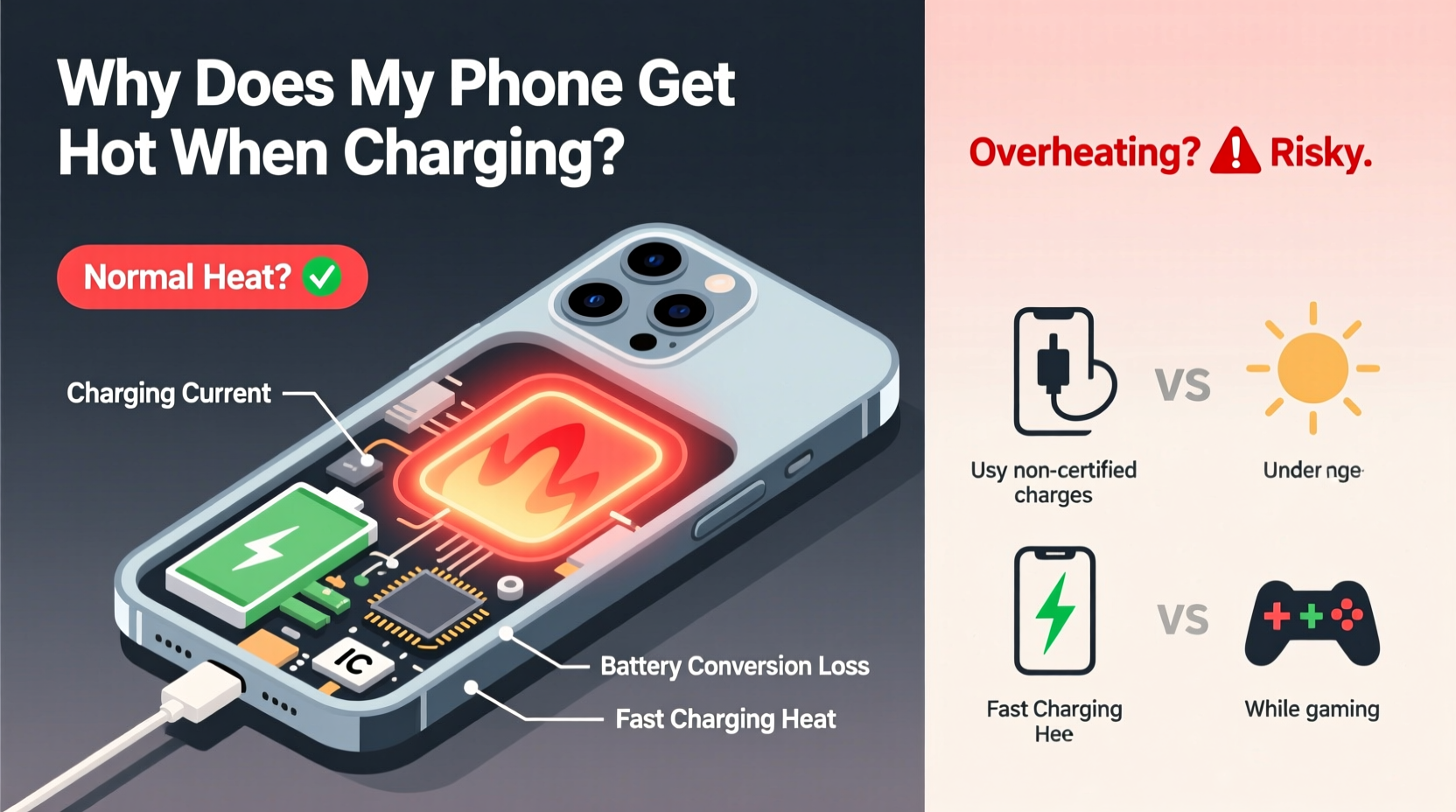
When your phone charges, electrical energy flows from the charger into the battery, where it's stored through electrochemical reactions inside the lithium-ion cells. These reactions aren’t 100% efficient—some energy is lost as heat. This inherent inefficiency means all phones will warm up slightly during charging.
However, several internal processes amplify this effect:
- Ion resistance: As lithium ions move between the anode and cathode, they encounter resistance, which generates heat.
- Charging speed: Fast chargers deliver higher voltage or current, increasing the rate of ion movement and thus heat production.
- Voltage conversion: The phone’s circuitry converts incoming power to levels safe for the battery. This process also produces thermal energy.
- Background activity: Running apps, syncing data, or receiving notifications while charging forces the processor to work harder, adding to the thermal load.
According to Dr. Linus Huang, materials scientist at the Institute for Energy Innovation, “Even under ideal conditions, a lithium-ion battery will rise 5–10°C above ambient temperature during charging. But when multiple stressors combine—like fast charging, poor ventilation, and active use—the temperature spike becomes significant.”
“Battery degradation accelerates exponentially above 35°C. Consistent exposure to high heat during charging is one of the top causes of premature battery wear.” — Dr. Linus Huang, Materials Scientist
Is a Hot Phone Dangerous for the Battery?
Yes—prolonged or repeated overheating during charging can harm your phone’s battery in both short- and long-term ways.
Lithium-ion batteries perform best within a temperature range of 20°C to 35°C (68°F to 95°F). Beyond this, chemical side reactions begin to occur inside the cell, leading to:
- Breakdown of the electrolyte, reducing ion conductivity.
- Formation of solid electrolyte interphase (SEI) layers, which consume active lithium and reduce capacity.
- Increased internal resistance, lowering efficiency and output.
Over months of frequent overheating, these changes result in a measurable drop in battery health. You may notice shorter usage times, slower charging, or unexpected shutdowns—even if the phone shows 20% charge.
In extreme cases, excessive heat can lead to thermal runaway—a self-sustaining chain reaction that may cause swelling, leakage, or, in rare instances, fire. While modern phones include multiple safety mechanisms (such as thermal sensors and charge throttling), relying on them too often indicates underlying issues.
Common Causes of Excessive Heat During Charging
Not all heat generation is equal. Some sources are unavoidable; others stem from user behavior or equipment choices. Recognizing the culprits helps you mitigate risks.
| Cause | How It Contributes to Heat | Preventable? |
|---|---|---|
| Fast charging | High current increases ion flow and resistance, generating more heat. | Partially – disable fast charging when not needed. |
| Poor-quality cables/chargers | Inefficient power delivery leads to energy loss as heat. | Yes – use certified accessories. |
| Using the phone while charging | Processor and screen add thermal load on top of charging heat. | Yes – limit usage during charging. |
| Thick or non-breathable case | Traps heat around the phone body, slowing dissipation. | Yes – remove case during charging if hot. |
| High ambient temperature | Hot rooms or direct sun reduce cooling efficiency. | Yes – charge in cooler environments. |
| Battery aging | Older batteries have higher internal resistance, producing more heat. | No – but replacement resolves issue. |
One often-overlooked factor is software updates running in the background. After installing a major OS update, your phone may continue optimizing apps or indexing files overnight—even while charging—causing unexpected warmth.
Mini Case Study: Overnight Charging Gone Wrong
Jamal, a 32-year-old project manager, noticed his phone was consistently hot in the morning despite charging it overnight. He used a third-party 30W fast charger and kept the device under his pillow for convenience. After three months, the battery drained 40% faster than before. A diagnostics test revealed 18% capacity loss—well above the expected 5–7% annual decline.
Upon switching to a manufacturer-approved charger, removing the case, and charging on a nightstand instead of under bedding, Jamal observed immediate improvement. The phone stayed within safe temperature ranges, and battery drain stabilized over the next six weeks.
This case illustrates how small habits compound into measurable hardware impact.
Step-by-Step Guide to Safer Charging Practices
Reducing heat buildup doesn’t require drastic changes. Follow this practical sequence to protect your battery and extend its lifespan.
- Use original or certified charging accessories. OEM chargers and cables are designed to match your phone’s power management system, minimizing inefficiencies.
- Charge in a cool, dry place. Ideal room temperature is between 20–25°C. Avoid bathrooms (humidity), kitchens (heat), and vehicles in sunlight.
- Remove thick cases during charging. Silicone, leather, or rugged cases insulate heat. Take them off if the phone feels warm.
- Turn off or enable Airplane Mode. Disabling radios (Wi-Fi, cellular, Bluetooth) reduces background activity and processor load.
- Avoid using the phone while charging. Scrolling social media or playing games creates additional heat that combines with charging heat.
- Limit fast charging frequency. Use standard charging overnight or when time allows. Reserve fast charging for emergencies.
- Monitor battery health monthly. On iOS, go to Settings > Battery > Battery Health. On Android, check via Settings > Battery or use diagnostic apps like AccuBattery.
Do’s and Don’ts: Charging Best Practices
To reinforce safe habits, here’s a clear summary of recommended behaviors versus risky ones.
| Do’s | Don’ts |
|---|---|
| ✅ Charge in a well-ventilated area | ❌ Charge under pillows, blankets, or cushions |
| ✅ Use MFi or USB-IF certified chargers | ❌ Use cheap, uncertified charging cables |
| ✅ Unplug once fully charged | ❌ Leave phone plugged in for days continuously |
| ✅ Keep battery between 20% and 80% | ❌ Regularly drain to 0% or charge to 100% |
| ✅ Clean charging port monthly | ❌ Charge with lint or debris in the port |
Maintaining moderate charge levels reduces stress on the battery chemistry. Lithium-ion cells experience higher strain at full charge due to increased internal pressure and voltage stress.
Frequently Asked Questions
Is it normal for my phone to get warm when charging?
Yes, mild warmth is normal due to energy conversion and chemical reactions in the battery. However, if the phone becomes too hot to hold comfortably or triggers a “temperature warning,” it’s overheating and should be unplugged.
Can a hot phone explode while charging?
While extremely rare, lithium-ion batteries can fail catastrophically under severe conditions—such as physical damage, manufacturing defects, or sustained overheating. Modern phones include multiple safeguards (thermal fuses, monitoring ICs), making explosions highly unlikely with genuine devices and proper use.
Does wireless charging make phones hotter?
Yes, wireless charging is generally less efficient than wired charging, losing more energy as heat. Combined with enclosed spaces (e.g., phone cases or charging pads on wood surfaces), this can lead to higher operating temperatures. For best results, remove thick cases and avoid using the phone during wireless charging.
Protect Your Phone—and Your Investment
Your smartphone represents more than just communication—it stores memories, manages finances, and supports daily productivity. Treating it with care, especially during charging, ensures it remains reliable for years. Heat is an invisible enemy of battery health, acting slowly but relentlessly over time.
By adopting simple habits—like using quality chargers, avoiding extreme temperatures, and minimizing usage while charging—you significantly reduce thermal stress. These actions don’t just preserve battery life; they enhance safety and performance across the device’s lifespan.
Start today: inspect your current charging setup. Is your cable frayed? Is the phone buried under fabric? Are you using fast charging unnecessarily? Small adjustments now can prevent costly replacements later.




 浙公网安备
33010002000092号
浙公网安备
33010002000092号 浙B2-20120091-4
Comments
No comments yet. Why don't you start the discussion?