
Leaving your phone plugged in overnight has become a routine for millions. It’s convenient—plug it in before bed, wake up to a full charge. But if you’ve noticed your device getting unusually warm—or even hot—during this process, it’s not just a minor annoyance. Excessive heat during charging can signal deeper issues with your phone, charger, or habits. More importantly, it poses real risks to both performance and safety.
Understanding why phones heat up while charging, especially over extended periods, is essential for protecting your device and ensuring long-term reliability. This article breaks down the science behind the heat, identifies common causes, outlines safety risks, and delivers actionable steps to keep your phone cool, efficient, and safe.
Why Phones Generate Heat During Charging
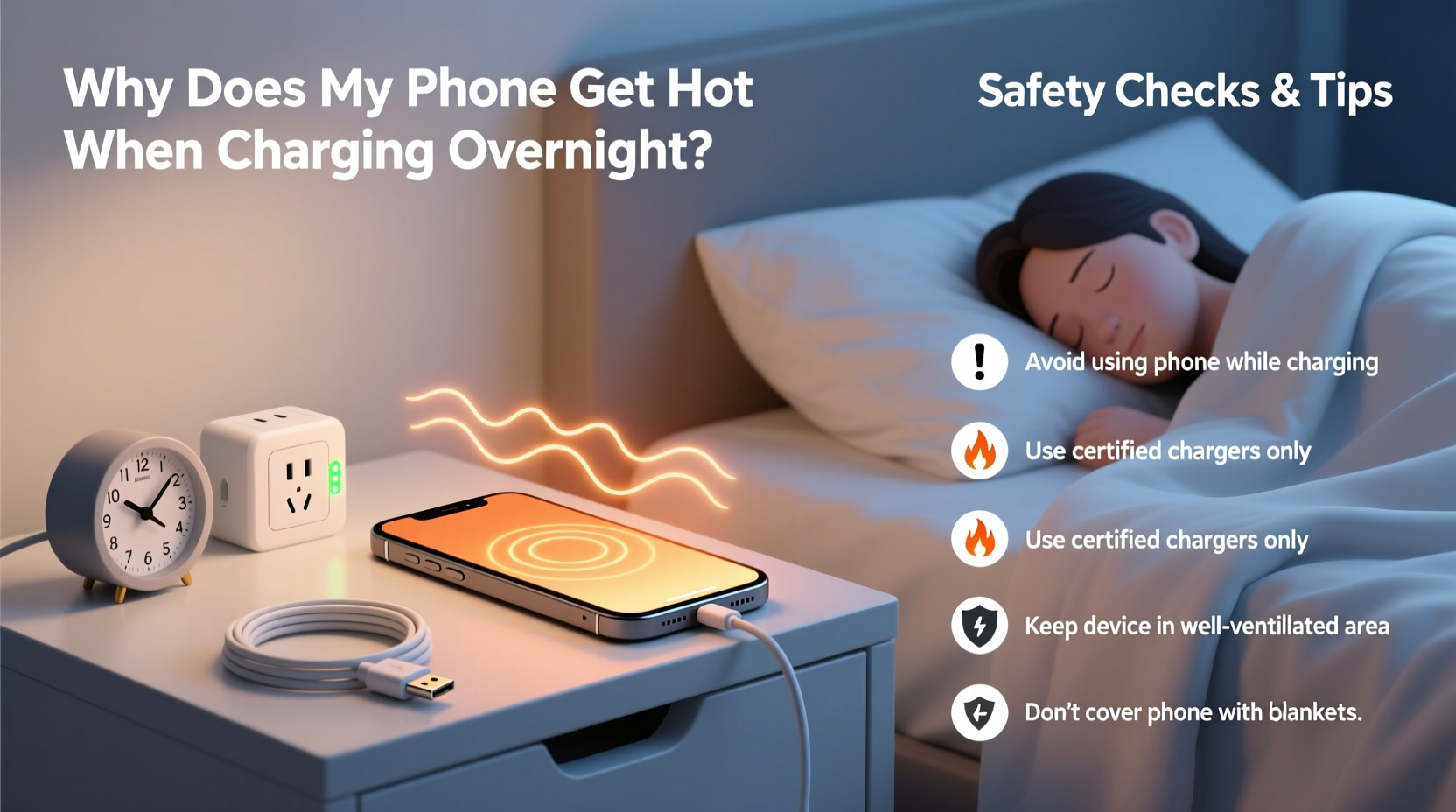
Heat is a natural byproduct of energy transfer. When your phone charges, electrical current flows from the power source into the battery, converting AC (alternating current) from the wall into DC (direct current) that the battery stores. This process involves resistance, which generates heat. A slight warmth is normal—especially during fast charging—but excessive heat indicates inefficiency or malfunction.
Battery chemistry plays a key role. Most smartphones use lithium-ion batteries, which are sensitive to temperature. These batteries operate best between 20°C and 35°C (68°F to 95°F). Outside this range, chemical reactions inside the battery accelerate or degrade, increasing internal resistance and heat production.
Overnight charging compounds the issue. Even after reaching 100%, many phones continue to trickle charge to maintain full capacity. This “top-up” cycle causes small fluctuations in voltage and current, leading to sustained low-level heat generation throughout the night.
“Prolonged exposure to high temperatures during charging accelerates battery degradation and increases the risk of thermal runaway.” — Dr. Alan Zhou, Electrical Engineer & Battery Safety Researcher
Common Causes of Overheating While Charging Overnight
Not all heat buildup is equal. Some factors are environmental, others stem from hardware or usage patterns. Identifying the root cause helps determine whether the situation is manageable or requires intervention.
- Poor-quality or counterfeit chargers: Third-party chargers that don’t meet safety standards often deliver inconsistent voltage, causing the phone to work harder and generate more heat.
- Using the phone while charging: Running apps, streaming video, or playing games increases processor load, adding to the thermal burden.
- Thick or non-breathable cases: Silicone or leather cases trap heat, preventing proper dissipation.
- High ambient temperatures: Charging in a hot room or under a pillow/blanket restricts airflow and insulates heat.
- Degraded battery health: As batteries age, their internal resistance increases, making them less efficient and more prone to heating.
- Background app activity: Apps syncing data, updating, or using location services in the background contribute to system load.
Safety Risks of an Overheating Phone
A warm phone isn’t automatically dangerous, but persistent or extreme heat raises legitimate concerns. Lithium-ion batteries, while reliable under normal conditions, can fail catastrophically if subjected to prolonged stress.
The most serious risk is thermal runaway—a self-sustaining reaction where rising temperature causes further heat generation, potentially leading to swelling, leakage, fire, or explosion. Though rare, such incidents have been documented, particularly with damaged batteries or substandard chargers.
Other consequences include:
- Battery degradation: Heat speeds up chemical aging, reducing total capacity and shortening battery lifespan.
- Performance throttling: To protect components, phones may slow down processors or disable features when overheated.
- Screen or component damage: Prolonged heat exposure can warp displays, degrade adhesives, and damage internal circuitry.
- Fire hazard: Especially when charging under bedding, on flammable surfaces, or near curtains.
In 2022, the U.S. Consumer Product Safety Commission reported over 300 incidents related to overheating mobile devices, many linked to improper charging practices. While modern phones include safeguards like thermal sensors and automatic shutoffs, these systems aren’t foolproof—especially if compromised by poor accessories or physical damage.
Step-by-Step Guide to Safer Overnight Charging
You don’t need to stop charging overnight entirely, but adjusting your habits can dramatically reduce heat and risk. Follow this timeline to create a safer, cooler charging routine.
- Before Plugging In (7–10 PM): Close unused apps, turn off Bluetooth and Wi-Fi if not needed, and enable Airplane Mode or Do Not Disturb to minimize background activity.
- Prepare the Environment: Choose a hard, flat surface away from beds, sofas, or direct sunlight. Avoid carpeted or fabric-covered areas that limit airflow.
- Remove the Case: Take off thick or insulated cases. If you must keep it on, opt for a thin, ventilated design.
- Use Certified Accessories: Plug in with the original charger or a reputable third-party model certified by USB-IF or bearing CE/FCC marks.
- Start Charging: Plug in the phone and ensure the outlet is not overloaded with other high-power devices.
- Nighttime Check (Optional): If concerned, check the phone an hour after charging begins. It should be warm, not hot. If too hot to touch, unplug and investigate.
- Morning Routine: Unplug promptly after waking. Avoid leaving the phone connected for hours beyond full charge.
Do’s and Don’ts: Charging Safety Checklist
| Do’s | Don’ts |
|---|---|
| Use manufacturer-approved chargers and cables | Use cheap, unbranded, or frayed chargers |
| Charge on a cool, hard surface with good ventilation | Charge under pillows, blankets, or on soft furniture |
| Remove thick cases during charging | Leave the phone in a sealed car or hot room while charging |
| Enable optimized charging (iOS) or adaptive charging (Android) | Run intensive apps or games while charging overnight |
| Inspect battery health monthly via settings | Ignore warning signs like swelling, shutdowns, or persistent heat |
Real-World Example: A Cautionary Story
Jamal, a 32-year-old teacher in Austin, Texas, had been charging his Android phone under his pillow every night for convenience. One summer night, when outdoor temperatures hit 38°C (100°F), he woke up to a burning smell. His phone was extremely hot, the case had melted slightly, and the screen flickered before shutting down.
He took it to a repair shop, where the technician found the battery had swollen due to prolonged heat exposure. The phone was no longer safe to use and required replacement. Worse, the technician noted that had Jamal left it charging longer, the risk of fire would have increased significantly.
After replacing the phone, Jamal switched to a charging station on his nightstand, removed the case at night, and started using a smart plug with a timer. His new phone stays cool, charges efficiently, and shows no signs of premature wear—even after a year.
Expert-Recommended Tips to Prevent Overheating
Prevention is far more effective than reacting after damage occurs. Here are five expert-backed strategies to keep your phone cool and safe:
- Enable Adaptive Charging: On iPhones, use “Optimized Battery Charging” to delay full charge until just before you wake. Android users can enable “Adaptive Charging” in Battery settings.
- Update Software Regularly: OS updates often include battery management improvements and thermal regulation fixes.
- Monitor Battery Health: On iOS, go to Settings > Battery > Battery Health. On Android, use built-in diagnostics or apps like AccuBattery to track capacity loss.
- Avoid Fast Charging Overnight: Use standard 5W or 10W chargers instead of 30W+ fast chargers for nighttime use—they generate less heat.
- Replace Swollen Batteries Immediately: A bulging back panel or misaligned screen are red flags. Continuing to use such a device is dangerous.
Frequently Asked Questions
Is it bad to leave my phone charging all night?
Modern phones are designed to handle overnight charging, but it’s not ideal. While they stop drawing full current at 100%, periodic top-ups keep the battery active and warm. Over time, this contributes to faster battery wear. Using features like Optimized Charging reduces the impact.
Can a hot phone explode?
While extremely rare, yes—under specific conditions. A damaged battery, faulty charger, or extreme heat can trigger thermal runaway, potentially leading to fire or explosion. Cases are more likely to swell or shut down first as a safety measure.
How do I know if my charger is unsafe?
Signs include inconsistent charging, excessive heat from the adapter, flickering lights when plugged in, or lack of certification labels (UL, CE, FCC, USB-IF). If the charger feels hot to the touch or smells burnt, discontinue use immediately.
Conclusion: Stay Cool, Stay Safe
Your phone getting warm during charging is normal. Getting hot is a warning. Ignoring consistent overheating risks more than just a shorter battery life—it could compromise your safety. By understanding the causes and taking simple, proactive steps, you can enjoy the convenience of overnight charging without the danger.
Start tonight: unplug that worn-out charger, remove the case, and set your phone on a cool surface. Small changes today can extend your device’s life, improve performance, and give you peace of mind. Technology should serve you safely—not keep you up worrying about fires or replacements.




 浙公网安备
33010002000092号
浙公网安备
33010002000092号 浙B2-20120091-4
Comments
No comments yet. Why don't you start the discussion?