
It’s a common habit: plugging in your phone while scrolling through social media, watching videos, or gaming. But if you’ve noticed your device growing unusually warm—sometimes even uncomfortably hot—you’re not alone. Heat generation during charging is normal to an extent, but combining charging with active use significantly increases thermal output. This isn’t just uncomfortable; it can be dangerous. Overheating damages battery life, degrades internal components, and in rare cases, poses fire or explosion risks. Understanding why this happens and how to prevent it is essential for both device longevity and personal safety.
The Science Behind Phone Heating During Charging
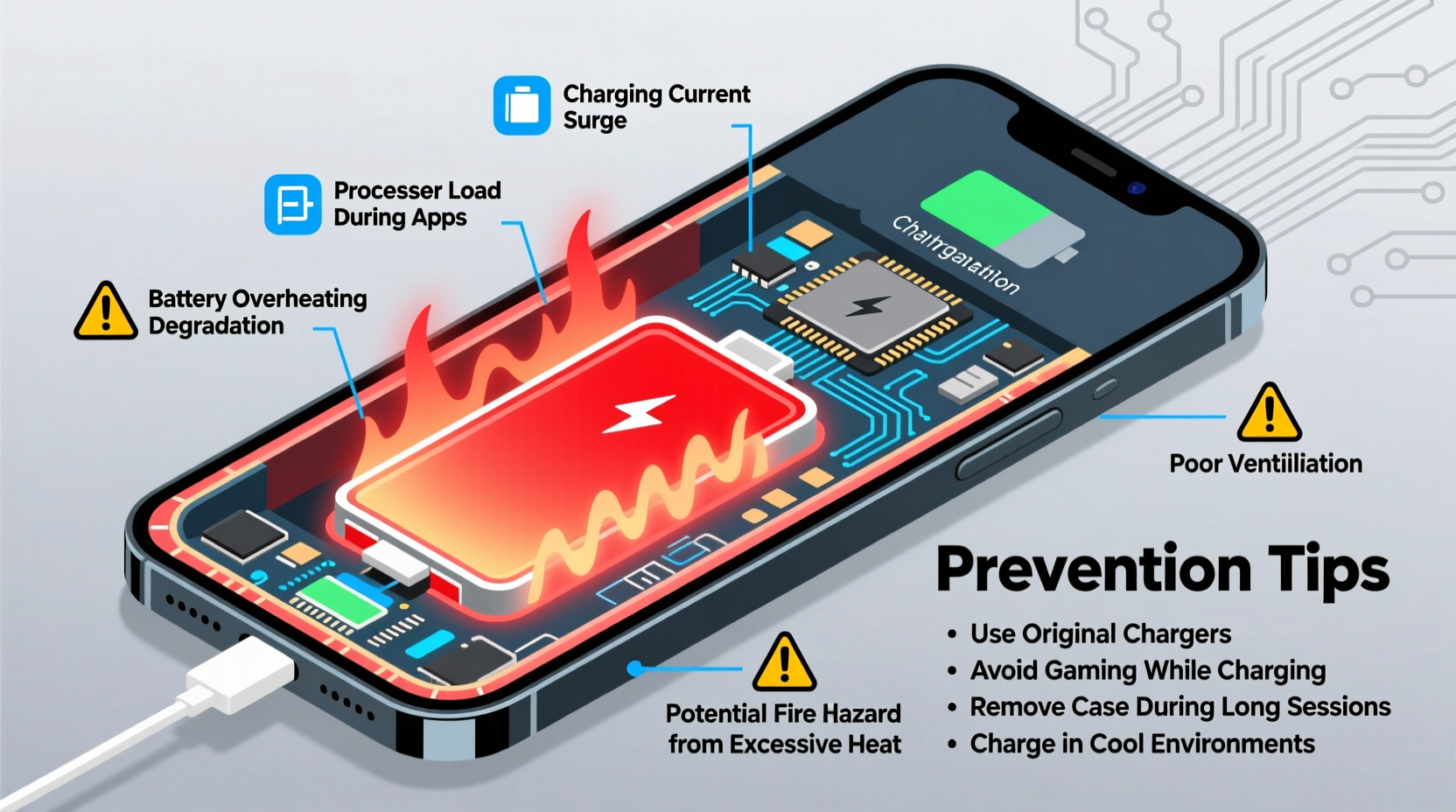
When your phone charges, electrical energy from the charger converts into chemical energy stored in the lithium-ion battery. This process generates heat due to resistance in the charging circuit and inefficiencies in energy transfer. Simultaneously, using your phone—especially for resource-heavy tasks like gaming or video streaming—activates the processor, screen, and wireless radios, all of which produce additional heat. When these two processes happen at once, the combined thermal load can overwhelm the phone’s ability to dissipate heat.
Lithium-ion batteries are particularly sensitive to temperature. They operate most efficiently between 20°C and 35°C (68°F–95°F). Exceeding this range, especially above 45°C (113°F), accelerates chemical degradation within the battery, reducing its capacity and lifespan over time. Manufacturers build in thermal management systems, such as software throttling and heat-dissipating materials, but these have limits—especially in thin, compact devices where airflow is minimal.
Dangers of Using Your Phone While Charging
While occasional warmth is expected, sustained high temperatures during simultaneous charging and usage introduce several risks:
- Battery degradation: Prolonged exposure to heat reduces the number of charge cycles your battery can handle before losing capacity. A battery that normally lasts 2–3 years may degrade in under 18 months with frequent overheating.
- Performance throttling: To protect hardware, phones automatically slow down the CPU when temperatures rise. This means laggy performance, dropped frames, and longer app loading times.
- Component damage: Repeated overheating stresses not only the battery but also the display, camera sensors, and motherboard. Solder joints can weaken, leading to long-term reliability issues.
- Safety hazards: In extreme cases, overheating can lead to thermal runaway—a condition where increasing temperature causes further reactions that generate even more heat. This has led to rare but documented incidents of swelling batteries, fires, and explosions.
“Repeated exposure to high temperatures during charging is one of the top contributors to premature battery failure in modern smartphones.” — Dr. Alan Reyes, Battery Technology Researcher, MIT Energy Initiative
Common Scenarios That Increase Risk
Not all charging behaviors are equally risky. Certain combinations of usage patterns and environmental factors dramatically increase the likelihood of overheating:
- Gaming while charging: High frame rates, constant screen brightness, and active data connections create maximum power draw on both battery and charger.
- Watching HD videos in direct sunlight: The screen works harder to maintain visibility, and ambient heat adds to internal temperatures.
- Using GPS navigation during long drives: Continuous location tracking, screen-on time, and poor ventilation inside a car amplify heat retention.
- Fast charging under a pillow or blanket: Covering the phone traps heat and blocks natural dissipation, creating a dangerous feedback loop.
Mini Case Study: The Overheated Commute
Mark, a rideshare driver in Phoenix, used his phone daily for navigation, music, and passenger communication. He relied on fast charging during short breaks, often placing the phone on a seat in direct sun while plugged in. After six months, he noticed the battery drained rapidly even after full charges. One summer afternoon, the phone shut down unexpectedly despite showing 30% charge. Upon inspection, the device was visibly warped—the battery had swollen due to chronic overheating. Mark replaced the phone prematurely, costing him hundreds. His mistake? Continuous use in a hot environment while charging without allowing proper cooling.
Prevention Strategies: How to Charge Safely
You don’t need to stop using your phone entirely while charging, but adopting smarter habits can drastically reduce risk. Here’s how to minimize heat buildup:
Step-by-Step Guide to Safer Charging
- Unplug intensive apps during charging: Close games, streaming services, and navigation tools while the phone is connected.
- Use original or certified chargers: Third-party chargers may lack proper voltage regulation, increasing heat and instability.
- Remove thick cases during charging: Silicone or rubber cases trap heat. Take them off when plugging in, especially with fast charging.
- Keep the phone in a cool, open area: Avoid beds, couches, or dashboards. Place it on a hard surface like a desk or nightstand.
- Enable airplane mode for quick cooldown: If your phone feels hot, switch to airplane mode and let it rest for 10–15 minutes before resuming use.
Do’s and Don’ts: Charging Habits Compared
| Do’s | Don’ts |
|---|---|
| Charge on a hard, flat surface | Charge under pillows, blankets, or cushions |
| Use manufacturer-recommended cables and adapters | Use damaged or cheap third-party chargers |
| Turn off the screen or lock the phone while charging | Play graphics-intensive games while charging |
| Keep the phone in a well-ventilated room | Leave it in a hot car or direct sunlight |
| Monitor temperature—if too hot, unplug and cool down | Ignore warning signs like slowdowns or shutdowns |
FAQ: Common Questions About Phone Overheating
Can a hot phone really catch fire?
While extremely rare, yes—lithium-ion batteries can enter thermal runaway if damaged, defective, or severely overheated. Cases involving counterfeit chargers, physical damage, or obstructed ventilation increase this risk. Most modern phones have built-in safeguards, but they aren't foolproof.
Is it safe to leave my phone charging overnight?
Generally, yes—but only if you follow best practices. Modern phones stop charging at 100%, but they may \"top off\" intermittently, generating small heat spikes. To reduce strain, avoid using the phone during charging, keep it cool, and consider enabling battery optimization features (like “Optimized Battery Charging” on iOS or adaptive charging on Android).
Does fast charging always make the phone hotter?
Yes, by design. Fast charging delivers higher current, which increases heat production. However, reputable brands implement temperature monitoring and dynamic rate adjustment to mitigate risk. The danger arises when fast charging is combined with heavy usage or poor ventilation.
Checklist: Safe Charging Habits to Adopt Today
- ✅ Use only certified chargers and cables
- ✅ Remove protective case during charging sessions
- ✅ Avoid playing games or streaming HD video while charging
- ✅ Keep the phone away from direct sunlight or heat sources
- ✅ Monitor for excessive heat—unplug if too hot to touch
- ✅ Charge in open, ventilated areas—not on beds or sofas
- ✅ Enable built-in battery protection features in settings
- ✅ Replace bulging, leaking, or unusually hot batteries immediately
“Think of your phone’s battery like a marathon runner—it performs best with steady pacing and proper recovery. Constantly pushing it while charging is like sprinting uphill in the heat. It might survive once or twice, but it won’t last.” — Lena Torres, Mobile Device Engineer, Consumer Tech Review Lab
Conclusion: Protect Your Device and Yourself
Your smartphone is a powerful tool, but it’s not indestructible. The convenience of using it while charging comes at a cost—heat. And that heat silently chips away at performance, battery health, and even safety. The good news? Small changes in behavior can yield significant long-term benefits. By understanding the science behind overheating, recognizing risky habits, and applying simple prevention strategies, you extend your phone’s lifespan and reduce potential hazards.
Start today: charge smarter, not harder. Unplug from intensive use when plugging in. Give your device—and yourself—the peace of mind that comes with safer technology habits.




 浙公网安备
33010002000092号
浙公网安备
33010002000092号 浙B2-20120091-4
Comments
No comments yet. Why don't you start the discussion?