
It’s a common experience: you plug in your phone, only to find it growing uncomfortably warm—sometimes even hot—within minutes. While occasional warmth during charging may seem normal, persistent or excessive heat raises legitimate concerns. Is this just physics at work, or is something more serious happening under the hood? More importantly, could that heat be quietly degrading your battery’s lifespan?
Understanding why phones heat up during charging—and whether it's harmful—requires a look into battery chemistry, device design, and everyday usage habits. The short answer is yes, sustained high temperatures can damage your phone’s battery over time. But with the right knowledge and precautions, you can minimize risk and extend your device’s longevity.
The Science Behind Phone Heating During Charging
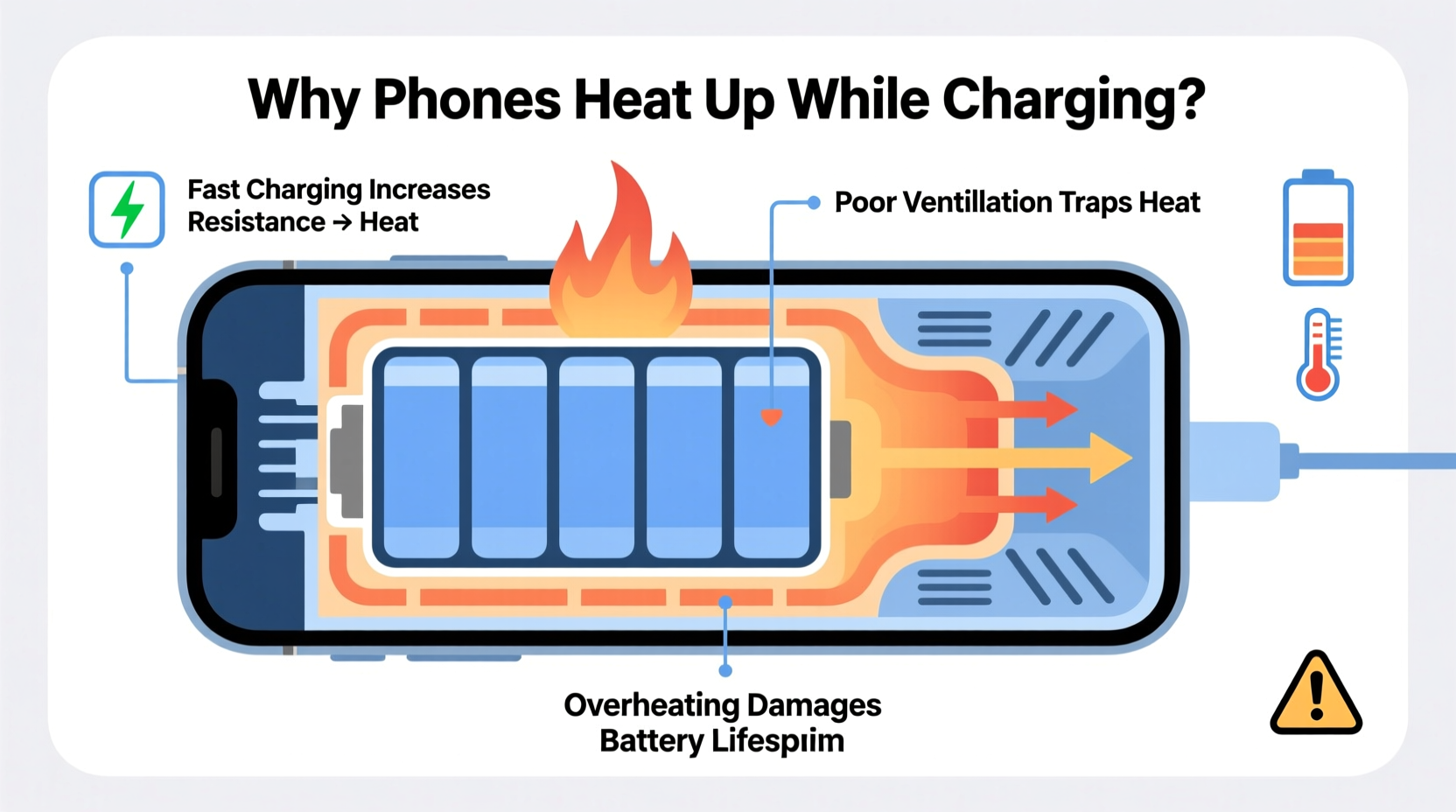
When your phone charges, electrical energy from the charger flows into the lithium-ion (Li-ion) battery, where it’s stored as chemical energy. This process isn’t 100% efficient. Some energy is lost as heat due to internal resistance within the battery and circuitry—a phenomenon known as Joule heating.
Lithium-ion batteries are particularly sensitive to temperature fluctuations. They operate most efficiently between 20°C and 35°C (68°F–95°F). Outside this range, especially above 40°C (104°F), side reactions accelerate inside the battery, leading to faster degradation of the electrolyte and electrode materials.
Modern smartphones include thermal sensors and software safeguards to regulate charging speed when temperatures rise. However, these systems aren’t foolproof, especially if multiple heat-generating factors coincide—like using the phone while fast-charging or leaving it in direct sunlight.
Common Causes of Excessive Heat During Charging
Not all heat is created equal. Some warmth is expected, but extreme heat often signals underlying issues. Here are the most frequent contributors:
- Fast charging technology: Higher wattage chargers deliver power quickly but generate more heat in the process. While convenient, they stress the battery thermally unless properly managed.
- Poor-quality or counterfeit chargers: Third-party accessories may lack proper voltage regulation or insulation, increasing resistance and overheating risk.
- Using the phone while charging: Running apps, browsing, or playing games forces the processor and screen to work simultaneously with charging circuits, compounding heat production.
- Aging batteries: As batteries degrade, their internal resistance increases, making them less efficient and more prone to heating.
- Environmental conditions: Charging in hot environments—such as a car on a sunny day—or covering the phone with thick cases traps heat.
- Background app activity: Apps syncing data, updating, or using GPS in the background contribute to system load and heat generation.
“Repeated exposure to high temperatures during charging accelerates capacity loss. A battery kept above 40°C regularly may lose up to 20% of its capacity within a year.” — Dr. Lena Park, Battery Research Scientist, Institute for Sustainable Electronics
How Heat Damages Your Phone’s Battery Over Time
Heat doesn’t just make your phone uncomfortable to hold—it actively undermines the integrity of the lithium-ion battery. The damage occurs through several mechanisms:
- Electrolyte breakdown: High temperatures cause the liquid electrolyte inside the battery to decompose, forming resistive layers on the electrodes. This reduces ion mobility and increases internal resistance.
- Anode SEI layer growth: The solid-electrolyte interphase (SEI) layer protects the anode but grows thicker under heat. An overly thick SEI layer consumes active lithium, reducing available charge capacity.
- Cathode degradation: Prolonged heat exposure destabilizes the cathode structure, especially in high-nickel chemistries used in modern phones, leading to irreversible capacity fade.
- Gas formation: Thermal stress can cause gas buildup inside sealed cells, potentially causing swelling or, in rare cases, safety hazards.
Over months and years, these effects accumulate. You’ll notice symptoms like shorter battery life, slower charging speeds, unexpected shutdowns, or even physical bulging of the device.
Real Example: The Case of Daily Fast-Charging Habits
Consider Mark, a sales professional who relies heavily on his smartphone. He uses a 65W fast charger every night and often watches videos while charging. After six months, he notices his phone drains significantly faster—even though usage hasn’t changed. A diagnostic test reveals his battery health has dropped to 82% from 100%.
Upon investigation, it becomes clear: nightly fast charging combined with screen-on usage caused repeated thermal stress. His phone frequently exceeded 42°C during charging, accelerating chemical aging. Switching to a slower 18W charger and avoiding use during charging stabilized the temperature and slowed further degradation.
Do’s and Don’ts: Managing Heat for Battery Longevity
| Do’s | Don’ts |
|---|---|
| Use manufacturer-recommended or certified chargers and cables | Use unbranded or damaged charging accessories |
| Charge in a cool, dry environment away from direct sunlight | Leave your phone charging on a bed, pillow, or blanket that traps heat |
| Remove thick cases while charging if the phone gets warm | Play graphics-intensive games or stream HD video while charging |
| Enable adaptive or optimized charging features (e.g., iOS 'Optimized Battery Charging', Android 'Adaptive Charging') | Leave your phone plugged in overnight regularly without safeguards |
| Keep software updated—manufacturers often improve thermal management via updates | Ignore persistent overheating warnings or swollen batteries |
Step-by-Step Guide to Safer Charging Practices
To protect your battery from heat-related damage, follow this practical sequence of actions each time you charge your phone:
- Inspect your charging setup: Ensure you’re using an original or MFi/USB-IF certified cable and adapter. Check for fraying or bent connectors.
- Choose the right location: Place your phone on a hard, flat surface like a desk or table—never on fabric or in direct sun.
- Remove insulating cases: Take off silicone, leather, or rugged cases that trap heat during charging sessions.
- Limit active usage: Avoid using the phone for intensive tasks. If you must use it, keep calls short and close unused apps.
- Monitor temperature: Feel the back of the phone periodically. If it’s too hot to touch comfortably, unplug it and let it cool down.
- Use slow charging when possible: Opt for standard 5W or 10W charging overnight instead of fast charging unless urgently needed.
- Enable built-in protections: Turn on battery optimization features in settings to delay full charging until needed.
Frequently Asked Questions
Is it normal for my phone to get warm while charging?
Yes, mild warmth is normal due to energy conversion inefficiencies. However, if the phone becomes too hot to hold, shuts down, or displays an overheating warning, it’s a sign of excessive heat that should be addressed immediately.
Can a hot phone explode while charging?
While extremely rare, catastrophic failures like fires or explosions can occur if the battery is physically damaged, exposed to extreme heat, or charged with faulty equipment. Modern phones have multiple safety layers, but using genuine accessories and avoiding extreme conditions greatly reduces any risk.
Does wireless charging produce more heat than wired charging?
Generally, yes. Wireless charging is less efficient due to electromagnetic induction losses, which generate additional heat. Many manufacturers recommend removing thick cases and limiting use during wireless charging to mitigate this. Some phones even throttle wireless charging speed when temperatures rise.
Protecting Your Investment: Long-Term Battery Care
Your phone’s battery is a consumable component with a finite lifespan—typically around 500 full charge cycles before capacity drops below 80%. How you charge it directly influences how long it performs well. Heat is one of the three primary enemies of battery health, alongside deep discharges and keeping it fully charged for extended periods.
Adopting mindful charging habits today can add months—or even years—to your device’s usable life. That means fewer replacements, lower e-waste, and better performance over time. Think of battery care not as inconvenience, but as routine maintenance, much like servicing a car or cleaning a kitchen appliance.
Manufacturers are increasingly aware of thermal challenges. Features like staged fast charging (fast initially, then slowing near full), AI-driven thermal prediction, and dual-cell battery designs help manage heat. Still, user behavior remains the biggest variable.
Conclusion: Act Now to Preserve Battery Health
Your phone getting hot while charging isn’t just uncomfortable—it’s a warning sign that could signal long-term battery damage. While some heat is inevitable, consistent exposure to high temperatures accelerates wear and diminishes performance. By understanding the causes and taking simple, proactive steps, you can maintain a healthier battery and extend your device’s functional life.
Start tonight: unplug that worn-out third-party charger, remove the bulky case, and let your phone charge in a cool, open space. Small changes yield significant results over time. Your future self—and your next phone bill—will thank you.




 浙公网安备
33010002000092号
浙公网安备
33010002000092号 浙B2-20120091-4
Comments
No comments yet. Why don't you start the discussion?