
It’s a common experience: you plug in your phone to charge, only to find it growing warm—or even uncomfortably hot—within minutes. While some warmth is normal during charging, excessive heat can signal underlying issues that affect performance, battery lifespan, and even personal safety. Understanding why your phone heats up while charging and recognizing when it becomes dangerous is essential for every smartphone user.
Modern smartphones are powerful mini-computers packed into compact designs. When charging, multiple processes occur simultaneously—energy conversion, battery chemistry changes, background app activity, and thermal management—all of which generate heat. Under ideal conditions, this heat remains minimal and manageable. But certain behaviors, hardware conditions, or environmental factors can push temperatures into risky territory.
What Causes Your Phone to Heat Up During Charging?
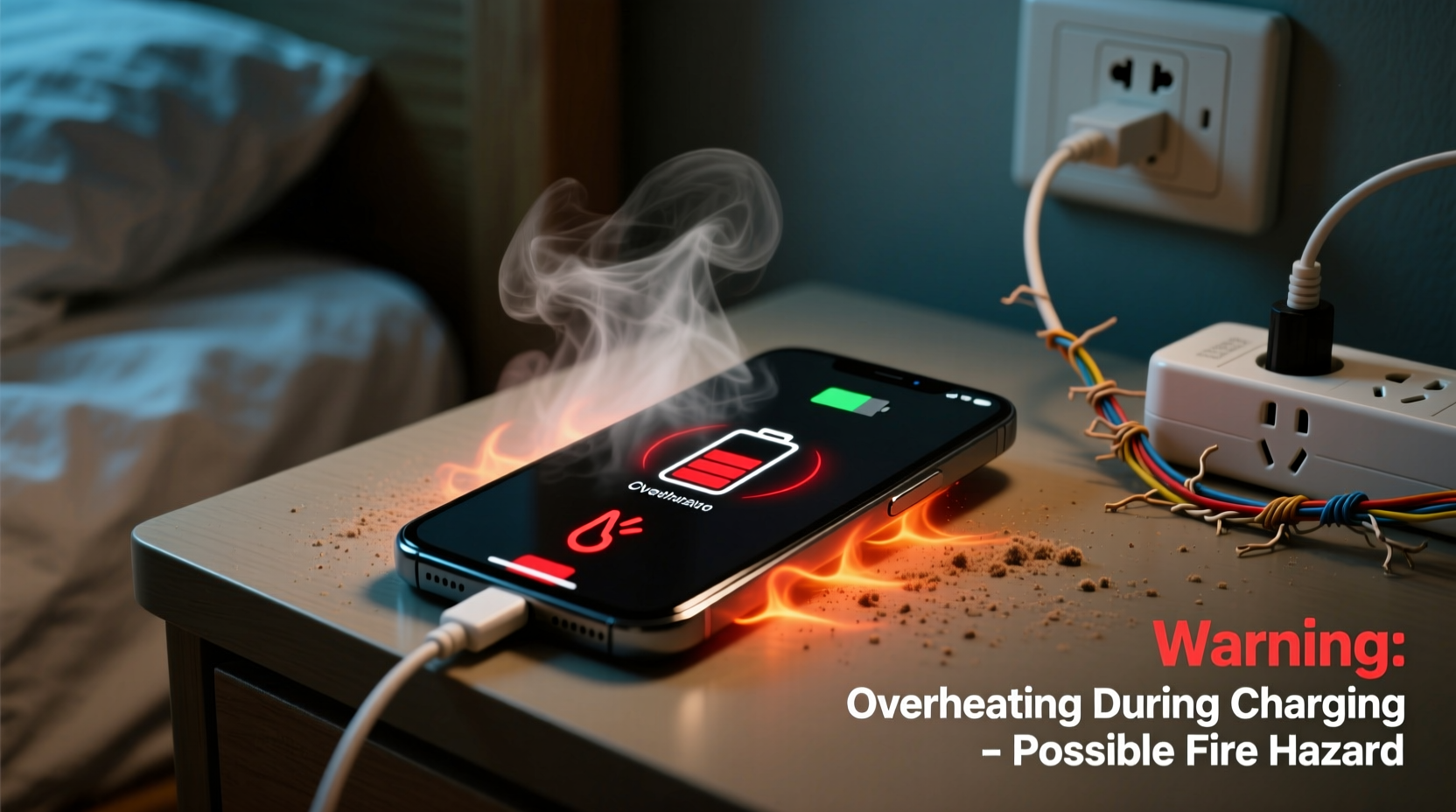
Heat generation during charging is not inherently alarming, but knowing the root causes helps determine whether the temperature rise is normal or a warning sign.
- Battery Chemistry: Lithium-ion batteries, used in nearly all modern smartphones, produce heat as ions move between electrodes during charging. Fast charging accelerates this process, increasing thermal output.
- Power Conversion: Chargers convert AC power from the wall outlet to DC power suitable for your phone. This conversion isn’t 100% efficient—some energy is lost as heat, especially with lower-quality adapters.
- Background Activity: If apps continue running while charging—streaming music, updating software, or syncing data—the processor works harder, contributing to overall device temperature.
- Ambient Temperature: Charging in a hot environment (e.g., direct sunlight, inside a car on a summer day) limits the phone’s ability to dissipate heat, causing internal temperatures to climb.
- Charging Accessories: Poorly made cables, non-certified chargers, or wireless charging pads can introduce inefficiencies that increase resistance and heat production.
Potential Dangers of an Overheating Phone
Occasional warmth is expected, but sustained high temperatures pose real risks—not just to your device, but potentially to your safety.
Battery Degradation
Lithium-ion batteries are sensitive to heat. Prolonged exposure to temperatures above 35°C (95°F) accelerates chemical aging, reducing capacity over time. A battery that once lasted a full day may need midday recharging after months of frequent overheating.
Thermal Runaway Risk
In extreme cases, excessive heat can trigger thermal runaway—a self-sustaining reaction where rising temperature causes further heating, potentially leading to swelling, leakage, or fire. Though rare, incidents involving phones catching fire due to overheating have been documented by consumer safety agencies.
“Repeated exposure to high temperatures during charging significantly shortens lithium-ion battery life and increases failure risk.” — Dr. Alan Kim, Battery Research Scientist at MIT Energy Initiative
Hardware Damage
Excessive heat stresses internal components. Screens may develop discoloration, cameras can suffer sensor degradation, and solder joints may weaken, leading to intermittent connectivity or complete component failure.
Software Instability
To protect itself, your phone may throttle performance when overheated, slowing down apps and responsiveness. In severe cases, it might shut down automatically—even if the battery isn’t fully charged.
Do’s and Don’ts When Charging Your Phone
| Do’s | Don’ts |
|---|---|
| Use manufacturer-approved chargers and cables | Use cheap, unbranded charging accessories |
| Charge in a cool, dry place away from direct sunlight | Leave your phone charging under pillows or blankets |
| Remove thick cases during fast charging | Play graphics-intensive games while charging |
| Keep software updated for optimized power management | Ignore persistent overheating warnings |
| Unplug once fully charged to avoid trickle stress | Charge overnight regularly without supervision |
Step-by-Step Guide to Prevent Overheating While Charging
Preventing excessive heat doesn’t require technical expertise—just consistent habits. Follow this sequence to minimize risk:
- Inspect Your Charging Equipment: Ensure your charger and cable are certified (look for MFi for iPhones, USB-IF certification for Android). Discard frayed or damaged cords immediately.
- Choose the Right Environment: Charge your phone in a shaded area with good airflow. Never leave it on a car dashboard or near radiators.
- Remove Protective Cases: Especially silicone or thick rubber cases trap heat. Take them off during charging sessions, particularly with fast or wireless charging.
- Limit Usage During Charging: Avoid streaming videos, gaming, or using GPS navigation while plugged in. These activities spike CPU usage and heat output.
- Disable Unnecessary Features: Turn off Bluetooth, Wi-Fi, or location services if not needed. Background syncing adds to processing load.
- Monitor Temperature: If the phone feels too hot to hold comfortably, disconnect it and let it cool before resuming charging.
- Switch to Airplane Mode (Optional): For fastest, coolest charging, enable airplane mode. This halts network searching and background data use.
Real-World Scenario: A Cautionary Case
In 2022, a user in Phoenix, Arizona, reported their smartphone catching fire overnight while charging beside their bed. The device was enclosed in a heavy-duty case, placed under a pillow, and connected to a third-party fast charger. Overnight ambient temperatures exceeded 30°C (86°F), and the lack of ventilation prevented heat dissipation.
The phone had shown repeated “Device Too Hot” warnings earlier that evening, which were ignored. By morning, the battery had swollen, ruptured, and ignited nearby fabric. Fortunately, no injuries occurred, but the incident underscores how multiple risk factors—poor ventilation, substandard charger, environmental heat, and disregard for warnings—can combine into a hazardous situation.
This case prompted local fire officials to issue public advisories about safe phone charging practices, emphasizing that seemingly minor oversights can escalate quickly under the right (or wrong) conditions.
When to Be Concerned: Warning Signs of Dangerous Overheating
Not all heat is equal. Recognizing early signs of problematic overheating can prevent damage or danger.
- Frequent appearance of “Temperature Too High” alerts
- Phone shuts down unexpectedly during charging
- Back panel feels uncomfortably hot to touch (above 45°C / 113°F)
- Battery drains faster than usual after charging
- Visible warping, bulging, or discoloration of the screen or body
If any of these symptoms persist, discontinue use of the current charging setup and consider having the battery inspected by a professional technician.
FAQ: Common Questions About Phone Heating During Charging
Is it normal for my phone to get warm while charging?
Yes, mild warmth is normal, especially with fast charging. However, if the device becomes too hot to hold comfortably or triggers system warnings, it’s overheating and requires attention.
Can a hot phone explode?
While extremely rare, lithium-ion batteries can fail catastrophically under severe stress—such as physical damage, manufacturing defects, or prolonged overheating. Explosions or fires typically result from a chain of failures rather than a single cause.
Does wireless charging make phones hotter?
Yes. Wireless charging is less efficient than wired methods, losing more energy as heat. Phones often run 5–10°C hotter during wireless charging, making proper ventilation even more critical.
Checklist: Safe Charging Habits to Adopt Today
Make phone safety part of your daily routine with this quick checklist:
- ✅ Use only certified chargers and cables
- ✅ Charge in open, well-ventilated areas
- ✅ Remove cases during long or fast charging sessions
- ✅ Avoid intensive phone use while charging
- ✅ Keep devices away from flammable materials (bedding, curtains)
- ✅ Replace old or damaged batteries promptly
- ✅ Update OS and firmware for improved thermal management
- ✅ Monitor for recurring overheating alerts
Conclusion: Protect Your Device and Yourself
Your smartphone is designed to handle moderate heat, but consistent overheating during charging undermines its longevity and introduces avoidable risks. By understanding the science behind battery heat, recognizing warning signs, and adopting safer charging habits, you protect not only your investment but also your personal safety.
Simple changes—like switching to genuine chargers, removing cases, and avoiding charging under pillows—can dramatically reduce thermal stress. Stay vigilant, especially with older devices whose batteries degrade over time. Remember, a cool-running phone is a healthy phone.




 浙公网安备
33010002000092号
浙公网安备
33010002000092号 浙B2-20120091-4
Comments
No comments yet. Why don't you start the discussion?