
Smartphones have become essential tools for communication, productivity, and entertainment. However, one of the most common frustrations users face is a phone that becomes uncomfortably hot during charging. While some warmth is normal, excessive heat can indicate underlying issues that may affect performance, battery health, or even safety. Understanding why your phone overheats while charging—and knowing how to address it—can protect your device and ensure longer usability.
Understanding Normal vs. Abnormal Heat During Charging
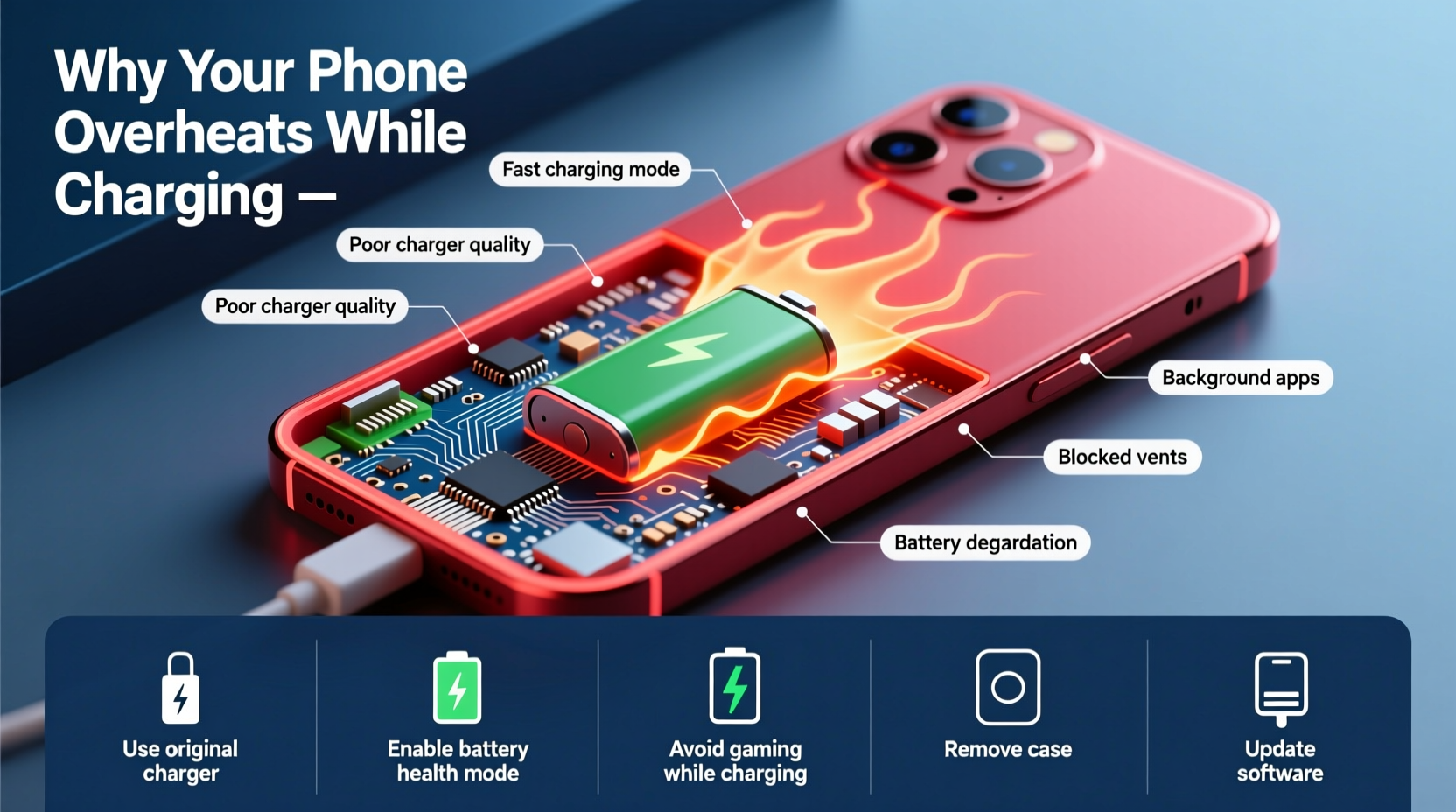
It’s natural for a smartphone to generate some heat during charging due to energy conversion and internal resistance in the battery. The lithium-ion batteries used in modern phones are efficient but not perfect; they lose some energy as heat during charging cycles. Typically, a slightly warm device is nothing to worry about, especially when fast charging or using the phone simultaneously.
However, if your phone becomes too hot to hold comfortably, shuts down unexpectedly, or displays a temperature warning, this signals abnormal overheating. Prolonged exposure to high temperatures accelerates battery degradation, reduces overall lifespan, and in extreme cases, poses safety risks such as swelling or fire hazards.
“Consistent overheating during charging is a red flag. It stresses the battery chemistry and can lead to permanent capacity loss within weeks.” — Dr. Alan Reyes, Battery Technology Researcher at Mobile Power Labs
Common Causes of Phone Overheating While Charging
Several factors contribute to excessive heat generation during charging. Identifying the root cause is key to applying the right solution.
1. Using Non-OEM or Low-Quality Chargers
Third-party chargers, especially those without proper certifications (like USB-IF or CE), often deliver inconsistent voltage or poor power regulation. This forces the phone’s charging circuit to work harder, generating excess heat. Counterfeit cables may also lack proper insulation or wiring standards, increasing resistance and heat buildup.
2. Fast Charging Combined with Heavy Usage
Modern phones support fast charging technologies (e.g., Qualcomm Quick Charge, USB Power Delivery), which push higher currents into the battery. When combined with intensive tasks like gaming, video streaming, or GPS navigation, the CPU and battery generate significant heat. This dual load can overwhelm thermal management systems.
3. Poor Ventilation or Covered Surfaces
Placing your phone on soft surfaces like beds, sofas, or under pillows traps heat. These materials restrict airflow around the device, preventing natural cooling. Similarly, thick or non-breathable cases made of silicone or rubber retain heat instead of dissipating it.
4. Background Apps and System Processes
Even when idle, smartphones run background services—syncing emails, updating apps, location tracking, or malware scans. If multiple apps are active behind the scenes, they increase processor load and contribute to heating during charging. Some poorly optimized apps continue running unnecessarily, draining power and generating heat.
5. Battery Degradation or Hardware Faults
As batteries age, their internal resistance increases, making them less efficient and more prone to overheating. A swollen battery, damaged charging port, or failing power management IC (integrated circuit) can also cause abnormal thermal behavior. In rare cases, manufacturing defects or water damage compromise internal components, leading to short circuits and heat spikes.
Quick and Effective Solutions to Prevent Overheating
Addressing overheating doesn’t always require technical expertise. Many fixes are simple behavioral changes or minor upgrades that yield immediate results.
Step-by-Step Guide to Cool Down Your Phone While Charging
- Unplug immediately if the phone feels excessively hot. Continued charging under high temperatures can damage the battery permanently.
- Remove the case to allow better heat dissipation. Plastic, silicone, or leather cases act as insulators.
- Power off the device or enable Airplane Mode. This stops background processes and reduces CPU activity.
- Place it in a cool, shaded area—never in direct sunlight or near heat sources like radiators.
- Wait 10–15 minutes for the temperature to drop before resuming charging.
- Restart the phone after cooling to clear any stuck processes.
Checklist: Preventive Measures to Stop Future Overheating
- ✅ Use only manufacturer-approved or MFi-certified (for Apple) chargers and cables
- ✅ Charge on hard, flat surfaces like desks or tables
- ✅ Disable unnecessary background app refresh and location services
- ✅ Keep software updated to benefit from thermal optimization patches
- ✅ Remove the case during charging sessions, especially with fast charging
- ✅ Avoid using the phone for gaming or video calls while charging
- ✅ Monitor battery health monthly through built-in diagnostics (iOS Settings > Battery or Android AccuBattery app)
Do’s and Don’ts: Charging Habits That Impact Temperature
| Do’s | Don’ts |
|---|---|
| Charge in a well-ventilated room | Leave the phone under a pillow or blanket while charging |
| Use original or certified charging accessories | Use cheap, unbranded chargers from unknown vendors |
| Turn off the screen or use dark mode during charging | Play graphics-intensive games while charging |
| Enable adaptive charging features (available on Samsung, Google, and iPhone) | Keep charging overnight regularly without supervision |
| Clean the charging port gently with a dry brush monthly | Force the cable into a dirty or bent port |
Real-World Example: How One User Fixed Chronic Overheating
Sophie, a digital marketer in Austin, noticed her iPhone 13 would frequently shut down during morning charges. She initially assumed it was a battery issue and considered replacing it. After reading about thermal triggers, she decided to investigate further.
She started by removing her thick glitter case and switching from a third-party wireless charger to Apple’s MagSafe. She also disabled background app refresh for social media apps and turned off Bluetooth and Wi-Fi while charging. Within two days, the phone no longer exceeded safe temperatures. A month later, her battery health improved from 87% to 89%, likely due to reduced thermal stress.
Sophie’s experience highlights how small adjustments—especially eliminating low-quality hardware and reducing system load—can resolve overheating without costly repairs.
When to Seek Professional Help
While most overheating issues stem from usage habits or accessories, persistent problems may indicate deeper hardware concerns. Consider professional service if you notice any of the following:
- The phone overheats even when not charging
- Battery swells or distorts the frame
- Charging stops intermittently with “Temperature Too High” warnings
- Unusual smells (burning plastic or chemicals) near the charging port
- Visible corrosion or debris in the charging port
In such cases, visit an authorized repair center. Technicians can test battery impedance, inspect the charging circuit, and replace faulty components safely. Attempting DIY fixes on sealed batteries can be dangerous and void warranties.
Frequently Asked Questions
Is it safe to charge my phone overnight?
Modern phones stop charging once they reach 100%, so overcharging isn’t a concern. However, staying at full charge for hours generates residual heat, especially if the phone is under load. To reduce wear, use features like Optimized Battery Charging (iOS) or Adaptive Charging (Android), which delay final charging until just before you wake up.
Can a virus make my phone overheat while charging?
Yes. Malware or crypto-mining apps running in the background can spike CPU usage, contributing to heat. Install reputable antivirus apps, avoid sideloading APKs, and monitor battery usage by app in settings. Uninstall anything consuming disproportionate power.
Does wireless charging cause more heat than wired?
Generally, yes. Wireless charging is less efficient than wired, losing more energy as heat due to electromagnetic induction. Phones often get warmer during wireless charging, especially on fast-charging pads. For cooler operation, opt for slower Qi chargers or switch back to wired when possible.
Final Thoughts: Protect Your Phone, Preserve Its Life
Your smartphone is designed to manage heat, but repeated exposure to high temperatures during charging undermines its longevity. The good news is that most overheating issues are preventable with mindful habits and quality equipment. By choosing certified chargers, minimizing multitasking during charging, and ensuring proper ventilation, you significantly reduce thermal stress.
Battery health directly impacts performance, resale value, and daily reliability. Taking proactive steps today—like auditing your current charging setup or replacing worn cables—can extend your phone’s usable life by months or even years. Don’t wait for a warning message or shutdown to act.




 浙公网安备
33010002000092号
浙公网安备
33010002000092号 浙B2-20120091-4
Comments
No comments yet. Why don't you start the discussion?