
It’s a common frustration: your phone shows full bars in one room but drops to “No Service” just a few steps away. Whether you're trying to take an important call, stream a video, or send a critical message, poor signal in specific areas of your home or office can disrupt daily life. The reasons behind this inconsistency are often rooted in building materials, network congestion, and physical obstructions. The good news is that many of these issues can be addressed with practical, low-cost solutions. Understanding the causes and knowing how to improve reception empowers you to stay reliably connected.
Why Signal Weakens in Specific Rooms
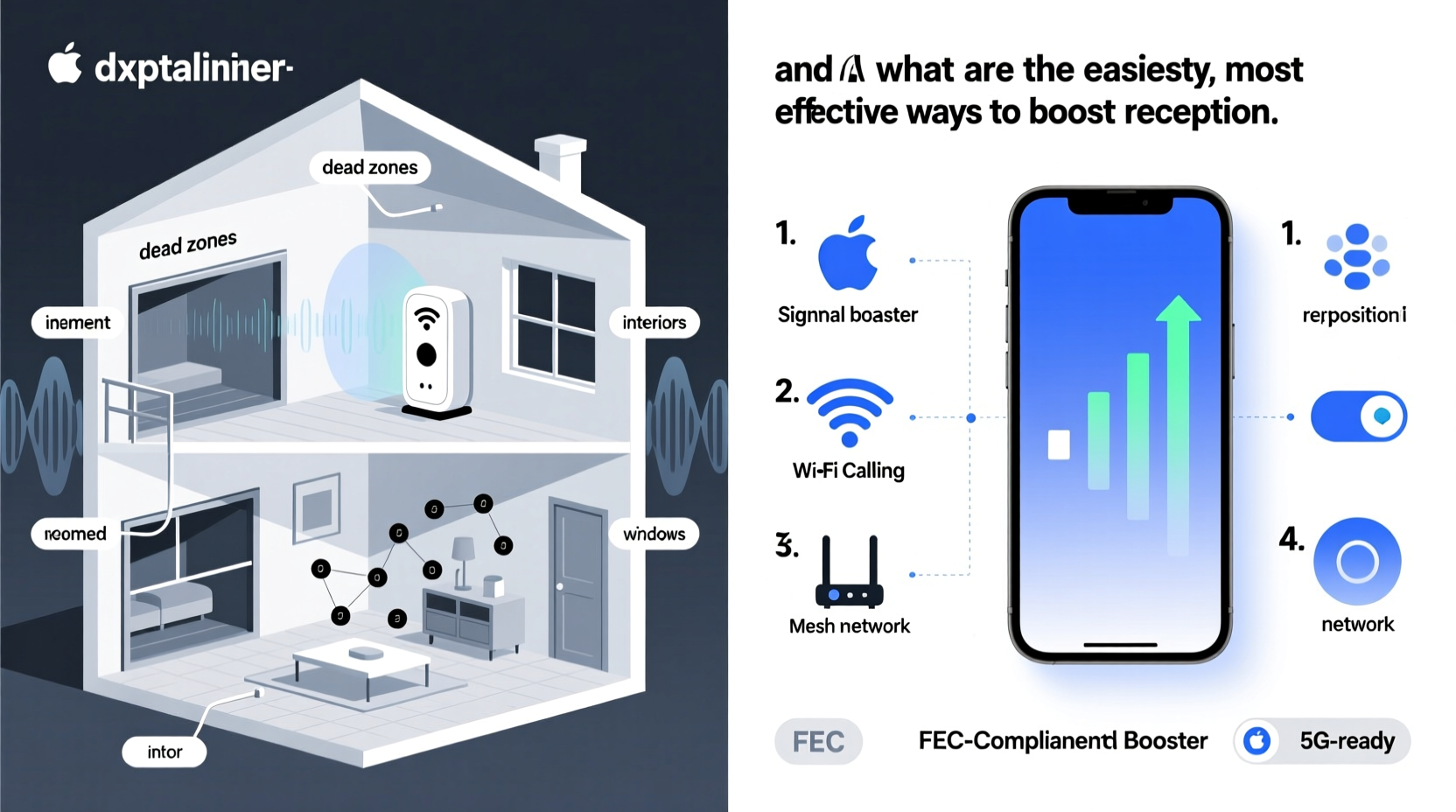
Mobile signal strength isn’t uniform across a building. It fluctuates based on several environmental and structural factors. When your phone struggles in certain rooms, it's usually due to one or more of the following causes:
- Building Materials: Concrete, brick, metal framing, and energy-efficient glass can block or reflect radio waves. Basements and interior rooms without windows are especially prone to poor reception because they lack direct line-of-sight to cell towers.
- Distance from Cell Tower: The farther you are from the nearest tower, the weaker the signal. Urban areas may have multiple towers, but rural or suburban homes might rely on a single distant tower.
- Signal Interference: Electronic devices like microwaves, cordless phones, and Wi-Fi routers emit electromagnetic noise that can interfere with cellular frequencies.
- Network Congestion: In densely populated areas, too many users connecting to the same tower can overload the system, reducing bandwidth and signal quality for everyone nearby.
- Weather Conditions: Heavy rain, snow, or storms can temporarily weaken signal transmission, especially over long distances.
How Building Design Impacts Cellular Reception
Modern construction techniques prioritize insulation and energy efficiency, but these benefits often come at the cost of mobile connectivity. Materials such as Low-E (low-emissivity) glass, steel-reinforced concrete, and foil-backed insulation act as Faraday cages, blocking external radio signals.
For example, basements typically suffer the worst reception because they’re surrounded by thick concrete and earth, both of which absorb radio waves. Similarly, offices with metal partitions or mirrored walls can create dead zones even in urban centers.
A study by the CTIA (the wireless industry association) found that up to 77% of mobile data usage occurs indoors, yet most buildings were never designed with signal penetration in mind. This mismatch between usage patterns and infrastructure creates ongoing challenges for users.
“Modern buildings are excellent at keeping energy in—but unfortunately, they’re equally good at keeping cell signals out.” — Dr. Lena Torres, RF Engineer and Wireless Infrastructure Consultant
Easy Ways to Improve Phone Signal at Home
You don’t need expensive renovations or technical expertise to enhance your phone’s reception. Many solutions are affordable, non-invasive, and effective. Here are proven methods to boost signal strength in weak spots:
1. Use Wi-Fi Calling
If your carrier supports it, enable Wi-Fi calling in your phone settings. This feature routes calls and texts through your internet connection instead of the cellular network. As long as you have stable Wi-Fi, you can make clear calls even in basement rooms or windowless offices.
2. Reposition Your Router and Devices
While Wi-Fi operates on different frequencies than cellular networks, placing your router near a window or elevated surface improves overall connectivity. Some dual-mode phones automatically switch between Wi-Fi and cellular based on availability, so optimizing your network layout indirectly supports better voice and data performance.
3. Install a Signal Booster (Repeater)
A cellular signal booster captures weak outdoor signals via an external antenna, amplifies them, and rebroadcasts the enhanced signal indoors. These systems typically include three components:
- Outdoor antenna (mounted on roof or wall)
- Amplifier unit
- Indoor antenna
Boosters are legal, FCC-approved, and compatible with all major carriers. They work well for homes, small offices, and vehicles. Prices range from $150 to $500 depending on coverage area.
4. Switch Carriers Based on Coverage Maps
Not all carriers perform equally in every location. Check coverage maps from providers like Verizon, AT&T, T-Mobile, and smaller MVNOs (e.g., Mint Mobile, Visible). If your current carrier shows spotty service in your area, switching could resolve the issue permanently.
5. Use a Femtocell (MicroCell)
Femtocells are mini cell towers provided by carriers (e.g., AT&T MicroCell, Verizon LTE Network Extender). They connect to your broadband internet and create a private cellular network for your home. Unlike boosters, femtocells require a subscription or activation fee but offer carrier-grade reliability.
Step-by-Step Guide to Diagnose and Fix Poor Reception
Follow this structured approach to identify and solve your signal problems:
- Map Your Signal Strength: Walk through each room while checking your phone’s signal bars or using an app like Network Cell Info Lite (Android) or Field Test Mode (iPhone). Mark areas with 1 bar or less.
- Test Wi-Fi Calling: Enable Wi-Fi calling and try making a call from a known dead zone. If it works, Wi-Fi is your best short-term solution.
- Check Carrier Coverage: Visit your provider’s coverage map and enter your address. Look for discrepancies between promised and actual service.
- Eliminate Interference: Turn off nearby electronics (microwaves, Bluetooth speakers) and see if signal improves. Move cordless phone bases away from seating areas.
- Evaluate Signal Booster Options: For persistent issues, research FCC-approved boosters. Consider size of space, number of users, and frequency bands supported (e.g., 4G LTE, 5G).
- Contact Your Carrier: Ask about femtocell availability or discounts on signal-enhancing equipment. Some providers offer free trials or rental units.
Do’s and Don’ts of Improving Phone Reception
| Do | Don't |
|---|---|
| Use Wi-Fi calling when cellular signal is weak | Assume all boosters work with all carriers—verify compatibility first |
| Place your phone near a window during calls | Wrap your phone in aluminum foil hoping to “amplify” signal—it blocks it |
| Invest in a reputable signal booster for whole-home coverage | Buy unbranded, non-FCC-approved amplifiers—they’re illegal and can disrupt networks |
| Update your phone’s carrier settings regularly | Ignore software updates that may improve radio performance |
| Compare carrier plans based on real-world local performance | Stick with a carrier solely due to loyalty if service is consistently poor |
Mini Case Study: Solving Signal Issues in a Suburban Home
Sarah, a remote worker living in a two-story brick house in Austin, Texas, struggled with dropped calls in her home office—a converted basement room. Her iPhone frequently showed “Searching…” despite having full signal upstairs.
She began by enabling Wi-Fi calling, which solved immediate communication needs. However, she wanted a permanent fix. After testing signal strength, she discovered her router was in a closet far from her desk. Relocating it near a window improved Wi-Fi stability.
Still, guests complained about poor reception during gatherings. Sarah researched options and installed a weBoost Home Room booster. She mounted the outdoor antenna on her garage roof, ran the cable inside, and placed the indoor antenna on a shelf in the living room. Within hours, signal strength increased from 1 to 4 bars throughout the lower level.
“I didn’t realize how much stress the constant disconnections caused,” Sarah said. “Now I can host video meetings without fear of freezing mid-call.”
Expert Tips and Common Myths Debunked
Despite widespread use of smartphones, misconceptions about signal strength persist. Let’s clarify some myths:
- Myth: Holding your phone differently boosts signal.
Reality: While grip can affect internal antenna performance slightly (especially on older models), it won’t overcome structural barriers. - Myth: More apps running means better signal.
Reality: Background apps consume data but don’t influence reception. In fact, closing unnecessary apps frees up memory and may improve responsiveness. - Myth: All “signal booster” apps work.
Reality: Apps claiming to boost signal are scams. They cannot change hardware limitations or increase tower power.
“The only real way to improve cellular reception is through better antennas, stronger external signals, or network-based alternatives like Wi-Fi calling.” — Marcus Reed, Senior Network Technician at U.S. Cellular
FAQ: Common Questions About Phone Signal Loss
Can trees or hills block my phone signal?
Yes. Large trees with dense foliage, especially when wet, can attenuate signals. Hills and terrain features also obstruct line-of-sight to cell towers, particularly in rural areas.
Will upgrading to a new phone improve reception?
Sometimes. Newer phones often have improved antenna designs and support additional frequency bands. For instance, iPhone 14 and later models include satellite SOS capabilities, and modern Android phones support wider LTE/5G band ranges. However, hardware improvements can’t fully compensate for extremely weak environments.
Are signal boosters safe and legal?
Yes, as long as they are FCC-certified and installed correctly. Unauthorized or poorly configured amplifiers can interfere with carrier networks and result in fines. Always purchase boosters from reputable brands like weBoost, SureCall, or Wilson Electronics.
Conclusion: Take Control of Your Connectivity
Losing phone signal in certain rooms doesn’t have to be a daily annoyance. With a clear understanding of what blocks reception and access to simple tools like Wi-Fi calling, signal boosters, or femtocells, you can reclaim reliable connectivity. Start by identifying dead zones, then apply targeted solutions based on your lifestyle and budget. Whether you live in a high-rise apartment, a suburban home, or a rural cabin, consistent signal is achievable.




 浙公网安备
33010002000092号
浙公网安备
33010002000092号 浙B2-20120091-4
Comments
No comments yet. Why don't you start the discussion?