
It’s a familiar frustration: you step into an elevator, press the button for your floor, and within seconds, your phone shows “No Service.” The call drops, your message fails to send, and you’re cut off from the digital world—sometimes for just a few floors, sometimes longer. This isn’t random bad luck. It’s physics, architecture, and wireless technology colliding in everyday spaces. Understanding why your phone loses signal in elevators—and why reception fades inside many modern buildings—reveals more than just technical quirks; it highlights how our built environment shapes connectivity.
The answer lies in how radio signals travel, the materials used in construction, and the design of enclosed spaces like elevators. While mobile networks have advanced dramatically over the past two decades, the structures we live and work in haven’t always kept pace. In fact, many modern buildings are unintentional signal blockers, creating \"dead zones\" that disrupt communication at the most inconvenient times.
How Mobile Signals Work (And Why They Struggle Indoors)
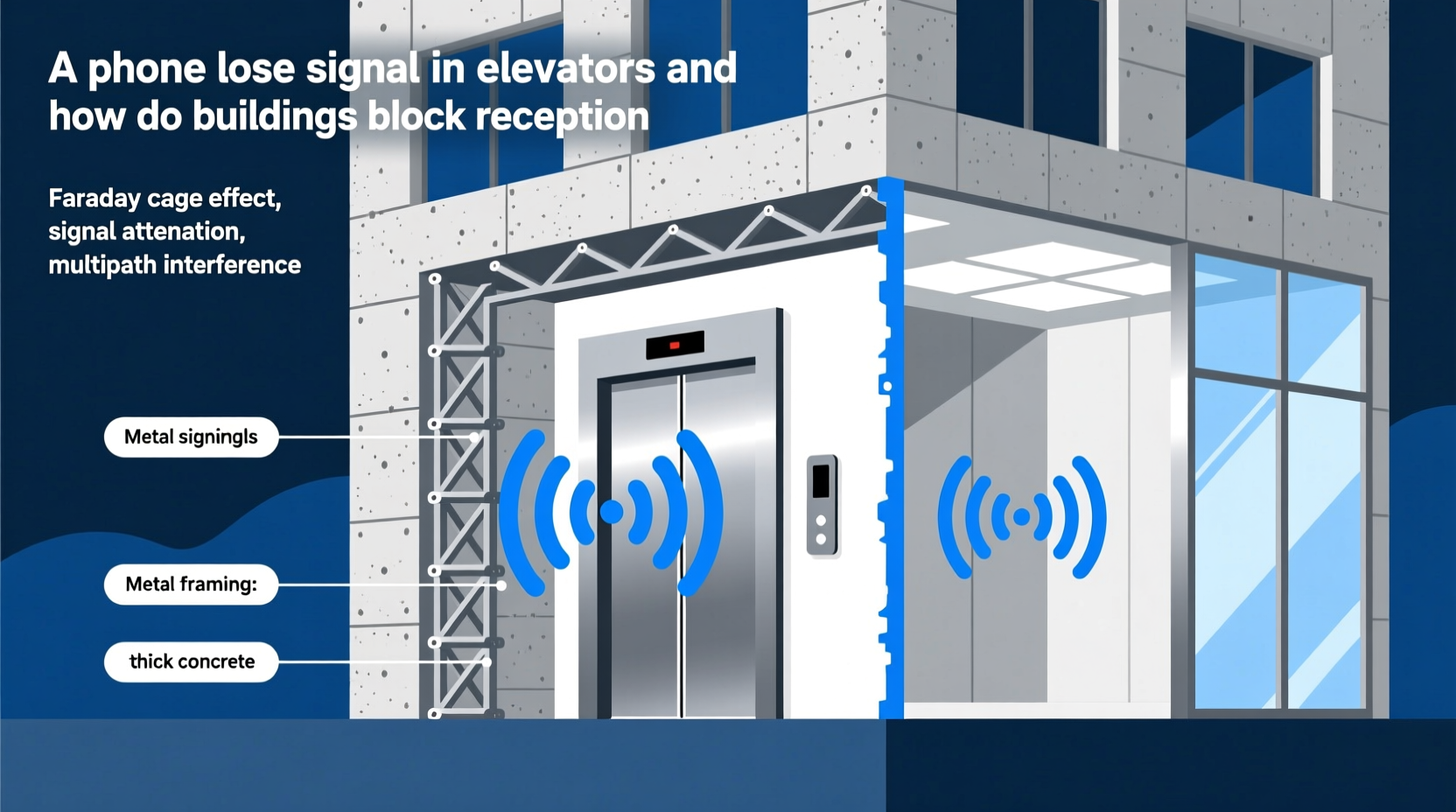
Mobile phones rely on radio frequency (RF) signals transmitted between your device and nearby cell towers. These signals operate on electromagnetic waves, similar to Wi-Fi or FM radio, but optimized for voice, text, and data transmission. For a connection to work, your phone must maintain a relatively clear path to a tower—either directly or through reflected or repeated signals.
However, RF signals are fragile when it comes to physical obstructions. Unlike visible light, they can penetrate some materials, but their strength diminishes rapidly when passing through dense substances. The higher the frequency, the worse the penetration. Modern 4G LTE and 5G networks use increasingly high-frequency bands to deliver faster speeds, but this comes at a cost: reduced range and weaker indoor performance.
Elevators amplify these challenges. Enclosed in thick metal boxes and often located in the core of buildings—surrounded by concrete, steel beams, and utility shafts—they become natural Faraday cages. A Faraday cage is an enclosure made of conductive material that blocks external electromagnetic fields. While designed to protect sensitive equipment from interference, the same principle traps your phone inside a signal void.
“Elevators are among the most hostile environments for cellular signals. Their metal structure reflects and absorbs RF energy, making consistent connectivity nearly impossible without dedicated infrastructure.” — Dr. Lena Park, RF Engineer and Wireless Systems Consultant
Building Materials That Block Cell Reception
Not all buildings interfere with signals equally. Older structures made of wood or brick may allow partial signal penetration. But modern construction trends favor materials that are strong, energy-efficient, and fire-resistant—all of which happen to be excellent at blocking radio waves.
Here’s a breakdown of common building components and their impact on signal strength:
| Material | Signal Penetration Level | Why It Blocks Reception |
|---|---|---|
| Reinforced Concrete | Very Low | Steel rebar mesh acts as a partial Faraday cage, reflecting and scattering signals. |
| Low-E Glass (Energy-Efficient Windows) | Low | Thin metallic coating reflects heat—and also blocks RF signals. |
| Steel Framing | Very Low | Dense metal structure absorbs and deflects radio waves. |
| Insulated Drywall / Foil-Backed Insulation | Moderate to Low | Reflective layers interfere with signal propagation. |
| Wood / Standard Brick | Moderate | Some signal loss, but generally allows partial indoor coverage. |
In high-rise office towers, shopping malls, and underground parking garages, these materials are combined in ways that compound signal loss. Elevators, typically positioned in central cores lined with concrete and mechanical systems, sit at the epicenter of this interference. Add multiple floors above and below, and the signal attenuation becomes exponential.
Why Elevators Are Especially Problematic
Elevators present a unique set of challenges beyond general indoor signal degradation. Consider the following factors:
- Metal Enclosure: Most elevator cabs are constructed entirely of steel or aluminum, forming a sealed conductive shell that prevents RF signals from entering or exiting.
- Vertical Movement: As the elevator ascends or descends, it moves through different structural layers, each with varying levels of interference. This rapid change makes stable signal acquisition nearly impossible.
- Lack of Antennas: Unlike tunnels or subways, which often have distributed antenna systems (DAS), most elevators lack internal signal boosters unless specifically installed.
- Door Closure: The moment the doors shut, the shielding effect intensifies. Even if you had marginal signal in the lobby, it vanishes instantly.
Additionally, elevators are often surrounded by mechanical rooms, electrical conduits, and HVAC systems—all sources of electromagnetic noise that further degrade weak incoming signals. This combination turns the average elevator ride into a brief communications blackout.
Mini Case Study: Office Tower Connectivity Crisis
A mid-sized tech company relocated to a newly constructed 22-story downtown office building. Within weeks, employees reported frequent dropped calls, failed video conferences, and inability to receive messages while traveling between floors. HR began receiving complaints about safety concerns—especially during emergencies when staff couldn't reach security or emergency services from inside elevators.
An IT audit revealed near-zero cellular coverage in all elevators and poor signal in interior offices. The building’s energy-efficient windows and reinforced concrete core were identified as primary culprits. After consulting with a wireless integrator, the management approved installation of a passive DAS (Distributed Antenna System) linked to a small cell network provided by the carrier.
Within six weeks, full 4G/LTE coverage was restored across all floors and elevators. Employee satisfaction improved, and the company added Wi-Fi calling as a backup protocol. The case became a benchmark for future commercial leases, where signal coverage is now evaluated alongside lighting and HVAC performance.
Solutions to Improve Indoor and Elevator Reception
While you can't control building materials, there are practical steps individuals and organizations can take to mitigate signal loss. Some require investment, others simply awareness.
Step-by-Step Guide to Better Indoor Connectivity
- Test Your Coverage: Use your phone’s field test mode (e.g., *3001#12345#* on older iPhones) or apps like Network Cell Info Lite to measure signal strength (RSRP) in dBm. Below -100 dBm indicates poor reception.
- Enable Wi-Fi Calling: Most modern smartphones support Wi-Fi calling. Activate it in settings under Phone > Calls. This allows calls and texts over secure Wi-Fi even with no cellular signal.
- Use Bluetooth Headsets Strategically: Pair your phone before entering low-signal areas. While it won’t restore service, it keeps your earpiece connected until the signal drops completely.
- Request Building-Level Solutions: In workplaces or apartment complexes, advocate for DAS or femtocell installation. Carriers like Verizon (Network Extender), AT&T (MicroCell), and T-Mobile (CellSpot) offer mini-cell devices for indoor use.
- Install Signal Boosters (Where Permitted): Passive repeaters capture weak outdoor signals and rebroadcast them indoors. Ensure compliance with local regulations—unauthorized boosters can interfere with carrier networks.
Checklist: Ensuring Reliable Connectivity in Signal-Prone Buildings
- ✅ Enable Wi-Fi calling on all personal and company devices
- ✅ Verify building has active DAS or carrier-approved signal solution
- ✅ Test reception in elevators, basements, and interior meeting rooms
- ✅ Provide emergency contact alternatives (e.g., intercoms, panic buttons)
- ✅ Educate staff on using messaging apps over Wi-Fi during outages
- ✅ Include signal quality in real estate evaluations for offices or rentals
Frequently Asked Questions
Can 5G work inside elevators?
Generally, no—especially not mmWave 5G, which operates at extremely high frequencies (24–47 GHz) and cannot penetrate walls or glass. Even sub-6 GHz 5G, which has better range, struggles in fully enclosed metal spaces like elevators. Without dedicated indoor antennas, 5G performs similarly to 4G in these environments.
Why doesn’t my phone connect to a different tower when I’m inside?
Your phone constantly scans for the strongest available signal. However, if all surrounding towers are blocked by building materials, no viable connection exists. Additionally, rapid movement in elevators gives the phone insufficient time to handshake with new towers, leading to dropped connections.
Are there laws requiring buildings to have cell service?
In some regions, yes. For example, parts of the U.S. require public safety radio coverage in new buildings under codes like NFPA 72 and IFC 510. These mandate Emergency Responder Communication Enhancement Systems (ERCES), which ensure first responders can communicate via radios—even in basements and elevators. While these don’t guarantee consumer cellular access, they often pave the way for broader signal infrastructure.
Looking Ahead: Smarter Buildings, Seamless Connectivity
The future of indoor connectivity lies in integrated design. Architects and telecom engineers are increasingly collaborating early in construction projects to embed neutral-host DAS networks capable of supporting multiple carriers. These systems distribute signals via coaxial cables or fiber optics to strategically placed antennas throughout a building—including inside elevator shafts.
New developments in beamforming, small cells, and private LTE/5G networks also promise better indoor performance. Smart buildings equipped with IoT sensors and unified communication platforms treat wireless coverage as essential infrastructure—on par with electricity and water.
For individuals, staying informed and proactive remains key. As urban density increases and buildings grow taller and more efficient, the gap between outdoor network capability and indoor accessibility will persist unless addressed intentionally.
Conclusion
Losing phone signal in an elevator isn’t a flaw in your device—it’s a consequence of how modern infrastructure interacts with wireless technology. From steel frames to energy-saving glass, the very features that make buildings safe, sustainable, and sleek also make them hostile to mobile signals. Yet solutions exist, ranging from simple user settings like Wi-Fi calling to large-scale engineering interventions like distributed antenna systems.
Whether you're a tenant, employer, or property manager, understanding the causes of signal loss empowers you to demand better connectivity. Don’t accept dropped calls as inevitable. Advocate for smarter building standards, adopt reliable backup methods, and stay connected—no matter how many floors you travel.




 浙公网安备
33010002000092号
浙公网安备
33010002000092号 浙B2-20120091-4
Comments
No comments yet. Why don't you start the discussion?