
It’s a familiar frustration: you step into an elevator, press the button, and within seconds, your phone drops from full bars to “No Service.” Whether you’re mid-call, navigating, or simply trying to check the time, losing signal in an elevator is more than just inconvenient—it can be concerning. The good news is that this issue isn’t random or mysterious. It’s rooted in physics, building design, and wireless technology limitations. More importantly, there are ways to minimize or even prevent signal loss. This guide breaks down exactly why elevators disrupt cellular signals and what you can do about it.
The Science Behind Signal Loss in Elevators
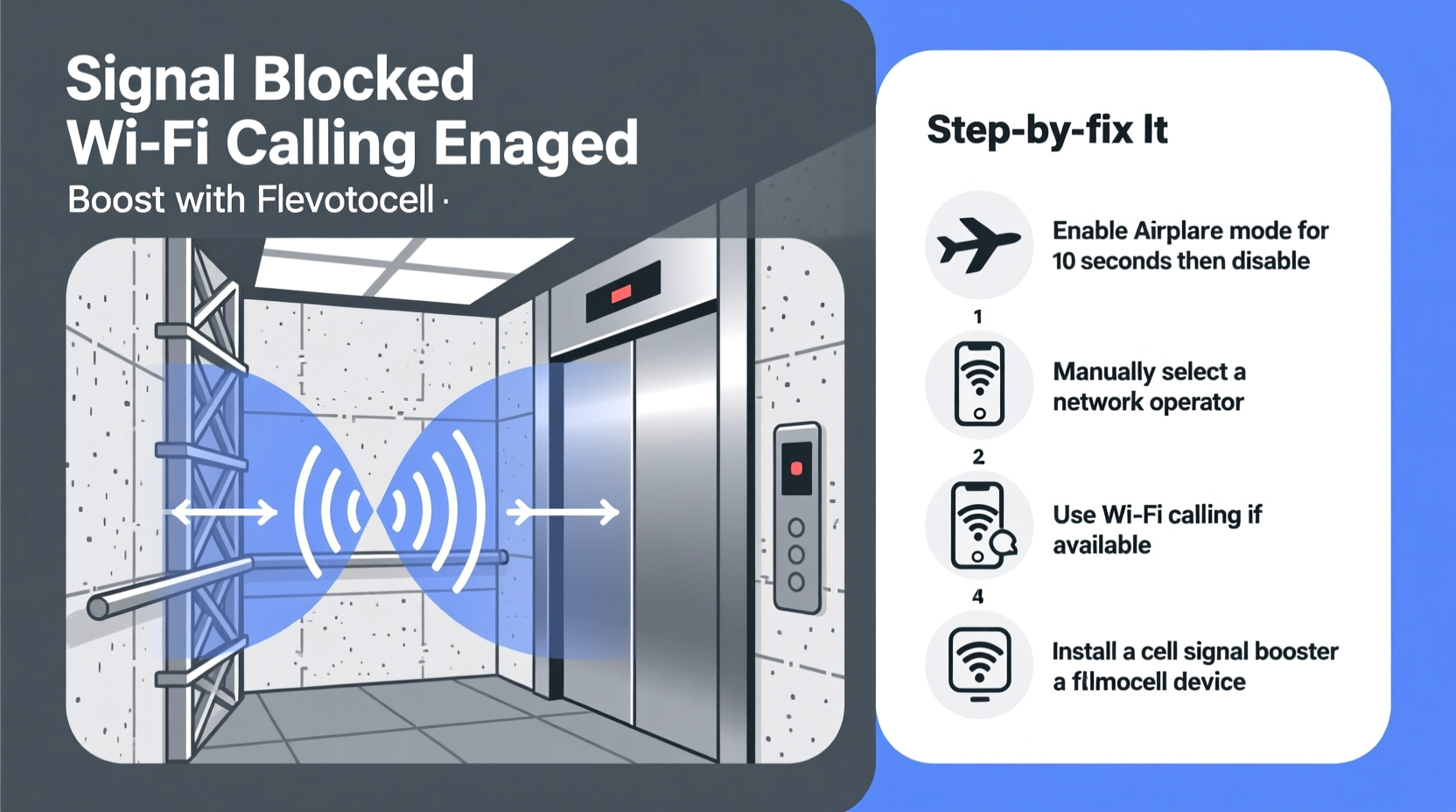
Elevators act as what engineers call a \"Faraday cage\"—a conductive enclosure that blocks electromagnetic fields. Most elevators are constructed with thick metal walls, ceilings, and doors made of steel or aluminum. These materials are excellent at reflecting and absorbing radio waves, including those used by cellular networks (ranging from 700 MHz to over 5 GHz).
When your phone sends or receives data, it relies on continuous communication with nearby cell towers. These signals travel as electromagnetic waves. As soon as you enter an elevator, the metal structure interferes with these waves, weakening or completely blocking them. Even small gaps around doors or control panels aren’t enough to allow consistent signal penetration, especially in modern high-rise buildings where elevators move quickly through multiple shielded shafts.
Additionally, elevator shafts are often lined with concrete and rebar, which further attenuate wireless signals. The combination of metal enclosures and dense building materials creates a near-perfect barrier for cellular transmissions.
“Elevators are essentially moving metal boxes inside reinforced concrete tunnels—two major obstacles for RF signals.” — Dr. Lena Torres, Wireless Network Engineer at MIT Lincoln Laboratory
Why Some Buildings Are Worse Than Others
Not all elevators cut off signal equally. Signal degradation depends heavily on building construction, location, and network infrastructure. Here’s how different factors influence connectivity:
- Material density: Older buildings may use less shielding, allowing partial signal leakage. Newer high-rises often prioritize structural integrity and energy efficiency, using more metal and insulated glass, which worsens signal blockage.
- Floor depth: Underground parking elevators or basements have no line-of-sight to external towers, compounding the problem.
- Carrier coverage: Some carriers have better indoor penetration due to lower-frequency bands (e.g., Verizon’s 700 MHz LTE), while others relying on higher frequencies (like mmWave 5G) struggle more indoors.
- Building age and upgrades: Retrofitted office complexes may lack modern signal-boosting systems, whereas newer smart buildings often include distributed antenna systems (DAS).
Solutions That Actually Work
While you can’t change the laws of physics, several real-world strategies can help maintain or restore connectivity in elevators.
1. Use Wi-Fi Calling When Available
If the building has internal Wi-Fi that extends into the elevator shaft—or if your phone connects briefly before the doors close—Wi-Fi calling can bridge the gap. Modern smartphones support voice and text over Wi-Fi, bypassing cellular networks entirely.
To enable Wi-Fi calling:
- Go to Settings > Phone > Wi-Fi Calling (iOS) or Network & Internet > Mobile Network > Advanced > Wi-Fi Calling (Android).
- Toggle it on and register your emergency address.
- Ensure you're connected to a known Wi-Fi network before entering the elevator.
Note: Most elevators don’t have active Wi-Fi access points, but lobbies, hallways, or adjacent areas might. A fast connection just before entry could sustain a call briefly.
2. Install a Signal Booster (Femtocell or Microcell)
Carriers like Verizon (Network Extender), AT&T (MicroCell), and T-Mobile (CellSpot) offer small devices that create a personal mini-cell tower using your broadband internet. These femtocells connect to your router and broadcast a private LTE signal within a limited range—ideal for homes or offices with poor reception.
While not designed specifically for elevators, placing a femtocell near the elevator bank or on key floors can improve edge reception as you enter or exit.
3. Advocate for Building-Wide DAS Installation
Distributed Antenna Systems (DAS) are networks of antennas installed throughout large buildings to evenly distribute cellular signals. They’re common in airports, hospitals, and skyscrapers. If your workplace or apartment building lacks DAS, consider petitioning management or property owners to install one.
DAS works by receiving outdoor signals via rooftop antennas, amplifying them, and redistributing them through indoor nodes—often placed in stairwells, lobbies, and yes, even elevator cabs.
4. Carry a Portable Signal Amplifier
Compact, battery-powered signal boosters exist for travelers and professionals who need reliable service. These devices capture weak external signals, amplify them, and rebroadcast locally. While they won’t work in complete dead zones, they can extend usability in partially covered areas.
Look for FCC-approved models from reputable brands like weBoost or SureCall. Avoid illegal repeaters that interfere with carrier networks.
Step-by-Step Guide to Improving Elevator Connectivity
Follow this actionable plan to assess and enhance your mobile experience in elevators:
- Test Your Current Signal: Before stepping into the elevator, note your signal strength. Use field test mode (iPhone: *3001#12345#*, Android: Settings > About Phone > SIM Status) to view dBm values. Anything below -100 dBm is considered weak.
- Check Wi-Fi Calling Support: Confirm your carrier and device support Wi-Fi calling, then enable it and connect to building Wi-Fi beforehand.
- Map Signal Recovery Points: Observe when your signal returns after exiting the elevator. Is it immediate? On a specific floor? This helps identify coverage gaps.
- Contact Building Management: Inquire whether the building uses DAS or has plans to upgrade indoor coverage. Provide examples of dropped calls affecting productivity or safety.
- Install a Femtocell (if applicable): For home elevators or low-rise condos, set up a carrier-provided microcell near the shaft entrance.
- Use Messaging Apps Over Data: Switch to WhatsApp, iMessage, or Telegram, which can buffer messages and send once signal resumes.
Do’s and Don’ts: Quick Reference Table
| Do | Don’t |
|---|---|
| Enable Wi-Fi calling if supported | Rely solely on cellular calls in elevators |
| Use messaging apps with offline queuing | Purchase unlicensed signal boosters |
| Advocate for DAS in commercial buildings | Assume all elevators will behave the same |
| Carry a portable power bank for hotspot use | Expect 5G mmWave to penetrate metal enclosures |
| Test signal recovery times across floors | Ignore emergency communication risks |
Real-World Example: Office Tower Connectivity Upgrade
In 2022, employees at One Summit Plaza, a 32-story office building in downtown Chicago, reported frequent call drops in elevators, leading to missed client meetings and delayed emergency alerts. After internal surveys revealed that 87% of staff experienced connectivity issues daily, the facility manager partnered with a telecom integrator to deploy a multi-carrier DAS system.
The solution involved installing donor antennas on the roof, connecting them to a central signal processor, and distributing coverage via ceiling-mounted nodes on every fifth floor—including dedicated antennas near elevator banks. Post-installation tests showed signal strength improved from -118 dBm (no service) to -76 dBm (excellent) inside elevator cabs.
Productivity metrics increased, and employee satisfaction with building infrastructure rose by 41%. The project paid for itself within two years due to reduced IT support requests and tenant retention improvements.
Expert Recommendations for Long-Term Fixes
For building owners and tech managers, long-term signal resilience requires proactive planning:
- Integrate DAS during new construction or major renovations.
- Negotiate neutral-host DAS agreements so multiple carriers share infrastructure.
- Regularly audit indoor coverage using professional RF mapping tools.
- Provide signage indicating Wi-Fi calling zones near elevator entrances.
“Future-proofing buildings means treating wireless coverage like plumbing or electricity—essential infrastructure, not an afterthought.” — Rajiv Mehta, Senior Consultant at CommScope
FAQ: Common Questions About Elevator Signal Loss
Can I get 5G service in an elevator?
Unlikely. Most 5G deployments use high-frequency bands (above 2.5 GHz) that have poor wall penetration. Even low-band 5G (600–850 MHz) struggles against fully enclosed metal cabins. True 5G in elevators would require internal DAS integration.
Why does my phone sometimes regain signal halfway up?
This usually happens when the elevator passes a floor with open shaft vents, maintenance hatches, or nearby DAS nodes. Brief exposure to external antennas or internal repeaters allows temporary reconnection. It’s inconsistent because alignment depends on speed and positioning.
Is there any way to make emergency calls without signal?
Yes. Modern phones attempt to connect to any available network—even competitors’—during emergencies. Dialing 911 triggers a protocol called Automatic Carrier Selection, which boosts transmission power and scans all bands. However, success isn’t guaranteed in full Faraday cages. Always assume emergency calls may fail in elevators and use intercom systems instead.
Conclusion: Take Control of Your Connectivity
Losing phone signal in elevators isn’t just a minor annoyance—it reflects deeper gaps in urban infrastructure and personal preparedness. Understanding the causes empowers you to take meaningful steps toward better connectivity. From enabling Wi-Fi calling to advocating for enterprise-grade DAS installations, the tools exist to reduce disruption. Technology continues evolving, and future elevators may come pre-equipped with integrated repeaters or mesh networks. Until then, informed users and proactive building managers hold the key to staying connected—even between floors.




 浙公网安备
33010002000092号
浙公网安备
33010002000092号 浙B2-20120091-4
Comments
No comments yet. Why don't you start the discussion?