
It’s a common scenario: you plug in your phone to charge, only to find it growing uncomfortably warm—or even hot—within minutes. While some warmth is normal during charging, excessive heat can signal deeper issues and pose real risks to both performance and safety. Overheating isn’t just uncomfortable; it can degrade battery life, slow down your device, and in rare cases, lead to fire hazards. Understanding why this happens and how to manage it is essential for anyone who relies on their smartphone daily.
The causes of phone overheating during charging range from hardware limitations and environmental factors to user habits and accessory quality. More importantly, many of these triggers are preventable with informed choices and simple behavioral changes. This guide breaks down the science behind phone heating, identifies key risk factors, and delivers actionable strategies to keep your device cool, efficient, and safe.
Understanding Heat Generation in Smartphones
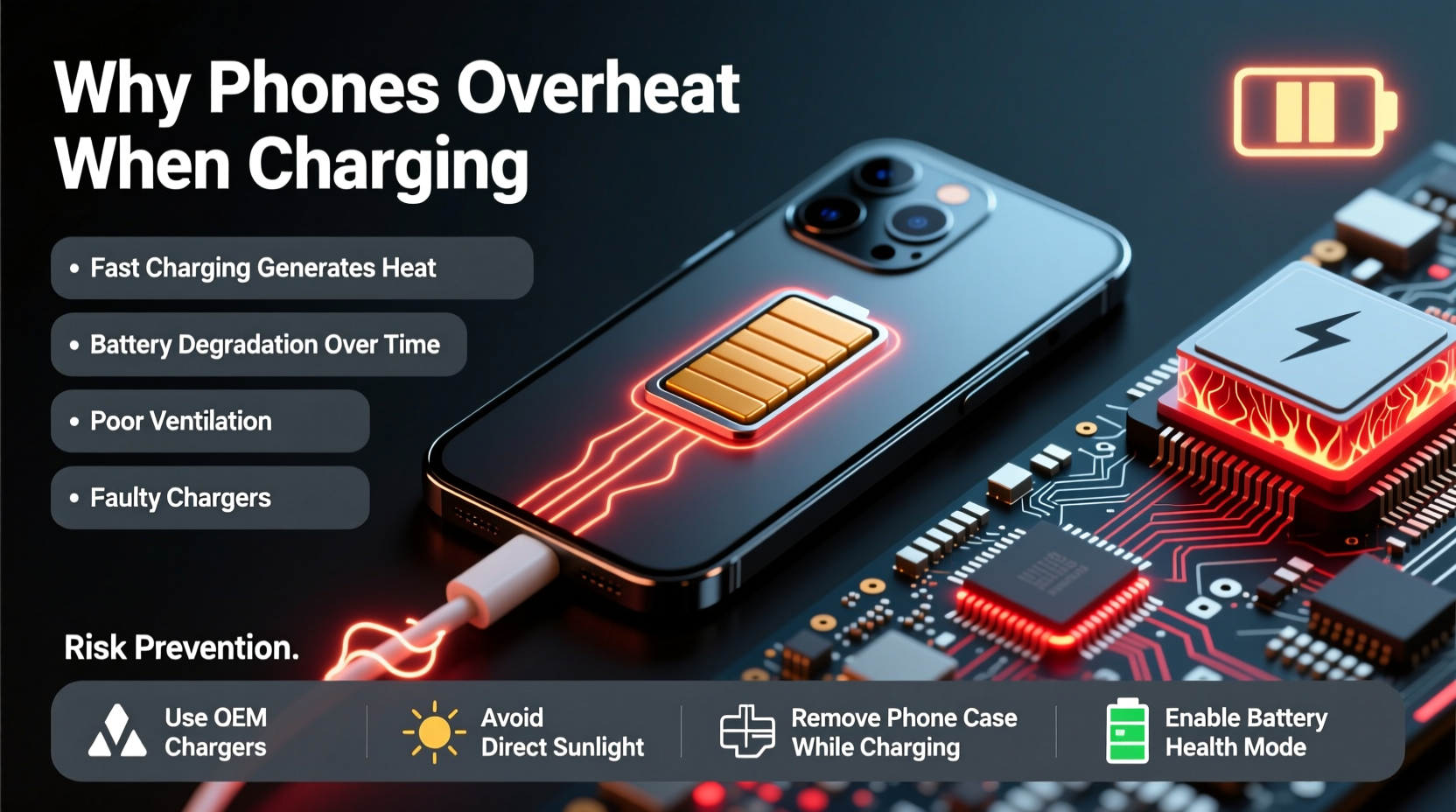
Smartphones generate heat naturally through multiple processes: processor activity, screen usage, wireless connectivity, and especially battery charging. When lithium-ion batteries charge, chemical reactions occur that inherently produce heat. The faster the charge, the more intense these reactions—and the greater the temperature rise.
Modern phones use sophisticated thermal management systems, including heat-dissipating materials and software throttling, to regulate internal temperatures. However, when multiple heat sources converge—such as fast charging while running apps or being exposed to direct sunlight—the system can become overwhelmed.
According to Dr. Lena Patel, an electronics engineer at the Mobile Device Safety Institute:
“Even under ideal conditions, a smartphone may reach 35–40°C during charging. But once surface temperatures exceed 45°C, you're entering a danger zone where long-term damage becomes likely.” — Dr. Lena Patel, Electronics Engineer
This threshold is critical. Prolonged exposure to high temperatures accelerates battery degradation, reduces overall lifespan, and increases the risk of thermal runaway—a condition where rising heat triggers further reactions, potentially leading to swelling or combustion.
Common Causes of Phone Overheating During Charging
Several interrelated factors contribute to excessive heating. Recognizing them helps users identify avoidable behaviors and faulty equipment.
- Fast charging technology: While convenient, delivering high power (e.g., 30W, 65W, or higher) generates significant heat. Without proper cooling mechanisms, the battery and circuitry absorb this energy as thermal output.
- Poor-quality chargers and cables: Counterfeit or uncertified accessories often lack voltage regulation and temperature control, increasing resistance and generating excess heat.
- Using the phone while charging: Running resource-heavy apps, playing games, or streaming video forces the CPU and GPU to work harder, compounding heat production.
- Environmental conditions: Charging in direct sunlight, inside a car on a hot day, or near heaters raises ambient temperature, impairing the phone’s ability to dissipate heat.
- Thick or non-breathable cases: Silicone or rubber cases trap heat around the device, preventing airflow and insulation.
- Battery aging: As lithium-ion batteries degrade over time, internal resistance increases, making them less efficient and more prone to heating.
- Background processes: Apps syncing data, location tracking, or malware running silently can spike CPU usage even when the screen is off.
Preventive Measures to Reduce Charging Heat
Preventing overheating doesn’t require technical expertise—just awareness and consistency. Implementing a few smart habits can dramatically reduce thermal stress on your device.
Use Certified Charging Accessories
Always opt for original or MFi-certified (for Apple) and USB-IF certified (for Android) chargers and cables. These meet strict safety standards for voltage delivery, current regulation, and temperature monitoring.
Remove the Case During Charging
If your phone gets noticeably warm, take it out of its case while charging. This allows better air circulation and faster heat dissipation. For frequent fast-charging users, consider switching to a slim, thermally conductive case made of polycarbonate instead of silicone.
Charge in a Cool, Well-Ventilated Area
Avoid placing your phone on beds, sofas, or carpets while charging. Instead, use a hard surface like a desk or nightstand. Keep it away from windows, radiators, and other heat sources.
Limit Usage While Charging
Refrain from gaming, video calls, or using GPS navigation while the phone charges—especially with fast chargers. If you must use the device, switch to airplane mode or disable background app refresh to reduce load.
Enable Battery Protection Features
Many modern phones include built-in features to limit charging beyond 80% or pause charging when the device gets too hot. Samsung’s Adaptive Fast Charging, Apple’s Optimized Battery Charging, and OnePlus’ Fast Idle Mode help extend battery longevity by managing heat exposure.
| Practice | Benefit | Risk if Ignored |
|---|---|---|
| Use OEM charger | Proper voltage & temp control | Overheating, circuit damage |
| Remove case while charging | Improved heat dissipation | Thermal buildup, slower charging |
| Avoid direct sunlight | Maintains ambient cooling | Internal temps exceed 50°C |
| Don’t use during fast charge | Reduces CPU + battery load | Extended charge time, wear |
| Keep software updated | Efficient power management | Bugs causing battery drain |
Step-by-Step Guide to Safer Charging Habits
Follow this daily routine to minimize overheating risks and preserve your phone’s health:
- Inspect your charger and cable: Check for fraying, bent connectors, or unusual warmth in the cable itself. Replace any damaged components immediately.
- Plug in at a safe location: Choose a flat, cool surface away from fabric, direct light, and moisture.
- Remove protective case: Especially if it's thick or made of insulating material.
- Turn off unnecessary functions: Disable Bluetooth, hotspot, and location services if not needed.
- Enable low-power or airplane mode: This reduces background activity and processor strain.
- Monitor temperature: Feel the back of the phone every 10–15 minutes during fast charging. If too hot to touch comfortably, unplug and let it cool.
- Unplug once charged: Avoid leaving the phone connected overnight unless using a smart charger with overcharge protection.
Real-World Example: A Preventable Incident
In 2022, a user in Phoenix, Arizona, left their Android phone charging on a car seat during a summer afternoon. Outside temperatures reached 48°C (118°F), and the interior of the vehicle exceeded 70°C. After two hours, the phone began emitting smoke. Fortunately, the owner returned in time to disconnect it, but the battery had visibly swollen and the screen was cracked from internal pressure.
An investigation revealed the combination of a third-party fast charger, a thick rubber case, and extreme ambient heat created a perfect storm for thermal failure. The manufacturer later confirmed the battery entered thermal runaway due to sustained high temperatures. This incident underscores how easily preventable factors can escalate into serious safety concerns.
Checklist: How to Keep Your Phone Cool While Charging
Use this quick-reference checklist before plugging in your device:
- ✅ Use an original or certified charger and cable
- ✅ Remove phone case before charging
- ✅ Place phone on a hard, cool surface
- ✅ Avoid direct sunlight or hot environments
- ✅ Don’t run heavy apps or games while charging
- ✅ Enable battery optimization settings
- ✅ Monitor phone temperature periodically
- ✅ Unplug once fully charged or use a smart plug
- ✅ Keep software and firmware up to date
- ✅ Replace old or puffy batteries promptly
Frequently Asked Questions
Is it normal for my phone to get warm while charging?
Yes, mild warmth is normal, especially with fast charging. However, if the phone becomes too hot to hold comfortably, emits a burning smell, or shows warning messages, it’s overheating and should be unplugged immediately.
Can overheating permanently damage my phone?
Yes. Repeated exposure to high temperatures degrades the lithium-ion battery, reducing its capacity and lifespan. It can also cause permanent damage to internal components like the display, memory, and processor.
Should I stop using fast charging to prevent heat?
You don’t need to stop entirely, but reserve fast charging for times when you truly need a quick boost. For overnight or extended charging, use standard 5W or 10W chargers, which produce far less heat and are gentler on the battery.
Conclusion: Protect Your Device, One Charge at a Time
Your smartphone is designed to handle everyday demands, but it’s not immune to the consequences of poor charging practices. Overheating during charging is more than a nuisance—it’s a warning sign that can lead to reduced performance, costly repairs, or even safety hazards. By understanding the causes and adopting smarter habits, you can maintain optimal device health and extend its usable life.
Start today: inspect your charger, remove the case, and charge mindfully. Small changes yield long-term benefits. Share your own tips or experiences in the comments below—your insight could help others avoid the same pitfalls.




 浙公网安备
33010002000092号
浙公网安备
33010002000092号 浙B2-20120091-4
Comments
No comments yet. Why don't you start the discussion?