
It’s a common scene: you plug in your phone before bed, lay it flat on the nightstand, and wake up to find it hot to the touch—sometimes too hot to use. Overheating during charging isn’t just uncomfortable; it can degrade your battery, slow performance, and even pose safety risks. While many assume fast chargers or faulty cables are the main culprits, the way you position your phone—especially laying it flat—can significantly influence heat buildup. Understanding the science behind this issue and applying practical fixes can protect your device and improve its longevity.
The Science Behind Phone Overheating During Charging
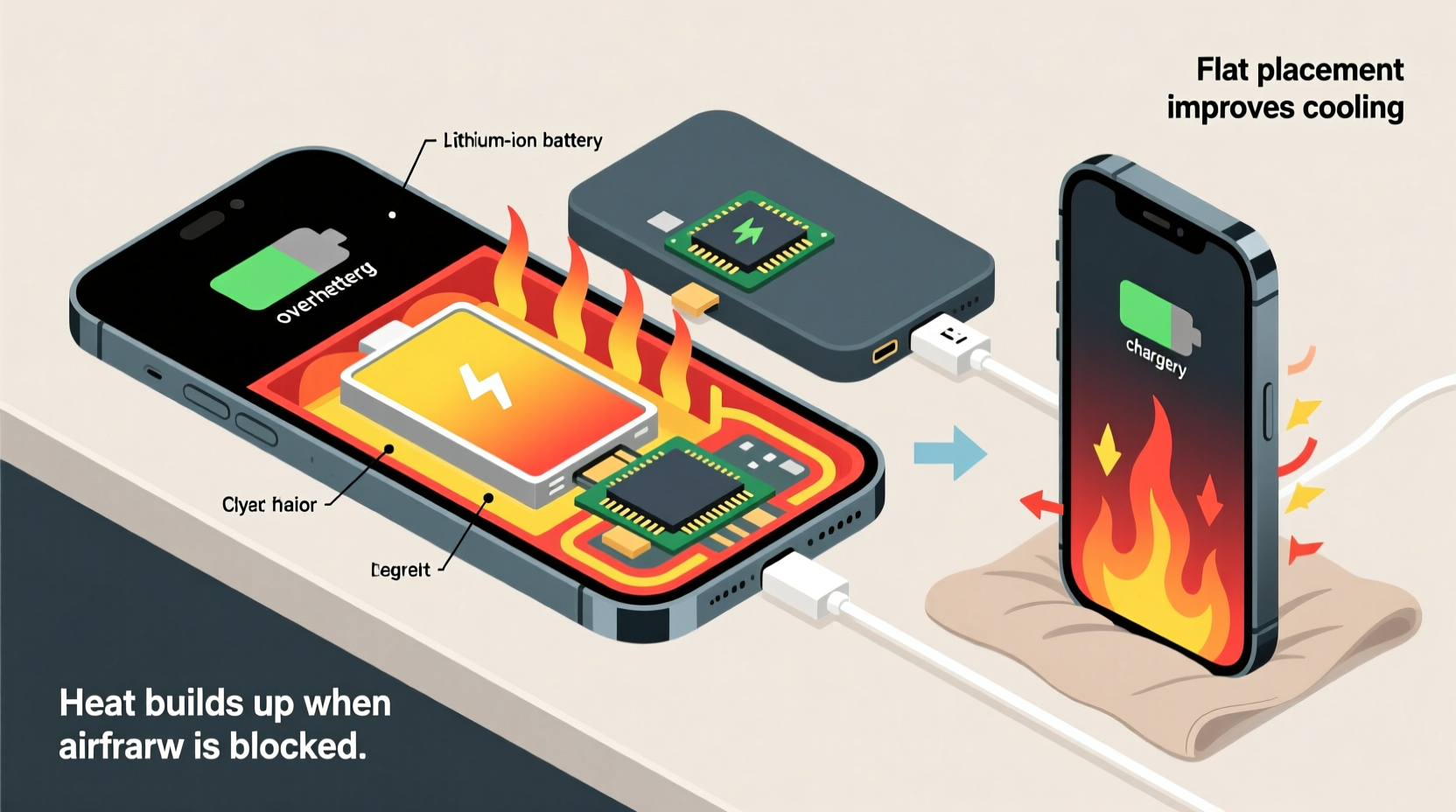
When a phone charges, electrical energy converts into chemical energy stored in the battery. This process generates heat as a natural byproduct. Under normal conditions, modern smartphones manage this heat efficiently through thermal regulation systems, including sensors, conductive materials, and software controls. However, several factors can disrupt this balance:
- Battery chemistry: Lithium-ion batteries, used in nearly all smartphones, are sensitive to temperature. Charging increases internal resistance, which produces heat.
- Charging speed: Fast charging (e.g., 18W, 30W, or higher) forces more current into the battery quickly, accelerating heat generation.
- Ambient temperature: Charging in a warm room or direct sunlight worsens thermal stress.
- Phone usage while charging: Running apps, streaming video, or gaming during charging multiplies heat output.
But there's another overlooked factor: **physical positioning**. When a phone lies flat on a surface, especially one that isn’t heat-conductive, airflow around the device is restricted. This reduces passive cooling and traps heat near the back panel and battery—exactly where most smartphones dissipate warmth.
Why Lying Flat Makes Overheating Worse
Laying your phone flat might seem harmless, but it creates a micro-environment where heat accumulates rather than escapes. Here’s how:
Reduced Air Circulation
When a phone rests face-up or face-down on a flat surface, only the edges are exposed to air. The larger surface area of the back panel presses against whatever it’s resting on, blocking convective cooling. Materials like wood, plastic, or fabric act as insulators, trapping heat like a blanket.
Heat Trapping Against Surfaces
Hard surfaces such as glass or polished tables may feel cool to the touch, but they don’t absorb heat well. Instead, they reflect or retain it, creating a feedback loop where the phone reheats itself. Soft surfaces like pillows or blankets are even worse—they compress around the phone, sealing in warmth.
Internal Component Layout
In most smartphones, the battery and charging circuitry are located toward the center or bottom of the rear panel. When the phone lies flat, these components press directly against the surface, reducing their ability to radiate heat outward. This localized heat buildup can trigger thermal throttling or force the system to slow charging to cool down.
“Phones are designed with thermal dissipation in mind, but poor placement during charging defeats built-in cooling mechanisms.” — Dr. Alan Reyes, Electronics Thermal Engineer at MobileTech Labs
Proven Fixes to Prevent Overheating When Charging
You don’t need expensive gear to solve this problem. Simple changes in habits and setup can dramatically reduce overheating—even if you’re using fast charging or leaving your phone plugged in overnight.
1. Elevate Your Phone for Better Airflow
Instead of letting your phone lie flat, prop it up vertically or at an angle. This exposes more surface area to ambient air and allows heat to rise away from the device. Use a simple stand, foldable case, or even a small book to create elevation.
2. Charge on Heat-Conductive Surfaces
Metal or stone surfaces (like a marble countertop or metal tray) help draw heat away from the phone. Avoid carpets, bedding, and synthetic materials. If you must charge on soft surfaces, place a thin ceramic tile or aluminum plate underneath to act as a heat sink.
3. Remove the Case During Charging
Many protective cases, especially rugged or silicone ones, trap heat. Removing the case while charging—particularly with fast chargers—can lower internal temperatures by 5–10°F (3–6°C).
4. Disable Unnecessary Features
Turn off Bluetooth, GPS, and background app refresh while charging. Lower screen brightness or enable auto-brightness. These adjustments reduce CPU load and minimize additional heat sources.
5. Use Original or Certified Chargers
Cheap third-party chargers often lack proper voltage regulation and temperature control. Stick to manufacturer-approved power adapters and cables to ensure safe, stable charging.
Step-by-Step Guide to Safer Charging Habits
Follow this daily routine to keep your phone cool and your battery healthy:
- Before Plugging In: Turn off intensive apps (games, navigation, video streaming).
- Remove the Case: Take off thick or insulated covers.
- Choose the Right Surface: Place the phone on a hard, non-insulating surface like wood, metal, or stone.
- Elevate the Device: Prop it up using a stand or lean it against a wall.
- Select Standard Charging: If you don’t need speed, use a 5W or 10W charger instead of fast charging.
- Monitor Temperature: Feel the back after 10 minutes. If it’s uncomfortably hot, unplug and reassess your setup.
- Avoid Covering the Phone: Never place anything over it while charging, even a cloth or hand.
This routine takes less than a minute to implement but can extend your battery lifespan by months or even years.
Do’s and Don’ts: Charging Best Practices Table
| Do’s | Don’ts |
|---|---|
| Charge on a hard, cool surface | Charge on beds, couches, or rugs |
| Use OEM or MFi-certified chargers | Use damaged or uncertified cables |
| Remove case during fast charging | Leave phone in case on sunny dashboards |
| Keep room temperature between 62°F–72°F (16°C–22°C) | Charge in direct sunlight or hot cars |
| Prop phone upright for airflow | Stack items on or around charging phone |
Real Example: How One User Fixed Chronic Overheating
Sarah, a graphic designer from Portland, noticed her iPhone 14 was shutting down randomly during overnight charging. The phone would get so hot that the screen dimmed automatically, and the next morning, the battery was only at 70%. She wasn’t using any unusual apps and had the original charger.
After reading about thermal issues, she tested a simple change: removing the heavy silicone case and propping the phone upright on a metal desk tray. She also switched from a 20W fast charger to the standard 5W adapter for nighttime charging.
The results were immediate. Within two nights, the phone stayed below warm-to-the-touch levels, charged fully by morning, and stopped triggering thermal warnings. Over three months, she reported improved battery health—down from 92% to 89%, compared to a previous drop from 98% to 92% in just six weeks.
Her experience highlights how small behavioral shifts can have outsized impacts on device performance.
Frequently Asked Questions
Can overheating permanently damage my phone’s battery?
Yes. Prolonged exposure to high temperatures accelerates lithium-ion battery degradation. Studies show that keeping a battery above 86°F (30°C) for extended periods can reduce its capacity by up to 20% within a year. Frequent overheating may also void warranties or lead to swelling.
Is wireless charging safer than wired charging?
Not necessarily. Wireless charging is generally less efficient and generates more heat due to electromagnetic induction. Phones often run hotter on wireless pads, especially when lying flat. For cooler charging, use wired connections with proper ventilation.
Should I turn off my phone while charging to prevent overheating?
While not required, turning off your phone eliminates background processing and screen heat, allowing faster, cooler charging. It’s especially useful if you're fast-charging or the environment is warm.
Conclusion: Protect Your Phone with Smarter Charging
Overheating during charging isn’t inevitable—it’s often the result of overlooked habits like leaving your phone flat on an insulating surface. By understanding how heat builds up and taking simple corrective steps, you can maintain optimal performance, preserve battery health, and avoid potential safety hazards.
Your smartphone is a precision-engineered device. Treat it with care during one of its most vulnerable states: charging. A few seconds spent adjusting its position or removing the case can save you from costly repairs, premature battery replacement, or data loss down the line.




 浙公网安备
33010002000092号
浙公网安备
33010002000092号 浙B2-20120091-4
Comments
No comments yet. Why don't you start the discussion?