
It’s a common frustration: you plug in your phone to charge, only to find it growing uncomfortably hot within minutes. While some warmth is normal during charging, excessive heat can signal underlying issues that affect performance, battery lifespan, and even safety. Overheating isn’t just uncomfortable—it can degrade internal components over time and, in extreme cases, pose fire risks. Understanding the root causes and knowing how to respond can protect your device and ensure reliable daily use.
How Charging Generates Heat
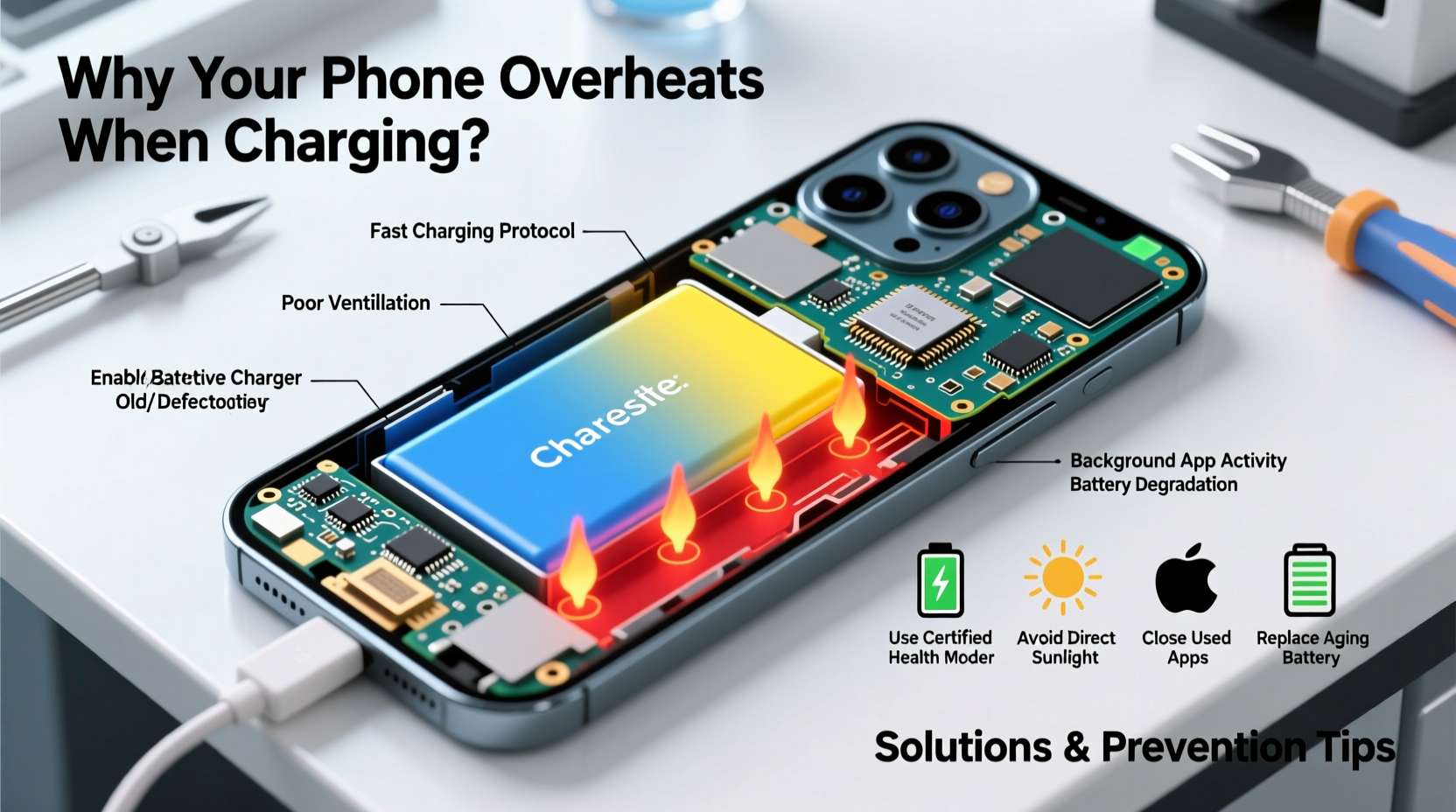
Every time you charge your phone, electrical energy converts into chemical energy stored in the battery. This process, known as lithium-ion intercalation, inherently produces heat. Fast charging technologies amplify this effect by pushing more current through the circuit in less time. While modern phones include thermal management systems—such as temperature sensors and adaptive charging algorithms—several factors can overwhelm these safeguards.
The ideal operating temperature for most smartphones ranges between 0°C and 35°C (32°F to 95°F). Charging outside this range, especially in direct sunlight or cold environments, increases stress on the battery. Prolonged exposure to high temperatures accelerates capacity loss; studies show that keeping a lithium-ion battery at 40°C with full charge can reduce its capacity by nearly 35% within a year.
Common Causes of Phone Overheating During Charging
Overheating rarely stems from a single factor. More often, it results from a combination of hardware, environmental, and usage-related conditions. Identifying which apply to your situation is the first step toward resolution.
1. Using Non-OEM or Low-Quality Chargers
Third-party chargers, especially those without proper certification (like USB-IF or MFi for Apple devices), may deliver inconsistent voltage or lack essential circuitry to regulate power flow. These fluctuations cause the phone to work harder, increasing resistance and generating excess heat.
2. Background App Activity
If your phone runs resource-heavy apps—such as GPS navigation, video streaming, or gaming—while charging, the CPU and GPU remain active. This dual load (charging + processing) multiplies heat production. Even seemingly idle apps can run background updates, location tracking, or sync processes that contribute to thermal stress.
3. Poor Ventilation and Enclosures
Charging while the phone is inside a thick case traps heat. Materials like silicone or leather insulate rather than dissipate warmth. Similarly, placing the phone on soft surfaces like beds or couches blocks ventilation ports, preventing natural cooling.
4. Battery Degradation
Lithium-ion batteries degrade over time. After about 500 full charge cycles, capacity typically drops to 80%. As internal resistance increases in aging batteries, more energy converts to heat instead of storage. A swollen or damaged battery is especially prone to overheating and should be replaced immediately.
5. Environmental Factors
High ambient temperatures exacerbate heating. Leaving your phone in a car on a sunny day or charging near radiators, stoves, or in direct sunlight pushes the device beyond safe thresholds. Conversely, extremely cold environments force the battery to work harder upon warming, creating sudden thermal spikes when charging begins.
“Thermal runaway in lithium-ion batteries starts around 60°C. Once triggered, it can lead to swelling, leakage, or combustion.” — Dr. Alan Reyes, Battery Safety Researcher at MIT Energy Initiative
Solutions to Prevent and Reduce Overheating
Addressing phone overheating requires both immediate actions and long-term habits. The following strategies are proven to mitigate risk and improve charging efficiency.
Step-by-Step Guide to Safer Charging
- Remove the case before charging: Especially if it's made of insulating material. This allows heat to escape freely.
- Use original or certified accessories: Stick to OEM chargers or reputable third-party brands with proper safety certifications.
- Turn off unnecessary functions: Disable Bluetooth, Wi-Fi, and location services if not needed during charging.
- Enable Airplane Mode: This stops background data syncing and reduces processor load significantly.
- Charge in a cool, open space: Avoid confined areas and keep the phone away from direct heat sources.
- Limit screen-on time while charging: Refrain from using the phone unless absolutely necessary.
- Monitor battery health: Check settings (iOS: Settings > Battery > Battery Health; Android: Settings > Battery > Battery Care) regularly.
Checklist: Daily Practices to Prevent Overheating
- ✅ Use manufacturer-approved charger and cable
- ✅ Remove protective case during charging
- ✅ Avoid using the phone while charging
- ✅ Keep device in shaded, well-ventilated area
- ✅ Update software regularly (patches often include thermal fixes)
- ✅ Close unused apps before plugging in
- ✅ Replace bulging or aged batteries promptly
When Hardware or Software Is to Blame
Sometimes, overheating points to deeper technical flaws. Recognizing these signs helps determine whether a simple fix suffices or professional repair is necessary.
Faulty charging ports, frayed cables, or damaged circuitry can create short circuits that generate abnormal heat. Software bugs—especially after OS updates—may cause apps to run inefficiently or prevent the system from throttling CPU usage during charging.
A real-world example illustrates this: Sarah, a freelance photographer in Austin, noticed her Android phone heating excessively every night during charging. She tried different outlets and removed her case, but the issue persisted. After checking battery health via a diagnostic app, she discovered one app was consuming 78% of CPU resources in the background due to a bug in its latest update. Uninstalling and reinstalling the app resolved the overheating instantly.
In such cases, diagnostics are key. On iPhones, frequent shutdowns below 20% battery despite recent charging may indicate failing battery management. On Android devices, tools like AccuBattery or built-in developer options can track wake locks and charging patterns.
| Issue | Possible Cause | Solution |
|---|---|---|
| Phone gets hot only when fast charging | High current draw exceeds thermal regulation | Switch to standard charging overnight |
| Overheats even when turned off | Faulty battery or charging circuit | Visit authorized service center |
| Heat localized near camera bump | Background camera or AI processing running | Check app permissions and close unused apps |
| Warmth persists after unplugging | Battery unable to stabilize post-charge | Monitor for swelling; consider replacement |
Long-Term Battery Care Best Practices
Preventing overheating isn't just about immediate fixes—it's also about preserving battery longevity. Lithium-ion batteries perform best when kept between 20% and 80% charge. Regularly charging to 100% or letting the battery drain to 0% increases electrochemical stress.
Modern phones offer features like Optimized Battery Charging (iOS) or Adaptive Charging (Android), which learn your routine and delay full charging until you need it. Enabling these settings reduces time spent at peak voltage, slowing degradation.
Additionally, avoid leaving your phone plugged in for extended periods, such as overnight for multiple days in a row. While trickle charging prevents overcharging, the constant micro-adjustments keep the battery in a high-stress state.
Frequently Asked Questions
Is it dangerous if my phone gets hot while charging?
Mild warmth is normal, but if the phone becomes too hot to hold comfortably, shuts down unexpectedly, or shows signs of warping, it poses a safety risk. Discontinue use and inspect the battery and charger. Persistent overheating could lead to permanent damage or, in rare cases, fire.
Can wireless charging make my phone hotter than wired charging?
Yes. Wireless charging is generally less efficient due to energy loss through electromagnetic induction. This inefficiency translates into more heat. To minimize risk, use Qi-certified chargers, remove thick cases, and avoid combining wireless charging with heavy app usage.
Does turning off my phone while charging prevent overheating?
Yes. Powering down eliminates all background processes and significantly reduces internal load. This allows the battery to charge more efficiently and with less heat generation. It’s an excellent practice for overnight charging or when performing a full recharge cycle.
Conclusion
Your phone’s tendency to overheat during charging isn’t something to ignore. Whether caused by poor-quality accessories, environmental conditions, software glitches, or aging hardware, each factor contributes to reduced performance and shortened device lifespan. By adopting smarter charging habits—using certified gear, removing cases, managing background activity, and monitoring battery health—you protect both your investment and personal safety.
Technology should serve you reliably, not become a source of concern. Take action today: audit your current charging setup, replace worn cables, and implement one new habit from this guide. Small changes yield lasting benefits. Share your experience or ask questions in the comments—your insight might help others avoid the same pitfalls.




 浙公网安备
33010002000092号
浙公网安备
33010002000092号 浙B2-20120091-4
Comments
No comments yet. Why don't you start the discussion?