
It’s a common scene: you plug in your phone, only to notice it getting uncomfortably hot within minutes. While some warmth during charging is normal, excessive heat can signal deeper issues and may even pose safety risks. Overheating not only reduces charging efficiency but can degrade your battery, slow down performance, or in extreme cases, cause permanent hardware damage. Understanding the root causes and knowing how to respond appropriately is essential for both device longevity and personal safety.
What Causes Your Phone to Overheat While Charging?
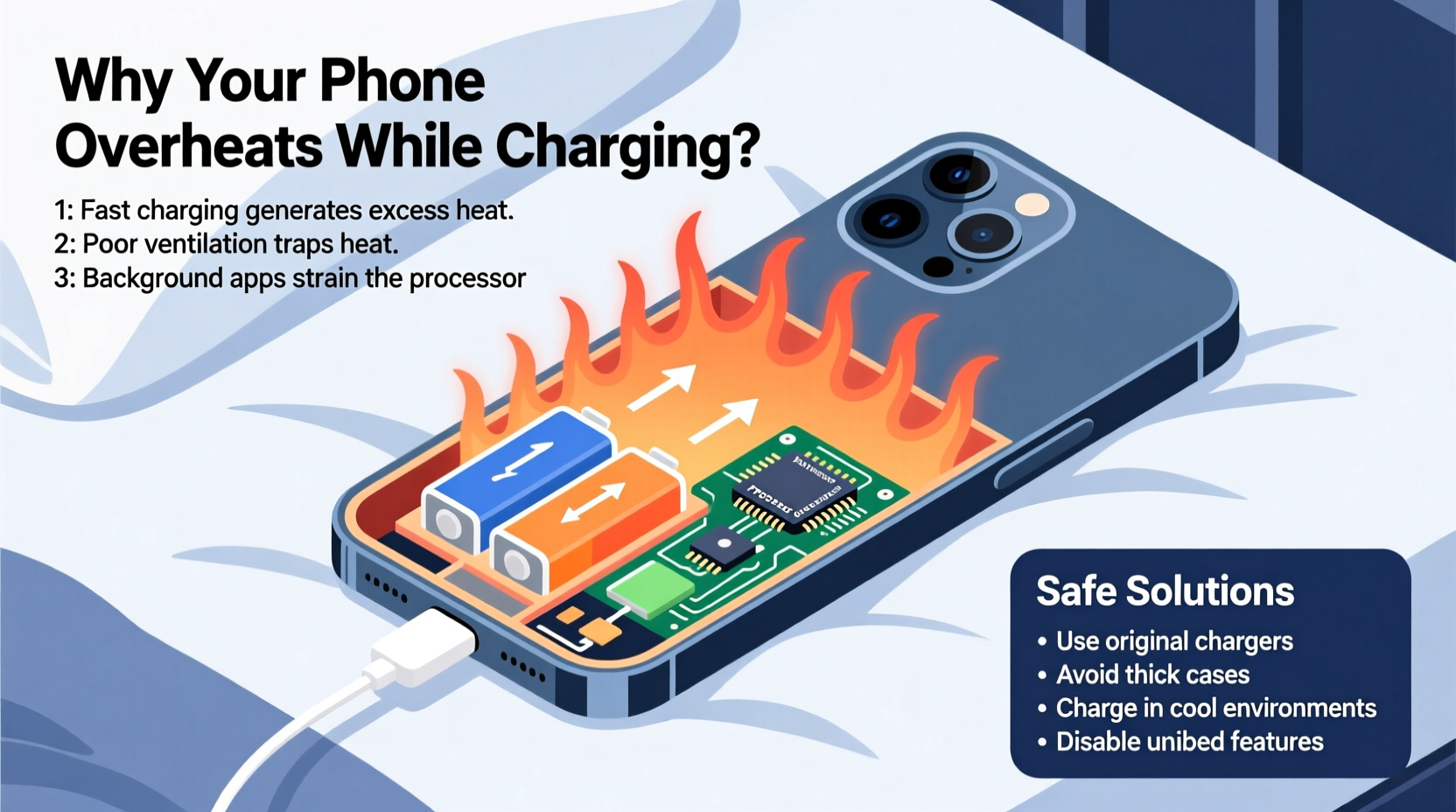
When your phone charges, electrical energy is converted into stored chemical energy in the battery. This process naturally generates heat. However, several factors can amplify this effect, pushing temperatures beyond safe limits.
Battery chemistry and charging speed: Most modern smartphones use lithium-ion batteries, which are efficient but sensitive to temperature. Fast charging technologies increase current flow to reduce charge time, but higher current means more heat. Without proper thermal management, this heat accumulates quickly.
Poor-quality or incompatible chargers: Using off-brand or counterfeit chargers often results in unstable voltage or current output. These inconsistencies force the phone’s internal circuitry to work harder, generating excess heat. Chargers lacking proper certification (like USB-IF or CE marks) are especially risky.
Background app activity: If your phone runs resource-heavy apps—such as navigation, video streaming, or gaming—while charging, the processor remains active. This dual load (charging + processing) significantly increases thermal output.
Environmental conditions: Charging in direct sunlight, on a car dashboard, or near a heater traps heat around the device. Poor ventilation prevents natural cooling, turning your phone into a miniature oven.
Aging components: As phones age, their batteries lose efficiency. An older battery may struggle to accept charge smoothly, causing irregular power draw and increased resistance, both of which generate heat.
How to Stop Your Phone from Overheating Safely
Preventing overheating doesn’t require technical expertise—just awareness and small behavioral adjustments. Here’s a practical roadmap to keep your device cool and functional.
1. Use Manufacturer-Approved Chargers
Stick to chargers and cables provided by your phone’s manufacturer or those certified by reputable standards organizations. Third-party accessories might seem cheaper, but they often lack critical safety features like overcurrent protection and temperature regulation.
2. Remove the Case During Charging
Many protective cases, especially thick silicone or leather ones, trap heat. Removing the case allows better airflow and faster dissipation of warmth. If you frequently notice overheating, consider switching to a thinner, breathable case.
3. Charge in a Cool, Well-Ventilated Area
Avoid charging on soft surfaces like beds or couches that block air vents. Instead, place your phone on a hard, flat surface such as a desk or nightstand. Keep it out of direct sunlight and away from radiators or other heat sources.
4. Disable Unused Features
Turn off Bluetooth, Wi-Fi, GPS, and mobile data when not needed. These radios continuously communicate with networks, contributing to background power consumption and heat generation—even when idle.
5. Enable Airplane Mode When Possible
If you're charging overnight or during extended breaks, switch to Airplane Mode. This shuts down all wireless transmissions, drastically reducing system load and allowing the battery to charge more efficiently and at lower temperatures.
“Thermal stress is one of the top contributors to premature battery degradation. Keeping your phone below 35°C (95°F) during charging can extend its lifespan by up to 40%.” — Dr. Lena Park, Battery Research Scientist at Mobile Energy Labs
Step-by-Step Guide to Cooling an Overheated Phone
If your phone becomes too hot to touch while charging, immediate action is necessary. Follow this timeline to protect both the device and yourself.
- Unplug Immediately: Disconnect the charger as soon as you notice excessive heat. Continuing to charge an overheated phone increases the risk of battery swelling or failure.
- Power Off if Necessary: If the screen feels extremely hot or the device shows warning messages, turn it off completely. This halts all internal processes and allows rapid cooling.
- Remove the Case: Take off any protective cover to expose the body and improve heat dissipation.
- Place in a Cool Environment: Set the phone on a cool surface—like a tile floor or wooden table—but avoid refrigerators or freezers. Sudden temperature drops can cause condensation inside the device.
- Wait 15–30 Minutes: Allow sufficient time for the internal components to return to a safe operating temperature before attempting to restart or recharge.
- Inspect for Damage: After cooling, check for signs of battery bulge, screen discoloration, or persistent slowdowns. If present, consult a professional technician.
Do’s and Don’ts: Charging Best Practices Table
| Do’s | Don’ts |
|---|---|
| Use original or MFi/USB-IF certified chargers | Use cheap, unbranded charging cables |
| Charge in a cool, dry place with good airflow | Leave phone charging under pillows or blankets |
| Turn off the phone or enable Airplane Mode while charging | Play graphics-intensive games while fast charging |
| Keep software updated for optimized battery management | Ignore repeated overheating warnings |
| Remove thick cases during long charging sessions | Expose the phone to direct sunlight while plugged in |
Real-World Example: A Cautionary Scenario
Jamal, a delivery driver, relied heavily on his smartphone for navigation and order tracking. He charged his phone every few hours using a fast charger mounted in his car. One summer afternoon, after leaving the phone on the dashboard for two hours while running deliveries, he returned to find it extremely hot—so hot that the screen flickered and the battery drained rapidly despite being fully charged.
He ignored the issue initially, but over the next week, the phone began shutting down randomly, even at 40% battery. Eventually, the back panel warped slightly—a clear sign of battery swelling caused by prolonged heat exposure. A repair technician confirmed that the combination of high ambient temperature, continuous charging, and heavy GPS usage had permanently damaged the battery.
This scenario highlights how everyday habits, when combined, can create dangerous thermal conditions. Simple changes—like parking in shade, using a sunshade, or charging only when the engine is off—could have prevented the damage entirely.
Checklist: Prevent Phone Overheating While Charging
- ✅ Use only certified chargers and cables
- ✅ Remove phone case during charging
- ✅ Avoid using the phone during fast charging
- ✅ Charge in a room-temperature environment
- ✅ Turn off unnecessary apps and connectivity features
- ✅ Enable Airplane Mode when possible
- ✅ Never leave the phone charging unattended on flammable surfaces
- ✅ Monitor for recurring overheating and act early
Frequently Asked Questions
Is it dangerous if my phone gets hot while charging?
Mild warmth is normal, especially with fast charging. However, if the phone becomes too hot to hold comfortably, emits a burning smell, or shows visual distortions on screen, it's potentially dangerous. Unplug immediately and let it cool down. Persistent overheating can lead to battery swelling, reduced lifespan, or fire hazards in extreme cases.
Can software updates cause my phone to overheat while charging?
Yes, occasionally. Major OS updates sometimes introduce bugs or inefficient background processes that increase CPU usage. If overheating starts shortly after an update, check for available patches or roll back non-essential apps. Clearing cache partitions (via recovery mode) can also resolve temporary software conflicts causing excess heat.
Should I stop charging at 80% to prevent heat buildup?
While not always necessary, limiting charge to 80% can reduce thermal stress on the battery. Lithium-ion batteries experience higher strain when charged beyond 80%, particularly in warm environments. Some phones offer built-in “Optimized Charging” modes that learn your routine and delay full charging until needed, minimizing time spent at peak voltage and temperature.
Final Thoughts: Protect Your Device and Yourself
Your smartphone is designed to manage heat intelligently, but it can't override poor charging habits or unsafe environments. Overheating isn't just a nuisance—it's a warning sign that something is wrong. By choosing quality accessories, managing usage patterns, and staying alert to temperature changes, you safeguard not only your device but also your personal safety.
Battery replacement costs, data loss, or worse—fire hazards—are preventable with informed care. Start today: inspect your current charger, assess where and how you charge, and eliminate risky behaviors. Small changes now can preserve your phone’s performance and reliability for years to come.




 浙公网安备
33010002000092号
浙公网安备
33010002000092号 浙B2-20120091-4
Comments
No comments yet. Why don't you start the discussion?