
It’s a common scenario: you plug your phone into your car charger, only to find it uncomfortably hot minutes later. Overheating during in-car charging isn’t just uncomfortable—it can degrade battery life, slow performance, and even pose safety risks. While modern smartphones are built with thermal protection, frequent overheating accelerates wear and reduces long-term reliability. Understanding why this happens—and how to fix it quickly—is essential for anyone who relies on their phone during commutes, road trips, or daily errands.
The issue stems from a combination of environmental heat, electrical inefficiencies, and usage patterns. Unlike home charging, car charging introduces variables like direct sunlight, poor ventilation, and fluctuating power output. The good news is that most causes are preventable with simple adjustments. This guide breaks down the science behind the heat, identifies root causes, and provides actionable, immediate fixes to keep your phone cool and functioning safely.
What Causes Phone Overheating in Cars?
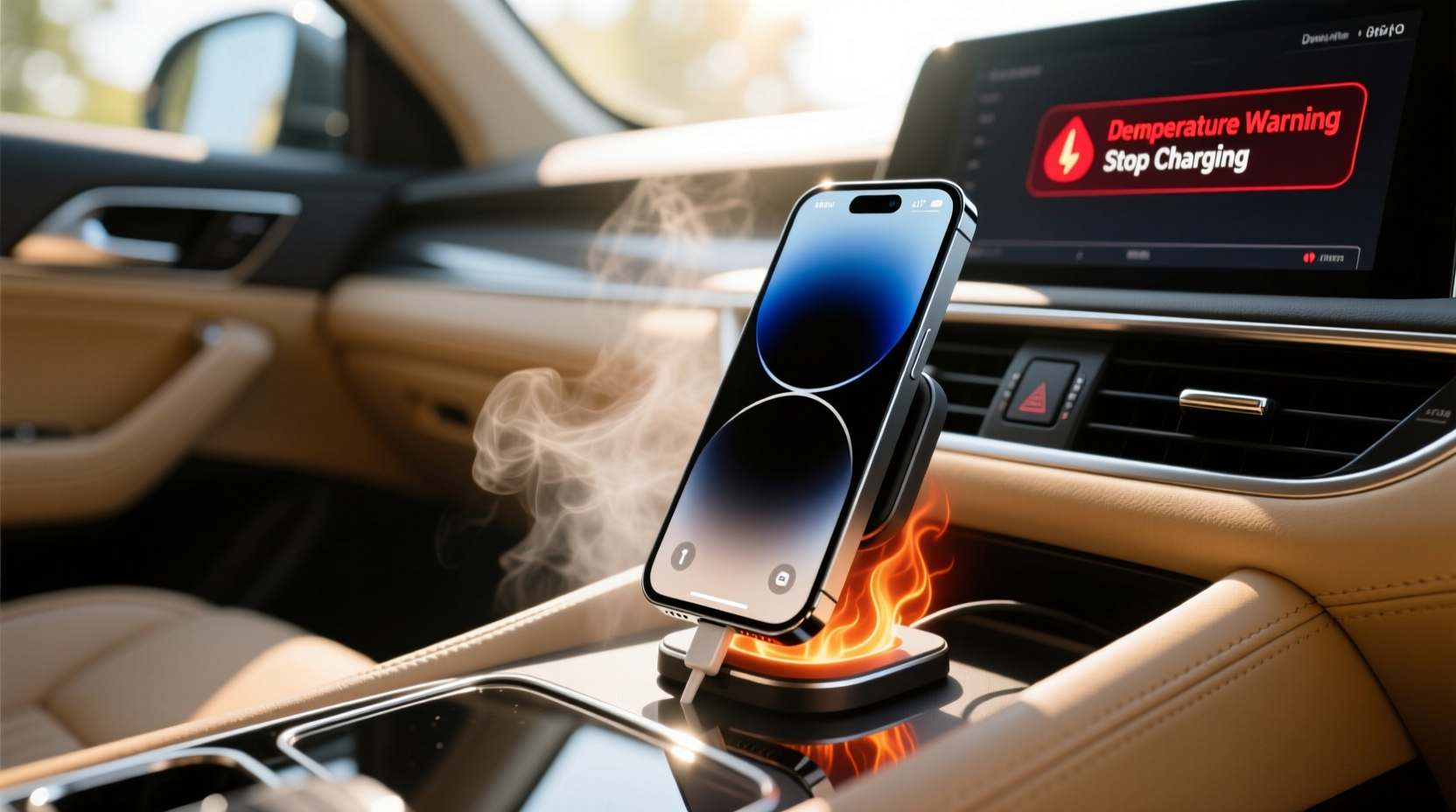
Your phone doesn’t generate excessive heat by accident. When plugged into a car charger, multiple factors converge to push temperatures beyond normal operating levels—typically above 35°C (95°F). Understanding these triggers helps you diagnose and resolve issues before they escalate.
Ambient Temperature: Cars act like greenhouses. On a sunny 30°C (86°F) day, interior temperatures can soar to 60–70°C (140–160°F) within 30 minutes. A phone left on a dashboard or near a window absorbs radiant heat, making cooling nearly impossible—even without charging.
Inefficient Charging Systems: Not all car chargers are created equal. Cheap or outdated USB adapters may deliver unstable voltage, causing the phone to work harder to regulate input. Fast charging in high heat exacerbates this strain, leading to thermal throttling or shutdowns.
Phone Usage During Charging: Streaming navigation, playing music, or taking calls while charging increases CPU and radio activity. Combined with charging load, this multiplies internal heat generation. GPS and cellular signals constantly adjust in moving vehicles, adding further burden.
Poor Ventilation: Phones buried under seat cushions, covered by cases, or placed in enclosed mounts trap heat. Without airflow, dissipation fails, and components like the battery and processor retain excess energy as heat.
Quick Fixes to Cool Your Phone Immediately
If your phone is already hot, immediate action can prevent permanent damage. These steps should be taken as soon as you notice excessive warmth:
- Unplug the Charger: Disconnect immediately if the device feels too hot to touch. Continuing to charge risks battery swelling or circuit damage.
- Turn Off or Enable Airplane Mode: Shutting down halts all processing. If turning off isn’t practical, enable Airplane Mode to disable radios and reduce load.
- Remove the Case: Many protective cases insulate heat. Removing them allows faster cooling, especially if made of silicone or leather.
- Move to Shade or Cooler Area: Relocate the phone to a cooler part of the car—like the center console or passenger seat away from windows.
- Use AC Vents (Carefully): Directing cool air toward the phone helps, but avoid condensation. Don’t place it directly against cold surfaces.
Wait until the phone cools to at least room temperature before resuming use or charging. Most phones display warnings like “Temperature too high” or automatically pause charging—respect these alerts.
Preventive Measures for Long-Term Safety
Prevention beats emergency response. Implementing consistent habits reduces overheating risk significantly. Consider these strategies part of responsible device care.
Use High-Quality Charging Equipment
Cheap chargers often lack proper voltage regulation and surge protection. Invest in reputable brands (e.g., Anker, Belkin, or OEM cables) that support stable power delivery. Look for:
- USB Power Delivery (PD) or Qualcomm Quick Charge compatibility
- CE/FCC certification labels
- Proper amperage (1.5A–3A depending on phone model)
Optimize Charging Location
Where you place your phone matters. Avoid spots that amplify heat:
| Location | Risk Level | Recommendation |
|---|---|---|
| Dashboard | Very High | Avoid—direct sun exposure traps heat |
| Vent Mount (front-facing) | High | Only use if not blowing hot air; ensure airflow around device |
| Center Console | Low | Ideal—cooler, shaded, better ventilation |
| Passenger Seat | Moderate | Safe if not in sunlight; avoid covering with bags or coats |
Limit Usage While Charging
Running navigation apps, streaming music, or gaming while charging creates a thermal double-load. Instead:
- Start navigation before plugging in
- Download maps offline to reduce real-time data use
- Use voice commands instead of touching the screen
Choose the Right Case
Slim, breathable materials like TPU or polycarbonate dissipate heat better than thick rubber or silicone. Some rugged cases, while protective, act as thermal blankets. Consider switching to a minimal case for car use.
Expert Insight: What Engineers Say About Thermal Management
Smartphone thermal design prioritizes user safety, but limitations exist—especially in extreme environments. According to Dr. Lena Patel, electronics thermal engineer at a leading mobile manufacturer:
“Phones are designed to operate safely between 0°C and 35°C. Beyond that, internal systems divert power to cooling instead of performance. In cars, you’re often exceeding 50°C internally. No amount of software can fully compensate for that kind of environmental stress.” — Dr. Lena Patel, Electronics Thermal Engineer
She emphasizes that while adaptive charging algorithms throttle input when hot, repeated exposure shortens battery cycle life. “One overheating event won’t kill your phone, but doing it daily for months will,” she warns. Her advice? “Treat your phone like you’d treat a pet in a car—don’t leave it roasting in the sun.”
Step-by-Step Guide: How to Charge Safely in Your Car
Follow this routine every time you charge your phone in the vehicle:
- Before Driving: Check that your charger is securely connected and undamaged. Use only certified cables.
- Prepare the Phone: Remove thick cases. Close unnecessary apps. Enable battery saver mode if available.
- Position Strategically: Place the phone in a shaded, ventilated area—ideally mounted on a side vent or in the console.
- Start Charging: Plug in after starting the engine to ensure stable voltage (car alternators stabilize once running).
- Monitor Temperature: If the screen dims, lags, or displays a warning, unplug immediately.
- After Arrival: Unplug and let the phone cool before storing. Inspect for unusual warmth weekly.
This sequence minimizes risk and promotes consistent, safe charging behavior.
Checklist: Prevent Phone Overheating in the Car
Keep this checklist handy—print it or save it on another device:
- ✅ Use a certified, high-quality car charger
- ✅ Avoid direct sunlight and dashboard placement
- ✅ Remove thick or insulated phone cases
- ✅ Limit app usage while charging
- ✅ Download maps offline to reduce data strain
- ✅ Park in shade or use windshield sunshades
- ✅ Monitor phone temperature regularly
- ✅ Replace frayed or damaged cables immediately
Real Example: Sarah’s Summer Road Trip Wake-Up Call
Sarah, a sales representative from Arizona, drives over 1,000 miles weekly. Last summer, her phone began shutting down mid-navigation despite being plugged in. At first, she thought it was a software glitch. After the third shutdown in one week, she took it to a repair shop.
The technician found the battery had swollen slightly—a clear sign of heat damage. “You’re charging in 70°C heat while using GPS nonstop,” he explained. “That’s like running a marathon in a sauna.”
Sarah switched to a ventilated console mount, started downloading maps ahead of time, and bought a certified fast-charger with temperature control. Within a week, her phone stayed cool and functional—even on 100-mile desert drives. “I didn’t realize how much abuse I was putting it through,” she said. “Now I treat it like part of my toolkit—worth protecting.”
Frequently Asked Questions
Can a hot phone explode while charging in the car?
While extremely rare, lithium-ion batteries can enter thermal runaway if severely overheated, damaged, or defective. Modern phones have multiple safeguards, so explosions are unlikely—but persistent overheating increases risk. If your phone frequently gets too hot, stop using it while charging and inspect for damage.
Is wireless charging in the car safer than wired?
Not necessarily. Wireless charging generates more heat due to energy loss during induction. In a hot car, this adds to thermal load. If using wireless, ensure the mount has cooling vents, limit usage, and avoid combining it with sunlight exposure.
Does fast charging cause more overheating?
Yes. Fast charging delivers higher current, which increases heat production. In a hot environment like a car, this effect compounds. Use standard charging (5V/1A or 5V/2A) when temperatures are high, unless you need rapid top-ups.
Conclusion: Protect Your Phone Like You Would Your Health
Your phone is a powerful tool, but it’s not indestructible. Overheating in the car is a preventable problem—one that combines smart habits, quality gear, and awareness of your environment. Just as you wouldn’t leave a child or pet in a hot vehicle, you shouldn’t subject your phone to unchecked heat and stress.
Start today: audit your current charging setup, replace any questionable accessories, and commit to cooler, smarter practices. Small changes—like removing a case, repositioning a mount, or preloading maps—can dramatically extend your phone’s lifespan and reliability. Technology serves us best when we respect its limits.




 浙公网安备
33010002000092号
浙公网安备
33010002000092号 浙B2-20120091-4
Comments
No comments yet. Why don't you start the discussion?