
It’s a familiar scenario: you’re on a long drive, relying on Google Maps or Apple Maps for directions, when suddenly your phone grows uncomfortably hot. The screen dims, the app stutters, and a warning pops up — “Phone temperature too high.” This isn’t just an annoyance; it’s a sign that your device is under significant stress. Prolonged overheating can degrade battery life, reduce performance, and in extreme cases, cause permanent hardware damage. Understanding why this happens — and how to prevent it — is essential for anyone who depends on their smartphone for daily navigation.
The Science Behind Phone Overheating
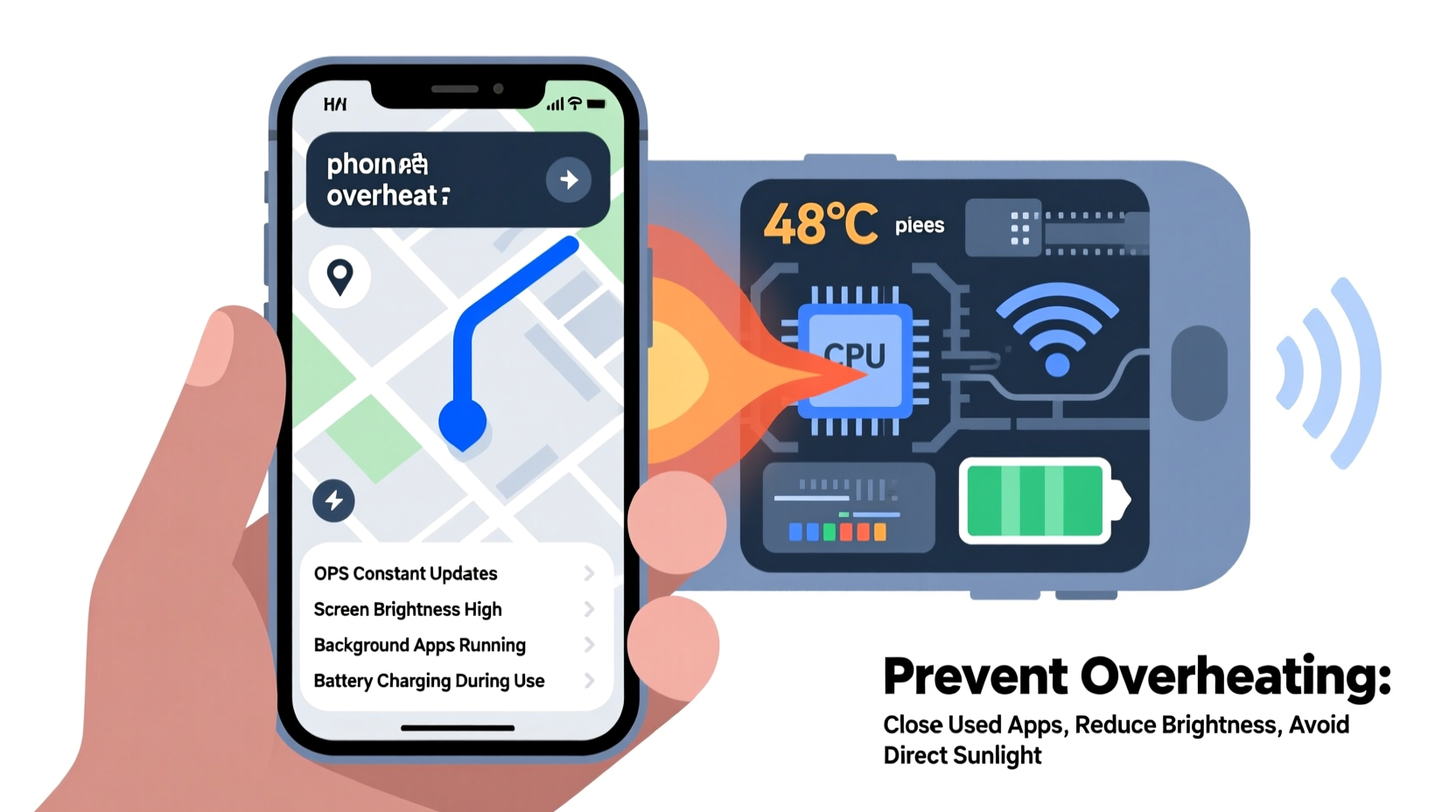
Smartphones are compact computers packed with powerful components. When you use navigation apps extensively, multiple systems inside your phone work at full capacity simultaneously. The processor (CPU/GPU), GPS receiver, cellular radio, Wi-Fi module, display, and even the vibration motor all draw power and generate heat. Unlike laptops or desktops, phones lack active cooling like fans, so they rely solely on passive dissipation through the chassis. When heat builds faster than it can escape, internal temperatures rise.
Navigation apps are especially demanding because they require continuous:
- GPS signal processing — constantly triangulating your position via satellites.
- Data connectivity — downloading map tiles, traffic updates, and rerouting instructions in real time.
- Bright screen usage — often set to maximum brightness for visibility in sunlight.
- Sensor activation — using accelerometers, gyroscopes, and magnetometers for orientation and motion tracking.
According to Dr. Lena Torres, a mobile thermal dynamics researcher at the Institute of Electrical and Electronics Engineers (IEEE):
“Navigation represents one of the most thermally intense use cases for smartphones. You're running location services at peak duty cycle, maintaining network connections, rendering graphics, and displaying high-brightness visuals — all within a sealed aluminum or glass enclosure. That creates a perfect storm for thermal accumulation.”
Common Causes of Excessive Heat During Navigation
While some warmth is normal, excessive heat indicates inefficiencies or environmental factors worsening the situation. Below are the primary contributors:
1. Poor Ventilation Due to Car Mounts or Cases
Many users place their phones in thick silicone or leather cases and mount them on dashboards or windshields. These materials trap heat instead of allowing it to radiate outward. Similarly, enclosed car mounts made of rubber or plastic act as insulators, preventing airflow around the device.
2. Direct Sunlight Exposure
Mounting your phone on a dashboard or windshield exposes it to direct sunlight, especially during summer months. Even with tinted windows, interior car temperatures can exceed 70°C (160°F). A phone left in such conditions may already be near its thermal limit before you even launch the navigation app.
3. Background App Activity
If other apps are running in the background — streaming music, syncing email, or updating social media — they compete for CPU resources and increase overall system load. This additional strain amplifies heat generation.
4. Outdated Software or Buggy Apps
Older versions of navigation apps may contain inefficient code or memory leaks that cause the processor to work harder than necessary. Similarly, outdated operating systems might not manage thermal throttling effectively.
5. Weak Signal Strength
In rural areas or tunnels, your phone struggles to maintain a stable connection. It boosts transmission power to reach cell towers, which significantly increases energy consumption and heat output from the modem.
How Heat Damages Your Phone Over Time
Occasional overheating won’t destroy your phone immediately, but repeated exposure to high temperatures leads to cumulative damage. Key effects include:
| Component | Impact of Overheating | Potential Long-Term Consequence |
|---|---|---|
| Lithium-ion Battery | Accelerated chemical degradation | Reduced capacity, shorter lifespan, swelling |
| CPU/GPU | Thermal throttling reduces speed | Slower performance, laggy interface |
| Display (OLED) | Burn-in risk at high brightness + heat | Permanent image retention |
| Internal Adhesives | Weakening due to thermal cycling | Screen delamination, loose components |
A study by Battery University found that keeping a lithium-ion battery above 35°C (95°F) for extended periods can cut its usable life by up to 35%. Since navigation often occurs in hot environments, this threshold is easily exceeded.
Practical Steps to Prevent Overheating
Preventing overheating doesn’t mean giving up navigation. With smart habits and minor adjustments, you can protect your device without compromising functionality.
Step-by-Step Guide: Cool Down & Prevent Future Overheating
- Remove the case before driving — Especially if it’s thick or non-breathable. Let the metal or glass backplate dissipate heat directly.
- Lower screen brightness manually — Set it just high enough to see clearly. Avoid auto-brightness in direct sunlight, as it often maxes out unnecessarily.
- Close unnecessary background apps — Swipe away apps like Spotify, Instagram, or email clients that aren't needed for navigation.
- Download offline maps — Reduce data dependency by pre-loading regional maps in Google Maps or HERE WeGo. This cuts down on constant network pings.
- Use airplane mode with Wi-Fi only (if possible) — If you’ve downloaded maps, turn off cellular data and Bluetooth to reduce modem activity. Re-enable briefly for traffic updates every 15–20 minutes.
- Keep the phone in shade — Use a sunshade, position it below window level, or choose a vent mount near the AC outlet.
- Turn on cooling airflow — Point a car vent toward the phone, even slightly. Passive airflow helps more than most realize.
- Take breaks on long trips — Every hour or two, pause navigation for five minutes to let the phone cool down.
“Think of your phone like an athlete — it performs best when it stays within its optimal temperature range. Push it too hard in the heat, and it will eventually break down.” — Mark Chen, Senior Mobile Engineer at a leading smartphone manufacturer
Real-World Example: A Cross-Country Drive Gone Wrong
Consider the case of Sarah Kim, a freelance photographer traveling from Denver to Phoenix in July. She relied entirely on her iPhone 13 for navigation across remote stretches of I-40. Her phone was in a rugged OtterBox case, mounted on the dashboard, screen at full brightness. After three hours, the device began lagging. By hour four, a red temperature warning appeared, and Maps crashed repeatedly.
She pulled over, removed the case, and placed the phone in the cup holder near the AC vent. Within ten minutes, the temperature dropped enough to resume navigation. Later, she learned her battery health had dropped from 98% to 92% over that single trip due to sustained high heat exposure. Since then, she now downloads offline maps, uses a magnetic vent mount, and keeps her phone uncovered during drives.
This example illustrates how quickly things can escalate — and how simple interventions make a meaningful difference.
Checklist: Keep Your Phone Cool While Navigating
- ✅ Remove protective case before mounting
- ✅ Download offline maps before departure
- ✅ Use a vent mount instead of dashboard
- ✅ Lower screen brightness to 60–70%
- ✅ Close unused background apps
- ✅ Avoid charging while navigating (if possible)
- ✅ Take 5-minute cooling breaks every 2 hours
- ✅ Park in shade and restart phone if it gets too hot
Frequently Asked Questions
Can overheating permanently damage my phone?
Yes. Repeated exposure to high temperatures can degrade the battery, weaken internal adhesives, and accelerate wear on chips and sensors. While modern phones have safety cutoffs, these don’t prevent gradual damage from frequent thermal stress.
Is it safe to use navigation while charging in the car?
Using navigation while charging increases heat buildup because both processes generate warmth. Combined, they can push the phone beyond safe limits. If you must charge, use a low-wattage cable (5W), avoid fast chargers, and ensure good ventilation.
Why does my Android get hotter than my friend’s iPhone during navigation?
Differences in hardware design, software optimization, and thermal management play a role. Some Android models have less efficient cooling layouts or higher-resolution screens that consume more power. Additionally, third-party navigation apps may not be as optimized as Google Maps or Apple Maps.
Conclusion: Smart Habits for Safer Navigation
Your smartphone is a vital travel companion, but it wasn’t designed to run at full throttle in extreme conditions indefinitely. Overheating during navigation is preventable with awareness and small behavioral changes. By managing heat proactively, you extend your device’s lifespan, maintain reliability when you need it most, and avoid frustrating interruptions mid-journey.
Start today: review your current setup, remove unnecessary accessories, optimize your app usage, and adopt cooling strategies. A few mindful choices can make the difference between a smooth ride and a stranded device.




 浙公网安备
33010002000092号
浙公网安备
33010002000092号 浙B2-20120091-4
Comments
No comments yet. Why don't you start the discussion?