
It’s a common scenario: you step outside on a frosty winter morning, pull out your phone, and instead of a responsive display, you’re met with a flickering screen. The touch function may lag or stop working entirely. While alarming, this phenomenon is more common than many users realize—and it’s rooted in the physical limitations of modern smartphone technology. Cold-induced screen flickering isn’t necessarily a sign of permanent damage, but understanding the causes and knowing how to respond can prevent long-term issues.
This article explores the science behind temperature-related screen behavior, identifies which devices are most vulnerable, and provides actionable steps to minimize risk and restore normal function when your screen starts acting up in the cold.
The Science Behind Cold-Induced Screen Flickering
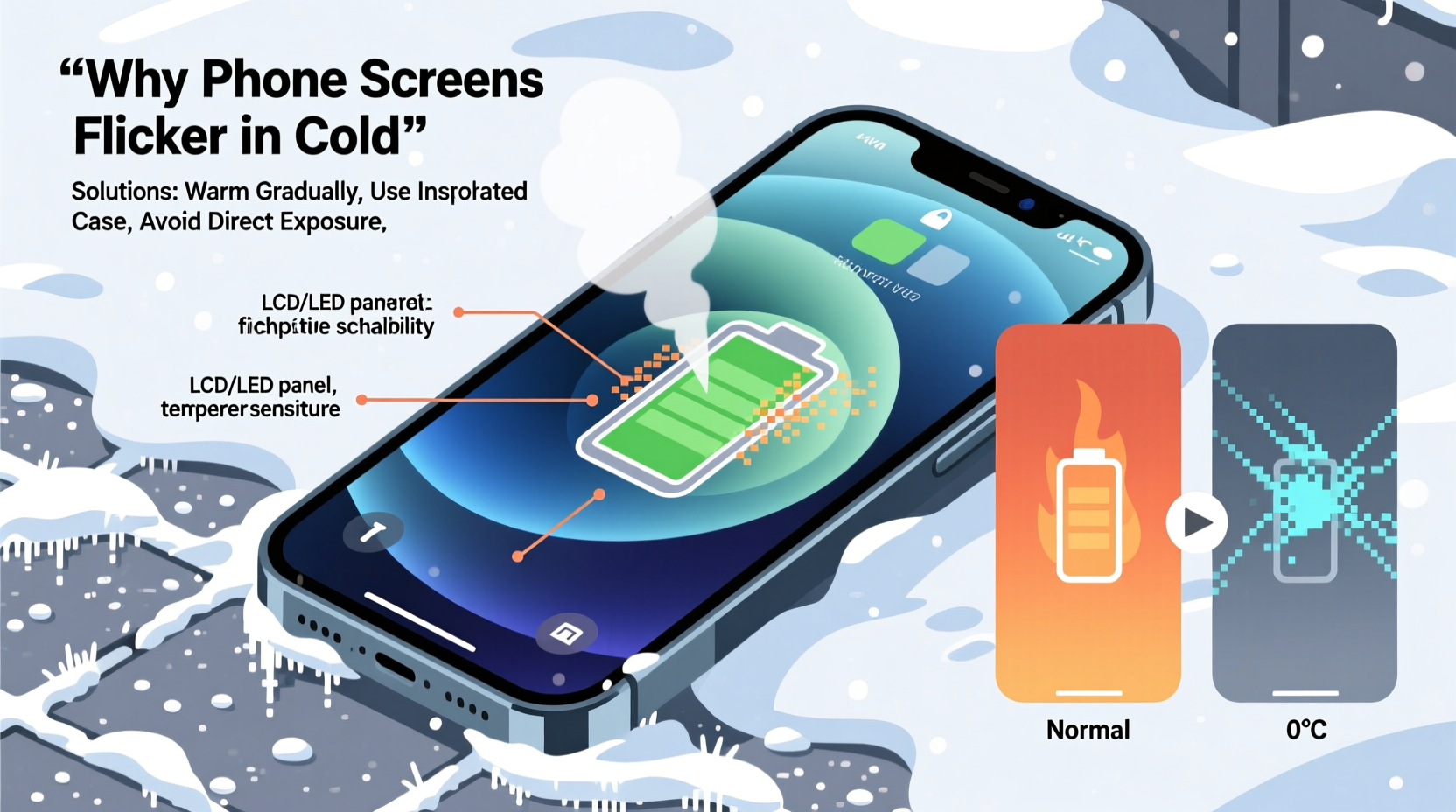
Smartphone screens rely on complex materials and electrical systems that behave differently under extreme temperatures. Most modern phones use either OLED (Organic Light-Emitting Diode) or LCD (Liquid Crystal Display) panels, both of which are sensitive to thermal changes.
In cold environments—typically below 32°F (0°C)—the liquid crystals in LCD screens slow down significantly. These crystals are responsible for controlling light passage through the display. When they become sluggish due to low temperatures, the screen struggles to refresh properly, resulting in flickering or ghosting effects. OLED screens, while generally more resilient, also contain organic compounds that lose efficiency in freezing conditions. The conductivity of the thin-film transistors (TFTs) driving the pixels decreases, leading to inconsistent voltage delivery and visual artifacts like flickering.
Beyond the display itself, the battery plays a critical role. Lithium-ion batteries, standard in all smartphones, experience reduced ion mobility in cold weather. This leads to temporary drops in voltage, which can destabilize power delivery to the screen and other components. The system may interpret this as a fault, triggering erratic screen behavior.
“Temperature extremes are one of the most overlooked stressors on mobile electronics. Even brief exposure to sub-freezing conditions can disrupt screen performance.” — Dr. Lena Torres, Materials Scientist at the Institute for Mobile Technology Research
Which Phones Are Most Affected?
Not all phones react the same way to cold. Several factors influence susceptibility:
- Screen type: Older LCD-based models tend to flicker more readily than newer OLED-equipped devices.
- Build quality: Flagship phones often include better thermal insulation and adaptive brightness controls that mitigate cold effects.
- Firmware optimization: Some manufacturers implement software safeguards that reduce screen brightness or disable certain features when internal sensors detect low temperatures.
For example, iPhones have historically shown noticeable flickering in cold climates, particularly models from iPhone X through iPhone 12. Apple acknowledged this in support documentation, noting that temporary display issues may occur below 32°F. Similarly, budget Android phones with lower-grade LCD panels are more prone to flickering than premium models like Samsung Galaxy S series or Google Pixel devices with advanced OLED displays.
Step-by-Step Guide: What to Do When Your Screen Starts Flickering in the Cold
If your phone screen begins flickering outdoors in freezing temperatures, follow this sequence to protect your device and restore functionality:
- Minimize Exposure Time
Limit how long your phone is outside. Every additional minute increases the risk of deeper thermal stress. - Keep It Close to Your Body
Store the phone in an inner pocket where body heat can help maintain its temperature. Avoid leaving it in outer coat pockets or backpacks exposed to wind. - Avoid Touch Interaction
Resist the urge to tap or swipe repeatedly. This can strain the already compromised touchscreen controller and drain the weakened battery faster. - Warm Gradually Indoors
Once inside, do not immediately plug in or turn on power-intensive apps. Let the device warm up slowly at room temperature for 15–20 minutes before use. - Check for Condensation
After warming, inspect the screen and ports for moisture. If condensation has formed, wait until it fully evaporates before turning the device back on. - Restart the Device
After stabilization, restart your phone. This clears any temporary glitches caused by voltage fluctuations during cold exposure. - Monitor Performance
If flickering persists after the phone reaches normal operating temperature (around 62–72°F), back up your data and contact manufacturer support—it could indicate hardware damage.
Preventive Measures and Long-Term Protection
While occasional cold exposure is unavoidable, consistent protection reduces the likelihood of recurring flickering and extends your phone’s lifespan.
| Action | Benefit | Frequency |
|---|---|---|
| Use a thermal phone case | Insulates against rapid temperature drops | Year-round in cold climates |
| Enable auto-brightness | Reduces screen strain in low-light, cold environments | Always recommended |
| Avoid charging in cold conditions | Prevents battery degradation and instability | Never charge below 32°F |
| Carry a backup power bank | Maintains charge when battery drains faster in cold | During extended outdoor use |
| Update firmware regularly | Ensures latest thermal management improvements | As updates become available |
Investing in a ruggedized or thermally insulated phone case can make a significant difference. These cases often use materials like neoprene or dual-layer polycarbonate that trap heat and shield the device from wind chill. They are especially useful for outdoor workers, skiers, or anyone frequently active in sub-zero environments.
Mini Case Study: Winter Commuter in Minneapolis
Jamal, a rideshare driver in Minneapolis, noticed his Android phone began flickering every time he stepped outside during January mornings. At first, he thought the screen was failing. After reading about cold-related issues online, he changed his habits: he started keeping the phone in his jacket’s inner chest pocket instead of the door-side console, used a thick silicone case, and avoided using GPS navigation while the device was still cold.
He also downloaded a battery health app to monitor voltage fluctuations. Within days, the flickering stopped. Over three months, his phone remained stable despite daily exposure to temperatures as low as -10°F. Jamal credits the improvement to proactive thermal management rather than hardware replacement.
Do’s and Don’ts When Dealing With Cold-Related Flickering
| Do | Don’t |
|---|---|
| Bring your phone indoors to warm gradually | Place it near a heater or radiator to speed up warming |
| Use gloves with conductive fingertips if interaction is necessary | Tap the screen aggressively when unresponsive |
| Turn off unnecessary features (Bluetooth, GPS) in cold weather | Leave the phone in a car overnight during winter |
| Carry it close to your body to retain warmth | Charge it immediately after bringing it in from the cold |
| Restart the device once warmed to clear glitches | Ignore persistent flickering after full warm-up |
FAQ: Common Questions About Cold-Induced Screen Flickering
Can cold weather permanently damage my phone screen?
Short-term exposure typically causes only temporary flickering. However, repeated or prolonged exposure to freezing temperatures—especially below 14°F (-10°C)—can degrade the liquid crystals in LCDs or weaken OLED layers over time. Additionally, condensation upon rewarming may lead to internal moisture damage if not handled carefully.
Why does my phone work fine in the cold at first, then suddenly flicker?
Initially, residual heat from recent use keeps internal components within operational range. As that heat dissipates—usually within 2–5 minutes—the screen and battery cool rapidly. Once they fall below their functional threshold, flickering begins. This delay explains why problems don’t appear immediately upon stepping outside.
Will turning off my phone prevent flickering in the cold?
Yes, powering down eliminates screen activity and reduces electrical load on the battery, minimizing stress. A powered-off phone can withstand colder temperatures more safely than one in active use. However, avoid turning it back on until it has warmed to room temperature.
Conclusion: Smart Habits for All-Weather Phone Use
Your smartphone is a powerful tool, but it operates best within a narrow temperature window. Cold-induced screen flickering is not just an inconvenience—it’s a warning signal from your device. By understanding the underlying mechanics and adopting simple protective habits, you can maintain reliable performance even in harsh winter conditions.
From choosing the right case to managing how and when you use your phone outdoors, small adjustments yield significant results. Don’t wait for permanent damage to take action. Start treating your phone like the precision instrument it is—especially when the thermometer drops.




 浙公网安备
33010002000092号
浙公网安备
33010002000092号 浙B2-20120091-4
Comments
No comments yet. Why don't you start the discussion?