
Suddenly feeling your phone vibrate in your pocket when no message or call has come through can be unsettling — even alarming. You check the screen, only to find nothing there. This phantom vibration phenomenon is more common than you might think, but when it happens frequently, it could signal a deeper issue with your device’s software, settings, or hardware. Understanding the root causes and knowing how to properly reset your phone can eliminate the problem and restore peace of mind.
From misconfigured notifications to rogue apps and system glitches, unexpected vibrations are rarely random. With the right troubleshooting steps, most issues can be resolved without professional repair. This guide explores the most common reasons behind unexplained phone vibrations and provides actionable solutions, including soft resets, factory resets, and preventive measures tailored for both Android and iOS devices.
Common Causes of Unexplained Phone Vibrations
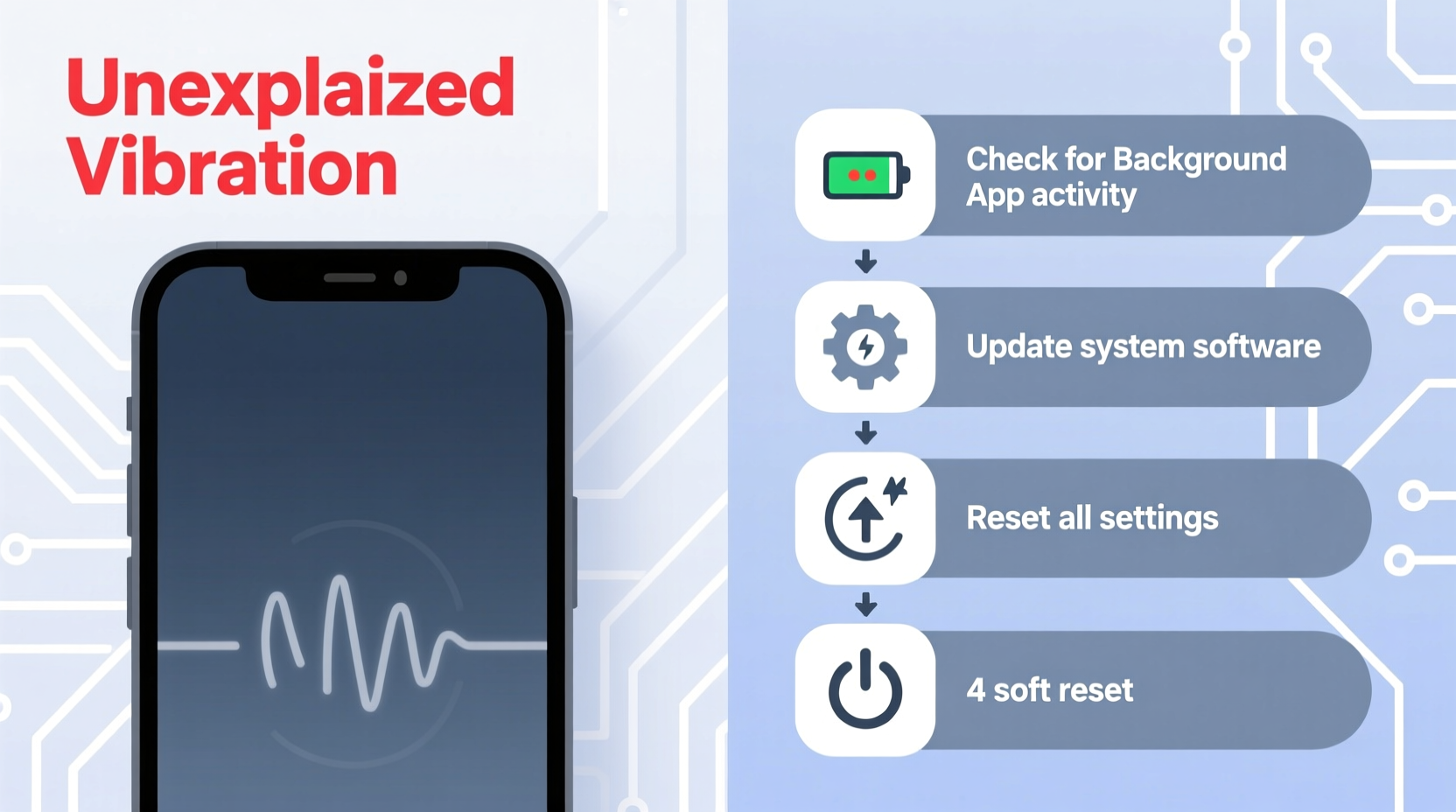
Before jumping into resets, it’s essential to identify what might be triggering the phantom buzzes. Many users assume their phone is malfunctioning, but often, the cause lies in overlooked settings or background processes.
- Misconfigured accessibility features: Features like haptic feedback, switch access, or voice assistant triggers can activate vibrations unexpectedly.
- Buggy or malicious apps: Third-party apps may run background services that simulate notification behavior, including vibration, even when idle.
- System glitches after updates: Software updates sometimes introduce bugs that affect the vibration motor or notification manager.
- Notification mirroring from connected devices: Smartwatches or Bluetooth earbuds syncing with your phone can trigger duplicate alerts.
- Faulty hardware: A damaged vibration motor or loose internal connection may cause spontaneous activation.
- Phantom vibration syndrome: A psychological effect where users believe they feel a vibration that didn’t occur — though this doesn’t explain actual motor activation.
How to Reset Your Phone: Step-by-Step Guide
Resetting your phone can resolve software-related vibration issues. The type of reset depends on the severity of the problem. Below is a structured approach starting with the least invasive method.
1. Soft Reset (Restart)
A soft reset clears temporary memory and stops any rogue processes without erasing data.
- Press and hold the power button until the power menu appears.
- Select “Restart” or “Reboot.”
- If the option isn’t available, turn the phone off completely, wait 30 seconds, then power it back on.
This simple action resolves minor glitches in over 60% of cases involving erratic behavior, according to mobile support technicians at Samsung and Apple service centers.
2. Clear Cache Partition (Android Only)
The cache partition stores temporary system data. Corrupted files here can cause odd behaviors.
- Turn off the device.
- Press and hold Power + Volume Up (varies by brand; some use Volume Down).
- Release when the logo appears and enter Recovery Mode.
- Use volume keys to navigate to “Wipe Cache Partition” and confirm with the power button.
- Reboot the system once complete.
3. Factory Reset (Last Resort)
When other methods fail, a factory reset restores the phone to its original state. All personal data will be erased, so backup first.
- Backup contacts, photos, and app data using Google Drive (Android) or iCloud (iPhone).
- Go to Settings > System > Reset Options (Android) or Settings > General > Transfer or Reset iPhone (iOS).
- Select “Erase All Data and Settings.”
- Confirm and wait for the process to complete (5–10 minutes).
- Set up the phone as new or restore from backup.
After a factory reset, monitor the phone for a few hours before reinstalling third-party apps. If vibrations stop, one of the reinstalled apps was likely the culprit.
Troubleshooting Checklist
Use this checklist to systematically diagnose and fix unwanted vibrations:
- ✅ Restart the phone to clear temporary glitches.
- ✅ Check recent app installations — uninstall suspicious ones.
- ✅ Disable haptic feedback in sound & vibration settings.
- ✅ Turn off notification sync with wearables or smart home devices.
- ✅ Boot into Safe Mode (Android) to isolate third-party app interference.
- ✅ Update the operating system to patch known bugs.
- ✅ Inspect for physical damage or moisture exposure near the vibration motor.
- ✅ Perform a factory reset if all else fails.
Do’s and Don’ts When Dealing with Phantom Vibrations
| Do’s | Don’ts |
|---|---|
| Restart your phone regularly to prevent software buildup. | Ignore repeated unexplained vibrations — they may indicate a failing component. |
| Review app permissions, especially those requesting notification access. | Perform a factory reset without backing up important data. |
| Test the phone in Safe Mode to identify problematic apps. | Assume it's purely psychological without checking system logs. |
| Keep your OS updated to benefit from stability patches. | Use third-party tools claiming to \"fix vibrations\" — many are scams. |
| Contact authorized service centers if hardware failure is suspected. | Open the device yourself — this risks further damage and voids warranty. |
Real-World Example: Maria’s Persistent Vibration Issue
Maria, a teacher from Portland, noticed her Samsung Galaxy S21 vibrating every few minutes, even during class. No notifications appeared, and the battery drained faster than usual. She tried restarting the phone multiple times, but the issue persisted.
Following online advice, she booted into Safe Mode and discovered the vibrations stopped. This indicated a third-party app was responsible. After reviewing recently installed apps, she found a poorly rated weather widget that ran background alerts. Uninstalling it immediately resolved the issue.
“I thought my phone was broken,” Maria said. “But it turned out to be an app I downloaded weeks ago. Now I always check new apps’ reviews and permissions.”
“Unexpected vibrations are often tied to background services or outdated firmware. A methodical approach — starting with rebooting and moving to deeper diagnostics — saves time and prevents unnecessary repairs.” — David Lin, Senior Mobile Technician at uBreakiFix
Preventing Future Issues
Once the immediate problem is resolved, take proactive steps to avoid recurrence. Modern smartphones are powerful but vulnerable to poorly coded apps and system clutter.
Regular maintenance includes clearing cached data, limiting auto-start apps, and auditing which apps have permission to send notifications. On Android, use Settings > Apps > Special Access > Battery Optimization to restrict apps from running in the background unnecessarily. On iPhone, go to Settings > Notifications and disable alerts for apps that don’t require immediate attention.
Additionally, consider enabling “Do Not Disturb” during sleep or work hours to reduce sensory overload and minimize false alerts. You can still allow calls from favorites or emergency bypasses while silencing non-critical vibrations.
FAQ: Common Questions About Phone Vibrations and Resets
Why does my phone vibrate when I’m not getting any notifications?
This can happen due to app glitches, corrupted cache, or system errors. Some apps continue to trigger haptic feedback even when no alert is displayed. It can also stem from hardware issues like a stuck vibration motor. Try restarting the phone or booting into Safe Mode to isolate the cause.
Will a factory reset remove the vibration problem?
In most cases, yes — if the issue is software-related. A factory reset wipes all user-installed apps and resets system settings to default, eliminating conflicts caused by misbehaving apps or corrupted preferences. However, if the vibration persists after a reset, the motor itself may be faulty and require professional repair.
Can viruses make my phone vibrate randomly?
While true malware is rare on mainstream platforms, malicious apps with excessive permissions can mimic virus-like behavior, including triggering vibrations. Download apps only from official stores (Google Play, App Store), read reviews carefully, and avoid granting unnecessary permissions like accessibility services to unknown developers.
Conclusion: Take Control of Your Device’s Behavior
Your phone should serve you, not startle you. Unexplained vibrations are more than just annoying — they can disrupt focus, cause anxiety, and signal underlying problems. By understanding the potential causes and applying targeted resets, you regain control over your device’s performance and reliability.
Start with simple fixes: restart the phone, review app behavior, and disable unnecessary haptic feedback. If the problem continues, escalate to cache clearing or a full factory reset. And remember, if hardware is at fault, professional diagnostics are worth the investment.




 浙公网安备
33010002000092号
浙公网安备
33010002000092号 浙B2-20120091-4
Comments
No comments yet. Why don't you start the discussion?