
Nothing disrupts a productive workday like the sudden beeping of a printer error message: “Paper Jam.” Whether you're printing an urgent report or mailing labels for a business shipment, a paper jam halts everything. While occasional jams may seem inevitable, frequent ones are not normal—and they’re often avoidable with proper care. Understanding the root causes behind recurring paper jams and applying straightforward maintenance habits can save you time, money, and stress.
Modern printers are engineered for reliability, but even the most advanced machines depend on how they’re used and maintained. Paper jams occur when paper doesn’t move smoothly through the printer’s path due to misalignment, worn components, poor-quality supplies, or environmental factors. The good news? Most of these issues can be prevented with consistent, simple upkeep.
Common Causes of Printer Paper Jams
Paper jams rarely happen without reason. Identifying the underlying cause is the first step toward prevention. Here are the most frequent culprits:
- Overloaded paper tray: Too much paper in the input tray increases friction and can cause multiple sheets to feed at once.
- Poor-quality or damaged paper: Wrinkled, damp, or low-grade paper feeds unevenly and is more likely to get stuck.
- Dust and debris buildup: Over time, dust, paper fibers, and toner residue accumulate inside rollers and feed paths, disrupting smooth operation.
- Worn or dirty rollers: Pickup and separation rollers lose grip over time, especially if they’re coated in dust or oil from hands.
- Incorrect paper settings: Selecting the wrong paper type (e.g., thick cardstock instead of plain) confuses the printer’s feeding mechanism.
- Environmental conditions: High humidity warps paper; dry air creates static, both leading to misfeeds.
- Misaligned internal components: After repeated jams, guides or sensors may shift slightly, affecting alignment.
“Most paper jams stem from preventable issues like improper loading or lack of cleaning. A few minutes of maintenance monthly can eliminate 90% of recurring problems.” — David Lin, Printer Service Technician with 15 years of field experience
Step-by-Step Guide to Clearing and Preventing Jams
When a jam occurs, how you respond matters. Hasty removal can damage internal parts or leave fragments behind. Follow this methodical approach to clear jams safely and minimize future occurrences.
- Turn off and unplug the printer: Safety first. Power down completely before reaching inside.
- Open all accessible panels: This includes the rear access door, front output tray, and any side covers. Look for visible signs of crumpled paper.
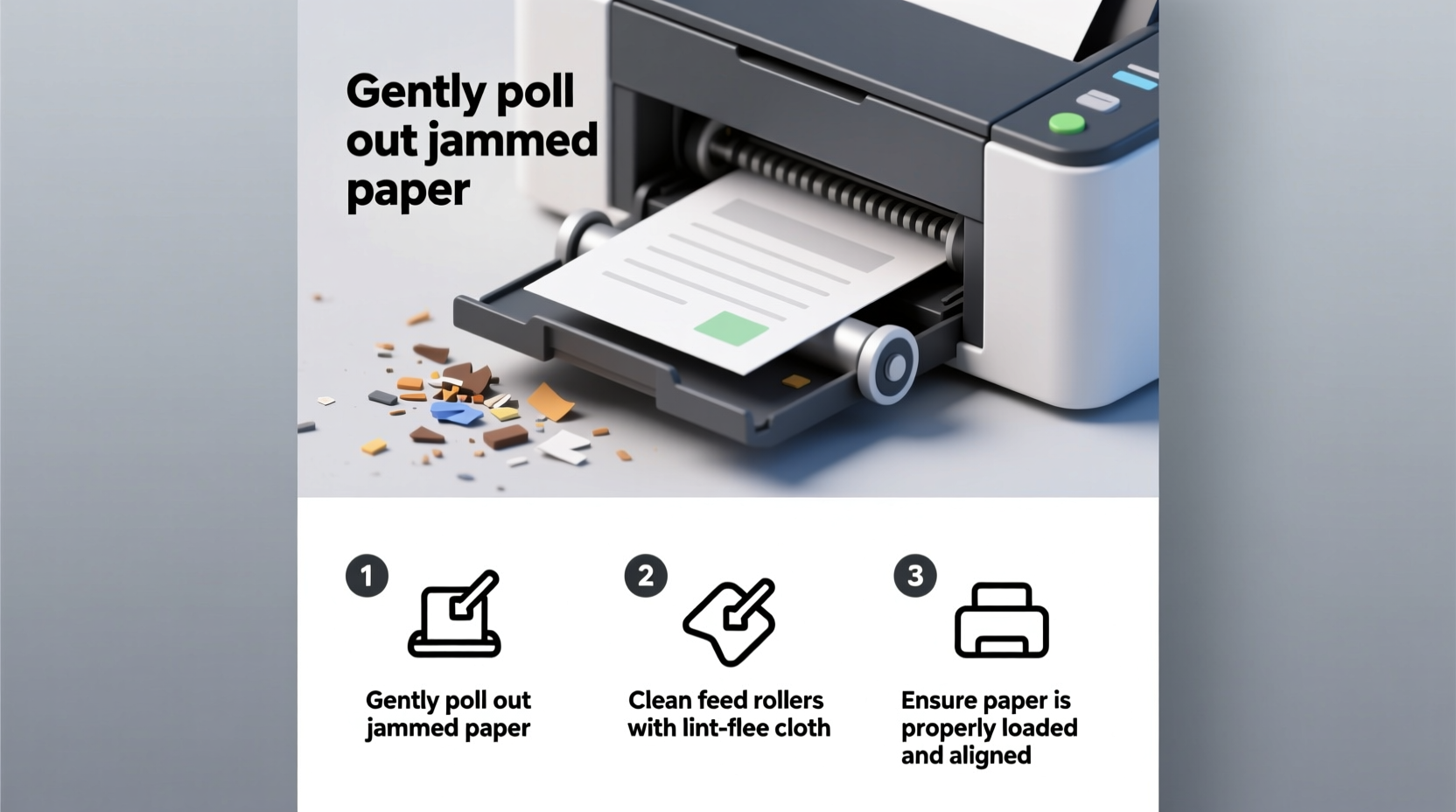
- Gently pull out jammed paper: Use slow, steady motion in the direction of paper flow. Never yank sharply—this can tear paper or damage rollers.
- Inspect for leftover scraps: Even small pieces can trigger new jams. Shine a flashlight into the paper path to check corners and rollers.
- Clean the rollers: Dampen a lint-free cloth with distilled water (never alcohol). Wipe pickup and feed rollers gently. Let them dry completely before reassembling.
- Realign paper guides: Ensure the edges in the tray are snug against the stack—not too tight, not too loose.
- Reload paper properly: Fan the stack before loading to separate sheets and reduce static cling.
- Test with a single sheet: Print a test page before resuming full jobs.
Essential Maintenance Checklist to Prevent Future Jams
Prevention is always better than repair. Incorporate these actions into your routine to keep your printer running smoothly:
- ✅ Clean paper feed rollers every 4–6 weeks
- ✅ Inspect and clear debris from paper trays monthly
- ✅ Use only recommended paper types and weights
- ✅ Store paper in a cool, dry place away from direct sunlight
- ✅ Avoid overfilling the input tray—keep below the maximum line
- ✅ Replace worn rollers or maintenance kits as per manufacturer guidelines
- ✅ Run printer self-cleaning cycles (if available) quarterly
- ✅ Keep firmware updated to ensure optimal sensor performance
Do’s and Don’ts When Handling Paper and Printers
| Do’s | Don’ts | Why It Matters |
|---|---|---|
| Fan paper before loading | Load wrinkled or folded sheets | Fanning separates sheets and reduces static, preventing double-feeds. |
| Use high-quality, printer-rated paper | Use recycled or damaged paper frequently | Premium paper has consistent thickness and smooth coating for reliable feeding. |
| Store paper flat in sealed packaging | Leave paper exposed to open air long-term | Humidity causes paper to curl or stick together, increasing jam risk. |
| Align paper guides snugly | Force paper into misaligned trays | Proper alignment ensures straight feeding; forcing paper distorts the path. |
| Clean rollers with distilled water | Use alcohol or abrasive cleaners | Harsh chemicals degrade rubber rollers, reducing grip over time. |
Real-World Example: How One Office Reduced Jams by 80%
A mid-sized accounting firm in Portland was losing nearly two hours per week dealing with printer jams during tax season. Their primary workhorse—a shared laser printer—was jamming daily, mostly after lunch hours. Technicians were called multiple times, but the problem persisted.
An on-site evaluation revealed several overlooked issues: employees were refilling the tray with mixed paper types (some damp from storage near a leaky window), the rollers were heavily coated in dust and toner residue, and the tray was routinely overloaded past capacity.
The IT manager implemented a simple protocol: designate one staff member to inspect and refill paper each morning using only fresh, sealed reams stored indoors. They also scheduled biweekly roller cleanings and posted a laminated checklist next to the printer. Within three weeks, jams dropped from 5–6 per week to just one minor incident in a month. Productivity improved, and technician costs were eliminated.
Choosing the Right Paper for Your Printer
Not all paper is created equal. Using the correct type significantly reduces jam frequency. Consider these factors when selecting paper:
- Weight: Standard office printing works best with 20–24 lb bond paper. Heavier stocks (like cardstock) require manual feed and slower speeds.
- Finish: Matte and glossy finishes behave differently. Glossy photo paper needs specific settings to avoid sticking.
- Moisture content: Paper should feel crisp, not limp. Humid environments call for vacuum-sealed reams.
- Size accuracy: Slightly oversized or cut sheets can rub against guides and stall.
Always consult your printer’s manual for compatible paper specifications. Many manufacturers list tested brands and ideal conditions. When in doubt, run a test print with a single sheet before loading a full batch.
FAQ: Common Questions About Printer Jams
Why does my printer jam even with brand-new paper?
Even new paper can cause jams if it’s stored improperly (e.g., in a humid basement) or if the printer’s rollers are dirty or worn. Additionally, static electricity in dry environments can make sheets stick together and feed incorrectly.
Can software updates really help prevent jams?
Yes. Firmware updates often include improvements to paper handling algorithms, sensor calibration, and error detection. Keeping your printer’s software up to date ensures it responds accurately to paper movement and detects early signs of misfeeds.
How often should I replace printer rollers?
Rollers typically last 100,000 pages or about 2–3 years under regular use. Signs they need replacement include frequent multi-sheet feeds, slipping sounds during printing, or consistent jams despite cleaning. Check your model’s service manual for exact lifespan and replacement procedures.
Conclusion: Small Habits, Big Results
Frequent paper jams aren’t just annoying—they signal neglect that can shorten your printer’s lifespan and waste valuable resources. By understanding the mechanics behind jams and adopting a few disciplined habits, you can transform a frustrating device into a reliable tool.
Start today: clean the rollers, check your paper storage, and align the tray correctly. Make maintenance part of your routine, not a last resort. These small actions compound into smoother operations, fewer interruptions, and longer-lasting equipment.




 浙公网安备
33010002000092号
浙公网安备
33010002000092号 浙B2-20120091-4
Comments
No comments yet. Why don't you start the discussion?