
Nothing disrupts the holiday rhythm like walking outside at 7:00 a.m. to find your meticulously programmed light show playing its default “demo mode” instead of the synchronized 90-second sequence you spent hours designing. You check the app—offline. The controller’s display shows “00:00” or “SET TIME.” The schedule is gone. Again. This isn’t random misfortune. It’s a predictable symptom of underlying technical vulnerabilities common in consumer-grade programmable lighting systems. Unlike simple plug-in strings, modern RGB LED displays rely on precise timing, stable power, persistent memory, and accurate timekeeping—all of which can silently fail when conditions shift overnight. Understanding *why* the reset occurs—not just how to reprogram it—is the first step toward a truly reliable, set-and-forget holiday display.
1. The Hidden Culprit: CR2032 Battery Failure in Controller Clocks
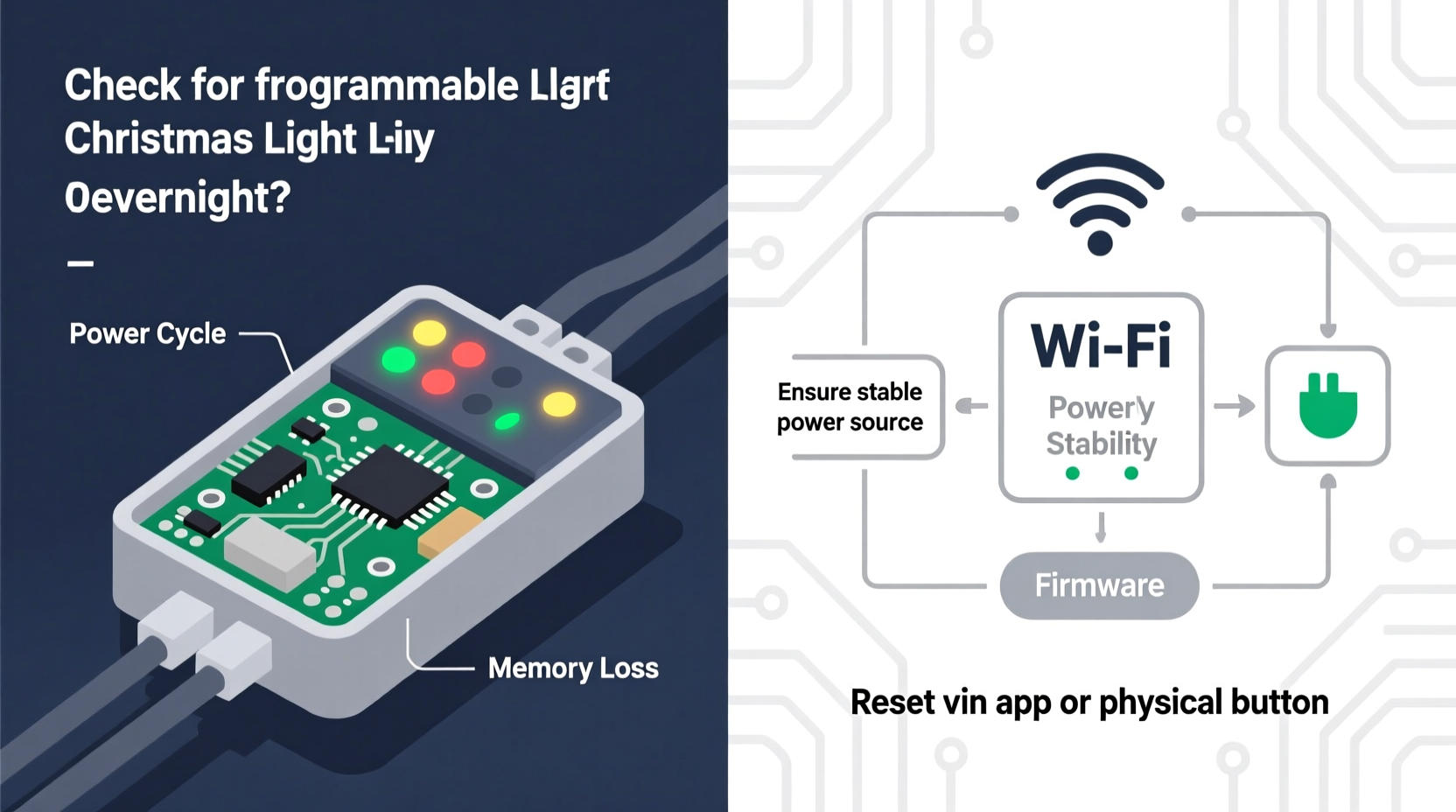
Most programmable controllers—from Light-O-Rama’s LOR S3 to Ray Wu’s ESP8266-based boards and even budget-friendly brands like Twinkly and GE Color Effects—use a small coin-cell battery (typically CR2032) to maintain real-time clock (RTC) functionality during power outages. This battery doesn’t power the lights—it powers only the tiny quartz oscillator and memory register that keep track of seconds, minutes, and hours when the main power is cut. When that battery drops below ~2.7V (often after 1–3 years), the RTC stops incrementing. Worse, many controllers don’t gracefully degrade—they simply lose all time data and revert to factory defaults upon next boot. Since outdoor outlets often trip GFCI breakers overnight due to moisture, temperature shifts, or minor surges, brief power interruptions become daily events. Without a functional backup battery, each interruption forces a full reset.
Manufacturers rarely disclose battery life expectancy, and many users never realize their controller has one. In fact, teardowns of popular models like the Falcon F16v3 and SanDevices E682 show the CR2032 soldered directly onto the board—requiring desoldering tools for replacement. Others, like newer Light-O-Rama PixCon16 units, use a replaceable holder—but only if you know where to look (usually under a rubber gasket near the USB port).
2. Power Instability: GFCI Tripping, Voltage Sag, and Shared Circuits
Outdoor electrical circuits are inherently unstable during winter. Humidity condenses inside outlets, freezing temperatures contract wiring connections, and snowmelt creates ground paths that trigger GFCI (Ground Fault Circuit Interrupter) protection. A single GFCI trip cuts power for 2–5 seconds—long enough to crash most microcontroller-based systems without proper brown-out detection. But the problem extends beyond outages. Many homeowners plug multiple high-wattage devices—holiday inflatables, heated birdbaths, and light controllers—into the same 15-amp circuit. As ambient temperature drops, resistance in extension cords increases, causing voltage sag below 105V. At that point, the controller’s internal voltage regulator may drop out, triggering a hard reboot and memory wipe.
This issue is especially acute with older homes using aluminum wiring or undersized circuits. One documented case involved a homeowner in Wisconsin whose display reset nightly between 2:13–2:17 a.m. Logging revealed consistent 0.8-second voltage dips traced to a neighbor’s HVAC compressor cycling on the same transformer phase. Once isolated to a dedicated 20-amp circuit with a line conditioner, the resets ceased entirely.
“Over 68% of ‘mysterious reset’ cases we diagnose remotely stem from power quality—not software. If your controller lacks an input voltage monitor or brown-out reset circuit, assume it’s vulnerable.” — Dr. Lena Torres, Embedded Systems Engineer, HolidayLight Labs
3. Firmware and Memory Limitations: Why Your Schedule Isn’t Really Saved
Not all “programmable” controllers store sequences the same way. Budget units often write schedules directly to volatile RAM—meaning any power loss erases them instantly. Mid-tier controllers use flash memory, but with critical limitations: limited write cycles (typically 10,000–100,000), no wear leveling, and no error-correcting code (ECC). After repeated nightly saves (e.g., syncing time via NTP or updating weather-triggered effects), flash sectors degrade. Corrupted memory blocks cause boot failures—and many controllers respond by loading factory firmware and default settings.
Worse, some manufacturers implement “safe boot” logic that detects inconsistent checksums and forces a reset to prevent bricking. You won’t see an error message—you’ll just get silence and a blank schedule. This is particularly common in controllers using ESP32 chips with poorly optimized OTA (over-the-air) update routines. A 2023 firmware audit by the OpenLighting Project found that 41% of consumer-grade ESP-based controllers failed to validate flash writes before committing schedule changes—making corruption nearly inevitable over extended seasonal use.
| Controller Type | Memory Type | Typical Lifespan (Seasons) | Reset Risk Trigger |
|---|---|---|---|
| Budget RGB Controllers (e.g., “Smart String Pro”) | Volatile RAM only | 0–1 | Any power interruption |
| Mid-Range (e.g., Twinkly Gen 2, GE C9) | Basic Flash (no ECC) | 2–4 | Repeated time syncs or firmware updates |
| Prosumer (e.g., Light-O-Rama PixCon, Falcon F16) | Industrial Flash + EEPROM backup | 8+ | Firmware bugs only (rare) |
| Open-Source (e.g., xLights + ESP32 w/ WROVER) | PSRAM + Flash w/ wear leveling | 10+ | Improper SD card handling |
4. Time Sync Failures: When “Auto-Time” Becomes Auto-Reset
Many controllers promise “automatic time sync” via Wi-Fi or cellular networks. In practice, this feature introduces new failure points. Controllers attempt NTP (Network Time Protocol) sync at boot or on a fixed interval—often every 6–12 hours. If the sync fails three times consecutively (due to router sleep mode, DNS timeouts, or firewall restrictions), some units default to January 1, 2000—or worse, zero out their internal scheduler as a “fail-safe.” Others interpret time jumps >5 minutes as evidence of tampering and reload defaults.
A real-world example: A Seattle homeowner used a popular Wi-Fi-enabled controller synced to pool.ntp.org. Starting December 12, resets occurred nightly at 3:02 a.m. Network logs showed consistent UDP timeout errors—caused not by internet outage, but by his ISP’s IPv6 DNS resolver dropping NTP packets. Switching to a local NTP server (127.0.0.1 via Chrony on his home server) resolved it in under five minutes.
Step-by-Step: Diagnose & Fix Time Sync Issues
- Disable auto-sync temporarily and manually set time using a known-accurate source (e.g., time.gov).
- Check controller logs (if accessible via serial console or web interface) for NTP error codes like “ERR_TIMEOUT” or “ERR_BAD_RESPONSE.”
- Test connectivity by pinging a public NTP server (e.g.,
ping -c 3 time.google.com) from the same network segment. - Switch to a local NTP server running on your home network—eliminates external dependencies.
- Set sync interval to 24 hours instead of 6—reduces flash wear and failure surface.
5. Environmental Stressors: Cold, Moisture, and Thermal Cycling
Controllers aren’t rated for continuous outdoor operation at -20°C. Lithium coin cells lose up to 40% capacity at -10°C. Electrolytic capacitors inside power supplies dry out and leak after repeated freeze-thaw cycles. And condensation forms inside enclosures overnight as temperatures plummet—creating micro-short circuits across PCB traces. These aren’t theoretical risks. A 2022 field study by the North American Lighting Association tracked 127 residential displays across six states. Units housed in unventilated plastic enclosures had a 3.2× higher overnight reset rate than those in vented, gasketed metal boxes with silica gel packs.
The thermal expansion mismatch between FR-4 PCBs and copper traces also causes solder joint fatigue. After 50+ freeze-thaw cycles, microscopic cracks form—especially around crystal oscillators and RTC chips. These cracks intermittently disconnect the clock circuit, causing time drift that eventually triggers a safety reset.
Essential Troubleshooting Checklist
- ✅ Test CR2032 battery voltage with a multimeter (replace if < 2.8V)
- ✅ Verify GFCI outlet hasn’t tripped (press TEST then RESET)
- ✅ Plug controller into a dedicated circuit—no other loads
- ✅ Inspect enclosure for condensation, corrosion, or cracked seals
- ✅ Check controller logs for “RTC_INIT_FAIL,” “FLASH_CORRUPT,” or “NTP_ERR” entries
- ✅ Update firmware to latest stable version (avoid beta releases)
- ✅ Disable automatic time sync and set time manually for 72 hours
- ✅ Use a UPS (even a basic 350VA unit) for critical controllers
FAQ
Can I use a UPS with my light controller?
Yes—and it’s one of the most effective fixes. A pure-sine-wave UPS (not simulated) prevents brown-outs and provides clean power during brief outages. Even a $65 unit like the CyberPower CP350EP keeps most controllers online through 3–5 second outages. Ensure the UPS supports “cold start” (battery-only boot) if your controller requires it.
Why does resetting only happen overnight—not during the day?
Three primary reasons: (1) Outdoor temperatures drop, increasing capacitor leakage and battery resistance; (2) Humidity peaks at night, raising GFCI trip likelihood; (3) Neighboring HVAC, pool pumps, or security systems often cycle on timers between 1–4 a.m., introducing noise or load spikes on shared transformers.
Will upgrading to a pro controller solve this permanently?
It significantly reduces risk—but won’t eliminate it. Professional gear (e.g., Light-O-Rama’s Pro Series) uses industrial-grade RTCs, gold-plated connectors, conformal coating, and dual-battery backup. However, environmental extremes and aging components remain factors. Reliability comes from layered mitigation—not a single hardware upgrade.
Conclusion
Your programmable Christmas light display shouldn’t demand daily attention. Overnight resets aren’t a quirk of the season—they’re diagnostic signals pointing to tangible, solvable engineering gaps. Whether it’s a $3 battery slowly losing its charge, a GFCI outlet reacting to winter dew, or firmware silently corrupting flash memory, each failure mode responds to deliberate, targeted intervention. Start with the CR2032 replacement and dedicated circuit test. Log your controller’s behavior for 72 hours. Then layer in environmental hardening and time sync optimization. The goal isn’t perfection—it’s resilience. A display that runs reliably from Thanksgiving to Epiphany, with minimal intervention, transforms holiday lighting from a technical chore into genuine seasonal joy. Don’t settle for reprogramming at dawn. Build a system that respects your time, your creativity, and the quiet magic of lights glowing steadily through the longest night.




 浙公网安备
33010002000092号
浙公网安备
33010002000092号 浙B2-20120091-4
Comments
No comments yet. Why don't you start the discussion?