
Programmable Christmas lights offer dazzling displays, synchronized music effects, and custom animations that elevate holiday decor. But when your carefully designed sequence starts glitching—flickering unexpectedly, skipping cues, or losing sync—it can be frustrating and confusing. The root causes are often not in the software alone but in a combination of electrical, environmental, and technical factors. Understanding these underlying issues is key to restoring smooth, reliable performance.
Glitches in programmable light sequences aren’t random in the true sense—they’re symptoms of specific problems that can be diagnosed and corrected. From unstable power sources to signal interference and firmware bugs, this guide breaks down the most common culprits and provides actionable solutions to keep your display running flawlessly throughout the season.
Common Causes of Glitching in Programmable Light Sequences
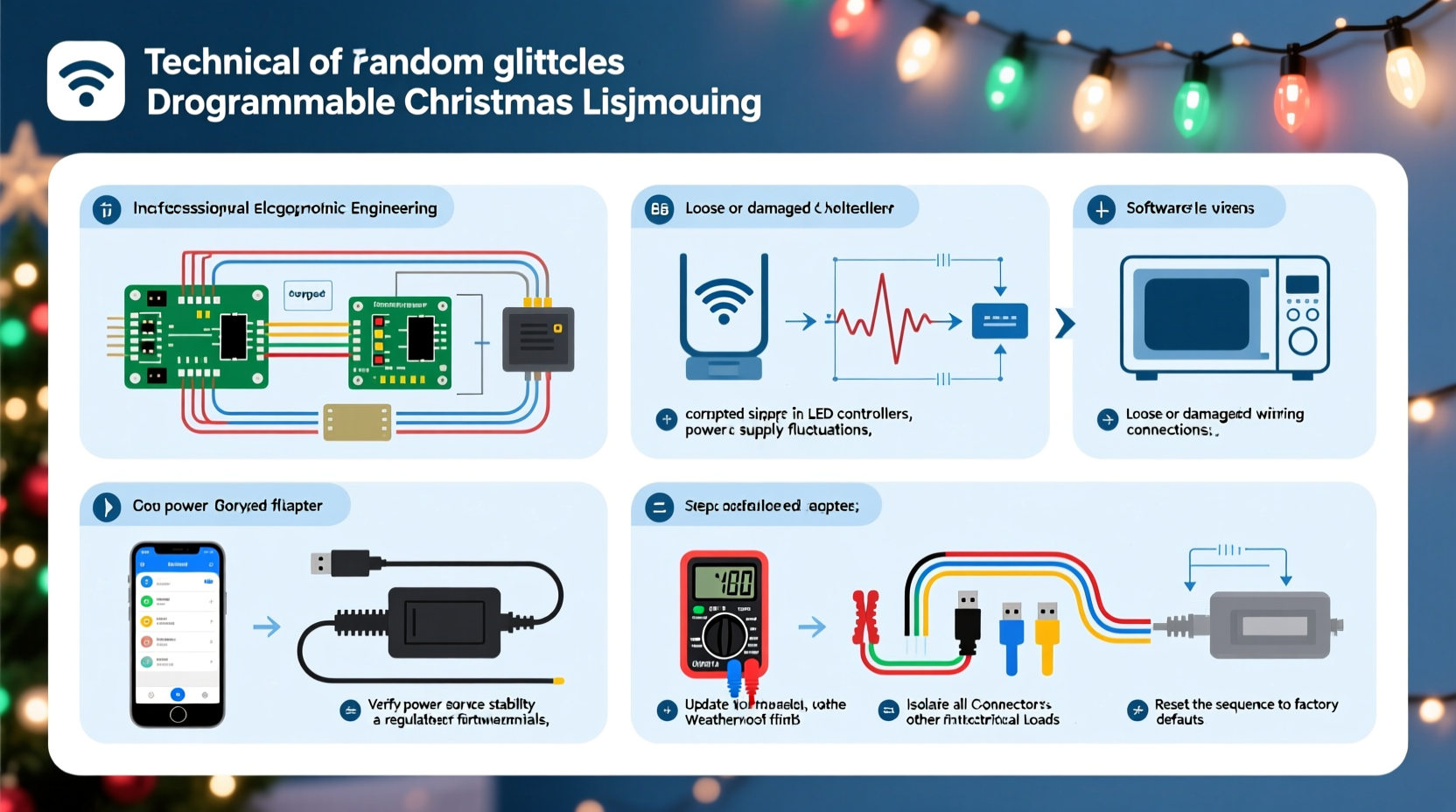
Before jumping into fixes, it’s essential to identify what might be triggering the erratic behavior. Most glitches stem from one or more of the following categories:
- Power fluctuations: Voltage drops or surges disrupt microcontroller operations.
- Signal interference: Wireless signals (Wi-Fi, Bluetooth) or nearby electronics interfere with data transmission. < Cable and connection issues: Loose, corroded, or damaged wiring interrupts communication between controllers and strands.
- Firmware or software bugs: Outdated or corrupted firmware can cause timing errors or unresponsive commands.
- Overloaded circuits: Too many lights on a single channel exceed current limits, leading to resets.
- Environmental exposure: Moisture, temperature swings, or physical stress degrade components over time.
These issues don’t always act alone. A minor voltage dip might only cause a flicker under normal conditions—but combined with aging wiring or poor grounding, it can trigger full sequence failure.
Step-by-Step Troubleshooting Guide
Follow this systematic approach to diagnose and resolve the source of glitches in your programmable Christmas lights.
- Inspect all physical connections. Check each plug, adapter, and splitter for tightness and corrosion. Wiggle connectors gently while the system runs to see if movement triggers a glitch—this indicates a loose contact.
- Verify power supply stability. Use a multimeter to measure output voltage at the controller and farthest light node. It should remain within ±5% of rated voltage (e.g., 12V DC should stay between 11.4V–12.6V).
- Test individual segments. Disconnect all but one strand and run the sequence. If it works, reconnect others one by one until the problem reappears. This identifies faulty sections or overload points.
- Check for wireless interference. Temporarily disable nearby Wi-Fi routers, smart speakers, or radio transmitters. See if glitch frequency decreases.
- Update firmware and control software. Visit the manufacturer’s website to confirm you’re using the latest version. Some older versions have known timing bugs affecting long sequences.
- Review programming logic. Ensure no conflicting commands (e.g., two overlapping fade effects) are scheduled simultaneously, which can overwhelm low-memory controllers.
- Monitor temperature and weather exposure. If lights are outdoors, ensure enclosures are sealed and wires aren’t exposed to standing water or ice buildup.
This methodical process eliminates guesswork and helps pinpoint whether the issue is hardware-based, software-related, or environmental.
Do’s and Don’ts: Best Practices for Stable Operation
| Action | Recommendation | Reason |
|---|---|---|
| Use surge protectors | ✅ Do | Protects against voltage spikes from grid fluctuations or lightning. |
| Daisy-chain multiple light strings beyond specs | ❌ Don’t | Exceeding max load causes overheating and signal degradation. |
| Label each circuit and channel | ✅ Do | Simplifies troubleshooting and prevents miswiring during setup. |
| Run lights directly off household outlets without monitoring | ❌ Don’t | Older circuits may fluctuate under winter loads; use dedicated lines when possible. |
| Seal wire splices with waterproof heat shrink | ✅ Do | Prevents moisture ingress that leads to shorts or corrosion. |
| Place controllers near metal gutters or HVAC units | ❌ Don’t | Metal structures reflect EMI and can disrupt digital signals. |
Mini Case Study: Fixing a Neighborhood-Wide Display Glitch
In suburban Denver, a homeowner spent weeks designing an elaborate holiday show synced to music using a Raspberry Pi and WS2812B LED strips. Every night around 7:30 PM, just as neighbors gathered, the entire front-yard display would freeze, then restart mid-song. The pattern was consistent but baffling—no changes had been made to the code.
After ruling out software issues, he measured voltage at the main controller and found a 1.2V drop precisely at 7:30 PM. Further investigation revealed that his electric vehicle charger activated on a timer at that hour, drawing significant current from the same circuit. The resulting voltage sag caused the microcontroller to reset.
The fix? He installed a dedicated 20-amp outdoor circuit for the display and added a line conditioner. The glitches stopped immediately. This case underscores how seemingly unrelated household systems can impact sensitive lighting electronics.
Expert Insight: What Engineers Say About Signal Integrity
“Many people focus on the flashiness of their light shows but overlook signal integrity. In digital addressable LEDs like NeoPixels or APA102s, even small noise on the data line can corrupt packets and cause cascading errors.” — Dr. Alan Zhou, Embedded Systems Engineer, SmartHome Labs
Dr. Zhou emphasizes that proper grounding, twisted-pair data cables, and using level shifters (especially when mixing 3.3V controllers with 5V LEDs) dramatically reduce glitches. He also recommends adding 100nF decoupling capacitors across power pins on each controller board to smooth transient draws.
Checklist: Prevent Future Glitches Before They Happen
Use this checklist annually before deploying your programmable lights:
- ☐ Inspect all cables for fraying, cracking, or discoloration
- ☐ Clean connectors with isopropyl alcohol and cotton swabs
- ☐ Confirm firmware is up to date on all controllers
- ☐ Test each light segment individually off-season
- ☐ Verify power supplies deliver stable voltage under load
- ☐ Seal outdoor enclosures with silicone gaskets or rubber boots
- ☐ Document channel assignments and backup configuration files
- ☐ Install a whole-house surge protector if in a lightning-prone area
Storing your system properly after the holidays also matters. Coiling cables neatly, keeping controllers in anti-static bags, and labeling everything saves time and reduces errors next season.
Frequently Asked Questions
Why do my lights glitch only at night?
This often relates to increased electrical demand in your home or neighborhood after sunset. Appliances like heaters, ovens, or EV chargers cycling on can create voltage sags. Additionally, cooler nighttime temperatures may affect solder joints or brittle wires, increasing resistance. Measure voltage during both day and evening to compare.
Can Wi-Fi really interfere with my Christmas lights?
Yes—especially if you're using wireless-enabled controllers (like those connected via ESP8266 or similar chips). These operate in the 2.4GHz band, which is crowded with Wi-Fi, Bluetooth, and microwave ovens. Interference can corrupt command packets. To reduce risk, place your controller away from routers, use wired Ethernet where possible, or switch your home network to 5GHz exclusively.
My sequence plays fine indoors but glitches outside—what gives?
The difference is likely environmental. Outdoor setups face moisture, temperature swings, wind-induced cable movement, and longer power/data runs. All increase the chance of intermittent faults. Also, grounding differences between indoor outlets and outdoor circuits can introduce noise. Always use GFCI-protected outlets outdoors and consider optical isolators for data lines.
Conclusion: Stability Through Smart Design
Random-seeming glitches in programmable Christmas light sequences are rarely truly random. They are predictable outcomes of overlooked electrical details, environmental stress, or configuration oversights. By applying disciplined troubleshooting, adhering to best practices, and respecting the limitations of digital lighting systems, you can achieve rock-solid performance—even in complex, large-scale displays.
Don’t accept flickers and freezes as part of the holiday experience. With the right tools and knowledge, your lights should perform exactly as programmed, night after night. Take action now: inspect your setup, update your firmware, and verify your power sources. Your future self—and your impressed neighbors—will thank you when the show runs perfectly on opening night.




 浙公网安备
33010002000092号
浙公网安备
33010002000092号 浙B2-20120091-4
Comments
No comments yet. Why don't you start the discussion?