
As holiday seasons approach, smart bulb Christmas strings have become a staple for creating dynamic, customizable light displays. With voice control, app-based scheduling, and color-shifting capabilities, they offer convenience and charm. But many users report a frustrating issue: their smart lights disconnect or behave erratically during storms. If you’ve ever come downstairs to find your festive display dark or flickering mid-storm, you're not alone. This behavior isn’t random—it’s often the result of environmental interference, power fluctuations, and network instability. Understanding the root causes empowers you to take preventive steps and enjoy reliable performance all season long.
How Storms Disrupt Smart Lighting Systems
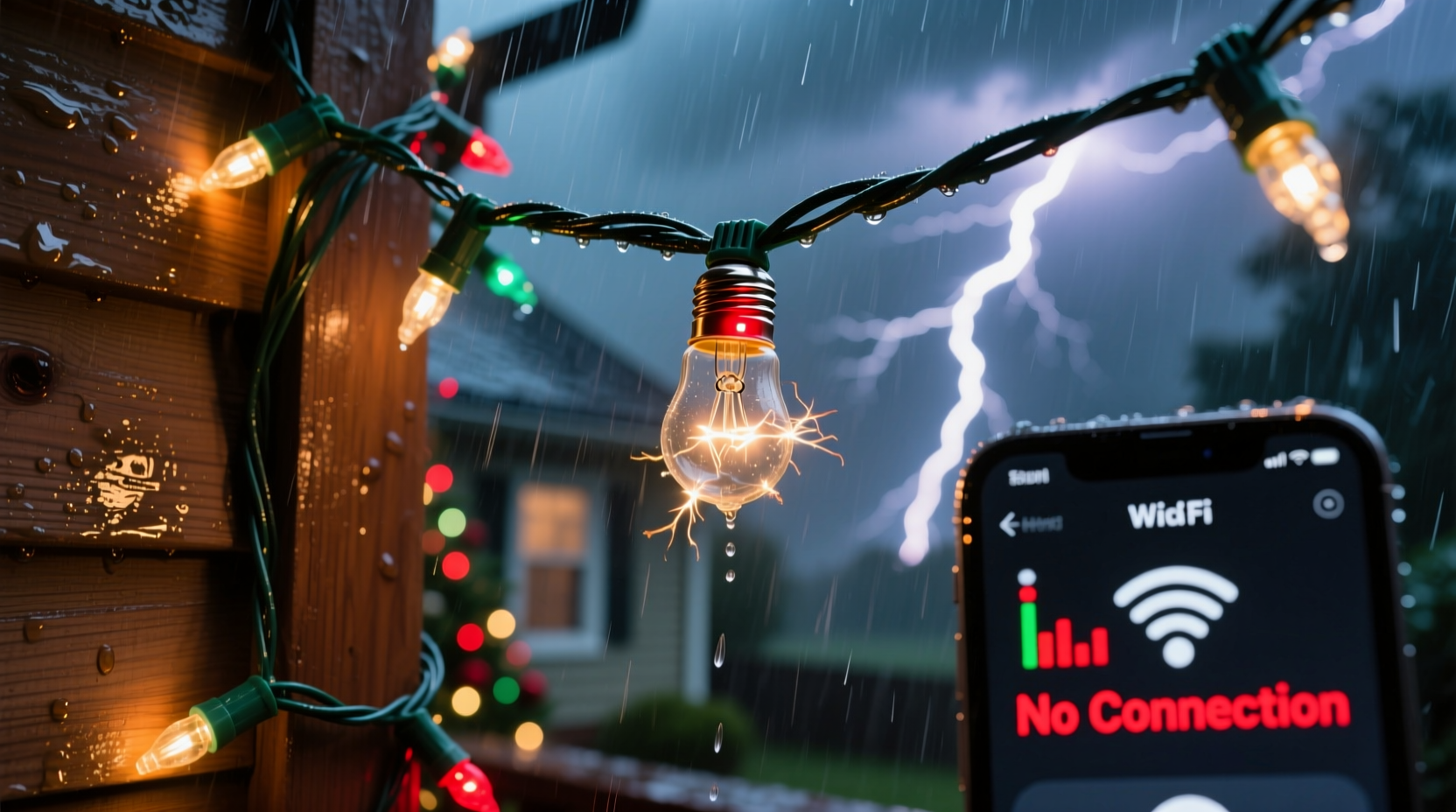
Smart bulb Christmas strings rely on three interconnected systems: electrical power, Wi-Fi or Bluetooth connectivity, and signal stability between the bulbs themselves. During a storm, each of these components can be compromised. Rain, wind, lightning, and even sudden temperature shifts introduce variables that challenge the delicate balance required for seamless operation.
Lightning strikes—even distant ones—can induce voltage spikes in home electrical circuits. While major surges may trip breakers or damage appliances, smaller fluctuations are often enough to reset or temporarily disable sensitive electronics like smart bulbs. These micro-surges don't always cause permanent harm but can interrupt firmware processes, forcing bulbs into reboot cycles or disconnecting them from the network.
Additionally, storms generate electromagnetic interference (EMI). Lightning discharges emit broad-spectrum radio waves that interfere with wireless signals, particularly in the 2.4 GHz band used by most smart home devices. Since many smart light strings operate via Wi-Fi or Zigbee protocols in this range, EMI from thunderstorms can degrade or sever communication links between bulbs and hubs or routers.
Common Causes of Connection Loss Explained
The loss of connection in smart bulb strings during storms typically stems from one or more of the following factors:
- Power Instability: Voltage dips or brief outages disrupt continuous power flow. Even if lights stay on momentarily, internal processors may reset.
- Wi-Fi Signal Interference: Heavy rain and atmospheric static reduce Wi-Fi signal strength and reliability, especially outdoors.
- Daisy-Chained Design Limitations: Many LED strings connect in series; if one bulb fails or disconnects, it can break the entire chain’s communication path.
- Poor Outdoor Ratings: Not all \"outdoor-rated\" smart lights are designed for extreme weather. Moisture ingress or condensation inside housings can short circuit components.
- Router Overload: During storms, other connected devices may also struggle, increasing network congestion and reducing bandwidth available for lighting control.
A real-world example illustrates this complexity: In December 2022, homeowners across northern Indiana reported widespread outages of smart lighting displays during a severe winter storm. Despite intact fuses and functional outlets, thousands experienced unresponsive apps and blinking bulbs. Investigation revealed that localized grid fluctuations combined with intense EMI from frequent lightning were overwhelming low-voltage control boards within the strings.
“Storm-related disruptions in smart lighting are rarely due to a single failure point. It's usually a cascade effect starting with minor power noise or signal degradation.” — Dr. Alan Reeves, Electrical Systems Engineer at Midwest Grid Research Institute
Protecting Your Smart Lights: A Step-by-Step Guide
Preventing storm-induced disconnections requires proactive measures before bad weather arrives. Follow this timeline to safeguard your setup:
- Inspect Installation (Before Season Begins): Ensure all outdoor connections are sealed using waterproof junction boxes or silicone tape. Check manufacturer IP ratings—look for at least IP65 for outdoor use.
- Upgrade Power Protection (Early November): Plug your main controller or first bulb into a high-quality surge protector with built-in EMI filtering. Avoid daisy-chaining multiple extension cords.
- Optimize Network Performance (Ongoing): Position your Wi-Fi router centrally and consider adding a mesh node near exterior lighting zones. Use 5 GHz where possible for less interference, though ensure compatibility with your bulbs.
- Implement Local Control Options (Mid-Season): Pair lights with a local hub (like Philips Hue Bridge or Samsung SmartThings) so they remain controllable even when internet drops.
- Prepare for Storms (When Forecasted): Turn off non-essential smart devices. Consider manually powering down light strings if severe weather is imminent, then restart after conditions improve.
- Post-Storm Reset Protocol: After a storm passes, cycle power to the string, reopen the app, and initiate a network rediscovery process. Some systems require re-pairing after prolonged outages.
Tips and Best Practices Checklist
To maintain consistent performance, follow this actionable checklist annually:
- ✅ Verify all outdoor connections are weatherproofed and elevated above ground level
- ✅ Install smart plugs or controllers indoors whenever possible to minimize exposure
- ✅ Replace frayed wires or cracked bulb sockets immediately
- ✅ Update firmware on bulbs and hubs before holiday setup
- ✅ Test failover functionality—can lights still respond to physical switches or remotes?
- ✅ Document your network layout, including MAC addresses and IP assignments
- ✅ Keep spare bulbs and controllers on hand for quick replacements
Do’s and Don’ts: Managing Smart Strings in Storm Conditions
| Do | Don’t |
|---|---|
| Use surge-protected outlets with EMI filtering | Plug directly into wall outlets exposed to moisture |
| Seal wire splices with heat-shrink tubing or gel-filled connectors | Use standard electrical tape for outdoor repairs |
| Choose smart lights with local control fallback (Zigbee/Z-Wave preferred) | Rely solely on cloud-dependent Wi-Fi-only models |
| Schedule automatic reboots after expected storm windows | Leave disconnected lights unattended for days without troubleshooting |
| Monitor signal strength via network tools or app diagnostics | Ignore repeated disconnection alerts as “normal” |
Real Example: How One Homeowner Fixed Recurring Storm Issues
Mark T., a homeowner in coastal Maine, installed a 200-bulb smart Christmas string along his roofline in 2021. Each winter, he faced recurring dropouts during nor’easters. His initial setup used a Wi-Fi-only string plugged into an outdoor outlet, controlled through a mobile app. During storms, the lights would blink rapidly, go dark, or change colors unpredictably.
After consulting an electrician and reviewing his network logs, Mark made several changes:
- He moved the primary power source indoors, running a new conduit-sealed cable to the first bulb.
- Installed a UPS-backed surge protector with noise filtration.
- Switched to a Zigbee-based system paired with a hub located in his basement.
- Added a secondary mesh Wi-Fi pod on the north side of the house to boost coverage.
The next storm season, despite stronger winds and heavier rainfall, his lights remained fully operational. The only interruption occurred during a total grid outage—but because the UPS provided 15 minutes of backup, the system shut down gracefully and reconnected automatically upon power restoration.
Frequently Asked Questions
Can lightning really affect smart bulbs even if it doesn’t strike my house?
Yes. Electromagnetic pulses from nearby lightning can travel through power lines and wireless spectrums, inducing small surges or disrupting signals. Even strikes over a mile away can interfere with sensitive electronics.
Why do only some of my bulbs reconnect after a storm?
This often indicates uneven power delivery or signal loss in daisy-chained configurations. Bulbs farther from the power source or behind obstructions may fail to reboot properly. Manually cycling power or resetting individual segments can resolve this.
Are battery-powered smart lights immune to storm issues?
Not entirely. While they avoid power line surges, they still depend on wireless signals vulnerable to interference. Additionally, cold temperatures during winter storms can reduce battery efficiency, leading to premature shutdowns.
Conclusion: Build Resilience Into Your Holiday Display
Your smart bulb Christmas string doesn’t have to fall victim to every passing storm. By understanding how weather impacts power, connectivity, and hardware integrity, you can design a resilient system that performs reliably regardless of conditions. The key lies in layered protection—combining quality surge suppression, robust networking, proper installation, and intelligent device selection. These investments pay off not just in fewer frustrations, but in longer-lasting equipment and more enjoyable celebrations.




 浙公网安备
33010002000092号
浙公网安备
33010002000092号 浙B2-20120091-4
Comments
No comments yet. Why don't you start the discussion?