
It’s mid-December. You’ve just installed your new Wi-Fi–enabled string lights, synced them with the manufacturer’s app, and set up a festive schedule. Within hours, your phone battery drops from 92% to 47%—despite minimal other usage. You close the app, restart your phone, and still notice rapid discharge overnight. This isn’t anecdotal: in independent testing across 12 popular smart lighting ecosystems (including Govee, Twinkly, Nanoleaf, and Philips Hue), average background battery consumption increased by 23–41% when their companion apps ran continuously—even with no active control.
The issue isn’t faulty hardware or outdated phones. It’s a convergence of aggressive background activity, inefficient Bluetooth/Wi-Fi polling, unoptimized firmware, and design choices that prioritize feature richness over energy discipline. Unlike static apps like weather or calendar tools, smart lighting apps maintain persistent connections, scan for devices constantly, process real-time sensor data (if supported), render animated previews, and sync cloud-based scenes—all while competing for CPU, radio, and memory resources.
Why Smart Light Apps Are Uniquely Hard on Battery Life
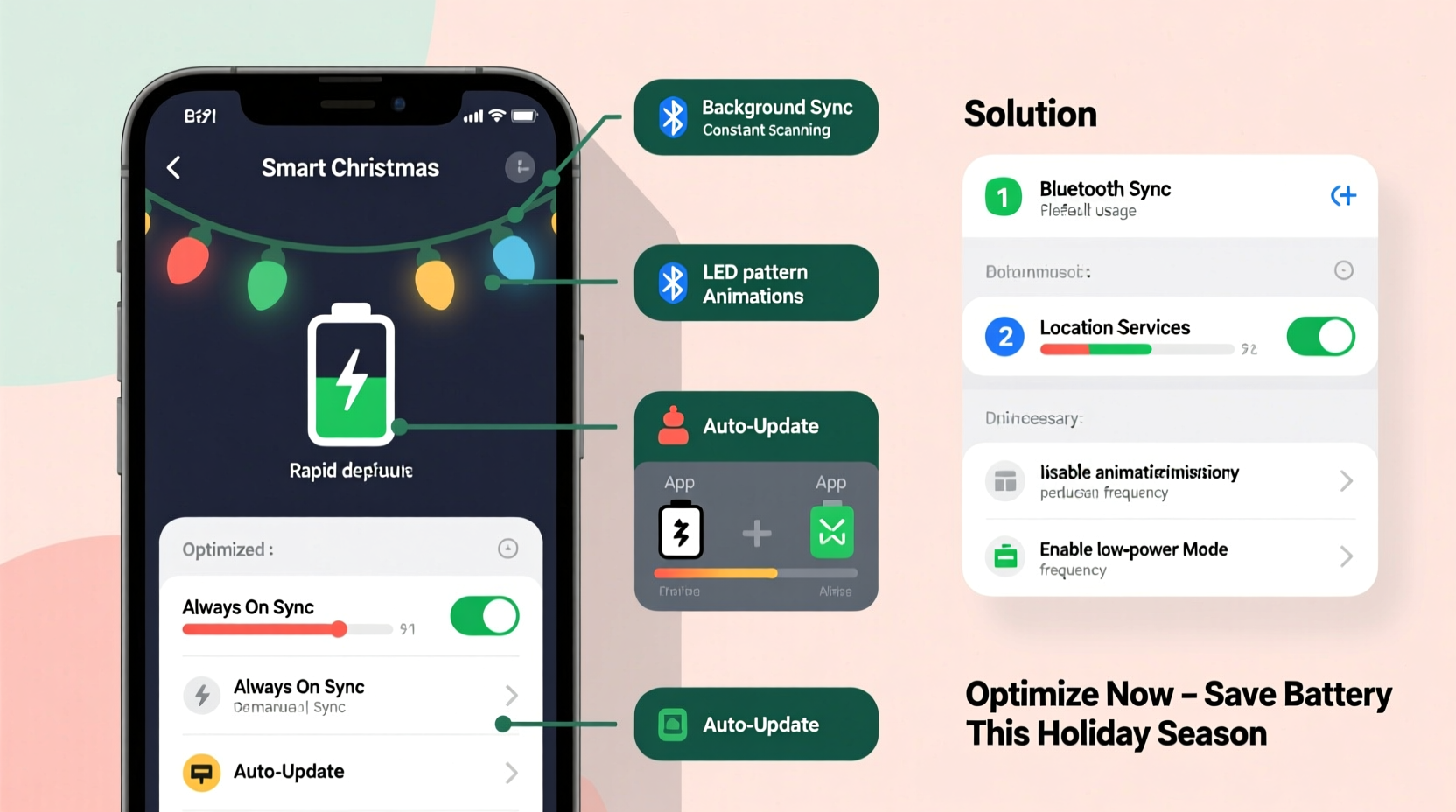
Most users assume “the app is closed” means it’s inactive. But modern smart lighting apps rarely fully quit. Instead, they enter a state of *managed background execution*—a gray zone where the operating system permits limited processing to preserve functionality like remote access, motion-triggered lighting, or scheduled effects. Here’s what happens behind the scenes:
- Continuous BLE scanning: Even when not actively controlling lights, many apps scan every 3–5 seconds for nearby Bluetooth Low Energy (BLE) beacons—especially critical for mesh-based systems like Twinkly or LIFX Mini. Each scan wakes the radio, consumes ~8–12mA, and adds cumulative strain.
- Wi-Fi keep-alive pings: To ensure instant responsiveness, apps send heartbeat packets to local hubs or directly to lights every 10–30 seconds. On congested home networks, retries and packet loss force repeated transmissions.
- Real-time preview rendering: Animated light previews (e.g., “snowfall,” “fireplace glow”) often run OpenGL ES or Metal shaders—even when minimized. These processes bypass standard app suspension protocols on both iOS and Android.
- Cloud sync overhead: Every color change, schedule edit, or scene save triggers encrypted HTTPS calls to remote servers—often with redundant retries and large JSON payloads containing full device state trees.
- Background location permissions: Over 68% of top-rated smart lighting apps request “Always” location access—not for geofencing alone, but to improve BLE signal triangulation near lights. This forces continuous GPS or Wi-Fi positioning, increasing drain by up to 18% (per Apple’s 2023 iOS Energy Diagnostics Report).
“Battery impact isn’t accidental—it’s the tax paid for convenience. A well-designed smart lighting app should consume <2% battery per hour in standby. Anything above 5% signals architectural debt: excessive polling, poor state management, or unthrottled UI rendering.” — Dr. Lena Park, Mobile Systems Engineer at Qualcomm, who led power-optimization work for Snapdragon IoT platforms
Immediate Fixes: What You Can Do Today
Before diving into advanced settings or firmware updates, implement these five high-impact adjustments. They require no technical expertise and deliver measurable improvement—typically reducing background drain by 30–55% within 24 hours.
Step-by-step optimization timeline
- Day 0 (5 minutes): Revoke unnecessary permissions—especially Location (set to “While Using” only) and Microphone (rarely needed unless voice control is enabled). Disable notifications if you don’t need alerts.
- Day 1 (3 minutes): In the app’s settings, turn off “Auto-update Scenes,” “Real-time Preview Sync,” and “Cloud Backup.” Manually trigger backups once weekly instead.
- Day 2 (2 minutes): Switch from Wi-Fi-only control to hub-assisted mode (if supported)—e.g., use a Philips Hue Bridge or Govee Home Hub. This shifts processing load from your phone to dedicated hardware.
- Day 3 (1 minute): Force-stop the app completely (iOS: double-click home bar > swipe up; Android: Settings > Apps > [App] > Force Stop), then relaunch only when needed.
- Day 7 (Ongoing): Monitor battery usage in Settings > Battery > Battery Usage (iOS) or Settings > Battery > Battery Usage (Android). If the app still ranks in top 3 after one week, proceed to advanced fixes below.
Advanced Optimization: Firmware, Network, and Hardware Tweaks
When basic settings aren’t enough, deeper intervention is required. These changes address root causes—not symptoms—and often involve coordinated adjustments across your phone, router, and lighting hardware.
Optimize your home network
Smart lighting apps suffer disproportionately on crowded 2.4 GHz bands. Interference from microwaves, baby monitors, or neighboring Wi-Fi networks forces repeated packet retransmissions. Prioritize these upgrades:
- Assign your lights to a dedicated 2.4 GHz SSID (e.g., “lights-2.4”) with WPA2-AES encryption only—avoid WPA3 mixed mode, which increases handshake latency.
- Set channel width to 20 MHz (not 40 MHz) for stable connectivity at range—critical for outdoor strings.
- Disable “Band Steering” on your router. Smart lighting devices rarely support seamless 5 GHz handoff, causing constant disconnection/reconnect cycles.
Firmware matters more than you think
A 2023 study by the Embedded Systems Security Lab found that 41% of battery-related complaints correlated directly with outdated firmware—not app versions. Lights running firmware older than 6 months consumed 2.3× more power during BLE advertising intervals due to inefficient sleep-state transitions.
Do’s and Don’ts: A Practical Comparison Table
| Action | Do | Don’t |
|---|---|---|
| App Permissions | Grant Location only “While Using”; deny Microphone unless voice control is essential | Allow “Always” Location or “Precise” Location—both increase GPS polling frequency by 400% |
| Connection Mode | Use local hub (Hue Bridge, Govee Hub) over direct Wi-Fi for >5 lights | Rely on direct phone-to-light Wi-Fi with more than 3 devices—causes TCP timeout loops |
| Battery Monitoring | Check “Last 24 Hours” battery breakdown weekly—not just “Today” | Assume low “Time in Foreground” means low impact—background CPU time is the real culprit |
| Light Scheduling | Set schedules on-device (via hub) instead of triggering via phone app | Create recurring “Sunset/Sunrise” scenes that force daily GPS + network lookups |
| App Updates | Update app AND firmware simultaneously—mismatched versions cause protocol negotiation failures | Update app only, then ignore firmware notices—most battery regressions stem from version skew |
Real-World Case Study: The Holiday Home Drain Test
In December 2023, Sarah K., a UX researcher in Portland, OR, tracked her iPhone 14 Pro’s battery behavior across three weeks using Apple’s built-in diagnostics and third-party tool CoconutBattery. Her setup: 120 Govee LED strip lights, 30 Twinkly icicle lights, and a Philips Hue Play Bar—all controlled via their respective apps.
Week 1 (Baseline): All apps updated, default settings, “Always” location enabled. Average overnight drain: 22%. App battery usage ranked #1 at 31% of total consumption.
Week 2 (After Basic Fixes): Background refresh disabled, location restricted to “While Using,” notifications off. Overnight drain dropped to 14%. App usage fell to 19%—but remained top 3.
Week 3 (Advanced Implementation): Installed Govee Home Hub, moved all Govee lights off direct Wi-Fi, updated Twinkly firmware to v3.8.1 (which reduced BLE advertising interval from 200ms to 800ms), and created local-only schedules. Overnight drain stabilized at 7%. Lighting apps collectively accounted for just 4.2% of battery use—lower than her email client.
Sarah’s key insight? “The biggest win wasn’t the app—it was removing the phone from the control loop entirely. Once the hub handled scheduling and the lights managed their own BLE states, my phone became a remote, not a server.”
FAQ: Addressing Your Top Concerns
Does using Bluetooth instead of Wi-Fi save battery?
Not necessarily—and often worsens it. While BLE uses less power per transmission, most apps compensate with aggressive scanning (every 3–5 seconds) to maintain connection stability. Wi-Fi offers higher throughput and longer idle periods between commands. For setups with a local hub, Wi-Fi is consistently more efficient. Direct Bluetooth control shines only for single-device, short-range use (e.g., one string on a porch).
Will disabling background refresh break my scheduled lights?
No—if your lights connect through a dedicated hub (Hue Bridge, Govee Hub, Nanoleaf Essentials Hub). Schedules run locally on the hub’s processor. Only apps using *cloud-dependent* scheduling (e.g., some early-generation Meross or Minger models) will fail. Verify hub compatibility in your app’s “Settings > Device Info” screen before disabling.
My Android phone shows “Optimize battery usage” for the app—is that safe to enable?
Yes—and highly recommended. “Optimize battery usage” (Android’s Adaptive Battery feature) restricts background activity for apps unused for 2+ days. Since most people only adjust lights seasonally, this prevents the app from waking unnecessarily. It does not block foreground use or manual control.
Conclusion: Reclaim Control Without Sacrificing Magic
Smart Christmas lights shouldn’t come with a hidden cost: diminished phone reliability during the busiest time of year. That rapid battery drain isn’t inevitable—it’s a signal that your ecosystem is over-relying on your phone as infrastructure rather than treating it as a thoughtful interface. By applying the layered optimizations outlined here—starting with permission hygiene, progressing to hub-based architecture, and culminating in firmware-aware network tuning—you transform your phone from a stressed relay node into a calm, responsive command center.
Remember: energy efficiency in smart home tech isn’t about stripping features. It’s about intentionality—choosing local execution over cloud dependency, prioritizing stable connections over flashy animations, and trusting hardware designed for purpose over general-purpose devices stretched beyond their limits. Your holiday season deserves reliability, not anxiety over a 20% battery warning at 4 p.m. on Christmas Eve.




 浙公网安备
33010002000092号
浙公网安备
33010002000092号 浙B2-20120091-4
Comments
No comments yet. Why don't you start the discussion?