
Smart Christmas light strips bring convenience, color, and festive automation to holiday decor. With a simple voice command, you can turn them on, change colors, or set dynamic effects. But when the lights respond slowly—or not at all—it disrupts the experience. If your smart light strip consistently lags behind Alexa, Google Assistant, or Siri, the issue isn’t necessarily with the lights themselves. More often than not, it’s a symptom of deeper technical factors in your smart home ecosystem. Understanding these causes is the first step toward restoring seamless control.
Understanding the Smart Lighting Workflow
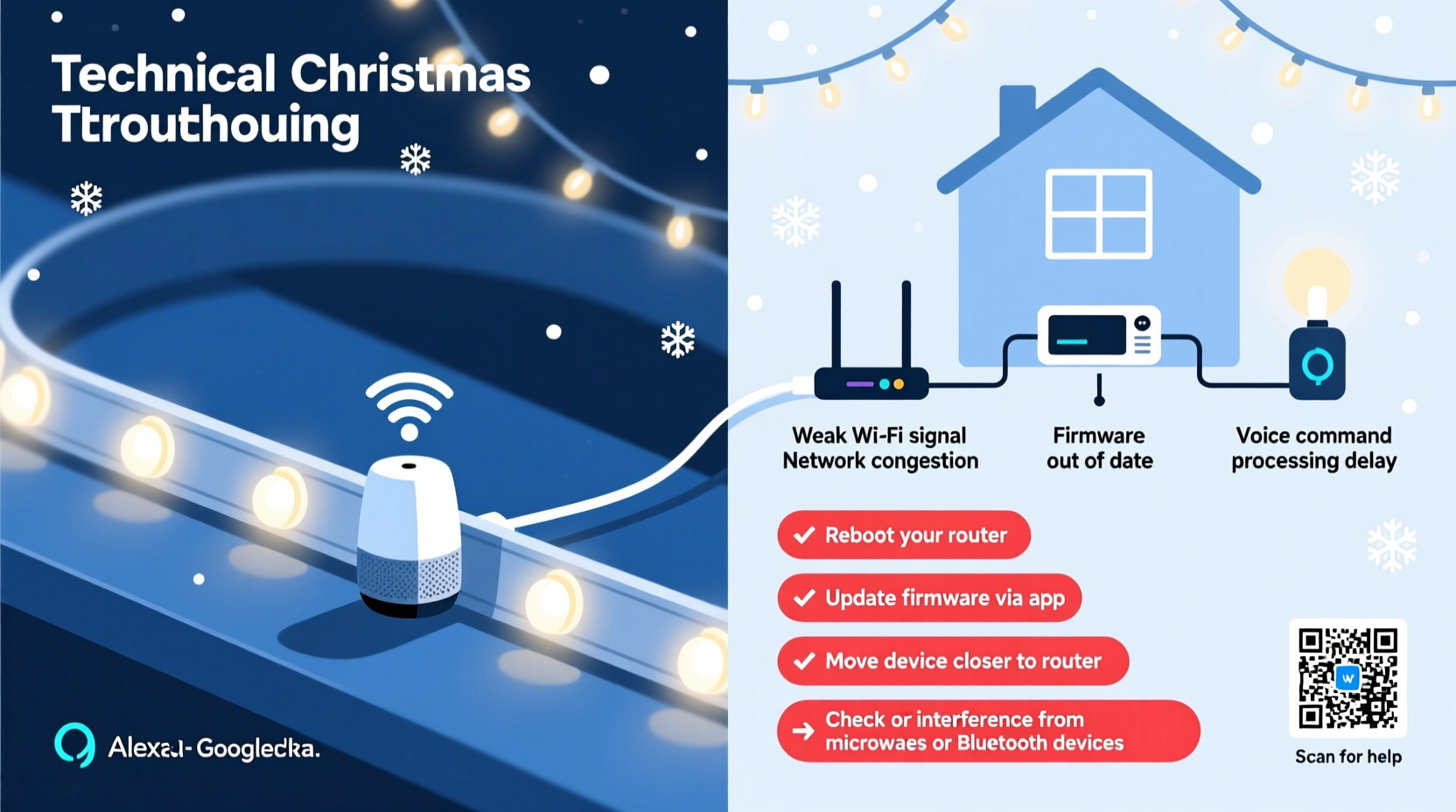
Before diagnosing the delay, it helps to understand what happens when you say, “Alexa, turn on the Christmas lights.” This command triggers a multi-step process:
- You speak the command into a voice assistant device (e.g., Amazon Echo).
- The audio is processed locally and sent to the cloud for interpretation.
- The voice platform identifies the requested action and target device.
- A signal is sent to the smart lighting app’s server (e.g., Philips Hue, LIFX, or manufacturer-specific hub).
- The server communicates with your home Wi-Fi network to relay the command to the light strip.
- The light strip receives and executes the command.
Each of these steps introduces potential delays. Even minor bottlenecks at any stage can result in noticeable lag—sometimes several seconds long. While this may seem trivial, during a party or synchronized music display, even a half-second delay breaks immersion.
Common Causes of Voice Command Lag
1. Wi-Fi Network Congestion
During the holidays, homes often host more people, each bringing multiple devices. Streaming video, gaming, and file downloads consume bandwidth and increase network latency. Since most smart light strips rely on Wi-Fi to receive commands, they’re affected by congestion just like any other connected device.
Additionally, if your router is outdated or located far from the lights, signal strength diminishes, leading to packet loss and delayed responses.
2. Cloud Dependency and Server Latency
Many smart lighting systems route commands through external servers. If the manufacturer’s cloud infrastructure is overloaded—especially during peak holiday usage—the round-trip time increases. This is particularly common with budget brands that lack robust backend infrastructure.
“Cloud-based smart devices are only as fast as their weakest link—often the internet connection or third-party API delays.” — Rajiv Mehta, IoT Systems Engineer at SmartHome Labs
3. Device Overload and Hub Bottlenecks
If your smart lights connect through a central hub (like Philips Hue Bridge or Samsung SmartThings), that hub becomes a traffic controller. When managing dozens of devices, the hub can struggle to process incoming commands quickly, especially if firmware is outdated or memory is constrained.
4. Signal Interference from Other Electronics
Christmas trees are often surrounded by electronics: TVs, sound systems, routers, and power adapters. Many of these emit electromagnetic interference (EMI) or operate on the same 2.4 GHz frequency band as Wi-Fi and Bluetooth. This interference can degrade wireless signals, causing dropped packets and retransmissions that delay command delivery.
5. Power Supply and Electrical Noise
Low-quality power adapters or daisy-chained extensions can introduce electrical noise into the circuit. Smart LED strips use microcontrollers to interpret digital signals. Voltage fluctuations or ripple noise may cause temporary freezes or require internal resets, delaying responsiveness.
Troubleshooting and Optimization Guide
Fixing lag requires a systematic approach. Below is a step-by-step guide to diagnose and resolve performance issues.
Step 1: Test Network Performance Near the Lights
Move a smartphone or laptop close to where the light strip is installed. Run a speed test using apps like Ookla Speedtest or Fast.com. Note both download speed and ping latency.
- Ideal ping: Under 30 ms
- Minimum download speed: 10 Mbps (for stable IoT operation)
If results are poor, consider relocating the router or adding a Wi-Fi extender.
Step 2: Restart All Components
Power cycle the following in order:
- Smart light strip (unplug for 10 seconds)
- Router and modem
- Voice assistant device (Echo, Google Nest, etc.)
This clears temporary glitches and forces reconnection with optimal signal paths.
Step 3: Update Firmware and Apps
Check for updates in:
- The smart lighting app (e.g., Govee, Nanoleaf, LIFX)
- Your voice assistant app (Alexa, Google Home)
- Router firmware (via admin interface)
Firmware updates often include performance improvements and bug fixes that directly impact responsiveness.
Step 4: Reduce Wi-Fi Congestion
Switch high-bandwidth devices to a 5 GHz network if your router supports dual bands. Reserve the 2.4 GHz band (used by most smart lights) for low-bandwidth IoT devices.
Alternatively, enable Quality of Service (QoS) settings on your router to prioritize smart home traffic.
Step 5: Minimize Physical and Wireless Obstructions
Ensure the light strip’s controller module has a clear line of sight to the router or hub. Avoid placing it inside metal tree stands, behind thick walls, or near large appliances like refrigerators.
Do’s and Don’ts: Smart Light Performance Checklist
| Do’s | Don’ts |
|---|---|
| Use a dedicated power supply rated for your strip’s wattage | Power the strip from a low-output USB port or phone charger |
| Place the Wi-Fi controller within 15 feet of the router | Install the strip in basements or attics far from the network source |
| Group devices logically in your smart home app | Create overly complex automations that trigger multiple actions |
| Use wired Ethernet backhaul for mesh extenders | Relay signals through multiple Wi-Fi repeaters |
| Test voice commands during off-peak internet hours | Assume the problem is permanent without baseline testing |
Real-World Example: The Holiday Party Delay
Consider Sarah, who hosts an annual Christmas open house. She invested in RGBIC smart strips to sync with music and voice cues. During her event, guests asked Google Assistant to change the light colors. Each command took 4–6 seconds to register.
After investigation, she discovered three issues:
- Her router was in the basement, 30 feet away with two concrete walls in between.
- She had 18 devices streaming video and music simultaneously.
- The smart strip was powered by a worn-out adapter from an old laptop.
Sarah upgraded to a mesh Wi-Fi system, moved one node closer to the living room, replaced the power supply, and limited background streams. Response time dropped to under 1 second. Her next party featured smooth, responsive lighting that impressed guests and enhanced the festive atmosphere.
Advanced Solutions for Persistent Lag
Switch to Local Control Protocols
Some newer smart lighting systems support Thread or Matter over Wi-Fi, enabling local execution without cloud dependency. Platforms like Apple HomeKit (with HomePod or Apple TV as hub) process commands on your home network, drastically cutting latency.
Matter-certified devices are designed for faster, interoperable communication across ecosystems. Upgrading to Matter-compatible lights can future-proof your setup.
Use a Dedicated Smart Hub
Rather than relying on cloud-connected bulbs, use a local hub such as:
- Philips Hue Bridge
- Hubitat Elevation
- Home Assistant (self-hosted)
These hubs communicate directly with devices via Zigbee or Z-Wave, which are less prone to Wi-Fi congestion and offer sub-second response times.
Optimize DNS and Reduce Internet Dependency
Change your router’s DNS settings to faster alternatives like Cloudflare (1.1.1.1) or Google (8.8.8.8). This speeds up domain resolution for cloud-dependent services.
For maximum performance, consider blocking non-essential outbound connections from smart devices using firewall rules—this prevents background telemetry from hogging bandwidth.
FAQ: Common Questions About Smart Light Lag
Can distance really affect my smart lights’ response time?
Yes. Distance impacts both signal strength and latency. Every wall or floor between the light controller and router adds signal degradation. Beyond 30 feet in obstructed environments, performance typically declines. Using a Wi-Fi extender or mesh node nearby can restore responsiveness.
Why do my lights work fine in the app but lag with voice commands?
This usually indicates a bottleneck in the voice assistant integration layer. App controls communicate directly with the device or hub, while voice commands must travel through the assistant’s cloud, then to the lighting service cloud, creating a longer path. Some apps allow enabling “fast response” modes or local control to minimize this gap.
Will upgrading my internet plan fix the lag?
Not necessarily. While slow upload or high latency can contribute, most smart lighting commands are small data packets. A 100 Mbps connection is more than sufficient. The issue is typically network quality—not speed—including jitter, packet loss, and internal Wi-Fi performance. Focus on optimizing your local network before upgrading your ISP plan.
Conclusion: Restore Festive Flow with Smarter Setup
Lag in smart Christmas light strips isn’t inevitable—it’s a solvable engineering challenge. By understanding the journey a voice command takes, identifying bottlenecks, and applying targeted fixes, you can achieve near-instantaneous responses. Whether it’s upgrading your Wi-Fi layout, switching to local control protocols, or simply replacing a faulty power adapter, each improvement compounds into a smoother, more magical holiday experience.
The goal isn’t just functional lighting; it’s seamless integration that feels intuitive and joyful. Take the time now to audit your setup, apply the steps outlined here, and enjoy a holiday season where your lights dance in perfect harmony with your voice.




 浙公网安备
33010002000092号
浙公网安备
33010002000092号 浙B2-20120091-4
Comments
No comments yet. Why don't you start the discussion?