
As holiday traditions evolve, smart Christmas trees have become a popular centerpiece in modern homes. With built-in LED lighting, app-controlled color schemes, music synchronization, and voice assistant integration, these high-tech trees promise festive convenience. But when your smart tree keeps dropping its Wi-Fi connection, the magic fades fast. Instead of dancing lights, you're left troubleshooting in frustration. Understanding why this happens—and how to fix it—is essential for maintaining seamless holiday cheer.
Wi-Fi disconnections in smart devices aren't uncommon, but they’re especially disruptive when tied to decorative elements meant to enhance ambiance. Unlike a smart speaker or thermostat, a disconnected smart tree doesn’t just lose functionality—it breaks the mood. The root causes range from network congestion and signal interference to firmware issues and power fluctuations. This guide explores the most frequent culprits behind unstable connections and provides actionable solutions to keep your tree online all season long.
Common Causes of Wi-Fi Disconnection in Smart Christmas Trees
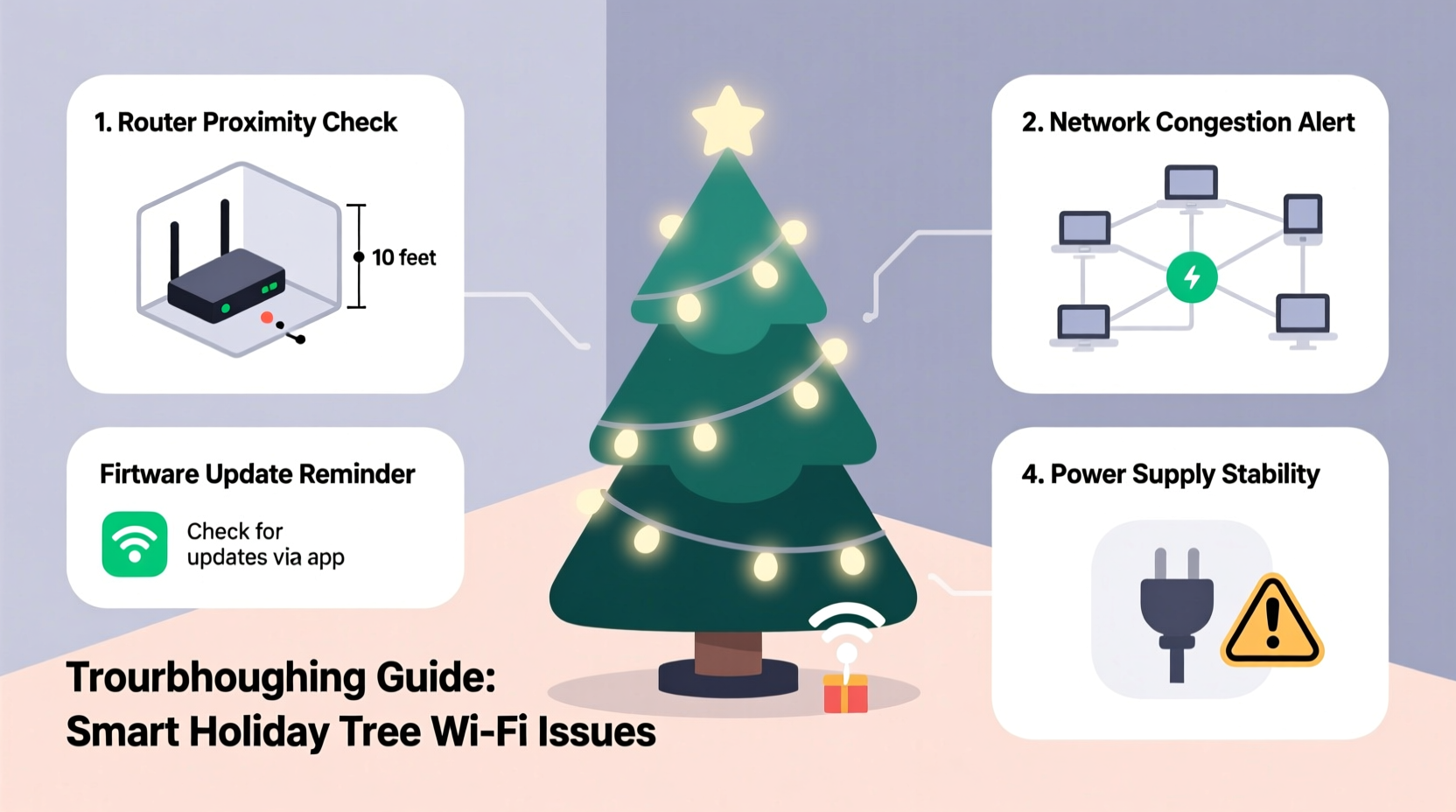
Smart Christmas trees rely on consistent communication with your home network to function properly. When that link falters, the device may appear unresponsive, fail to update light patterns, or disconnect entirely from the controlling app. Several technical and environmental factors contribute to these interruptions:
- Distance from router: If your tree is placed far from the Wi-Fi router—especially across multiple walls or floors—the signal strength may be too weak for reliable connectivity.
- Network congestion: During the holiday season, homes often host more people using more devices. Streaming video, online gaming, and video calls can saturate bandwidth, leading to dropped connections.
- Interference from other electronics: Devices like microwaves, cordless phones, baby monitors, and even Bluetooth speakers emit signals in the 2.4 GHz band, which many smart trees use. This electromagnetic noise disrupts Wi-Fi stability.
- Incompatible router settings: Some routers disable older protocols (like WPA2) or limit the number of connected devices. Others may not support multicast traffic needed for group lighting effects.
- Firmware bugs: Like any IoT device, smart trees depend on software. Outdated or buggy firmware can cause instability, crashes, or reconnection loops.
- Power supply issues: Voltage drops, poor-quality extension cords, or overloaded circuits can reset the tree’s internal module, breaking the Wi-Fi handshake.
Step-by-Step Guide to Stabilize Your Smart Tree’s Connection
Resolving Wi-Fi instability isn’t always immediate, but following a structured diagnostic process increases your chances of a lasting fix. Work through each step methodically before moving to the next.
- Reboot both the tree and router: Start simple. Unplug the tree for 30 seconds, then plug it back in. Restart your router by unplugging it for 10 seconds. Wait for full reboot, then test the connection.
- Check signal strength at the tree’s location: Use a Wi-Fi analyzer app (such as NetSpot or Wi-Fi Analyzer) on your phone to measure signal strength where the tree stands. Anything below -70 dBm indicates a weak signal.
- Move the tree closer to the router temporarily: Test whether proximity improves stability. If it reconnects reliably when moved, distance is likely the issue.
- Verify network compatibility: Ensure your tree supports your router’s frequency band (2.4 GHz vs. 5 GHz). Most smart trees only work on 2.4 GHz, so confirm your phone isn’t connecting via 5 GHz while testing.
- Reduce network load: Disconnect non-essential devices or schedule heavy downloads during off-hours. Consider setting up Quality of Service (QoS) rules in your router settings to prioritize IoT traffic.
- Update firmware: Open the manufacturer’s app and check for available updates. Firmware patches often resolve known connectivity bugs.
- Forget and re-pair the device: In the app, remove the tree from your account, reset it (usually via a button or sequence), then go through setup again as if new.
Troubleshooting Checklist: Regain Stable Connectivity
Use this checklist to systematically address common failure points:
- ✅ Reboot router and smart tree
- ✅ Confirm tree is on 2.4 GHz network
- ✅ Measure Wi-Fi signal strength near tree
- ✅ Update tree firmware via app
- ✅ Minimize nearby electronic interference
- ✅ Use a dedicated outlet; avoid power strips
- ✅ Reduce total connected devices during peak use
- ✅ Reset and reconfigure device pairing
- ✅ Test with a mobile hotspot to isolate home network issues
When Hardware Solutions Are Needed
Sometimes, software tweaks aren’t enough. Physical limitations of your network infrastructure may require upgrades. Consider the following enhancements if basic troubleshooting fails:
- Wi-Fi extenders or mesh systems: A mesh network (like Google Nest Wifi or Eero) can blanket your home with strong, seamless coverage. Place a satellite node between your router and the tree to boost signal.
- Dedicated IoT network: Advanced routers allow you to create a separate SSID for smart devices. Isolating low-bandwidth gadgets reduces congestion on your main network.
- Wired bridge via Ethernet adapter: Some smart trees accept a USB-to-Ethernet adapter or work with a Wi-Fi bridge (a device that connects to Ethernet and rebroadcasts Wi-Fi locally).
- Stable power source: Plug the tree into a surge protector with consistent output. Avoid sharing outlets with high-draw appliances like space heaters or refrigerators.
| Solution | Best For | Estimated Cost |
|---|---|---|
| Wi-Fi Range Extender | Moderate signal loss over short distances | $25–$50 |
| Mesh Wi-Fi System | Larger homes with dead zones | $100–$300 |
| IoT Network Segmentation | Advanced users with tech-heavy households | Free (if router supports it) |
| Signal-Boosting Antenna | Routers with removable antennas | $15–$40 |
“Many smart decor failures stem not from faulty devices, but from underestimating home network demands. A stable IoT ecosystem requires planning—not just plugging in.” — Raj Patel, Senior Network Engineer at HomeTech Labs
Real Example: A Family’s Holiday Lighting Crisis
The Thompson family purchased a premium smart Christmas tree with app control and music sync for their living room. Each evening, they enjoyed scheduled light shows synced to holiday playlists. But three days after setup, the tree began disconnecting hourly. The app showed “offline,” and manual reconnection attempts failed after a few minutes.
They followed standard resets without success. Then, using a Wi-Fi analyzer, they discovered the signal at the tree’s location was -78 dBm—too weak for reliable operation. Their router was in the basement, and the tree stood on the opposite side of the first floor, blocked by a kitchen with a working microwave and refrigerator.
The solution? They installed a mesh Wi-Fi satellite on the main floor, halfway between the router and tree. After re-pairing the device, the signal improved to -52 dBm. The tree remained connected for the rest of the season, and synchronized light shows resumed without interruption.
This case highlights how environmental factors—not device defects—are often the real issue. Simple diagnostics prevented unnecessary returns or replacements.
Frequently Asked Questions
Can a smart Christmas tree work without Wi-Fi?
Most models retain basic functions like preset light modes or manual controls via physical buttons when offline. However, app-based customization, scheduling, voice commands, and music synchronization require an active Wi-Fi connection.
Why does my tree reconnect automatically sometimes?
Smart trees are programmed to periodically attempt reconnection. If network conditions improve temporarily—say, during low-usage hours—the device may successfully rejoin. This intermittent behavior often masks underlying instability.
Does cold temperature affect Wi-Fi performance?
While indoor ambient temperatures rarely impact Wi-Fi directly, placing a tree near drafty windows or exterior doors can cool the internal electronics. Condensation or thermal cycling may affect circuitry over time, though this is uncommon in climate-controlled homes.
Preventive Maintenance Tips for Long-Term Reliability
To avoid recurring disconnections year after year, adopt proactive habits:
- Label your tree’s power adapter: Using the correct power supply prevents voltage mismatches that can corrupt data transmission.
- Store firmware update notes: Keep a log of successful firmware versions and setup steps. When repacking the tree, include a printed QR code linking to the setup guide.
- Test early: Set up and connect your smart tree at least one week before planned display. This allows time for troubleshooting without holiday pressure.
- Use static IP assignment: In your router settings, assign a fixed IP address to your tree. This prevents connection drops caused by IP conflicts or DHCP lease expirations.
Conclusion: Keep the Lights On Without the Frustration
A smart Christmas tree should enhance your holiday experience—not complicate it. Frequent Wi-Fi disconnections are frustrating, but they’re rarely unsolvable. By understanding the interplay between device requirements, network conditions, and environmental factors, you can diagnose and resolve instability effectively.
Start with the basics: reboot, verify signal strength, and update firmware. If problems persist, consider infrastructure improvements like mesh networking or network segmentation. Learn from real-world examples and expert insights to avoid common pitfalls. Most importantly, don’t assume the device is defective—often, the fix lies in your home network setup.




 浙公网安备
33010002000092号
浙公网安备
33010002000092号 浙B2-20120091-4
Comments
No comments yet. Why don't you start the discussion?