
Smart fridges promise convenience, remote monitoring, and seamless integration into your connected home. But when your appliance repeatedly drops its Wi-Fi connection, those benefits vanish—replaced by frustration and uncertainty. You might lose access to internal cameras, temperature alerts, or grocery tracking features. The root cause isn’t always obvious, but the issue is rarely unsolvable. Most disconnections stem from a combination of environmental factors, outdated firmware, router limitations, or device-specific glitches. Understanding the underlying reasons allows you to restore stability and get back to a fully functional smart kitchen.
Common Causes of Smart Fridge Wi-Fi Disconnections
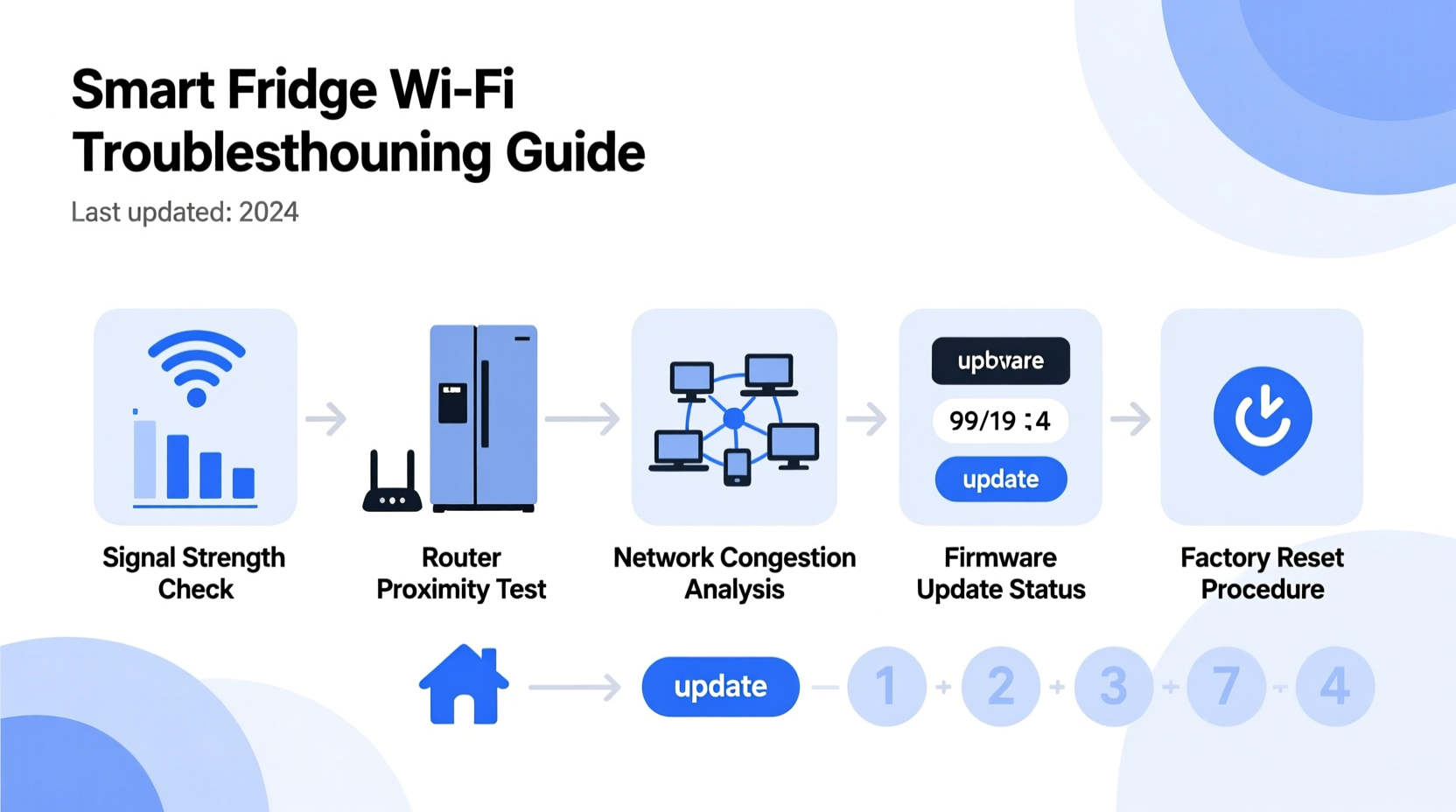
Unlike smartphones or laptops, smart fridges are stationary appliances operating in challenging environments. They're often located in kitchens far from the router, surrounded by metal surfaces that reflect signals, and subject to electrical interference from microwaves, dishwashers, or refrigeration compressors. These conditions make consistent connectivity difficult. Below are the most frequent culprits behind repeated Wi-Fi dropouts:
- Weak signal strength: Distance from the router or physical obstructions like walls and cabinets can degrade signal quality.
- Network congestion: Too many devices on the same network can overwhelm bandwidth, especially during peak usage hours.
- Incompatible frequency bands: Some older routers only support 2.4 GHz, while newer smart fridges may prefer or require 5 GHz—or vice versa if range is an issue.
- Firmware bugs: Outdated or corrupted software on the fridge can impair network stability.
- Router settings: Features like automatic channel switching, power-saving modes, or MAC filtering may interfere with the fridge’s ability to maintain a persistent connection.
- Electrical interference: Large appliances cycling on and off can generate electromagnetic noise that disrupts wireless signals.
Step-by-Step Guide to Restore Stable Connectivity
Resolving Wi-Fi instability requires a methodical approach. Follow this sequence to identify and eliminate the source of disconnection:
- Reboot both the fridge and router: Unplug the fridge for 2 minutes, then restart your router. This clears temporary glitches in both devices.
- Check signal strength at the fridge location: Use a smartphone or Wi-Fi analyzer app to measure signal strength (RSSI). Anything below -70 dBm indicates poor reception.
- Move closer to the router or use a Wi-Fi extender: If signal strength is weak, consider relocating the router or installing a mesh network node nearby.
- Forget and re-enter Wi-Fi credentials: On the fridge’s display, navigate to network settings, remove the saved network, and reconnect manually.
- Verify SSID and password accuracy: Ensure no special characters are causing input errors and confirm case sensitivity.
- Update the fridge’s firmware: Check the manufacturer’s app or website for available updates. Many disconnection issues are resolved through patches.
- Assign a static IP address: Prevent IP conflicts by reserving a fixed IP for the fridge in your router’s DHCP settings.
- Disable power-saving modes: Some routers automatically disconnect idle devices. Turn off “Auto Disconnect” or “Sleep Mode” for IoT devices.
Do’s and Don’ts When Troubleshooting Smart Fridge Wi-Fi
| Do | Don’t |
|---|---|
| Use a 2.4 GHz band if the fridge is far from the router | Assume the fridge is faulty without testing the network first |
| Keep firmware updated regularly | Ignore error codes displayed on the screen |
| Label your network clearly (avoid special characters) | Use guest networks for primary smart appliance connections |
| Test with a mobile hotspot to isolate the issue | Leave outdated router firmware unpatched |
| Monitor connection logs via your router’s admin panel | Restart the fridge more than once every 24 hours unnecessarily |
Real-World Example: A Kitchen in Suburbia
Sarah in Portland recently installed a high-end Samsung Family Hub fridge. Within days, she noticed the internal camera feed would freeze, and grocery lists wouldn’t sync. At first, she assumed the appliance was defective. After contacting customer support, she was guided through diagnostics. A Wi-Fi scan revealed her fridge was receiving only -78 dBm signal strength due to two brick walls between the kitchen and basement router. She tested connectivity using her phone’s hotspot—connecting the fridge directly to her phone’s LTE—and found everything worked flawlessly. That confirmed the issue was environmental, not hardware-related. Sarah invested in a mesh Wi-Fi system with a satellite node placed just outside the kitchen. Signal improved to -52 dBm, and the fridge has remained connected ever since. Her experience highlights how external factors—not device flaws—are often to blame.
“Over 60% of reported smart appliance connectivity issues are actually rooted in home network design, not the appliance itself.” — David Lin, Senior Network Engineer at HomeTech Labs
Expert Tips for Long-Term Stability
Maintaining reliable Wi-Fi for your smart fridge goes beyond one-time fixes. Consider these long-term strategies to prevent future disruptions:
- Use a dedicated 2.4 GHz network: While 5 GHz offers faster speeds, 2.4 GHz provides better wall penetration and range—ideal for appliances that don’t need high bandwidth.
- Enable Quality of Service (QoS) settings: Prioritize traffic for critical smart devices in your router settings to prevent throttling during congestion.
- Monitor device uptime: Some routers allow you to view how long a device has been connected. Sudden drops indicate instability worth investigating.
- Avoid dual-band steering: This feature can force devices to switch bands unpredictably. Disable it if your fridge struggles to stay connected.
- Label your devices: Assign a clear name like “Kitchen_Fridge” in your router so you can easily track its status.
Checklist: Fix Your Smart Fridge Wi-Fi in 10 Minutes
Use this quick-reference checklist the next time your fridge disconnects:
- ✅ Reboot the router and wait 2 minutes before powering back on
- ✅ Unplug the fridge for 120 seconds, then plug it back in
- ✅ Confirm Wi-Fi password hasn’t changed
- ✅ Verify the fridge is within acceptable range of the router
- ✅ Test signal strength using a Wi-Fi analyzer app
- ✅ Forget the current network and reconnect manually
- ✅ Check for firmware updates in the companion app
- ✅ Disable any auto-disconnect or power-saving settings on the router
- ✅ Try connecting the fridge to a mobile hotspot as a test
- ✅ Contact ISP or manufacturer if all else fails
Frequently Asked Questions
Can a microwave interfere with my smart fridge’s Wi-Fi?
Yes. Microwaves operate on the 2.4 GHz frequency band and emit electromagnetic radiation that can temporarily disrupt nearby Wi-Fi signals. If your fridge disconnects each time the microwave runs, consider upgrading to a shielded model or relocating your router.
Why does my fridge connect in the morning but drop at night?
This pattern often points to network congestion. Evening hours typically see higher device usage (streaming, gaming, video calls), which can strain bandwidth and trigger disconnections in less-prioritized devices like appliances. Enable QoS settings to reserve bandwidth for essential smart devices.
Should I use a guest network for my smart fridge?
No. Guest networks often restrict inter-device communication and may lack full internet access or update capabilities. Always connect your smart fridge to your primary secured network to ensure full functionality and timely updates.
Conclusion: Take Control of Your Smart Kitchen
Your smart fridge should enhance your daily routine—not create technical headaches. Persistent Wi-Fi disconnections are frustrating, but they’re almost always fixable with the right knowledge. By understanding the role of signal strength, firmware, and router behavior, you gain the power to diagnose and resolve issues quickly. Whether it’s adjusting settings, upgrading your network infrastructure, or simply rebooting strategically, small actions lead to lasting improvements. Don’t accept intermittent connectivity as normal. Apply these insights today, and enjoy the full benefits of a truly smart appliance working exactly as intended.




 浙公网安备
33010002000092号
浙公网安备
33010002000092号 浙B2-20120091-4
Comments
No comments yet. Why don't you start the discussion?