
Smart home devices promise convenience, automation, and seamless control — but when they lag, that promise quickly turns into frustration. Whether it's a voice assistant taking forever to respond, lights failing to turn on instantly, or cameras buffering endlessly, latency can disrupt the entire ecosystem. The root causes are often not in the device itself, but in the network, environment, or configuration. Understanding these factors is the first step toward restoring smooth, real-time responsiveness across your smart home.
Understanding Latency in Smart Home Systems
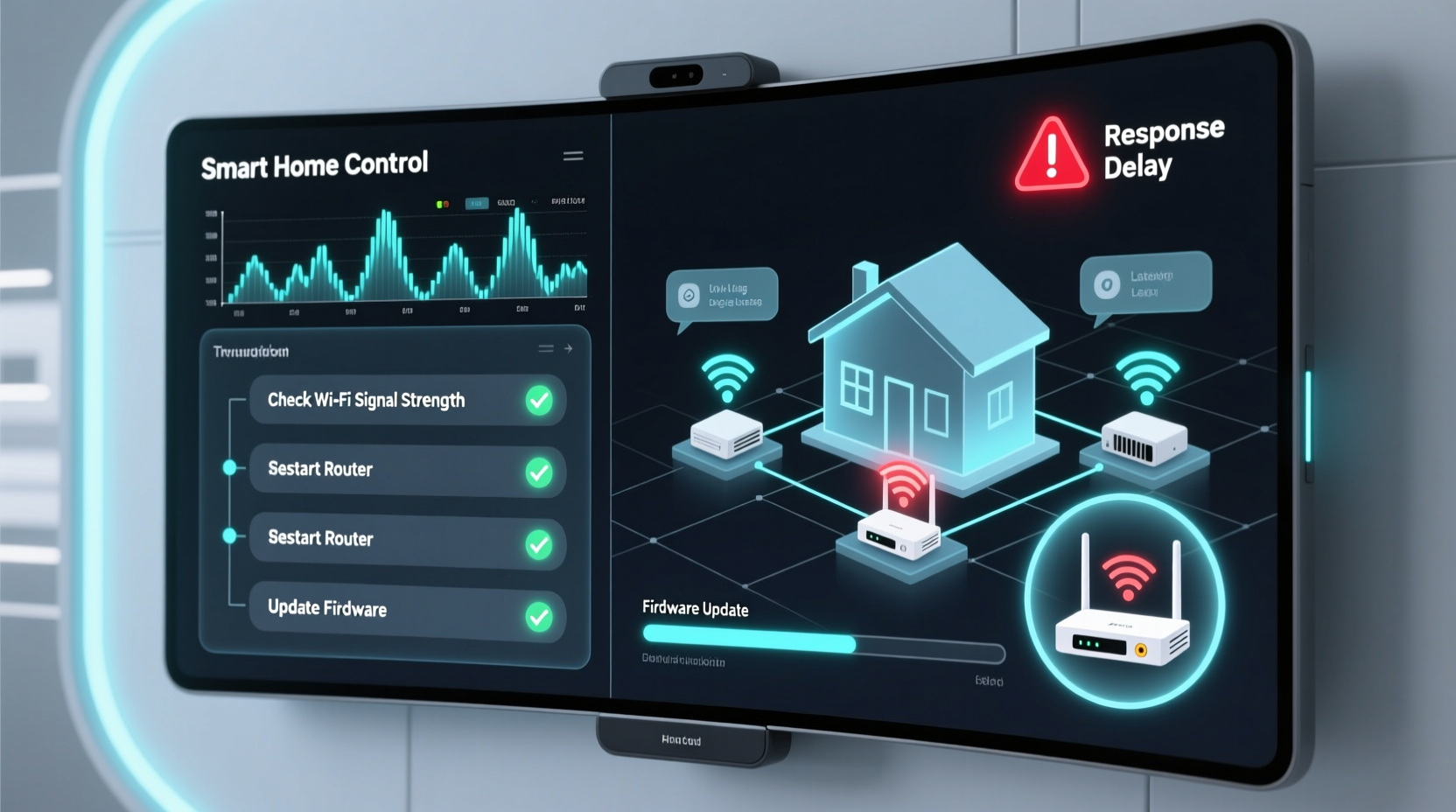
Latency refers to the delay between a command being issued (e.g., \"Turn on the kitchen light\") and the device executing that command. In ideal conditions, this should happen within a second. When delays stretch beyond that, the system feels sluggish. This delay isn’t always due to poor hardware. Instead, it’s typically influenced by multiple layers: Wi-Fi performance, device firmware, cloud communication, and even physical interference.
Most smart devices rely on Wi-Fi or Bluetooth to communicate with your router, hub, or smartphone app. From there, commands may travel to a cloud server before being relayed back to the device — a round trip that introduces measurable lag. Local processing, where commands are handled within your home network without cloud dependency, significantly reduces this delay. However, not all devices support local execution.
“Latency in smart homes is rarely about one single point of failure. It’s usually a chain of small inefficiencies adding up.” — Dr. Alan Reyes, IoT Network Engineer at HomeGrid Labs
Common Causes of Slow Response Times
Several interrelated factors contribute to delayed responses. Identifying which apply to your setup is key to resolving the issue.
1. Poor Wi-Fi Signal Strength
Weak signal strength is the most common culprit. Devices located far from the router, behind thick walls, or near sources of interference (microwaves, cordless phones) struggle to maintain stable connections. Packet loss and retransmission increase latency dramatically.
2. Network Congestion
Modern homes often have 20+ connected devices — phones, tablets, laptops, TVs, security systems, and more. When too many devices compete for bandwidth, especially during high-data activities like streaming or downloads, smart devices get starved of resources.
3. Outdated Firmware or Software
Manufacturers regularly release firmware updates that improve performance, fix bugs, and optimize communication protocols. An outdated smart bulb, camera, or hub may lack these optimizations, leading to slower response times.
4. Cloud Dependency
Many smart devices route commands through external servers. If the manufacturer’s cloud service is overloaded or geographically distant, each request takes longer. Even brief server-side delays compound when multiple devices are involved.
5. Interference from Other Devices
Bluetooth speakers, baby monitors, and even neighboring Wi-Fi networks operating on the same channel can interfere with your 2.4 GHz band — the frequency most smart devices use due to its range advantages over 5 GHz.
6. Router Limitations
Older or low-end routers lack the processing power, Quality of Service (QoS) features, or dual-band capabilities needed to efficiently manage IoT traffic. They may also use outdated Wi-Fi standards like 802.11n instead of modern ones like Wi-Fi 5 (802.11ac) or Wi-Fi 6 (802.11ax).
Step-by-Step Guide to Reducing Smart Home Latency
Follow this structured approach to diagnose and resolve slow response issues in your smart home.
- Test Your Wi-Fi Speed and Signal
Use a speed test app (like Ookla Speedtest) on a phone or tablet placed near each smart device. Look for upload/download speeds below 10 Mbps or ping values above 50 ms — both indicate poor performance. - Reboot Your Router and Devices
A simple restart clears temporary glitches. Power cycle your router, then reboot each smart device. Wait two minutes between steps to allow full reset. - Switch to 5 GHz Where Possible
While 2.4 GHz has better range, 5 GHz offers faster speeds and less interference. If your device supports it (e.g., smart TVs, hubs), connect via 5 GHz for lower latency. - Enable Quality of Service (QoS)
Access your router settings and enable QoS. Prioritize traffic for your smart hub, voice assistants, or critical devices. This ensures they get bandwidth even during congestion. - Update All Firmware
Check each device’s app for pending updates. Don’t skip hub or bridge firmware — these are central to communication efficiency. - Migrate to a Mesh Network
If dead zones exist, consider a mesh Wi-Fi system (e.g., Google Nest Wifi, Eero). These provide seamless coverage and better load balancing than extenders. - Use Static IP or Device Prioritization
Assign static IPs or mark key devices as “high priority” in your router settings to prevent connection drops and ensure consistent access. - Reduce Cloud Reliance
Opt for devices that support local control (e.g., Matter-compatible or Zigbee-based systems). Platforms like Home Assistant or Apple Home (with HomePod as hub) process commands locally, slashing response time.
Device Optimization: Do’s and Don’ts
| Action | Do | Don't |
|---|---|---|
| Wi-Fi Setup | Use dual-band router; assign smart devices to 2.4 GHz for range, 5 GHz for speed | Connect all devices to overcrowded 2.4 GHz band without monitoring |
| Firmware | Enable auto-updates or check monthly | Ignore update notifications for months |
| Placement | Keep devices away from microwaves, refrigerators, and metal surfaces | Install smart switches behind metal junction boxes |
| Network Load | Leverage QoS to prioritize smart home traffic | Allow 4K streaming and gaming to consume all bandwidth |
| Hub Usage | Use a dedicated smart home hub (e.g., Samsung SmartThings, Hubitat) | Rely solely on cloud-dependent apps without local fallback |
Real-World Example: Fixing a Lagging Smart Lighting System
Consider Sarah, who installed Philips Hue bulbs throughout her home. She noticed that saying “Hey Google, turn on the living room lights” took nearly five seconds — sometimes longer. After initial frustration, she began troubleshooting.
First, she tested Wi-Fi near the Hue Bridge and found weak signal (only two bars). The bridge was in a basement closet, far from the router. She moved it to a shelf near the center of the house. Response time improved slightly but still felt slow.
Next, she checked for updates. The Hue app showed a pending firmware update for the bridge. After installing it, voice commands responded in under three seconds. Finally, she enabled QoS on her router and prioritized the bridge’s IP address. Now, lights respond almost instantly — even during Netflix binges on the family TV.
Sarah’s case illustrates how combining physical placement, firmware updates, and network management can transform performance.
Expert Tips for Long-Term Performance
- Monitor device health monthly — Open your router’s admin panel to see which devices are active and how much data they’re using.
- Limit non-essential smart devices — Every extra sensor or plug increases network overhead. Remove unused or redundant gadgets.
- Adopt the Matter protocol — As a unified standard, Matter reduces reliance on proprietary clouds and enables faster, more reliable cross-platform control.
- Segment your network — Use a guest network or VLAN for IoT devices to isolate them from high-bandwidth activities and improve security and performance.
FAQ: Common Questions About Smart Home Latency
Why do my smart lights respond faster in the morning than at night?
This is likely due to network congestion. In the evening, multiple users stream video, game online, or download files, consuming bandwidth. During quieter hours, more resources are available for smart devices.
Can Ethernet improve smart home performance?
Absolutely. Connecting your router, hub, or smart display (like an Echo Show) via Ethernet provides a stable, high-speed backbone. Even if end devices are wireless, a wired core improves overall reliability and reduces Wi-Fi load.
Is Bluetooth better than Wi-Fi for reducing latency?
In some cases, yes. Bluetooth Low Energy (BLE) has very low latency for short-range control (e.g., unlocking a smart lock). However, it lacks scalability. For whole-home systems, Wi-Fi or mesh protocols like Zigbee or Thread (used in Matter) offer better balance of speed, range, and stability.
Checklist: Eliminate Smart Home Latency in 7 Steps
- ✅ Test Wi-Fi signal strength at each device location
- ✅ Reboot router and all smart devices
- ✅ Update firmware on all devices and hubs
- ✅ Enable QoS and prioritize smart home traffic
- ✅ Move devices closer to the router or use a mesh system
- ✅ Switch compatible devices to 5 GHz band
- ✅ Choose local-control platforms over cloud-only options
Conclusion: Take Control of Your Smart Home Speed
Slow smart home responses aren’t inevitable — they’re solvable. By understanding the interplay between your network, devices, and software, you can dramatically reduce latency and restore the instant responsiveness smart technology promises. Start with a single pain point: a sluggish thermostat, a delayed doorbell feed, or a voice command that takes too long. Apply the fixes outlined here, measure the improvement, and expand from there.
The goal isn’t just faster reactions — it’s a smarter, more reliable home. With consistent maintenance and informed choices, your ecosystem can operate seamlessly, making automation feel effortless rather than frustrating.




 浙公网安备
33010002000092号
浙公网安备
33010002000092号 浙B2-20120091-4
Comments
No comments yet. Why don't you start the discussion?